iPad Air 11 vs iPad A16 for Notes: The Real Decider
The questionWhere do these come from?
Help me choose my iPad: ipad A16 11th gen vs ipad Air 11inch
I’m a college student, I’m doing a bachelors in computers. So I’m planning to buy an ipad. My primary use case is going to be doing presentations, notes on the ipad.
For handwritten notes and real presentations, the iPad Air 11-inch's laminated display and extended-screen support beat the cheaper iPad A16.
For a computer science student who wants to take handwritten notes, run presentations, and share a screen — without needing the tablet to do any heavy computing, since that’s what the MacBook is for — the iPad Air 11-inch is the one to buy. The reason has almost nothing to do with the M3 chip. It comes down to two things: what the display glass does to handwriting, and what happens when you plug either iPad into a projector.
Spec by spec: what actually differs
| iPad Air 11-inch (M3) | iPad (A16), 11th gen | |
|---|---|---|
| Display | Fully laminated, anti-reflective coating, P3 wide color | Not laminated (visible air gap), no AR coating, sRGB only |
| Apple Pencil support | Apple Pencil Pro (pressure, squeeze, barrel roll, hover) and Apple Pencil (USB-C) | Apple Pencil (USB-C) and Apple Pencil (1st gen, with adapter) only |
| External display | Stage Manager extends a real second screen via USB-C | Mirroring only, no extended workspace |
| RAM | 8GB | 6GB across all storage tiers |
| Storage ceiling | 128GB, 256GB, 512GB, 1TB | 128GB, 256GB, 512GB |
| Weight (Wi-Fi) | 460g | 477g |
Both share the same 11-inch, 2360×1640, 264ppi panel at 500 nits, and neither gets ProMotion’s 120Hz refresh — that’s reserved for iPad Pro. So the raw display resolution and size are identical. What’s different is everything layered on top of the glass.
The screen is what you’ll feel every time you write
Apple’s own support documentation lists the iPad Air 11-inch (M3) as “fully laminated” with an antireflective coating; the iPad (A16) tech specs page lists neither. In practice, that means the A16’s display sits with a visible air gap between the glass and the panel underneath — Engadget’s review of the 2025 base iPad describes it as feeling “less premium” and notes the missing lamination is “particularly discernible with the Apple Pencil,” where writing feels less natural than on the iPad Air. Macworld’s review of the M3 Air separately confirms the Air’s anti-glare coating holds up outdoors, something the A16 lacks entirely.
For a few sketches or quick annotations, that gap barely registers. For two hours of continuous lecture notes, the parallax between where the tip touches and where the ink appears is the kind of thing your hand adjusts to unconsciously — and adjusting for it, session after session, is more tiring than switching to a screen that doesn’t need the correction.
Apple Pencil Pro matters less than the marketing suggests
The obvious argument for the Air is “it supports Apple Pencil Pro and the A16 doesn’t.” That’s true, but it overstates the case for plain note-taking. Apple’s tech specs confirm both the Apple Pencil (USB-C) and Apple Pencil Pro support tilt sensitivity — the feature that lets shading and natural handwriting weight come through. Pressure sensitivity, which Pencil Pro adds and the USB-C Pencil skips, mainly changes line weight for sketching and illustration; it does very little for a page of Cornell notes or a bullet list.
Where Pencil Pro genuinely helps a notetaker is squeeze (a one-handed gesture to swap between pen, highlighter, and eraser mid-lecture without opening a toolbar) and hover (seeing where the tip will land before it touches down, useful for lining up diagrams). Those are real conveniences during a fast-moving class, but they’re not the difference between usable and unusable handwriting — and Pencil Pro only works with the Air; the iPad (A16) can’t pair with it at all, regardless of which adapter or cable you use.
One more detail worth knowing before you buy either pencil: the Apple Pencil (USB-C) pairs and charges only through its own USB-C cable, on either iPad — it can attach magnetically to an iPad’s side for storage, but that magnetic contact doesn’t charge it. Only Pencil Pro trickle-charges through the magnetic edge, and that’s an Air-only capability.
Just want the recommendation?
Skip to the picksPresentations and screen sharing: mirroring versus a real second screen
This is where the iPad A16’s limits show up most for the “presentations and screen sharing” part of the question. Apple’s Stage Manager support documentation and iPadOS 26’s expanded Stage Manager access still draw a hard line at chip generation: iPads without an M-series chip are limited to mirroring an external display, showing the same thing on the projector or TV that’s on the iPad screen. The M3-based iPad Air can extend a display instead — a real second workspace, which is what lets Keynote or Google Slides show presenter notes and a laser pointer on the iPad while the audience only sees the full-screen slide on the projector.
If your idea of “screen sharing” is dropping your iPad screen into a Zoom or Google Meet call so classmates see your notes, both iPads handle that identically — that’s a software-level screen share, not a hardware display limitation. The extended-display gap only matters when you’re connecting to an actual external screen for a formal presentation.
Where the extra chip and RAM go unused
Since coding lives on the MacBook, the M3-versus-A16 performance gap is the part of this comparison you can mostly ignore. Independent testing bears this out: reviewers measured the iPad (A16) scoring roughly half the iPad Air M3’s graphics benchmark result, and Apple’s own newsroom announcement claims the M3 Air runs close to twice as fast as the earlier M1 Air in CPU tasks. None of that shows up in Notability, GoodNotes, Keynote, or a browser tab full of lecture slides — those apps barely tax either chip.
The 8GB-versus-6GB RAM difference is the only part of that gap you might notice, and only in specific multitasking: running a note-taking app in Split View next to a PDF reader and a browser tab for research, or leaving several apps suspended in the background between classes. The iPad (A16) handles this adequately for two apps at once; it’s more likely to reload a backgrounded app if you’re juggling three or more.
It’s also worth clearing up a common assumption: Apple Intelligence, which the iPad (A16) doesn’t support and the Air does, has nothing to do with the note-taking features people actually associate with it. Math Notes and Smart Script — the handwriting cleanup and equation-solving tools in the Notes and Calculator apps — run on any iPad that supports iPadOS 18 or later, A16 included, according to Apple’s own support guide. Don’t pick the Air expecting better handwriting recognition from Apple Intelligence; that part is a wash.
When the iPad (A16) is the better buy
The base iPad makes sense for a narrower version of this same question: if most of your note-taking is typed on an external keyboard rather than handwritten, and the Apple Pencil is mainly for annotating PDFs or marking up a problem set rather than pages of continuous handwriting, the display lamination gap stops mattering as much. If your presentations are informal — mirroring slides to a dorm TV rather than running a formal projector setup with presenter view — mirroring-only is not a real limitation. And if storage and screen size matter more to you than pencil feel, it’s worth comparing against an even smaller, cheaper option in iPad Mini for College Notes: When Small Works.
For keyboard accessories on the A16 side, Apple’s Magic Keyboard Folio adds a 14-key function row and a click-anywhere trackpad, which covers typed notes reasonably well; if you’re weighing that against third-party options, see iPad A16: Magic Keyboard Folio or Combo Touch?. And if you’re still undecided on whether the base model earns its place in your bag at all, Is the iPad A16 Worth It? Buy It for the Right Jobs covers the cases where it’s the right call outside of note-taking specifically.
For everyone else asking this exact question — handwritten notes as the primary use, plus real presentations and screen sharing — the display and the external-screen behavior are the two things you’ll notice every single day, and both favor the iPad Air 11-inch.
The bottom line
Both are defensible — the split is what you do with it:
Top pick
Buy this
iPad Air 11-inch (M3)
Apple
It's the only model with a laminated, anti-reflective display and Stage Manager's true extended-display output, both of which matter every single day for handwriting and presenting.
The fully laminated, anti-reflective display removes the parallax gap that makes handwriting feel disconnected, and it’s the only one of the two that can drive an actual extended external screen for presentations.Available at Amazon(paid link) — opens Amazon in a new tab. Price and availability shown there.The alternative
It depends
iPad (A16) 11th generation
Apple
Its non-laminated, uncoated display and mirror-only external display support are real drawbacks for continuous handwriting and formal presentations, but disappear as concerns for typing-first note-takers.
A real option if most of your notes are typed rather than handwritten and Apple Pencil use is occasional annotation rather than continuous writing — it runs Math Notes and Smart Script just as well as the Air does.Available at Amazon(paid link) — opens Amazon in a new tab. Price and availability shown there.
Recommended products
Ordered by how well each one fits the situations above. Each link below is a paid link.
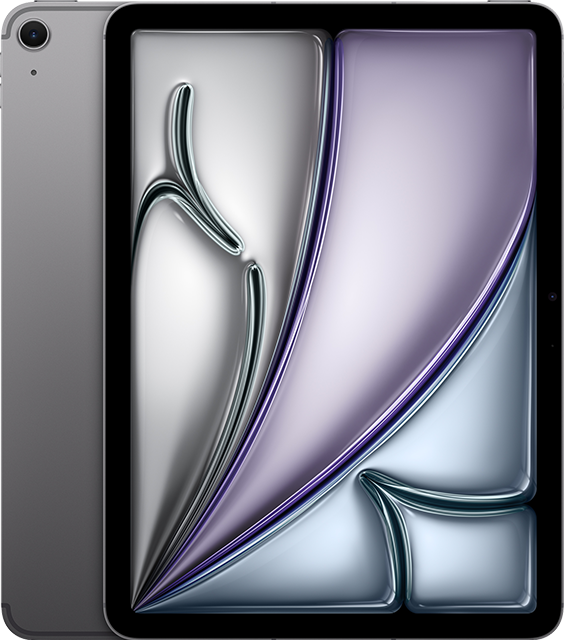
iPad Air 11-inch (M3)
Apple
Buy — It's the only model with a laminated, anti-reflective display and Stage Manager's true extended-display output, both of which matter every single day for handwriting and presenting.
The fully laminated, anti-reflective display removes the parallax gap that makes handwriting feel disconnected, and it’s the only one of the two that can drive an actual extended external screen for presentations.Available at Amazon(paid link) — opens Amazon in a new tab. Price and availability shown there.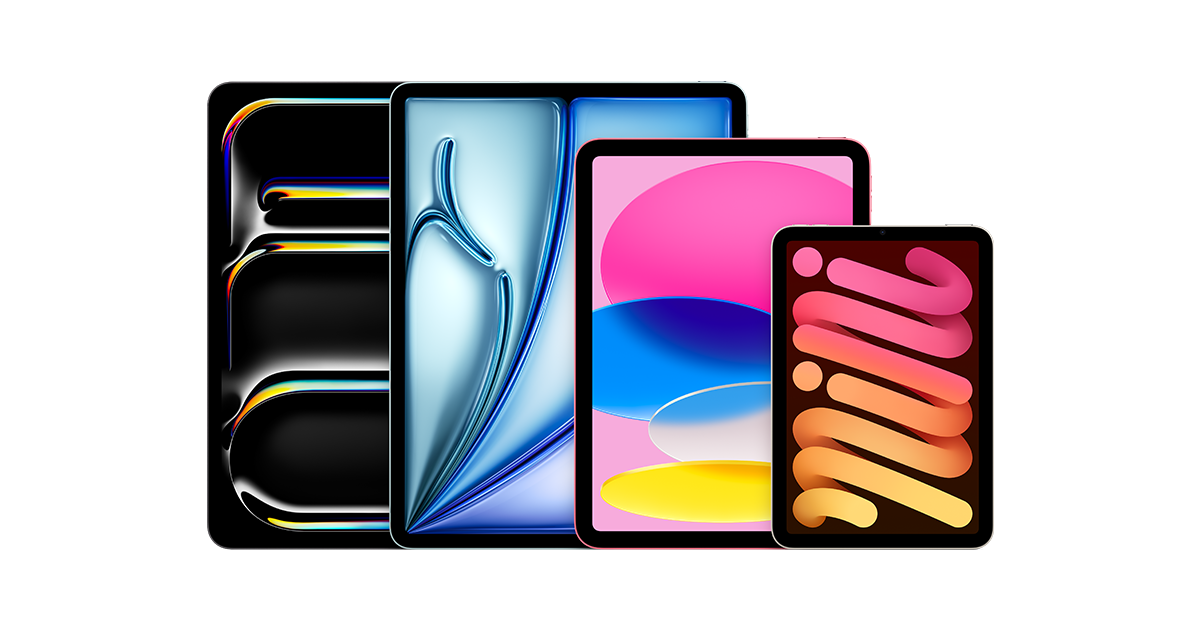
iPad (A16) 11th generation
Apple
It depends — Its non-laminated, uncoated display and mirror-only external display support are real drawbacks for continuous handwriting and formal presentations, but disappear as concerns for typing-first note-takers.
A real option if most of your notes are typed rather than handwritten and Apple Pencil use is occasional annotation rather than continuous writing — it runs Math Notes and Smart Script just as well as the Air does.Available at Amazon(paid link) — opens Amazon in a new tab. Price and availability shown there.Apple Pencil Pro
Apple Pencil
It depends — Buy it alongside the iPad Air specifically — the iPad (A16) cannot pair with Apple Pencil Pro at all, so it's only worth buying if you already have the Air.
Squeeze and hover speed up switching tools mid-lecture, but it only pairs with M-series iPads.Available at Amazon(paid link) — opens Amazon in a new tab. Price and availability shown there.

Sources
Pages consulted while researching this article. None of these are affiliate links.
- iPad Air 11-inch (M3) - Tech Specs - Apple Support — support.apple.com
- iPad (A16) - Tech Specs - Apple Support — support.apple.com
- iPad Air 11-in. (M3) vs iPad (A16) - Apple — apple.com
- Apple iPad 11-inch A16 (2025) review - GSMArena — gsmarena.com
- iPad (2025) with A16 review: No Apple Intelligence, no problem - Engadget — engadget.com
- iPad Air M3 review - Macworld — macworld.com
- Turn Stage Manager on or off on your iPad - Apple Support — support.apple.com
- Magic Keyboard Folio for iPad - Tech Specs - Apple Support — support.apple.com