Apple Pencil 1 Dropping Out and Bad Battery? Replace It
The questionWhere do these come from?
Apple Pencil Glitching
I had left my iPad and apple pencil to sit for a good while without being used.
A 1st-gen Apple Pencil that connects, drops and misreports battery after sitting unused almost always has a dead cell; replace it, or confirm with one test.
A 1st-generation Apple Pencil that connects, drops out and shows jumpy battery readings after sitting unused most likely has a worn-out internal battery, and the fix is replacing the Pencil. The battery is sealed in and cannot be swapped. The Apple Support Community threads cited below describe the same symptoms, but they are individual user posts, not an Apple diagnosis, and no independent lab has published measurements on this failure. Before spending money, run the one test below. It separates a dead Pencil from a pairing glitch in about ten minutes.
The ten-minute test that settles it
- Plug the Pencil into the iPad’s Lightning port (or into the USB-C adapter and cable if the iPad has USB-C) and leave it for at least 15 minutes.
- Add the Batteries widget to the Today View or Home Screen and note the percentage.
- Pull the Pencil out and wait a few minutes with it just sitting beside the iPad.
- Check the widget again.
A healthy Pencil holds roughly the number it showed. A failing one drops sharply, falls back to a low figure (one poster in the cited threads describes it returning to 3%), or vanishes from the widget. Another poster describes a Pencil that stays connected only while it is plugged in and disconnects the moment it is removed. That pattern would mean the cell cannot hold a charge on its own. This is user reporting, not an Apple diagnostic. Apple publishes no official battery-health readout for the Pencil.
Why it appears after sitting unused
Deep discharge is the likely explanation. A lithium cell left at or near empty for weeks or months can drop below the voltage at which it will accept a normal charge. The Pencil then charges briefly, reports an unstable number, and falls off Bluetooth under the smallest load. A sensible precaution is to top up a spare Pencil occasionally, even to 10 to 15 percent, rather than leaving it empty in a drawer. None of the cited sources measured this and none is a lab test, so treat it as a plausible explanation rather than a proven mechanism.
What to rule out before replacing it
- Tip not screwed on fully. A loose tip causes input glitches, but not battery readings that wander.
- Stale pairing. Go to Settings > Bluetooth, tap the info icon next to Apple Pencil, choose Forget This Device, then re-pair by plugging it in. If it pairs and holds a stable number afterward, the battery was fine. The 1st-gen Apple Pencil pairing fix for iPad A16 covers the adapter-specific version of this problem.
- Adapter or cable fault on USB-C iPads. Try a different USB-C cable and the female-to-female Lightning adapter that ships in the box. A thread on the A16 iPad reports 1st-gen Pencil disconnects on that model, so check the iPad side too.
- Another iPad. If the Pencil behaves on a second iPad, the problem is the iPad, not the Pencil.
If the Pencil still fails after forgetting and re-pairing and the widget drops after unplugging, an Apple Store or Apple Support appointment can test it, and Apple Support is the only route to confirming warranty or service terms. This site cannot say what Apple would charge or whether your unit is eligible.
Just want the recommendation?
Skip to the picksWhich Pencil to buy instead
What you can buy depends on the port on your iPad, not on preference.
| Pencil | Works with | What decides it | The catch |
|---|---|---|---|
| Apple Pencil (1st generation) | Lightning iPads, plus the iPad 10th gen with an adapter | Pressure sensitivity and the only option for Lightning iPads | Sealed battery, plug-in charging |
| Apple Pencil (USB-C) | USB-C iPads (iPad 10th gen, A16, newer Air, mini, Pro) | Cable charging and pairing, no adapter | No pressure sensitivity |
| Apple Pencil (2nd generation) | iPads with the magnetic edge | Magnetic pairing and charging | Will not work on Lightning or 10th-gen iPads |
The practical rule: if your iPad is a 6th to 9th generation iPad, iPad Air 3 or iPad mini 5, buy another 1st-generation Pencil. It is the only compatible Apple Pencil. If you have an iPad 10th generation, either the 1st-gen Pencil plus the USB-C to Apple Pencil Adapter or the USB-C Pencil works, and the choice turns on whether you need pressure sensitivity for shading and calligraphy.
Whether another 1st-gen Pencil is worth buying
Yes, if your iPad is a Lightning model and you use the Pencil regularly. The failure is a sealed-battery wear-out, not a design flaw that every unit hits within weeks, and the new Pencil costs far less than a new iPad. Buy it knowing the cell is not serviceable, and avoid repeating the original failure: charge it from time to time and do not leave it flat for months. Skip it if you rarely draw or take notes. A cheap capacitive stylus avoids the problem for light use, though it has no palm rejection and no pressure sensitivity.
Skip the 2nd-generation Pencil for a Lightning or 10th-gen iPad. It charges and pairs through a magnetic edge those iPads do not have, so it cannot connect. The USB-C Pencil is likewise wrong for Lightning iPads, which have no USB-C port for pairing.
The bottom line
Which part you need depends on what broke:
Top pick
Buy this
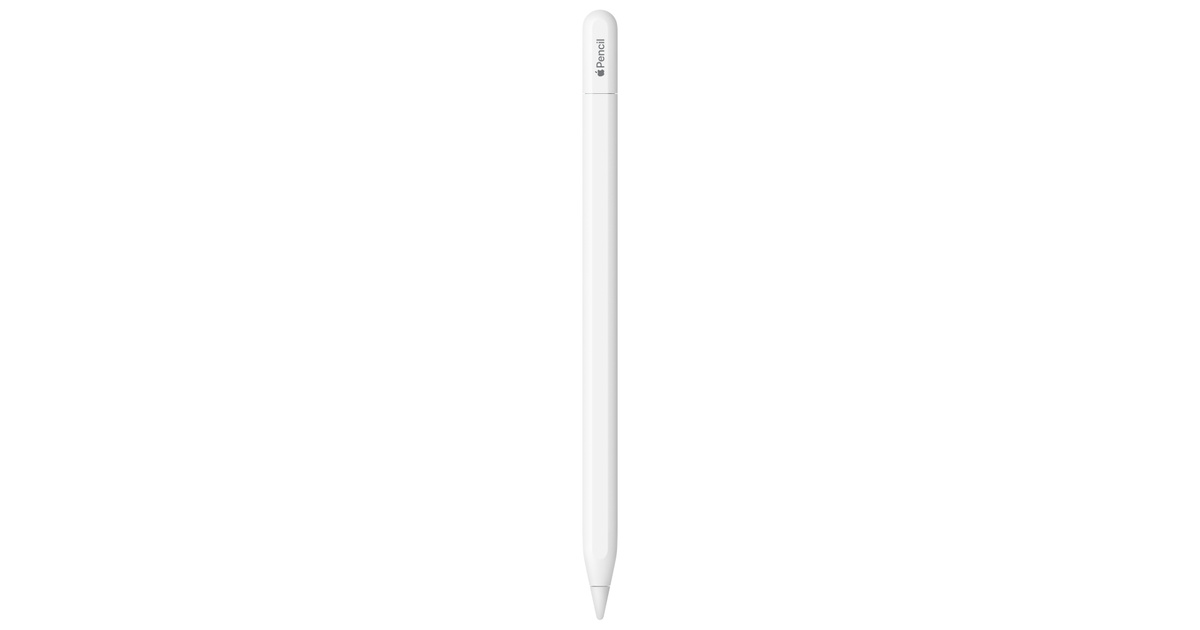
Apple Pencil for iPad (1st Generation) Bluetooth and Lightning connector -White (Renewed)
Apple
The 1st-gen Pencil is the only Apple Pencil that pairs with Lightning-port iPads, and a sealed non-replaceable battery that will not hold charge is fixed only by replacing the whole Pencil.
The replacement itself, if your iPad is one of the Lightning-connector models that supports the 1st generation (iPad 6th to 9th gen, iPad Air 3, iPad mini 5, and the older iPad Pro 9.7, 10.5 and 12.9 inch models). Drawback: the battery is sealed in, so the same failure can come back if it is left flat for months.Available at Amazon(paid link) — opens Amazon in a new tab. Price and availability shown there.The alternative
It depends
Apple Pencil (USB-C): Device Compatibility Check Required | Pixel-Perfect Precision, Tilt Sensitivity, Perfect for Note-Taking, Drawing, & Signing Documents. Charges and Pairs w/ USB-C
Apple
It does not work with Lightning-port iPads, and lacks pressure sensitivity, so it suits note-taking more than shading.
An alternative if your iPad has a USB-C port (iPad 10th gen, iPad A16, newer Air, mini and Pro): it charges and pairs with a plain cable, so no adapter. It gives up pressure sensitivity compared with the 1st and 2nd generation Pencils.Available at Amazon(paid link) — opens Amazon in a new tab. Price and availability shown there.
Recommended products
Ordered by how well each one fits the situations above. Each link below is a paid link.
Apple Pencil for iPad (1st Generation) Bluetooth and Lightning connector -White (Renewed)
Apple
Buy — The 1st-gen Pencil is the only Apple Pencil that pairs with Lightning-port iPads, and a sealed non-replaceable battery that will not hold charge is fixed only by replacing the whole Pencil.
The replacement itself, if your iPad is one of the Lightning-connector models that supports the 1st generation (iPad 6th to 9th gen, iPad Air 3, iPad mini 5, and the older iPad Pro 9.7, 10.5 and 12.9 inch models). Drawback: the battery is sealed in, so the same failure can come back if it is left flat for months.Available at Amazon(paid link) — opens Amazon in a new tab. Price and availability shown there.Apple Pencil (USB-C): Device Compatibility Check Required | Pixel-Perfect Precision, Tilt Sensitivity, Perfect for Note-Taking, Drawing, & Signing Documents. Charges and Pairs w/ USB-C
Apple
It depends — It does not work with Lightning-port iPads, and lacks pressure sensitivity, so it suits note-taking more than shading.
An alternative if your iPad has a USB-C port (iPad 10th gen, iPad A16, newer Air, mini and Pro): it charges and pairs with a plain cable, so no adapter. It gives up pressure sensitivity compared with the 1st and 2nd generation Pencils.Available at Amazon(paid link) — opens Amazon in a new tab. Price and availability shown there.Apple Pencil for iPad (2nd generation) Bluetooth -White (Renewed)
Apple
Skip — Skip it if your iPad is a Lightning or 10th-gen model, since it has no magnetic edge and will not pair or charge there.
A rival for people whose iPad has the magnetic charging edge (iPad Air 4 and 5, iPad mini 6, iPad Pro 11 inch and 12.9 inch 3rd gen onward until the M4 models). Charges and pairs by magnet, so there is no Lightning plug and no pairing step.Available at Amazon(paid link) — opens Amazon in a new tab. Price and availability shown there.

Sources
Pages consulted while researching this article. None of these are affiliate links.
- Apple Pencil 1 disconnects, 0% battery after charge (Apple Support Community) — discussions.apple.com
- Apple Pencil 1st gen keeps disconnecting from iPad a16 (Apple Support Community) — discussions.apple.com
- 1st Generation Apple Pencil Suddenly Not Charging Properly (Apple Support Community) — discussions.apple.com
- apple pencil disconnecting (Apple Support Community) — discussions.apple.com