Is the iPad A16 Worth It? Buy It for the Right Jobs
The question this answersWhere do these come from?
Is the iPad A16 worth buying?
The iPad A16 is worth buying for everyday use and study, but existing iPad 10 owners and demanding creative users should pause.
Yes—the iPad A16 is worth buying for browsing, streaming, handwritten notes and everyday study, with the 128GB Wi-Fi model the sensible starting point. Keep a working iPad 10 unless it has a specific limitation you need to solve, and choose an iPad Air if Apple Intelligence, Pencil Pro or frequent large file transfers matter.
Everyday use is where the A16 makes sense
The iPad A16, also called the 11th-generation iPad, makes the strongest case as a first iPad or a replacement for a tablet that no longer handles your daily tasks comfortably. Reading, watching videos, marking up documents and answering messages do not automatically justify moving to an Air.
Battery testing supports that role. Notebookcheck measured 10 hours 33 minutes of Wi-Fi browsing at 150 nits, using Chrome 135. That is useful evidence for reading and web use between charges, rather than a promise of the same runtime during gaming, video calls or use at maximum brightness. Notebookcheck’s iPad A16 review
The screen is the compromise you will encounter most often. Notebookcheck identifies a 60Hz panel without full lamination or an antireflective coating. Expect visible reflections in bright surroundings and less fluid scrolling than a high-refresh display. Those limitations matter more if you spend hours drawing or already use a tablet with a smoother screen; they are less persuasive reasons to reject a device mainly used indoors for reading and television.
For school or university, distinguish a companion tablet from your only computer. A device for lecture notes and PDFs has a straightforward job. A device expected to handle every course requirement needs closer checking: confirm that your required examination software, specialist applications and document workflows support iPadOS before choosing either the A16 or an Air. A faster processor cannot fix an unavailable application.
Already own an iPad 10? The screen has not grown
The easily missed detail is that the iPad 10 and iPad A16 both measure 10.86 inches diagonally as a rectangle. Both also have a 2360 × 1640 resolution and an Apple brightness specification of 500 nits. Moving from the older “10.9-inch” description to “11-inch” does not give you a larger workspace. Apple’s iPad 10 specifications, Apple’s iPad A16 specifications
The clearer upgrade is storage: the entry configuration moves from 64GB to 128GB, alongside the change from A14 to A16. If a 64GB iPad repeatedly forces you to remove downloaded material, that extra capacity solves an identifiable problem. If your current tablet has enough room and runs your apps comfortably, replacing it is much harder to justify.
The iPad 10 is therefore a reasonable device to keep, but its 64GB configuration is the weaker choice for a fresh purchase intended to hold substantial offline content. Do not confuse “still useful” with “the best starting configuration.”
Coming from an older Home-button iPad makes the decision different. Judge the replacement against what currently frustrates you: battery condition, app responsiveness, storage or the way you connect accessories. Age alone does not establish that a replacement will improve the tasks you actually perform.
Choose the Air when its specific features matter
The relevant current alternative is the 11-inch iPad Air with M4. These differences decide more than the chip names alone:
Just want the recommendation?
Skip to the picks| Feature | iPad A16 | 11-inch iPad Air M4 |
|---|---|---|
| Display resolution | 2360 × 1640 | 2360 × 1640 |
| Fully laminated display | No | Yes |
| Apple Intelligence eligibility | No | Yes |
| Apple Pencil Pro compatibility | No | Yes |
| USB data specification | USB 2.0, up to 480Mb/s | USB 3, up to 10Gb/s |
The hardware specifications come from Apple; Notebookcheck confirms the A16’s lack of full lamination. Apple’s Intelligence requirements list M1 and later iPads and the iPad mini A17 Pro, excluding the A16. iPad A16 specifications, iPad Air specifications, Apple Intelligence requirements
For regular illustration, the A16 gets the display and accessory combination wrong: it lacks the Air’s laminated panel and cannot use Pencil Pro. The Air also adds an antireflective coating and P3 wide color. These are concrete reasons to choose it if drawing is central to the purchase. They are less compelling for occasional diagrams in lecture notes.
The USB difference matters for photographers and anyone moving large folders. Notebookcheck measured transfers up to 39MB/s with a Samsung 980 Pro SSD attached to the A16. At that reported rate, transferring a decimal 10GB would take about 4 minutes 16 seconds if the speed stayed constant; that is arithmetic from the measurement, not a separately tested transfer time. Notebookcheck’s USB measurements
An occasional import may be tolerable. Repeating it throughout a working day changes the recommendation. The Air’s faster port is a reason to choose it for that workflow, although its advertised interface limit is not a measured SSD transfer speed.
Likewise, do not buy the A16 expecting a settings change to enable Apple Intelligence. It is outside Apple’s supported hardware list. That does not stop ordinary browsing or document work, but it is decisive if Apple’s integrated AI features are part of your reason for buying.
Pick storage and accessories around the work
Start with 128GB if your use centres on streaming, notes, documents and a modest collection of installed apps. Choose 256GB when you intend to retain large games, downloaded video or substantial offline course material. The 512GB version makes sense only when you can identify the local files that need it; additional storage does not add the Air’s display, port or accessory capabilities.
Before choosing, inventory what you already keep locally and allow room for growth. Advertised capacity is not entirely available for your files, and a storage decision based only on today’s nearly empty device can become inconvenient later.
Skip Apple Pencil Pro for the iPad A16: it is incompatible with this tablet. Apple lists the USB-C Pencil and first-generation Pencil as the supported options. Pencil Pro is useful with compatible Air models, but buying it alongside the A16 will not unlock its drawing features. Apple’s Pencil compatibility information
For notes and PDF annotation, Apple Pencil USB-C is the straightforward option. Its limitation is pressure sensitivity: Apple’s comparison explicitly shows that it lacks this feature. It also pairs and charges through a cable rather than charging magnetically. Artists should decide whether that compromises their intended brushes before buying the tablet and stylus together. Apple’s Pencil feature comparison
A keyboard deserves the same scrutiny. If you expect to write long assignments, compare the typing arrangement, stand and carrying setup before committing; the Magic Keyboard Folio versus Combo Touch guide covers that choice specifically for the A16.
Buy the iPad A16 when the job is clearly everyday tablet use. Keep an adequate iPad 10, and choose the Air when you can name a feature the A16 cannot supply.
The bottom line
Both justify the spend at different budgets:
Top pick
Buy this
Apple iPad 11-inch A16 128GB Wi-Fi Silver
Apple
The 128GB base capacity and supported Apple Pencil options suit everyday tablet work without requiring an Air.
The starting configuration for browsing, streaming, notes and everyday study. Its display lacks full lamination, and it does not support Apple Intelligence.Available at Amazon(paid link) — opens Amazon in a new tab. Price and availability shown there.The alternative
It depends
Apple iPad Air 11-inch M4 128GB Wi-Fi Space Gray
Apple
The laminated display, Pencil Pro compatibility and USB interface rated up to 10Gb/s address specific limitations of the A16.
Choose this for regular drawing, Apple Intelligence or frequent external-drive transfers. It still requires checking that your essential software works on iPadOS.Available at Amazon(paid link) — opens Amazon in a new tab. Price and availability shown there.
Recommended products
Ordered by how well each one fits the situations above. Each link below is a paid link.
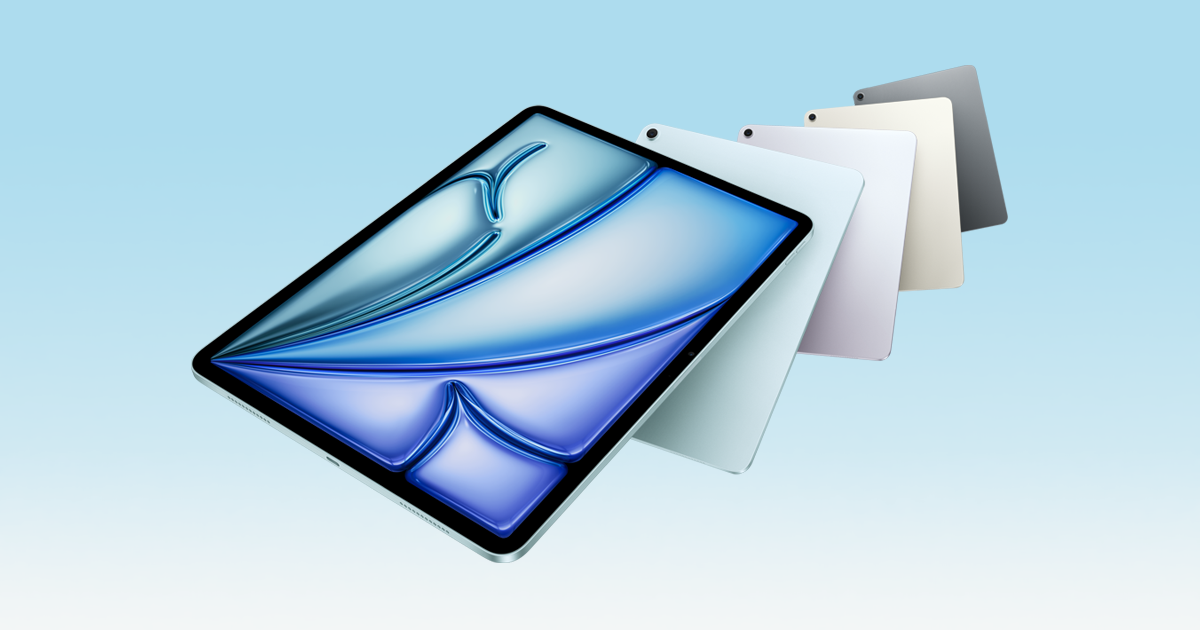
Apple iPad 11-inch A16 128GB Wi-Fi Silver
Apple
Buy — The 128GB base capacity and supported Apple Pencil options suit everyday tablet work without requiring an Air.
The starting configuration for browsing, streaming, notes and everyday study. Its display lacks full lamination, and it does not support Apple Intelligence.Available at Amazon(paid link) — opens Amazon in a new tab. Price and availability shown there.Apple iPad Air 11-inch M4 128GB Wi-Fi Space Gray
Apple
It depends — The laminated display, Pencil Pro compatibility and USB interface rated up to 10Gb/s address specific limitations of the A16.
Choose this for regular drawing, Apple Intelligence or frequent external-drive transfers. It still requires checking that your essential software works on iPadOS.Available at Amazon(paid link) — opens Amazon in a new tab. Price and availability shown there.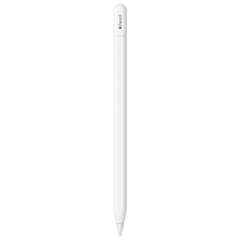
Apple Pencil (USB-C)
Apple Pencil
It depends — Apple confirms A16 compatibility, but the absence of pressure sensitivity narrows its usefulness for illustration.
A compatible accessory for handwritten notes and PDF annotation on the A16. It lacks pressure sensitivity and requires a cable for pairing and charging.Available at Amazon(paid link) — opens Amazon in a new tab. Price and availability shown there.Apple Pencil Pro
Apple Pencil
Skip — Apple Pencil Pro is not compatible with the iPad A16.
Skip this accessory when buying an iPad A16. Its drawing features require a compatible iPad, such as the Air M4.Available at Amazon(paid link) — opens Amazon in a new tab. Price and availability shown there.

Sources
Pages consulted while researching this article. None of these are affiliate links.
- Apple iPad A16 technical specifications — apple.com
- Notebookcheck: Apple iPad 11 (2025) review — notebookcheck.net
- Apple iPad 10th generation technical specifications — support.apple.com
- Apple iPad Air M4 technical specifications — apple.com
- Apple Intelligence device and system requirements — support.apple.com
- Apple Pencil compatibility and feature comparison — apple.com