Windows Laptop for Ripping CDs
The questionWhere do these come from?
What laptop would work out for me? (A little urgent)
Choose a Windows 11 2-in-1 with 16GB RAM and 512GB SSD, such as the Lenovo IdeaPad 5, plus a USB DVD writer.
Buy a 14-inch Windows 2-in-1 with 16GB of RAM and a 512GB SSD, preferably the Lenovo IdeaPad 5 2-in-1 if you can get the right configuration under your cap. For the CD ripping part, do not try to find a modern laptop with a built-in optical drive; get a normal laptop and add a USB DVD writer.
Why this kind of laptop fits
That is the clean answer because your needs are mostly normal computer work: online classes, studying, writing, browser tabs, basic websites, Canva-level creative work, maybe some photo edits, and light games. None of that needs a gaming laptop. None of it needs a Mac. A Chromebook is also the wrong fit if you specifically want CD ripping, Windows apps, offline tools, and less friction with random school/work software.
The specs that matter most
The spec line that matters is simple: Windows 11, 16GB RAM, 512GB SSD, a 14-inch or 15-inch 1080p-or-better touchscreen, and a recent Ryzen 5/Ryzen 7, Intel Core 5/Core Ultra 5, or Intel Core i5/i7 chip. If you have to choose between 8GB RAM with a nicer screen and 16GB RAM with a plain screen, take the 16GB RAM. Browser tabs, Teams/Zoom, Word, Spotify, web builders, and image-heavy websites are exactly how cheap 8GB laptops start feeling old too soon.
Storage is easier. A 512GB SSD is enough for school files, writing, ripped CDs, documents, and a reasonable number of photos. If you rip a large CD collection in lossless FLAC, you can still add an external SSD later. Do not pay extra just to get 1TB if it forces you down to 8GB RAM or an older, weaker laptop.
How much to value convertible mode
The touchscreen/convertible preference is reasonable, but do not overvalue tablet mode. A 14-inch 2-in-1 is useful for reading PDFs, marking up notes, watching videos in tent mode, and occasionally drawing or signing something. It is not going to replace an iPad for comfortable couch use. These machines are still laptops with keyboards attached, and budget hinges, screens, and pens vary a lot. Treat the convertible feature as a nice working posture option, not the whole reason to buy.
Which models to compare
The Lenovo IdeaPad 5 2-in-1 is the model to look for first because it usually gives you the right balance: enough CPU, 16GB RAM configurations, a 14-inch 16:10 touchscreen, USB-C charging, USB-A ports, HDMI, and a microSD reader on many models. Notebookcheck’s review of the AMD 14AHP9 version found it unusually fast for a budget convertible, with good port selection and respectable battery life, but also called out real weaknesses: the IPS display is not very color-rich, the speakers are weak, and the chassis can feel cheaper than premium Yoga models. That is fine for you. You are not buying a color-grading workstation. You need a dependable machine for work and study.
If you see a newer Gen 10 IdeaPad 5 2-in-1 with Ryzen AI 5 or Ryzen AI 7, 16GB RAM, and 512GB storage inside your cap, that is a strong buy. Lenovo’s current 14-inch AMD model page lists a WUXGA touchscreen, 16GB soldered memory, 512GB SSD, Wi-Fi 7, a 1080p camera with privacy shutter, backlit keyboard, and Lenovo Digital Pen 2 on the specific configuration checked. The catch is the soldered RAM. You must buy the memory you want now, because you are not upgrading it later.
Just want the recommendation?
Skip to the picksThe HP Pavilion x360 14 is the fallback if you care more about sturdy feel and keyboard comfort than raw performance. TechRadar’s recent review found it well made, compact, and capable for everyday work, with a responsive touchscreen and a useful port mix. The bad parts matter: some configurations lack keyboard backlighting, the touchpad is small and not especially satisfying, it can stutter when multitasking hard, and it is weak for gaming because it has integrated graphics. Only the 16GB RAM and 512GB storage configuration is worth buying. The low-end 8GB/256GB versions are the trap.
The Acer Aspire 5 Spin 14 is a third option if you find a configuration that fits your cap. Acer’s spec page for the A5SP14-51MTN model lists a 14-inch 1920x1200 touchscreen, backlit keyboard, stylus support, USB-C with Thunderbolt 4/USB4, HDMI, and 1TB storage on that particular model. On paper, that is a nice package. The reason it doesn’t come first is weight and consistency. Acer lists that model at about 4.41 lb, which is heavy for a 14-inch convertible. Notebookcheck also found the related Aspire Spin 14 line useful but compromised, with limited display color and loud fan behavior under heavier loads. If this will live mostly on a desk, fine; you can think separately about a large monitor instead of a TV. If you carry it around campus every day, the Lenovo or HP size/weight balance is better.
| Model | Main reason to consider it | Main watch-outs | Best fit |
|---|---|---|---|
| Lenovo IdeaPad 5 2-in-1 | Enough CPU, 16GB RAM configurations, 14-inch 16:10 touchscreen, USB-C charging, USB-A, HDMI, and microSD reader on many models | IPS display is not very color-rich, speakers are weak, chassis can feel cheaper than premium Yoga models, RAM is soldered on the Gen 10 configuration checked | First choice if the 16GB/512GB 2-in-1 configuration fits your budget |
| HP Pavilion x360 14 | Well made, compact, capable for everyday work, responsive touchscreen, useful port mix | Some configurations lack keyboard backlighting, touchpad is small, can stutter when multitasking hard, weak for gaming | Fallback if you care more about sturdy feel and keyboard comfort than raw performance |
| Acer Aspire 5 Spin 14 | 14-inch 1920x1200 touchscreen, backlit keyboard, stylus support, USB-C with Thunderbolt 4/USB4, HDMI, and 1TB storage on that model | About 4.41 lb, limited display color, loud fan behavior under heavier loads | Third option if you find the right Spin model and do not mind the weight |
Where budget convertibles make sense
For light games, keep expectations grounded. Minecraft, Roblox, Stardew Valley, older indie games, browser games, and some esports titles on low settings are the lane. Do not buy any of these expecting modern AAA games, high settings, or long gaming sessions on battery. Integrated graphics have improved, especially on recent AMD and Intel chips, but budget convertibles are cooled and built for school/work first.
For basic websites, any of the 16GB machines above will handle WordPress, Wix, Squarespace, Google Sites, GitHub Pages, and light VS Code work. If you want to learn HTML/CSS/JavaScript locally, install VS Code and a browser. You do not need a workstation. If you start running Docker, Android Studio, big local databases, or game engines, then this budget class becomes the wrong tool.
What to verify before checkout
For CD ripping, buy an external drive separately. Laptop Mag’s current external DVD drive roundup puts the ASUS ZenDrive U9M at the top for general CD/DVD use, and ASUS’s own spec page lists both USB-C and USB-A connectivity plus Windows 11 compatibility. That matters because many cheap laptops still have USB-A, while newer ones may rely more on USB-C. The ZenDrive is not fast in the way an SSD is fast, and optical drives are a little fussy by nature. Use it on a flat surface, plug it directly into the laptop rather than a weak hub, and rip with software like Exact Audio Copy, MusicBee, iTunes for Windows, or Windows Media Player Legacy depending on how picky you are about metadata and accuracy.
Before you buy, check these details on the exact listing, not just the product family name: 16GB RAM, 512GB SSD, Windows 11 Home or Pro, touchscreen, backlit keyboard if you work at night, and at least one USB-A port or a USB-C port that matches your external DVD drive cable. Product names like “IdeaPad 5” and “Pavilion x360” cover many different configurations. One version can be a good buy and another version with the same family name can be a slow 8GB model you will regret.
So the order is: Lenovo first if the 16GB/512GB 2-in-1 configuration fits your budget; HP if you want a sturdy-feeling convertible and can confirm the better spec; Acer if you find the right Spin model and do not mind the weight; ASUS ZenDrive U9M for the CD ripping instead of shopping for a laptop with an optical drive built in.
The bottom line
Two of these work — the difference is which situation you are in:
Top pick
Buy this
Lenovo IdeaPad Flex 5 16" 2-in-1 Laptop, AMD Ryzen AI 5 340, 16GB DDR5
Lenovo
The article makes Lenovo its first choice in a 16GB RAM and 512GB SSD configuration for study, everyday work, and light creative tasks.
Best first choice if you can get the 16GB/512GB touchscreen configuration under your cap. It fits study, writing, online work, light creative tasks, and basic websites without paying for gaming hardware.Available at Amazon(paid link) — opens Amazon in a new tab. Price and availability shown there.The alternative
It depends
HP EliteBook 840 G8 Laptop, 14-inch FHD Display, Intel Core i5-1145G7, 16GB RAM, 512GB SSD, Backlit Keyboard, HDMI, Windows 11 Pro (Renewed)
HP
The article recommends the HP fallback with 16GB RAM and 512GB storage when keyboard comfort and sturdy feel outweigh performance, noting stuttering during heavy multitasking.
The fallback 2-in-1 if keyboard feel and sturdy build matter more to you than maximum performance. Avoid the 8GB/256GB versions.Available at Amazon(paid link) — opens Amazon in a new tab. Price and availability shown there.
Recommended products
Ordered by how well each one fits the situations above. Each link below is a paid link.
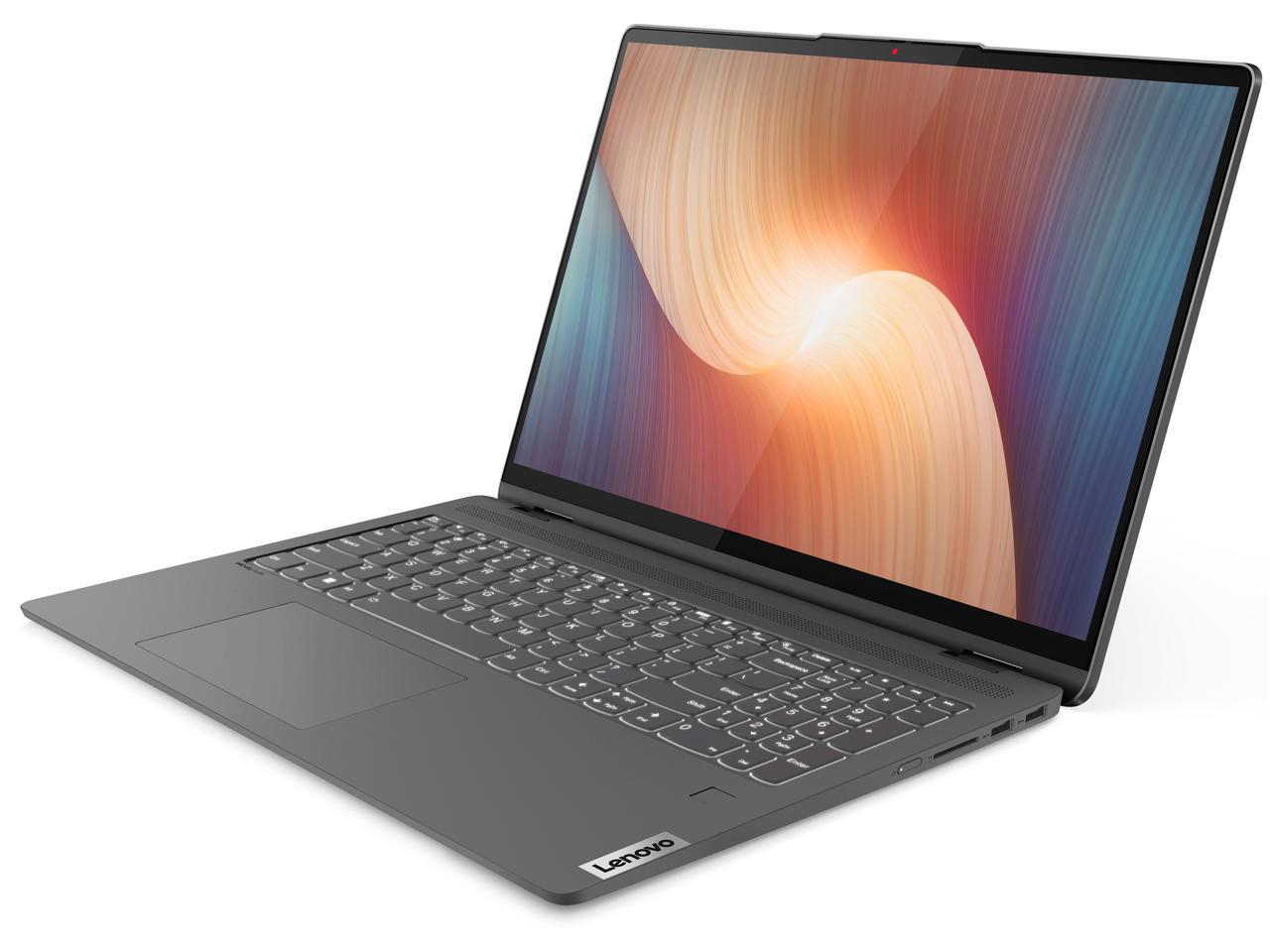
Lenovo IdeaPad Flex 5 16" 2-in-1 Laptop, AMD Ryzen AI 5 340, 16GB DDR5
Lenovo
Buy — The article makes Lenovo its first choice in a 16GB RAM and 512GB SSD configuration for study, everyday work, and light creative tasks.
Best first choice if you can get the 16GB/512GB touchscreen configuration under your cap. It fits study, writing, online work, light creative tasks, and basic websites without paying for gaming hardware.Available at Amazon(paid link) — opens Amazon in a new tab. Price and availability shown there.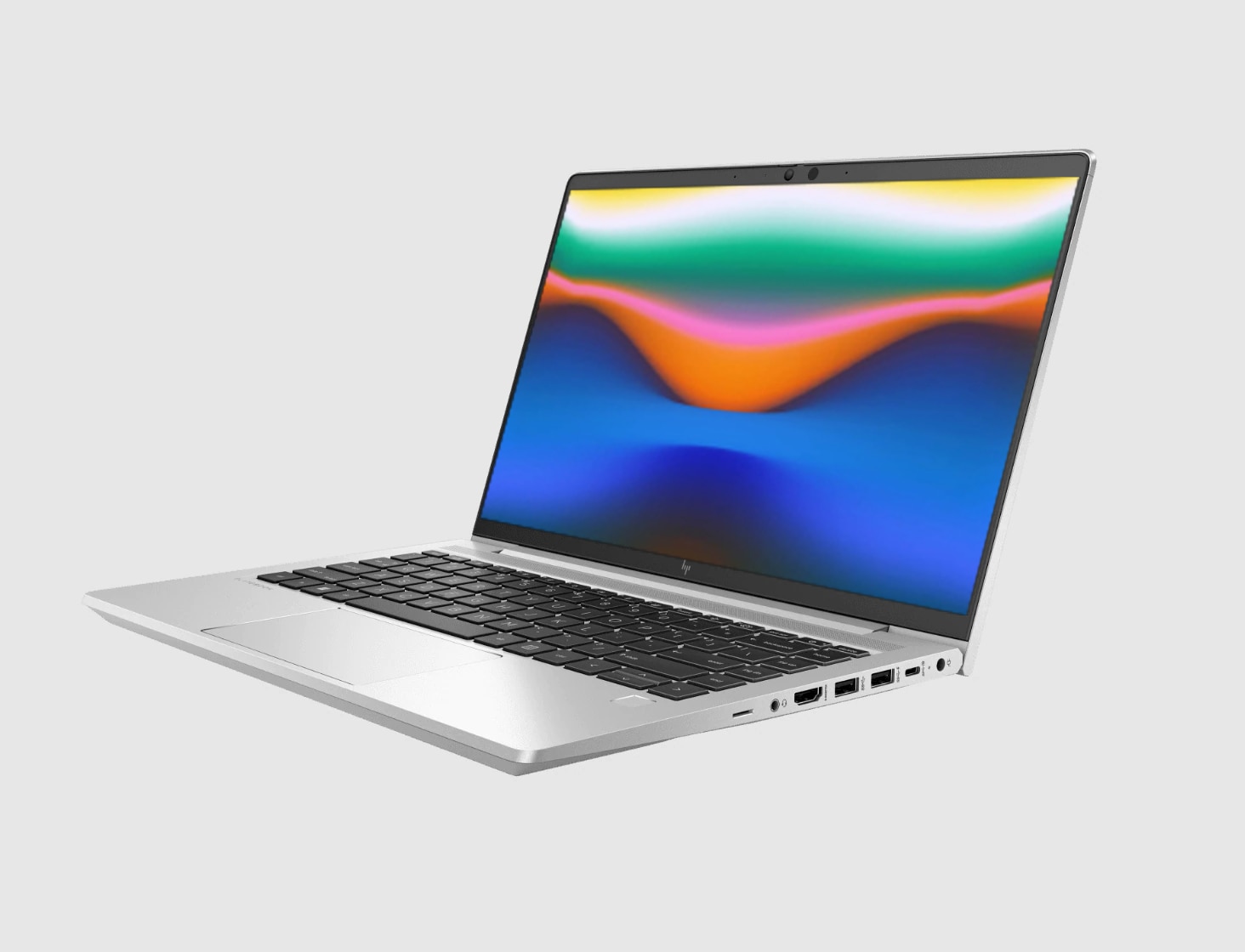
HP EliteBook 840 G8 Laptop, 14-inch FHD Display, Intel Core i5-1145G7, 16GB RAM, 512GB SSD, Backlit Keyboard, HDMI, Windows 11 Pro (Renewed)
HP
It depends — The article recommends the HP fallback with 16GB RAM and 512GB storage when keyboard comfort and sturdy feel outweigh performance, noting stuttering during heavy multitasking.
The fallback 2-in-1 if keyboard feel and sturdy build matter more to you than maximum performance. Avoid the 8GB/256GB versions.Available at Amazon(paid link) — opens Amazon in a new tab. Price and availability shown there.
acer Aspire 14 Laptop | 14.0" WUXGA 1920 x 1200 IPS | Intel Core 5 Processor 120U | Intel Graphics | 16GB LPDDR5 | 512GB Gen4 SSD | Wi-Fi 6E | AI PC | Copilot Key | Backlit Keyboard | A14-51M-515G
Acer
It depends — The article recommends the Acer Spin mainly for desk use or buyers comfortable with its approximately 4.41 lb weight, favoring Lenovo or HP for daily carrying.
Worth considering when the exact configuration fits your budget, especially if you want a stylus-friendly convertible with strong ports. It is heavier than I would want for daily carrying.Available at Amazon(paid link) — opens Amazon in a new tab. Price and availability shown there.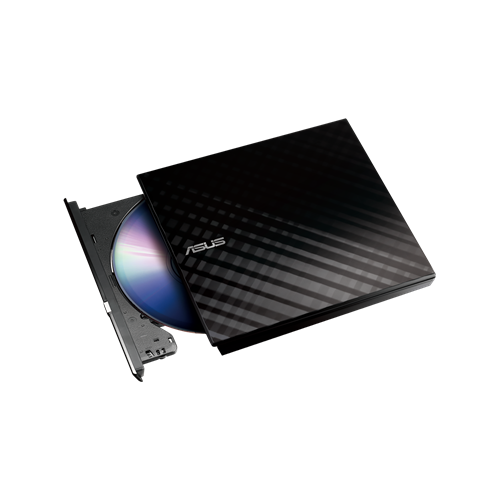
ASUS ZenDrive Black 13mm External 8X DVD/Burner Drive +/-RW with M-Disc Support, Compatible with Both Mac & Windows and Nero BackItUp for Android Devices (USB 2.0 & Type-C Cables Included)
ASUS
Buy — The article recommends the ASUS ZenDrive for CD ripping because it supports USB-A and USB-C connections and Windows 11.
Use this for CD ripping instead of hunting for a modern laptop with a built-in disc drive. It includes USB-A and USB-C support and is listed as Windows 11 compatible.Available at Amazon(paid link) — opens Amazon in a new tab. Price and availability shown there.
Sources
Pages consulted while researching this article. None of these are affiliate links.
- Lenovo IdeaPad 5 2-in-1 (14 inch AMD) - 83KT001TUS — lenovo.com (accessed 2026-08-09)
- Notebookcheck: IdeaPad 5 2-in-1 14AHP9 convertible review — notebookcheck.net (accessed 2026-08-09)
- TechRadar: HP Pavilion x360 14 review — techradar.com (accessed 2026-08-09)
- Acer Aspire 5 Spin 14 A5SP14-51MTN-74SB Tech Specs — acer.com (accessed 2026-08-09)
- Notebookcheck: Acer Aspire Spin 14 review — notebookcheck.net (accessed 2026-08-09)
- Laptop Mag: The best external DVD drives in 2025 — laptopmag.com (accessed 2026-08-09)
- ASUS ZenDrive U9M Tech Specs — asus.com (accessed 2026-08-09)