Large External Monitor for MacBook Pro
The questionWhere do these come from?
Looking for large tall monitor - 32” to 40” or 50”
Choose a 32-inch 6K monitor for Mac-sharp text, or a 40-inch 5K2K ultrawide for spreadsheet space instead of using a TV.
The move is not a 50-inch TV. For what you described, you want either a 32-inch 6K monitor if sharp text matters most, or a 40-inch 5K2K ultrawide if spreadsheet width matters more than Retina-level crispness.
If you want Mac-crisp, size is the trap
Your MacBook Pro screen looks good because it has very high pixel density. Apple’s Studio Display is 27 inches, 5120 x 2880, and 218 ppi. Apple’s old 32-inch Pro Display XDR is also a 6K-class 32-inch panel at 218 ppi. That is the mental target.
A normal 32-inch 4K monitor is only about 140 ppi. A 40-inch 5K2K ultrawide is also about 140 ppi. A 43-inch 4K TV is around 102 ppi, and a 50-inch 4K TV is worse. The screen gets larger, but the text does not get more detailed. It gets bigger and rougher unless you sit farther away.
So if your main complaint is “I want spreadsheets and editing timelines to be big, but I still want text to look like it belongs next to a MacBook Pro,” the honest answer is: buy pixels, not inches.
That points hard at 32-inch 6K. The ASUS ProArt PA32QCV is the cleanest current answer because it gives you a 31.5-inch 6016 x 3384 panel at 218 ppi, Thunderbolt 4, Mac-focused color mode, 96W USB-C power delivery, and a proper adjustable stand. It is not 40 inches, but it is the large Retina-like desktop display you were trying to describe.
The bad part: it is still a 60Hz IPS monitor, not a mini-LED MacBook Pro panel. Do not buy it expecting ProMotion, OLED blacks, or TV-style HDR drama. Buy it because spreadsheet text, code, Finder windows, Lightroom panels, and Final Cut/Premiere interfaces will be sharp.
If spreadsheets are the main job
If your spreadsheet work means many columns, multiple documents, or editing with a browser/reference window beside the main app, the Dell UltraSharp U4025QW makes more sense than a 32-inch 16:9 screen. It is 39.7 inches, 5120 x 2160, 21:9, curved, and runs up to 120Hz. Dell also gives it Thunderbolt 4 with up to 140W power delivery, Ethernet, a KVM, and enough hub ports that it can realistically become your desk dock.
This is probably the best “large tall-ish” monitor that is not LG or Samsung. It is not tall like two stacked displays, but it is much wider than a 32-inch monitor while keeping the same 2160-pixel vertical resolution as 4K. For spreadsheets, that width is the useful part. For editing, the width is excellent for a timeline plus bins/scopes.
The compromise is sharpness. At about 140 ppi, it will not look like your MacBook Pro display. It should look good, and RTINGS rated its text and image clarity highly, but it is not Retina-class. If you sit close and are sensitive to font rendering, 6K at 32 inches wins. If you mostly want working room, the 40-inch Dell wins.
Also, this is not a gaming-first monitor. RTINGS liked it for office and editing work, but called out poor fast-motion handling. That matters less for spreadsheets and editing interfaces than for shooters or fast games, but it is still part of the deal.
Why a TV is usually the wrong fix
A TV sounds tempting because 43, 48, and 50 inches feel like the obvious way to get “large and tall.” For Mac desktop work, the math is ugly. A 43-inch 4K TV gives you much lower pixel density than a 32-inch 4K monitor, never mind a 32-inch 6K monitor. If you sit at a desk, menu text and spreadsheet gridlines will look less precise.
There are also TV-specific annoyances: overscan settings to kill, PC mode to find, chroma 4:4:4 support to verify, auto-dimming on some models, aggressive sharpening, sleep/wake weirdness, and stands that put the panel too low or too far back. RTINGS is right that chroma 4:4:4 matters for text clarity when using a TV as a monitor. Without it, colored text and fine UI edges can look smeared.
If you still want a TV, treat it as a wall-mounted or deep-desk option. You should be sitting farther back than you would with a normal monitor. A 43-inch Sony BRAVIA 3 is the TV worth a look here, mainly because it avoids LG/Samsung and RTINGS notes the 43-inch model uses an RGB subpixel layout, which is better for text than BGR layouts. But it is still a basic 4K 60Hz TV, not a Mac-crisp monitor.
Just want the recommendation?
Skip to the picksSo the TV answer is: yes, a TV can work if you want a big canvas and sit back. No, it is not the better option for sharp daily spreadsheet work at a desk.
The scaling setting matters
On macOS, do not judge a monitor only by the resolution printed on the box. Judge what scaled mode you will actually use.
A 32-inch 6K monitor can run in a comfortable scaled mode that feels like 3008 x 1692 or similar while still using enough source pixels for crisp rendering. That is why 6K at 32 inches feels right on a Mac.
A 32-inch 4K monitor often lands in an awkward place. Native 3840 x 2160 makes UI elements small. “Looks like 2560 x 1440” can feel too large to some people. In-between scaling modes can be fine on Apple Silicon, but they are not as clean as true 2x Retina scaling. This is not a deal-breaker; it is just why some Mac users love 32-inch 4K and others immediately notice the softness.
For your use, here is how the decision breaks down:
If you edit text-heavy spreadsheets all day and sharpness bothers you, get 32-inch 6K.
If you need one huge workspace for columns, timelines, and side-by-side windows, get the 40-inch Dell.
If you want a large Mac-friendly monitor but cannot justify 6K, get a 32-inch 4K BenQ made for Macs and accept that it will not look like the built-in display.
If you want a living-room-size screen, buy a TV only after accepting that you are choosing size over text crispness.
What to Buy
Best overall for your exact “large but Mac-crisp” need: the ASUS ProArt PA32QCV. It gets closest to the Apple display feel while giving you a larger 32-inch canvas and avoiding LG and Samsung.
Best if your spreadsheet width matters more than Retina sharpness: the Dell UltraSharp U4025QW. It is the practical big-desk productivity monster here.
Best alternative 32-inch 6K if you want the built-in webcam, speakers, Ethernet, and dock features: the Dell UltraSharp U3224KB. Availability can be inconsistent, so check stock before building your plan around it.
Best lower-commitment 32-inch Mac option: the BenQ MA320UG or MA320U family. It is 4K, so be honest with yourself: bigger than Apple’s display, yes; as crisp as Apple’s display, no.
The only TV path worth considering under your no-LG/no-Samsung constraint: a 43-inch Sony BRAVIA 3, mounted or placed far enough back, with PC mode/chroma 4:4:4 checked immediately. It is not the first choice for your stated work.
The bottom line
Both work; your situation picks one:
Top pick
Buy this
ASUS ProArt PA32QCV 32 Inch 6K DCI-P3 Thunderbolt 4 Monitor for Mac
ASUS
The article names it best overall for a large, Mac-crisp display because its 31.5-inch 6K panel delivers 218 ppi.
The best fit if you want a large desktop monitor that still feels Mac-crisp. It is 31.5 inches, 6K, 218 ppi, and has Thunderbolt 4, but it is still a 60Hz IPS display.Available at Amazon(paid link) — opens Amazon in a new tab. Price and availability shown there.The alternative
It depends
Dell UltraSharp U4025QW 40" Class 5K2K WUHD Curved Screen LED Monitor - 21:9
Dell
It wins when spreadsheet and timeline width matters more than Retina sharpness, since its 5120 x 2160 ultrawide panel delivers about 140 ppi.
The one to buy if spreadsheets, timelines, and side-by-side windows matter more than Retina-level sharpness. It gives you a 40-inch 5K2K ultrawide workspace with Thunderbolt hub features.Available at Amazon(paid link) — opens Amazon in a new tab. Price and availability shown there.
Recommended products
Ordered by how well each one fits the situations above. Each link below is a paid link.
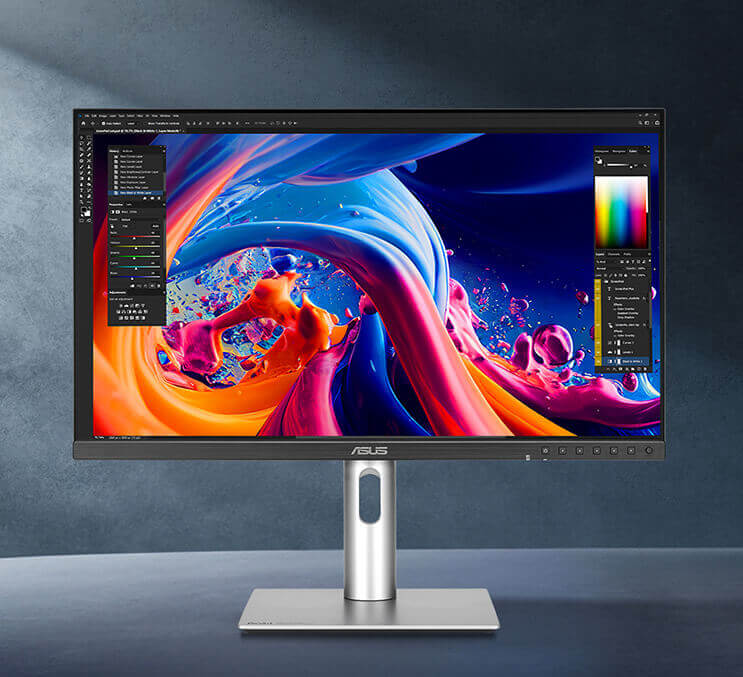
ASUS ProArt PA32QCV 32 Inch 6K DCI-P3 Thunderbolt 4 Monitor for Mac
ASUS
Buy — The article names it best overall for a large, Mac-crisp display because its 31.5-inch 6K panel delivers 218 ppi.
The best fit if you want a large desktop monitor that still feels Mac-crisp. It is 31.5 inches, 6K, 218 ppi, and has Thunderbolt 4, but it is still a 60Hz IPS display.Available at Amazon(paid link) — opens Amazon in a new tab. Price and availability shown there.Dell UltraSharp U4025QW 40" Class 5K2K WUHD Curved Screen LED Monitor - 21:9
Dell
It depends — It wins when spreadsheet and timeline width matters more than Retina sharpness, since its 5120 x 2160 ultrawide panel delivers about 140 ppi.
The one to buy if spreadsheets, timelines, and side-by-side windows matter more than Retina-level sharpness. It gives you a 40-inch 5K2K ultrawide workspace with Thunderbolt hub features.Available at Amazon(paid link) — opens Amazon in a new tab. Price and availability shown there.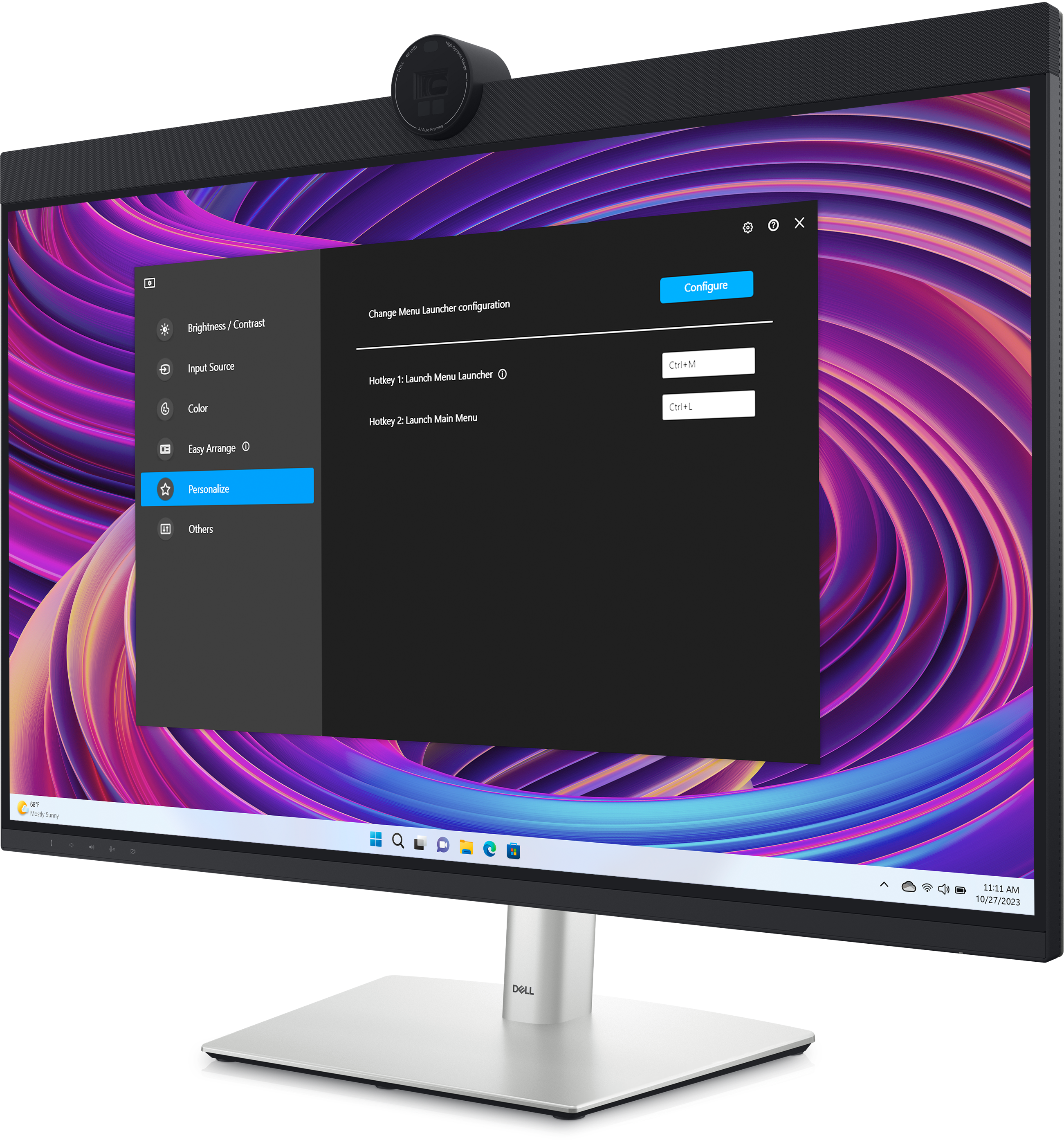
Dell UltraSharp U3224KB 31.5" Webcam 6K LED Monitor - 16:9
Dell
Buy — The article recommends it as a 32-inch 6K alternative with a built-in webcam, speakers, Ethernet and dock features, while noting inconsistent availability.
A strong 32-inch 6K alternative with a heavy dock/webcam/speaker setup built in. Check availability carefully because stock varies by retailer.Available at Amazon(paid link) — opens Amazon in a new tab. Price and availability shown there.BenQ MA320UG 32” 4K 120Hz Nano Gloss Monitor for Mac, Dual Thunderbolt 4 96W/15W, Mac Color, Daisy Chain, KVM, Brightness & Volume Control on Mac, Height & Tilt Adjustment, P3 Color Gamut
BenQ
It depends — The article recommends this 32-inch 4K option if you cannot justify 6K and accept that it will not match the MacBook Pro display's crispness.
A more Mac-friendly 32-inch 4K option if you can accept lower pixel density. It is larger and smoother than many office monitors, but it will not match a 6K panel for text.Available at Amazon(paid link) — opens Amazon in a new tab. Price and availability shown there.
Sony 43 Inch BRAVIA 3 II LED 4K HDR Smart Google TV with Gemini K-43XR30M2
Sony
It depends — The article allows the 43-inch 4K TV for a wall-mounted or deep-desk setup viewed farther back, but rejects it as the better choice for sharp daily spreadsheet work at a desk.
Only for the TV route: choose this kind of 43-inch 4K screen if you sit farther back and want size over crispness. It is not the first choice for daily close-up spreadsheet work.Available at Amazon(paid link) — opens Amazon in a new tab. Price and availability shown there.


Sources
Pages consulted while researching this article. None of these are affiliate links.
- ASUS ProArt Display 6K PA32QCV Tech Specs — asus.com (accessed 2026-08-10)
- ASUS ProArt Display 6K PA32QCV Review - RTINGS.com — rtings.com (accessed 2026-08-10)
- Dell UltraSharp 40 Curved Thunderbolt Hub Monitor - U4025QW — dell.com (accessed 2026-08-10)
- Dell U4025QW Review - RTINGS.com — rtings.com (accessed 2026-08-10)
- Dell UltraSharp 32 6K Monitor - U3224KB — dell.com (accessed 2026-08-10)
- BenQ MA320U Specifications — benq.com (accessed 2026-08-10)
- BenQ MA320UG Review: A 32-Inch 4K 120Hz Display Made for Macs — macrumors.com (accessed 2026-08-10)
- Studio Display - Tech Specs - Apple Support — support.apple.com (accessed 2026-08-10)
- Sony BRAVIA 3 Review - RTINGS.com — rtings.com (accessed 2026-08-10)
- Supported Resolutions of TVs - RTINGS.com — rtings.com (accessed 2026-08-10)