M1 Max or M4 Air? The Workload Decides
The questionWhere do these come from?
Need suggestions to buy m1 max 64gb 16inch, or m4 air 24gb 15inch.
Hello folks, i am researcher and mostly work on data plotting, analysis, and ppt, writing. I use vs code, python, matlab and comsol and some simulation apps.
Choose the M4 Air for everyday speed, silence, and portability; take the M1 Max for sustained GPU work, extra memory, or its superior display.
For most people choosing between a 2021 M1 Max MacBook Pro and the 15-inch M4 MacBook Air with 24GB of memory and a 512GB SSD, the M4 Air is the better all-purpose computer. Choose the M1 Max instead when your work repeatedly loads the GPU, needs more than 24GB of memory, runs for long periods without a break, or benefits from the MacBook Pro’s XDR display and additional ports.
“M1 Max” does not identify one laptop. The chip appeared in both the 14-inch and 16-inch 2021 MacBook Pro, with either a 24-core or 32-core GPU and 32GB or 64GB of unified memory. Those variations materially affect performance, weight, battery life, and the value of any particular machine. Apple’s specifications for the 15-inch M4 Air, 14-inch 2021 MacBook Pro, and 16-inch 2021 MacBook Pro establish the main differences.
| Deciding feature | 15-inch M4 Air, 24GB/512GB | 2021 M1 Max MacBook Pro |
|---|---|---|
| CPU and GPU | 10-core CPU, 10-core GPU | 10-core CPU, 24- or 32-core GPU |
| Memory | 24GB, 120GB/s bandwidth | 32GB or 64GB, 400GB/s bandwidth |
| Built-in display | 15.3-inch IPS, 2880×1864, 60Hz, 500 nits | 14.2- or 16.2-inch mini-LED XDR, up to 120Hz, 1,000-nit sustained HDR |
| Expansion | Two Thunderbolt 4 ports; two external 6K/60Hz displays | Three Thunderbolt 4 ports, HDMI, SDXC; up to three 6K and one 4K/60Hz display |
| Weight and cooling | 3.3 lb (1.51 kg), fanless | 3.5 lb (1.6 kg) or 4.8 lb (2.2 kg), actively cooled |
Why the M4 Air feels faster in ordinary work
The newer M4 has much stronger per-core performance. Geekbench’s current Mac averages put the 15-inch M4 Air at 3,205 single-core and 15,063 multi-core, versus 2,215 and 14,168 for the 16-inch M1 Max MacBook Pro. That is roughly a 45% M4 advantage in single-core performance but only about 6% in multi-core performance. Benchmark scores are not application guarantees, but they explain why the Air is usually quicker in browser work, Office applications, interface-heavy creative software, and short code builds. Geekbench publishes the averages and its scoring methodology on the same results page.
The 24GB configuration is a sensible middle ground for large browser sessions, mainstream development, RAW photo work, music production, and occasional 4K editing. It also avoids the tighter memory margin of a 16GB machine. The more useful question is whether your workload fits within 24GB, which is covered in more detail in this MacBook Air memory guide for coding workloads.
For web development, writing, research, Lightroom, Photoshop, Logic projects, and general business use, choose the M4 Air. Its faster single-core performance affects the short interactions you repeat all day, while the M1 Max’s larger GPU may remain mostly idle.
Where the M1 Max still has overwhelming advantages
The “Max” label matters most on the GPU side. In a direct Geekbench Metal comparison, a 24GB M4 Air scored 53,674, while an M1 Max 14-inch MacBook Pro scored 100,405. The precise gap changes with the M1 Max’s 24- or 32-core GPU and with the application, but this result demonstrates why replacing the older Pro with a base M4 chip is not a straightforward upgrade for 3D work, effects, GPU rendering, or compatible games. The individual Geekbench comparison includes the tested systems and component-level results.
Memory can decide the comparison before a benchmark does. The M1 Max offers 32GB or 64GB and 400GB/s of bandwidth; the target Air has 24GB and 120GB/s. The Max therefore supplies over three times the bandwidth and can hold substantially larger Blender scenes, local AI models, video timelines, or collections of virtual machines without crossing into swap. If Activity Monitor regularly shows more than 24GB in use, the Air’s newer CPU does not compensate for insufficient capacity.
The cooling systems separate them further. Notebookcheck measured the 15-inch M4 Air’s CPU result falling by 11% after 30 minutes of Cinebench 2024, while its GPU performance declined by about 22% under longer load. Its combined CPU/GPU power fell rapidly from 29 watts to roughly 9 watts as the fanless chassis heated up. Notebookcheck’s M4 Air review documents those sustained-load measurements.
Tom’s Hardware found a larger swing in a different test: across ten Cinebench 2024 runs, its M4 Air began at 844 points and then dropped into the mid-600s, with occasional recovery into the 700s. That difference between reviews is not a contradiction; test duration, workload, ambient temperature, and cooling time all matter. It means there is no honest universal throttling percentage. What is resolved is the direction: the Air loses performance during repeated sustained work, while Notebookcheck recorded stable performance across a one-hour combined stress test on the actively cooled 16-inch M1 Max.
For long Blender renders, repeated video exports, GPU compute, large software builds, or gaming sessions, choose the M1 Max. For short exports and occasional heavy tasks, the Air’s burst performance is usually enough.
Video work exposes a less obvious difference
Both chips accelerate H.264, HEVC, ProRes, and ProRes RAW, but the M1 Max has two video encode engines and two ProRes encode/decode engines. The base M4 has one of each. That makes the M1 Max the stronger choice for sustained professional video work, especially multicamera ProRes timelines and queues of exports.
The M4 has two newer capabilities: hardware-accelerated ray tracing and AV1 decoding. Those features can matter more than raw GPU throughput when software explicitly requires them. Neither makes the Air universally faster, however. A workflow based on ProRes throughput favors the M1 Max; AV1 playback or an application using Apple’s newer ray-tracing hardware may favor the M4.
Just want the recommendation?
Skip to the picksBoth machines support Apple Intelligence according to Apple’s current specifications, so that feature alone does not settle the comparison.
The Pro display and ports are not minor extras
The Air’s 15.3-inch display is a good color-managed IPS panel, but it remains a 60Hz screen. Notebookcheck measured an average brightness of 512.8 nits, 98.7% Display P3 coverage, and a 1,641:1 contrast ratio. Those are credible results for photo editing and everyday work, but they do not turn it into the MacBook Pro’s mini-LED panel.
The M1 Max Pro reaches up to 120Hz with ProMotion and supports 1,000-nit sustained full-screen brightness and 1,600-nit peaks for HDR content. Its normal SDR specification is still 500 nits, so the higher figures should not be mistaken for permanently brighter desktop use. The real advantages are HDR presentation, black levels, contrast, and motion clarity.
Ports may remove the need for a dock. The M1 Max Pro includes HDMI, an SDXC slot, three Thunderbolt 4 ports, MagSafe, and a headphone jack. The Air has MagSafe, a headphone jack, and only two Thunderbolt 4 ports. The Air can run its internal panel plus two external 6K/60Hz displays; the M1 Max can drive its internal panel plus as many as three 6K displays and one 4K/60Hz display.
Choose the Pro for an HDR editing screen, high-refresh scrolling, direct SD-card ingestion, or a three- or four-monitor workspace. Choose the Air when two external displays and a 60Hz internal panel cover the entire setup.
Portability, silence, and battery life favor the Air—with one caveat
At 3.3 pounds, the 15-inch Air is slightly lighter than the 14-inch M1 Max Pro and 1.5 pounds lighter than the 16-inch version. More importantly, it is only 0.45 inch thick and has no fan. For microphone recording, quiet rooms, commuting, and work performed on a lap, those physical differences recur every day.
Notebookcheck measured 16 hours 28 minutes of Wi-Fi use at 150-nit brightness on the M4 Air. Its 16-inch M1 Max test lasted 14 hours 54 minutes under a similar brightness condition. At maximum SDR brightness, however, the results were surprisingly close: 6 hours 45 minutes for the Air and 7 hours 4 minutes for the 16-inch Pro. These tests were conducted years apart with different software, and the figures should not be treated as a controlled head-to-head result. They do show that display brightness can erase much of the Air’s efficiency advantage.
A used M1 Max adds a bigger variable: battery age. A well-used 2021 battery may perform nothing like a fresh review unit, regardless of its cycle count.
A used M1 Max must pass these checks
Before treating an older M1 Max as the stronger option, verify the actual machine rather than relying on its exterior or listing title:
- Open About This Mac and confirm that it says M1 Max, along with the promised memory capacity.
- Hold Option while opening the Apple menu, select System Information, then open Hardware > Power. Record the cycle count, maximum capacity, and battery condition. Apple lists a 1,000-cycle limit for both 2021 MacBook Pro sizes, but cycle count alone does not reveal calendar aging or current capacity. Apple documents the exact path and battery limits.
- Test every Thunderbolt port, HDMI, SDXC, MagSafe, speakers, camera, keyboard, and the full display against dark and bright backgrounds.
- Require the previous owner to remove Activation Lock. Apple says that seeing “Sign in” in Apple Account settings confirms the owner is signed out; otherwise Find My must be disabled or the Mac removed from the previous account. Apple’s Find My guide explains the removal procedure.
- Complete an erased setup far enough to confirm that the Mac does not demand an unknown Apple Account or display an organization’s Remote Management enrollment.
The M4 Air is a 2025 model and the M1 Max Pro is a 2021 model, so the Air carries less age-related hardware and software-support risk. Apple does not promise a fixed number of macOS releases for each Mac, though, so no exact remaining-support date can be stated responsibly.
The ruling by workload
Choose the 15-inch M4 Air with 24GB and 512GB for office work, study, browsing, most programming, photo editing, music production, frequent travel, silent operation, and occasional video work. It is the default recommendation when both machines satisfy the same spending ceiling and the M1 Max’s specialist advantages are not tied to a task you perform regularly.
Choose the M1 Max MacBook Pro for sustained 3D or GPU rendering, heavy ProRes production, local AI models or virtualized workloads that exceed 24GB, more than two external displays, built-in HDMI and SDXC, or an XDR 120Hz screen. Prefer the 16-inch version when sustained performance and display area matter more than carrying weight; prefer the 14-inch version when the Pro hardware must remain reasonably portable.
The M4 Air is the newer and quicker everyday Mac. The M1 Max is still the more capable workstation. The right choice follows the workload, not the generation number.
The bottom line
Neither is wrong; the use case separates them:
Top pick
Buy this
Apple 15-inch MacBook Air M4 10-core CPU 10-core GPU 24GB Unified Memory 512GB SSD
Apple
The article recommends the 24GB M4 Air for most buyers, citing roughly 45% stronger single-core performance and sufficient memory for mainstream work.
This is the configuration to choose for mainstream work, development, photography, travel, and silent operation. Its fanless cooling and 24GB memory ceiling make it a weaker fit for sustained rendering or unusually large projects.Available at Amazon(paid link) — opens Amazon in a new tab. Price and availability shown there.The alternative
It depends
Apple MacBook Pro 16-inch 2021 M1 Max 32-core GPU 32GB Unified Memory 1TB SSD
Apple
The M1 Max is recommended for sustained GPU workloads, memory needs above 24GB, or setups benefiting from its XDR display and additional ports.
Choose this configuration when GPU throughput, active cooling, an XDR display, and workstation ports directly serve the workload. It is substantially heavier, and any used unit needs careful battery, Activation Lock, and hardware checks.Available at Amazon(paid link) — opens Amazon in a new tab. Price and availability shown there.
Recommended products
Ordered by how well each one fits the situations above. Each link below is a paid link.
Apple 15-inch MacBook Air M4 10-core CPU 10-core GPU 24GB Unified Memory 512GB SSD
Apple
Buy — The article recommends the 24GB M4 Air for most buyers, citing roughly 45% stronger single-core performance and sufficient memory for mainstream work.
This is the configuration to choose for mainstream work, development, photography, travel, and silent operation. Its fanless cooling and 24GB memory ceiling make it a weaker fit for sustained rendering or unusually large projects.Available at Amazon(paid link) — opens Amazon in a new tab. Price and availability shown there.
Apple MacBook Pro 16-inch 2021 M1 Max 32-core GPU 32GB Unified Memory 1TB SSD
Apple
It depends — The M1 Max is recommended for sustained GPU workloads, memory needs above 24GB, or setups benefiting from its XDR display and additional ports.
Choose this configuration when GPU throughput, active cooling, an XDR display, and workstation ports directly serve the workload. It is substantially heavier, and any used unit needs careful battery, Activation Lock, and hardware checks.Available at Amazon(paid link) — opens Amazon in a new tab. Price and availability shown there.Apple 70W USB-C Power Adapter
Apple
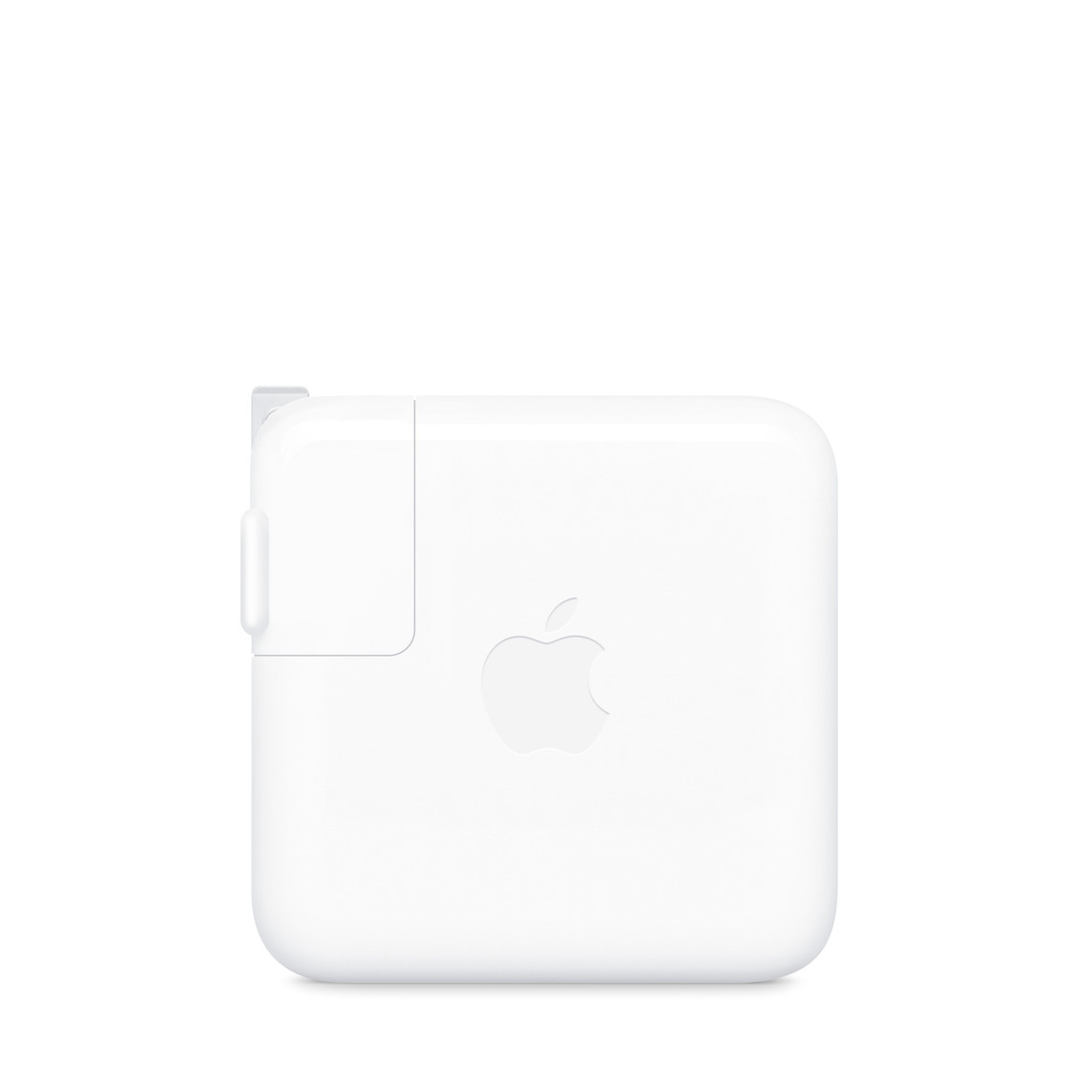
It depends — The listed blurb recommends the 70W adapter for fast charging when short charging windows matter, while noting its single USB-C port.
Apple specifies this adapter for fast charging the M4 Air, making it useful when short charging windows matter. It has only one USB-C port, unlike the compact dual-port adapter supplied with some Air configurations.Available at Amazon(paid link) — opens Amazon in a new tab. Price and availability shown there.

Sources
Pages consulted while researching this article. None of these are affiliate links.
- MacBook Air (15-inch, M4, 2025) - Tech Specs - Apple Support — support.apple.com
- MacBook Pro (14-inch, 2021) - Technical Specifications - Apple Support — support.apple.com
- MacBook Pro (16-inch, 2021) - Technical Specifications - Apple Support — support.apple.com
- MacBook Air Benchmarks - Geekbench — browser.geekbench.com
- MacBook Air (15-inch, 2025) vs MacBook Pro M1 Max (14-inch, 2021) - Metal - Geekbench — browser.geekbench.com
- Apple MacBook Air 15 M4 Review - Notebookcheck — notebookcheck.net
- Apple MacBook Pro 16 2021 M1 Max Laptop Review - Notebookcheck — notebookcheck.net
- MacBook Air (M4, 2025) Review - Tom's Hardware — tomshardware.com