14-Inch MacBook Pro for Logic Pro: M5 Pro, Not Max
The questionWhere do these come from?
New MacBook?
I am currently in the market for a new MacBook (I want a MacBook specifically because I like to be able to move and collaborate with people, and I also like Logic Pro for my DAW).
Only the M3 Pro and later clear 18GB; for a 14-inch chassis running Logic Pro and UAD plugins, the M5 Pro at 24GB sustains cleanly where the M5 Max throttles.
The floor the reader wants — “at least 18GB” on a Pro-tier chip — rules out more than half the 14-inch MacBook Pro’s history. Apple has only ever shipped the M-series Pro chip at 18GB or higher starting with the M3 Pro, released November 2023. Before that, both the M1 Pro (2021) and M2 Pro (2023) were configurable at 16GB or 32GB only — Apple never offered an 18GB tier on either chip, so a 16GB M1 Pro or M2 Pro machine misses the reader’s own minimum outright, no matter how good the rest of the spec sheet looks.
That leaves four qualifying generations: M3 Pro (18GB or 36GB), M4 Pro (24GB or 48GB), and the current M5 Pro (24GB, configurable to 36GB, 48GB, 64GB, or 128GB) and M5 Max (36GB base). For Logic Pro with UAD plugins and multi-track collaboration sessions, the one to buy new today is the 14-inch MacBook Pro with the M5 Pro chip at 24GB — it clears the 18GB floor with margin, and it’s the newest silicon in the qualifying set, which matters for the 7-to-8-year runway the reader is planning around.
Why the RAM tier is really about M3 Pro versus everything after it
Apple’s memory jump wasn’t gradual. M1 Pro and M2 Pro both topped out their base configuration at 16GB, a number that was already tight for Logic Pro sessions carrying UAD plugin instances, sample-based instruments, and a mixer bus doing real-time analog-modeled processing. M3 Pro doubled as the first Pro-tier chip to raise the base to 18GB, and M4 Pro pushed the base again to 24GB — a 33% jump in unified memory with no price change at launch, according to Apple’s published tech specs for the 14-inch M4 Pro model. The current M5 Pro keeps that 24GB floor and extends the ceiling to 128GB, shared with the M5 Max tier, per Apple’s tech specs for the 14-inch M5 Pro/M5 Max MacBook Pro.
| Chip (14-inch) | RAM options | Meets 18GB floor? |
|---|---|---|
| M1 Pro (2021) | 16GB or 32GB | No |
| M2 Pro (2023) | 16GB or 32GB | No |
| M3 Pro (2023) | 18GB or 36GB | Yes, at the base |
| M4 Pro (2024) | 24GB or 48GB | Yes |
| M5 Pro (current) | 24GB, 36GB, 48GB, 64GB, 128GB | Yes |
Unified memory on all of these chips is soldered to the same package as the CPU/GPU dies — there’s no post-purchase upgrade path, on any generation. Whatever RAM tier ships is the RAM tier for the machine’s entire service life, which is the real argument for buying above the 18GB minimum rather than exactly at it if the budget allows it.
What actually eats the RAM in a Logic Pro session with UAD plugins
UAD’s native plugins (UADx) and UA Connect software all run natively on Apple Silicon — no Rosetta translation layer — across every Mac released since the M1, and Universal Audio documents native Apple Silicon compatibility for the full UAD/UADx/LUNA lineup. That native support means the CPU headroom the reader is protecting with a Pro-tier chip translates directly into plugin count, rather than being spent on emulation overhead.
The RAM pressure in this workflow comes less from Logic Pro’s own footprint and more from what surrounds it. Universal Audio’s own system requirements note that sample-based UAD instruments alone need 1GB to 10GB of storage per plugin, with 100GB of free space recommended just for the plugin library — a proxy for how much gets loaded into memory once a session actually opens several of them at once. Add a collaboration session where a track arrives from someone else’s Logic project — often carrying its own stack of third-party plugins, sends, and busses you didn’t build — plus a cloud-sync client and a video call running in the background while you review notes, and 16GB starts getting reclaimed from disk swap well before the session itself is demanding. Apple doesn’t publish a minimum RAM figure for Logic Pro’s own tech specs — the listed requirement is macOS 14.4 or later and 6GB of free storage for a minimal install — which is exactly why the RAM ceiling has to come from the workload, not the app’s own minimum.
Where the fan actually starts to matter
The reader’s instinct that fan cooling matters in a 14-inch chassis is correct, but it points at a different decision than RAM: it’s the Pro-versus-Max choice, not the generation choice.
Just want the recommendation?
Skip to the picksNotebookCheck’s testing of the current 14-inch MacBook Pro with the M5 Max chip found performance dropped 24% over a 30-minute sustained Cinebench 2024 Multi-core run, with run-to-run scores swinging between roughly 1,400 and 2,073 points under nearly identical conditions — a sign the smaller chassis can’t dissipate heat consistently enough to hold a steady clock. Fan noise reached 53.2 dB(A) at 7,500 RPM in High Power mode to get there. In a follow-up comparison against the 16-inch chassis with the same M5 Max chip, NotebookCheck measured the 16-inch pulling ahead by 18% in sustained Cinebench multi-core (2,437 vs. 2,073 points) and recorded GPU performance as “completely stable under sustained workloads, which was not the case for the smaller model” — a 7.4% GPU drop in High Power mode and a 25% drop in Automatic mode on the 14-inch. NotebookCheck’s own conclusion was blunt: for the M5 Max, “we recommend you get the larger MacBook Pro 16,” and for staying at 14 inches, the M5 Pro is “a better fit for the 14-inch chassis.”
That distinction holds across generations, not just the current one. NotebookCheck’s review of the 2023 14-inch MacBook Pro with M3 Pro — the mid-tier chip in that generation, not the Max — found fan noise topping out at 49.4 dB(A) at 6,200-6,300 RPM under combined CPU/GPU stress, temperatures over 100°C internally, but skin temperatures held to 38-42°C, and after an initial dip while the fans spun up, the chip was “able to use the M3 Pro’s full power” for the rest of the run. That’s a mid-tier chip sustaining its clocks in the same size chassis that can’t hold the top-tier chip steady.
Logic Pro and UAD plugin processing are sustained CPU/DSP loads, not the sustained GPU loads NotebookCheck’s stress tests are built around, so neither the M3 Pro, M4 Pro, nor M5 Pro numbers above should be read as a worst case for audio work specifically. But the chassis-versus-chip-tier pattern is the actionable finding: in the 14-inch body, the Pro tier sustains cleanly and the Max tier doesn’t. For a laptop that’s going to run multi-hour mixing sessions with the fan working, that makes the Pro tier the correct chip tier for this chassis size, independent of the RAM question.
The RAM tier that actually buys 7 to 8 years
Apple’s own policy on vintage and obsolete hardware draws a hard line: a Mac becomes “vintage” once Apple has not sold it for 5 years, and “obsolete” — no service, no parts — at 7 years, with a 10-year exception specifically for laptop battery-only repairs. Software support runs on a similar clock in practice: Apple Silicon Macs have generally received around seven to eight years of major macOS version updates from their original release, though Apple has not published a fixed commitment for how long that continues.
Because RAM is fixed at purchase, buying at exactly the 18GB minimum front-loads the risk into the back half of that window. A track count or plugin stack that’s comfortable in year one is not the one you’ll be running in year six, and there’s no memory upgrade to reach for when that happens — only exporting stems more often, freezing tracks earlier, or running fewer UAD instances live. That argues for treating “at least 18GB” as the floor to reject, not the target to hit: the 24GB base on M4 Pro and current M5 Pro costs nothing extra over the old 18GB M3 Pro tier at the same market position, and it starts the clock later.
| Configuration | Verdict | What decides it | The catch |
|---|---|---|---|
| 14-inch, M5 Pro, 24GB | Buy | Clears 18GB with margin, sustains sessions cleanly in this chassis, and is the newest chip in the qualifying set | Costs more than a refurbished M4 Pro at the same RAM tier |
| 14-inch, M5 Max, 36GB | Skip | Clears the RAM bar easily, but NotebookCheck logged a 24% sustained-load performance drop and inconsistent scores in this specific chassis | The 16-inch chassis carries the same chip without the throttling |
| 14-inch, M4 Pro, 24GB (refurbished) | Consider | Same 24GB starting point as current M5 Pro, no thermal red flags reported in this chassis | One generation behind, which shortens the remaining software-support runway |
| 14-inch, M2 Pro, 16GB | Skip | Cheapest Pro-chip 14-inch on the used market | Never offered an 18GB tier — misses the reader’s own stated minimum outright |
If a Mac Studio-class budget stretch is on the table, 48GB on the M5 Pro or the 36GB base M5 Max buys headroom for a session where several collaborators’ UAD-heavy tracks land at once — but that’s a narrower need than the question asks, and the Max tier reintroduces the thermal ceiling described above in this specific chassis size. For most Logic Pro work with UAD plugins and periodic collaboration, 24GB on the M5 Pro is the tier that matches the workload without paying for GPU-bound headroom a DSP-heavy session won’t use.
One more practical note on the refurbished path: buying a certified-refurbished M4 Pro doesn’t reset Apple’s support clock. The 7-to-8-year software-support window and the vintage/obsolete timeline both count from the model’s original release date, not the date it’s purchased — so a two-year-old refurbished unit has already spent two years of that runway before it reaches a new owner.
If the workflow also involves a second display for score view or a mixer window during long sessions, The Best Large MacBook Pro Monitor: Sharp or Wide? covers the tradeoffs specific to pairing an external display with this generation of chip.
The bottom line
Two of these work — the difference is which situation you are in:
Top pick
Buy this
Apple 14-inch MacBook Pro M5 Pro chip 24GB RAM
Apple
NotebookCheck's testing found this chip tier sustains clocks cleanly in the 14-inch chassis, unlike the Max tier in the same body.
Clears the 18GB floor with margin and is the newest chip that qualifies, giving the longest remaining runway toward a 7-to-8-year service life.Available at Amazon(paid link) — opens Amazon in a new tab. Price and availability shown there.The alternative
Skip this
Apple 14-inch MacBook Pro M5 Max chip 36GB RAM
Apple
NotebookCheck measured a 24% sustained-load performance drop and run-to-run scores swinging between roughly 1,400 and 2,073 points in this specific 14-inch chassis.
More RAM headroom than the M5 Pro, but the extra GPU cores bring a thermal load this chassis size struggles to sustain.Available at Amazon(paid link) — opens Amazon in a new tab. Price and availability shown there.
Recommended products
Ordered by how well each one fits the situations above. Each link below is a paid link.
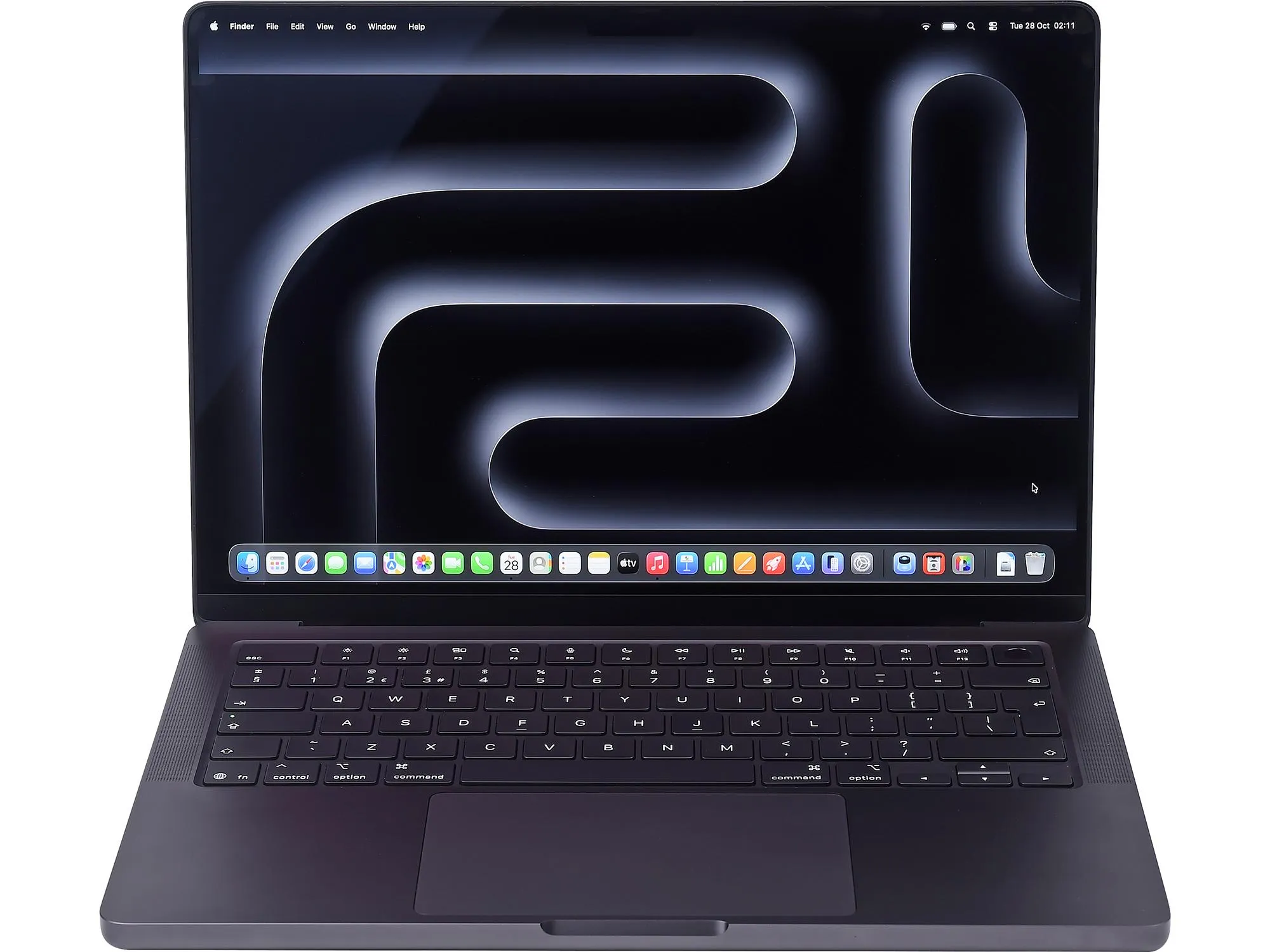
Apple 14-inch MacBook Pro M5 Pro chip 24GB RAM
Apple
Buy — NotebookCheck's testing found this chip tier sustains clocks cleanly in the 14-inch chassis, unlike the Max tier in the same body.
Clears the 18GB floor with margin and is the newest chip that qualifies, giving the longest remaining runway toward a 7-to-8-year service life.Available at Amazon(paid link) — opens Amazon in a new tab. Price and availability shown there.
Apple 14-inch MacBook Pro M5 Max chip 36GB RAM
Apple
Skip — NotebookCheck measured a 24% sustained-load performance drop and run-to-run scores swinging between roughly 1,400 and 2,073 points in this specific 14-inch chassis.
More RAM headroom than the M5 Pro, but the extra GPU cores bring a thermal load this chassis size struggles to sustain.Available at Amazon(paid link) — opens Amazon in a new tab. Price and availability shown there.Apple 14-inch MacBook Pro M4 Pro chip 24GB RAM Certified Refurbished
Apple
It depends — It is one generation behind, and the software-support clock counts from original release date, not purchase date, so it already has less runway left toward a 7-to-8-year target.
Same 24GB starting point as the current M5 Pro at a lower cost through the refurbished channel, with no thermal red flags reported for this chip tier.Available at Amazon(paid link) — opens Amazon in a new tab. Price and availability shown there.
Apple 14-inch MacBook Pro M2 Pro chip 16GB RAM Renewed
Apple
Skip — Apple only ever configured the M2 Pro at 16GB or 32GB unified memory, so it misses the reader's own 18GB minimum outright, with no 18GB option ever offered.
The cheapest Pro-chip 14-inch MacBook Pro on the used and renewed market, and the one a budget search turns up first.Available at Amazon(paid link) — opens Amazon in a new tab. Price and availability shown there.

Sources
Pages consulted while researching this article. None of these are affiliate links.
- MacBook Pro (14-inch, M3 Pro or M3 Max, Nov 2023) - Tech Specs - Apple Support — support.apple.com
- MacBook Pro (14-inch, M4 Pro or M4 Max, 2024) - Tech Specs - Apple Support — support.apple.com
- MacBook Pro (14-inch, M5 Pro or M5 Max) - Tech Specs - Apple Support — support.apple.com
- MacBook Pro (14-inch, 2021) - Technical Specifications - Apple Support — support.apple.com
- MacBook Pro (14-inch, 2023) - Tech Specs - Apple Support — support.apple.com
- Apple MacBook Pro 14 2023 M3 Pro review - NotebookCheck — notebookcheck.net
- M5 Max with inconsistent performance and throttling issues: Apple MacBook Pro 14 Review - NotebookCheck — notebookcheck.net
- Apple's MacBook Pro 14 cannot handle the M5 Max - NotebookCheck — notebookcheck.net