IdeaPad Slim 5 vs Pro 5 14AGP11 for CS
The questionWhere do these come from?
Which one is better for a computer science degree - majoring in Software development and Cybersecurity
Hey guys, please take a look at the 2 options: Both have 32 GB and 1tb, but the Asus apparently heats up for light work based on reviews, is that concerning?
Choose the IdeaPad Pro 5 14AGP11 for CS: measured thermals and its 92.5Wh battery outweigh the Slim 5’s replaceable RAM for most students.
Choose the Lenovo IdeaPad Pro 5 14AGP11 with a Ryzen AI 7 450 and 32GB of RAM for a computer science degree: its cooling has been independently measured, its sustained CPU performance is stable, and its 92.5Wh battery is a larger practical advantage than the Slim 5’s replaceable memory for most students. The IdeaPad Slim 5 14AGP11 gets the trade wrong for students prioritizing proven thermals and long unplugged use, but it remains the better choice when replaceable RAM is a firm requirement.
A naming warning matters here. “Lenovo IdeaPad 5 14AGP11” is not precise enough by itself: Lenovo sells Slim 5, Pro 5 and 2-in-1 machines carrying the 14AGP11 suffix. The thermal figures below apply specifically to the IdeaPad Pro 5 14AGP11, machine type 83SG, not the Slim 5 or convertible chassis.
| Laptop | Memory and expansion | Battery and thermal evidence | Verdict |
|---|---|---|---|
| Lenovo IdeaPad Pro 5 14AGP11, Ryzen AI 7 450, 32GB | 32GB soldered LPDDR5X-8533; two M.2 SSD slots | 92.5Wh; measured 44°C maximum above and 45°C underneath under maximum load | Buy for most CS students |
| Lenovo IdeaPad Slim 5 14AGP11, Ryzen AI 7 450, 32GB | Two DDR5-5600 SODIMM slots; two M.2 SSD slots | 60Wh maximum; no comparable independent thermal test for this exact chassis | Consider for replaceable RAM |
Neither laptop deserves a blanket skip. The decision is validated thermals, battery capacity and faster ports on the Pro 5 versus replaceable memory on the Slim 5.
What the measured temperatures actually mean
Notebookcheck tested the Pro 5’s Ryzen AI 7 450 configuration rather than inferring its behavior from a related Lenovo. Under maximum load, the publication recorded a 44°C maximum on the upper surface and 45°C underneath, with the palm rests and touchpad staying at or below 28°C. During a combined Prime95 and FurMark stress test, the processor eventually settled just above 80°C. Its repeated Cinebench R15 result also remained unusually consistent, averaging 2,700 points across the loop. Those results support the conclusion that the cooling system can sustain CPU-heavy work without obvious heat-induced performance collapse. Notebookcheck’s IdeaPad Pro 5 14AGP11 measurements
That does not make the Pro 5 silent under every workload. Notebookcheck measured up to 48 dB(A) in Performance mode, which will be conspicuous in a quiet library. At idle, however, its fans remained off most of the time. Programming normally alternates between light editing and short bursts of compiling, so ordinary VS Code, browser and terminal use should resemble the quieter end more than the stress test. Large Rust builds, Android emulation, several active virtual machines or sustained Docker image builds can move it toward the louder end.
The Fn+Q performance profiles provide a useful compromise. Notebookcheck recorded a 20W sustained CPU limit in Battery Saving mode, compared with 65W in Performance mode. Its demanding graphics workload produced 32 dB(A) in Battery Saving mode versus 46 dB(A) in Performance mode, although the lower setting also reduced CPU benchmark performance. Battery Saving is sensible in lectures; Adaptive or Performance is preferable for a long compile while connected to power.
Temperature alone cannot prove that a laptop will remain reliable for an entire degree. The measurements show controlled surface heat and stable sustained performance on the tested unit; they do not establish a four-year failure rate. The Pro 5’s real reliability compromise is soldered memory: if a memory package fails outside warranty, it cannot be replaced like a SODIMM.
Why the Pro 5 fits computer science work
The Ryzen AI 7 450 supplies eight CPU cores and 16 threads, while the reviewed configuration carries 32GB of LPDDR5X-8533 memory. Lenovo’s specification also lists two SSD sockets—one M.2 2242 slot and one M.2 2280 slot—so storage can be expanded without removing the original drive. Lenovo’s Pro 5 14AGP11 specification
That configuration is comfortably suited to typical degree workloads: an IDE, documentation, numerous browser tabs, a local database, containers and one or two moderate virtual machines. Thirty-two gigabytes also leaves more room for Android Studio or data-analysis notebooks than a 16GB configuration. Buying 32GB initially is important because the Pro 5 cannot be upgraded later.
Just want the recommendation?
Skip to the picksThe integrated Radeon 860M is adequate for desktop acceleration, light games and general GPU compute supported by AMD’s software stack, but neither of these laptops includes an Nvidia GPU. If a module explicitly requires local CUDA development, the answer changes: plan to use university hardware or cloud resources, or buy a laptop with an Nvidia GPU. Most undergraduate programming, algorithms, web development, databases and operating-systems work does not require one.
Portability is strong despite the large battery. Lenovo specifies a starting weight of 1.39kg, an aluminum top and bottom, a 14-inch 2880×1800 OLED display, and two 40Gbps USB4 ports with charging and DisplayPort. The reviewed machine lasted 14 hours 45 minutes in Notebookcheck’s standardized Wi-Fi test at 150 cd/m². That is not a promise of the same runtime with maximum brightness, virtual machines and video calls, but it is much stronger evidence than a manufacturer’s maximum-runtime claim.
Where the Slim 5 still wins
The Slim 5’s two DDR5-5600 SODIMM sockets are its decisive advantage. Lenovo offers configurations up to 32GB, and the modules are physically replaceable rather than soldered to the system board. Its Ryzen AI 7 450 version also has two M.2 sockets, including a full PCIe 4.0 x4 secondary slot. Lenovo’s Slim 5 14AGP11 specification
Choose the Slim 5 if memory serviceability outweighs everything else. It is also marginally lighter in its 60Wh OLED configuration: Lenovo lists 1.37kg, only 20g below the Pro 5’s starting weight. That tiny difference is unlikely to be noticeable in a backpack.
The sacrifices are more substantial. The Slim 5 tops out at a 60Wh battery rather than 92.5Wh, uses 10Gbps USB-C instead of 40Gbps USB4, has a 1.3mm keyboard rather than the Pro’s specified 1.5mm travel, and uses a Mylar touchpad instead of glass. Lenovo publishes several Slim 5 display and battery combinations, so a listing must be checked for the exact panel, battery and processor rather than trusting the 14AGP11 suffix.
Most importantly for a heat-conscious buyer, no independent laboratory has published equivalent temperature, noise and sustained-load measurements for the exact Slim 5 14AGP11 chassis. That is not evidence that it overheats; it means its thermal behavior is less certain. A specification sheet can identify its fan, battery and processor, but it cannot establish temperatures under a repeatable workload.
The configuration worth choosing
For the Pro 5, the balanced configuration is the Ryzen AI 7 450 with 32GB of memory. The faster Ryzen AI 9 465 is unnecessary for ordinary degree work unless regular rendering, parallel numerical work or heavier local development can use its additional cores. The 32GB allocation matters more than moving up one processor tier.
For the Slim 5, avoid assuming every 14AGP11 has the same hardware. Lenovo lists Ryzen AI 5 430, Ryzen AI 7 445 and Ryzen AI 7 450 processors, 50Wh and 60Wh batteries, and four different display options. The four-core Ryzen AI 5 430 is the least attractive choice for several years of compiling, containers and virtual machines. The Ryzen AI 7 450 and 32GB configuration is the comparable rival to the Pro 5 discussed here.
The final decision is therefore straightforward: buy the IdeaPad Pro 5 14AGP11 when dependable measured thermals, sustained performance, battery life and USB4 matter most. Consider the IdeaPad Slim 5 14AGP11 only when replaceable RAM is important enough to accept the smaller battery and the absence of independent thermal measurements for that exact chassis.
The bottom line
The choice turns on one thing:
Top pick
Buy this
Lenovo IdeaPad Pro 5 14AGP11 Ryzen AI 7 450 32GB 1TB 83SG
Lenovo
Notebookcheck measured maximum surfaces of 44°C above and 45°C underneath while its repeated Cinebench R15 run averaged 2,700 points without a significant decline.
This is the Lenovo IdeaPad 5 14AGP11 subject in its Pro 5/83SG form and the top pick for CS work because its cooling, sustained performance and battery life have been independently measured. Its drawback is non-upgradable soldered RAM, so choose 32GB at purchase.Available at Amazon(paid link) — opens Amazon in a new tab. Price and availability shown there.The alternative
It depends
Lenovo IdeaPad Slim 5 14AGP11 Ryzen AI 7 450 32GB 1TB 83S1
Lenovo
Lenovo documents two replaceable DDR5-5600 SODIMM slots, but the Slim 5 has at most a 60Wh battery and lacks comparable independent thermal measurements for its exact chassis.
This is the direct Slim 5 rival and the narrower choice when replaceable RAM matters more than battery capacity or validated thermals. Its 60Wh maximum battery and 10Gbps USB-C ports trail the Pro 5’s 92.5Wh battery and 40Gbps USB4.Available at Amazon(paid link) — opens Amazon in a new tab. Price and availability shown there.
Recommended products
Ordered by how well each one fits the situations above. Each link below is a paid link.

Lenovo IdeaPad Pro 5 14AGP11 Ryzen AI 7 450 32GB 1TB 83SG
Lenovo
Buy — Notebookcheck measured maximum surfaces of 44°C above and 45°C underneath while its repeated Cinebench R15 run averaged 2,700 points without a significant decline.
This is the Lenovo IdeaPad 5 14AGP11 subject in its Pro 5/83SG form and the top pick for CS work because its cooling, sustained performance and battery life have been independently measured. Its drawback is non-upgradable soldered RAM, so choose 32GB at purchase.Available at Amazon(paid link) — opens Amazon in a new tab. Price and availability shown there.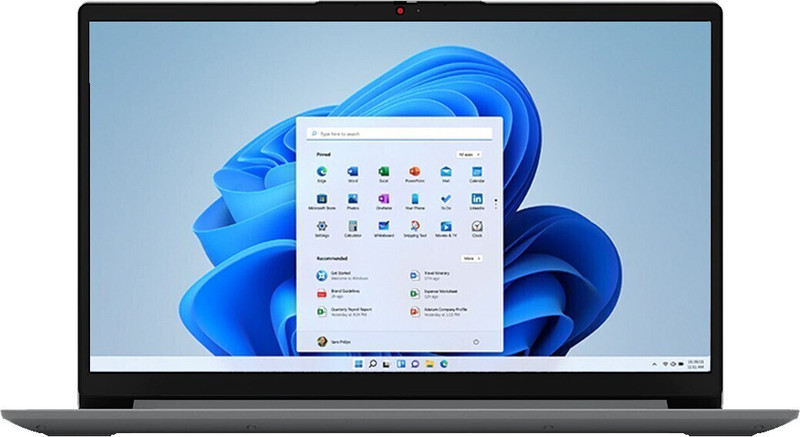
Lenovo IdeaPad Slim 5 14AGP11 Ryzen AI 7 450 32GB 1TB 83S1
Lenovo
It depends — Lenovo documents two replaceable DDR5-5600 SODIMM slots, but the Slim 5 has at most a 60Wh battery and lacks comparable independent thermal measurements for its exact chassis.
This is the direct Slim 5 rival and the narrower choice when replaceable RAM matters more than battery capacity or validated thermals. Its 60Wh maximum battery and 10Gbps USB-C ports trail the Pro 5’s 92.5Wh battery and 40Gbps USB4.Available at Amazon(paid link) — opens Amazon in a new tab. Price and availability shown there.
Sources
Pages consulted while researching this article. None of these are affiliate links.
- Notebookcheck: Lenovo IdeaPad Pro 5 14AGP11 review — notebookcheck.net
- Lenovo PSREF: IdeaPad Pro 5 14AGP11 specifications — psref.lenovo.com
- Lenovo PSREF: IdeaPad Slim 5 14AGP11 specifications — psref.lenovo.com