Z13 128GB or G14 for Local Models and Data Work
The questionWhere do these come from?
Flow Z13 128GB vs Zephyrus G14 5080 64GB (2025) — same price, which would you choose?
Hi everyone, I’m currently deciding between two options, both at the same price: ROG Flow Z13 with 128GB RAM Zephyrus G14 2025 with RTX 5080 and 64GB RAM My usage is mostly work, with some gaming on the side — probably around 80% work / 20% gaming.
Pick the Flow Z13 128GB if you want to run models bigger than 16GB; pick a G14 with an RTX 5080 if you want CUDA, speed and gaming.
The ROG Flow Z13 with 128GB is the better buy if the point of the machine is running local models larger than about 16GB, and a Zephyrus G14 with an RTX 5080 is the better buy if you want CUDA, faster small-model inference and serious gaming. For data engineering alone (Spark in local mode, DuckDB, Docker stacks, a few databases open at once), either machine is fine. The model size is what decides it.
The number that decides it: memory a model can actually use
The 2025 Flow Z13 (GZ302EA) uses AMD’s Ryzen AI Max+ 395 with a Radeon 8060S integrated GPU. The CPU and GPU share one pool of soldered LPDDR5X-8000, and the 128GB configuration lets the GPU draw on a large slice of it. AMD’s Variable Graphics Memory feature on Windows reserves a portion for the GPU. AMD describes the ceiling as 96GB. Check the current figure in AMD’s documentation before you plan around a specific model.
The 2025 Zephyrus G14 (GA403) is built differently. Its GeForce RTX 5080 Laptop GPU has its own 16GB of GDDR7. The system RAM is separate, soldered LPDDR5X, and the model Notebookcheck tested carried 64GB. ASUS’s store pairing, as Notebookcheck’s search summary reports it, puts the RTX 5080 with 64GB and the lower GPUs with 32GB. Confirm the exact configuration for the unit you are buying.
| Flow Z13 128GB | Zephyrus G14 (2025), RTX 5080 | |
|---|---|---|
| Processor and GPU | Ryzen AI Max+ 395, Radeon 8060S | Ryzen AI 9 HX 370, RTX 5080 Laptop |
| Memory the GPU can use | Shared pool, up to about 96GB via Windows VGM | 16GB dedicated GDDR7 |
| GPU software stack | ROCm, Vulkan, llama.cpp backends, DirectML | CUDA, the default for most tooling |
| Tested GPU power | Notebookcheck rates the iGPU against an RTX 4070 Laptop | Notebookcheck’s tested unit ran 110 W including 25 W Dynamic Boost |
| Best at | Big models that fit nowhere else | Fast small and mid models, gaming |
When the Z13 wins
A 70B-parameter model at 4-bit quantisation needs roughly 40GB for the weights alone, plus context. That cannot load on a 16GB GPU. It can load on the Z13’s shared pool. The G14 would spill into system RAM and slow down sharply. Mixture-of-experts models in the 30B to 120B range also suit the unified-memory approach, since they need capacity more than raw compute.
Reading the hardware, the catch is bandwidth. The Z13’s memory is a 256-bit LPDDR5X-8000 bus, which is a small fraction of the bandwidth a GDDR7 card has. Token generation speed tracks bandwidth, so a model that fits on both machines will generate noticeably faster on the G14. The Z13’s advantage is that it can run the model at all.
The Z13 is also a 13.4-inch tablet with a detachable keyboard, which suits travel. Notebookcheck’s Z13 coverage reports a 13.4-inch 1600p panel with 99% sRGB. Reviewers cited in Notebookcheck’s aggregation call the keyboard and touchpad compromises. If you type SQL and pipelines for eight hours a day, try the keyboard first or plan to use an external one.
Just want the recommendation?
Skip to the picksWhen the G14 wins
Choose the G14 if most of your models are 7B to 14B (or quantised 20B-class) and fit within 16GB. Then you get CUDA, which is where PyTorch, vLLM, RAPIDS and most fine-tuning guides assume you are. Notebookcheck’s review of the RTX 5080 G14 calls it the fastest 14-inch laptop thanks to the GPU upgrade. That matters if you train small models or run embedding jobs in bulk.
It is also the stronger gaming machine. The Z13’s iGPU is competitive for a thin tablet, but a discrete 5080 pulls ahead in demanding titles.
The tradeoff is that RAM is capped. Even the 64GB G14 will not run models in the 40GB-plus range at GPU speed. If you expect model sizes to keep growing, a 16GB VRAM ceiling will feel tight within a couple of years.
Data engineering barely separates them
Local ETL, dbt runs, DuckDB on multi-gigabyte Parquet files and several Docker containers are CPU, RAM and SSD problems. The Z13’s 128GB gives you room for large in-memory datasets and many services at once, but the G14 at 64GB also covers most local work. The Z13’s Ryzen AI Max+ 395 has 16 Zen 5 cores. Notebookcheck’s chip analysis puts it on par with the Ryzen 9 7945HX3D for CPU work, which is well above the G14’s HX 370 on sustained multi-core jobs. Either way, memory is soldered on both, so decide the configuration at purchase.
Which one is the wrong buy
Skip the G14 if your reason for buying is running 40GB-plus models locally, because 16GB of VRAM cannot hold them. Skip the Z13 if you depend on CUDA-only tools, if you fine-tune regularly, or if gaming is more than an occasional extra. Its software stack is workable but less well supported, and you should expect some tinkering with ROCm or Vulkan builds.
No independent lab has published local-LLM throughput on the 128GB Z13 that this page could verify. Notebookcheck’s tested Z13 unit was a 32GB configuration, so the capacity advantage here is derived from the memory architecture and AMD’s specifications. Treat tokens-per-second expectations as unconfirmed until you see benchmarks for your model and quantisation.
Decision rule
- Largest model you want is above 16GB: Z13 128GB.
- Largest model fits in 16GB and you want speed, CUDA or gaming: G14 RTX 5080.
- Mostly data engineering with light model use: whichever keyboard and form factor you prefer, with 64GB or more.
For related memory-sizing reasoning, see Acer Nitro 32GB RAM Upgrade: Is DDR5-4800 Right?.
The bottom line
The choice turns on one thing:
Top pick
Buy this
EXCaliberPC [2025] ASUS ROG Flow Z13 GZ302EA-XS99 (AMD Ryzen AI MAX+ 395, 128GB RAM, 2TB NVMe SSD, 13.4" 2.5K 180Hz, Windows 11 Pro) Touchscreen Laptop
EXCaliberPC
Its shared memory pool (up to about 96GB GPU-accessible under AMD's Windows VGM) is the only way in this pair to load 40GB-plus models on a GPU.
The pick if running models larger than 16GB is the point of the purchase. Drawbacks: lower memory bandwidth than a GDDR7 card, a less mature non-CUDA stack, and a keyboard reviewers call a compromise.Available at Amazon(paid link) — opens Amazon in a new tab. Price and availability shown there.The alternative
It depends
ASUS ROG Zephyrus G14 14" 3K OLED 120Hz Gaming Laptop Copilot+ PC AMD Ryzen AI 9 HX 370 RTX 5080 32GB RAM 2TB SSD Platinum White
ASUS
Its 16GB of dedicated GDDR7 caps GPU-speed models at that size, though CUDA and gaming performance are stronger.
The rival to choose if your models fit in 16GB and you want CUDA, faster generation and better gaming. Verify the RAM configuration, since lower-GPU variants ship with 32GB.Available at Amazon(paid link) — opens Amazon in a new tab. Price and availability shown there.
Recommended products
Ordered by how well each one fits the situations above. Each link below is a paid link.
EXCaliberPC [2025] ASUS ROG Flow Z13 GZ302EA-XS99 (AMD Ryzen AI MAX+ 395, 128GB RAM, 2TB NVMe SSD, 13.4" 2.5K 180Hz, Windows 11 Pro) Touchscreen Laptop
EXCaliberPC
Buy — Its shared memory pool (up to about 96GB GPU-accessible under AMD's Windows VGM) is the only way in this pair to load 40GB-plus models on a GPU.
The pick if running models larger than 16GB is the point of the purchase. Drawbacks: lower memory bandwidth than a GDDR7 card, a less mature non-CUDA stack, and a keyboard reviewers call a compromise.Available at Amazon(paid link) — opens Amazon in a new tab. Price and availability shown there.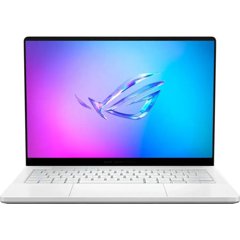
ASUS ROG Zephyrus G14 14" 3K OLED 120Hz Gaming Laptop Copilot+ PC AMD Ryzen AI 9 HX 370 RTX 5080 32GB RAM 2TB SSD Platinum White
ASUS
It depends — Its 16GB of dedicated GDDR7 caps GPU-speed models at that size, though CUDA and gaming performance are stronger.
The rival to choose if your models fit in 16GB and you want CUDA, faster generation and better gaming. Verify the RAM configuration, since lower-GPU variants ship with 32GB.Available at Amazon(paid link) — opens Amazon in a new tab. Price and availability shown there.
Sources
Pages consulted while researching this article. None of these are affiliate links.
- Notebookcheck: Asus ROG Flow Z13 GZ302EA — notebookcheck.net
- Notebookcheck: ROG Zephyrus G14 2025 with GeForce RTX 5080 Laptop review — notebookcheck.net
- ASUS ROG Zephyrus G14 (2025) GA403 — rog.asus.com