Nitro V 16S ANV16S-41 for Heavy Gaming: Battery Reality
The questionWhere do these come from?
Buying the Acer Nitro V 16S AI Gaming Laptop | AMD Ryzen 7 260 Processor | NVIDIA GeForce RTX 5060 Laptop GPU (572 AI Tops) | 16" WUXGA IPS 180Hz Display | 32GB DDR5 | 1TB Gen 4 SSD | Wi-Fi 6 | ANV16S-41-R2AJ
Don't really know how this works, but I'm looking to buy a gaming laptop and I'm really looking at this one, but i have been seeing a lot of reviews about battery drain while gaming, and I just wanna get some advice because I do plan to game heavily and even stream with obs.
The Nitro V 16S ANV16S-41 handles heavy gaming and streaming only when plugged in; on its 76 Wh battery, expect a short session.
The Acer Nitro V 16S ANV16S-41 will run heavy games and streaming well while plugged in, but no gaming laptop in this class games for long on battery, and this one is no exception. Treat the battery as a bridge between outlets, not as a way to play. If you game at a desk or a wall socket, the 16S is a sound choice. If you need hours of unplugged play, no laptop in this class fixes that.
What the ANV16S-41-R2AJ actually is
Acer reuses the ANV16S-41 model number across several configurations, and the -R2AJ suffix is a regional SKU code. Sources disagree on its GPU. NotebookCheck’s database entry for the ANV16S-41 lists an RTX 5070 Laptop GPU with 8 GB GDDR7, while retailer listings for the R2AJ part show an RTX 5060 or RTX 5050. Check the spec sticker or the seller’s listing for the GPU before you buy. That one line changes the performance answer more than anything else here.
What the sources agree on for this chassis:
- Ryzen 7 260 (8 cores, 16 threads)
- 76 Wh, 4-cell battery (NotebookCheck’s spec sheet)
- 16-inch 1920x1200 IPS panel at 180 Hz
- DDR5 memory, with 32 GB listed on some configurations
- About 2.1 kg
No independent lab has published battery-runtime or sustained-load measurements for the R2AJ configuration that I could find. The figures above come from spec databases and listings, not from tests. Anything below about gaming battery life is general behaviour of gaming laptops, not a measurement of this one.
Gaming on battery: what to expect
Gaming laptops cut GPU power sharply when unplugged. Many firmware designs also limit the GPU on battery, because the pack cannot deliver full GPU and CPU power. Reviewers of this class of laptop routinely see frame rates fall noticeably off the charger. The 76 Wh pack is large for a 16-inch gaming laptop, but a GPU alone can draw far more than the 76 Wh pack could sustain for an hour. Expect well under two hours in demanding 3D games, and a lower frame rate than on mains.
If you do play on battery, use the Nitro Sense app’s quiet or balanced profile, cap the frame rate (60 fps is enough on a 180 Hz panel for single-player games), and lower the refresh rate in Windows. Those steps stretch the session, but they will not turn it into an all-day one.
Just want the recommendation?
Skip to the picksStreaming and heavy load while plugged in
Streaming adds encode load on top of the game. On an RTX-class GPU, the NVENC hardware encoder handles the stream with little frame-rate cost, so use NVENC rather than software x264. Plugged in, the 16S should hold the stream. The real risk is heat: this is a slim-ish 16-inch chassis (the “S” denotes the thinner body), and thin gaming laptops tend to throttle in long sessions. Reviewers measuring the thicker ANV16-41 found its screen, not its heat, was the weak point. NotebookCheck’s verdict called it “an affordable gaming laptop with a hitch”, the hitch being picture quality. That was the older, thicker model, and the 16S has a different panel and chassis, so do not read it across.
Practical steps for long sessions:
- Keep it on a hard surface or a stand; the intake is on the underside.
- Set Turbo mode only when plugged in.
- Use Acer’s own app to check fan behaviour. If fans sit at maximum with the GPU below its rated clocks, that is throttling.
- Use the original charger. USB-C charging is not enough to run the GPU at full power.
Battery wear from heavy gaming
Playing for hours while plugged in keeps the pack at full charge and warm, which ages lithium cells faster over the years. Acer’s Care Center has a battery charge limit (typically 80%) that you can switch on. Use it if the laptop lives on a desk.
How it compares
| Verdict | What decides it | The catch | |
|---|---|---|---|
| Acer Nitro V 16S ANV16S-41-R2AJ | Buy (plugged-in gaming) | 76 Wh pack, 16-inch 1920x1200 180 Hz panel, 2.1 kg | GPU varies by SKU; verify before buying |
| Acer Nitro V 16 ANV16-41 (previous generation) | Skip | 57 Wh pack per NotebookCheck’s listing | Smaller battery and older hardware; the cheaper price does not make up for it if battery matters |
| ASUS TUF Gaming A16 | Consider | Alternative: also a 16-inch gaming laptop with a stronger-built chassis | Specs vary by year; compare battery capacity and GPU wattage on the exact SKU |
| Lenovo LOQ 15IRX10 | Consider | Rival at the budget end, smaller 15-inch screen | Smaller screen; check the battery size in the listing |
Skip the older Nitro V 16 ANV16-41 if battery matters: NotebookCheck lists a 57 Wh pack on it against 76 Wh here, a difference of about a third.
Who should look elsewhere
If you need to game for several hours away from an outlet, no 16-inch RTX laptop will do it. A handheld PC or a console is better for that job. If you mostly stream, edit video or work on battery, a thin non-gaming laptop with a lighter GPU lasts longer.
If you are over the line where you need something for school and games, and you can carry a charger, the 16S is a reasonable all-rounder. Check the GPU, take the 2.1 kg weight and the charger into account, and accept that “heavy gaming” means “near a socket”.
The bottom line
Two answers, depending on what you meant:
Top pick
Buy this
Acer Nitro V 16S AI 16" WQXGA 180Hz Gaming, R7 260,16GB,512GB,RTX 5070
Acer
NotebookCheck lists a 76 Wh battery and a 180 Hz 1920x1200 panel, which suits plugged-in gaming and streaming.
The laptop the question is about: a 76 Wh pack and a 180 Hz 16-inch panel make it a strong desk-based gaming machine. Drawback: the GPU differs between listings, and gaming on battery is short.Available at Amazon(paid link) — opens Amazon in a new tab. Price and availability shown there.The alternative
Skip this
Acer Nitro V 17.3in Gaming Laptop 16GB RAM 512GB SSD RTX 5060 FHD | ANV17-41-R8ML, Black, IPS display, NVIDIA GeForce RTX 5060 graphics, WiFi 6, Windows 11 Home, dual fan cooling
Acer
NotebookCheck lists a 57 Wh pack on it versus 76 Wh on the 16S.
Alternative: the previous-generation Nitro V 16 that the 16S replaces. Drawback: smaller battery.Available at Amazon(paid link) — opens Amazon in a new tab. Price and availability shown there.
Recommended products
Ordered by how well each one fits the situations above. Each link below is a paid link.
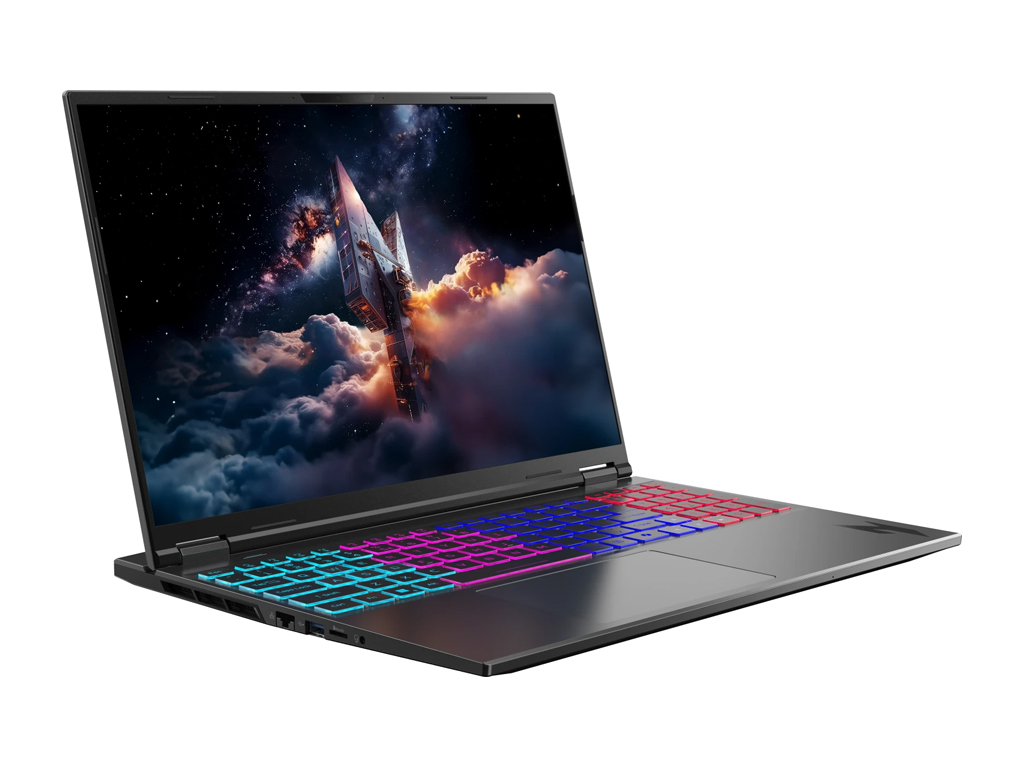
Acer Nitro V 16S AI 16" WQXGA 180Hz Gaming, R7 260,16GB,512GB,RTX 5070
Acer
Buy — NotebookCheck lists a 76 Wh battery and a 180 Hz 1920x1200 panel, which suits plugged-in gaming and streaming.
The laptop the question is about: a 76 Wh pack and a 180 Hz 16-inch panel make it a strong desk-based gaming machine. Drawback: the GPU differs between listings, and gaming on battery is short.Available at Amazon(paid link) — opens Amazon in a new tab. Price and availability shown there.
Acer Nitro V 17.3in Gaming Laptop 16GB RAM 512GB SSD RTX 5060 FHD | ANV17-41-R8ML, Black, IPS display, NVIDIA GeForce RTX 5060 graphics, WiFi 6, Windows 11 Home, dual fan cooling
Acer
Skip — NotebookCheck lists a 57 Wh pack on it versus 76 Wh on the 16S.
Alternative: the previous-generation Nitro V 16 that the 16S replaces. Drawback: smaller battery.Available at Amazon(paid link) — opens Amazon in a new tab. Price and availability shown there.ASUS TUF Gaming A16 Laptop: AMD Ryzen 7 7445HS, 16" Full HD+ 145Hz Display, NVIDIA GeForce RTX 4050, 16GB DDR5 RAM, 512GB SSD, Backlit Keyboard, Windows 11 Pro
ASUS
It depends — Comparable size class, but specs differ by year and SKU, so it only wins if the exact listing has a better GPU or battery.
Alternative: a rival 16-inch gaming laptop with a sturdier chassis. Drawback: configurations vary by year, so confirm the battery size and GPU on the exact listing.Available at Amazon(paid link) — opens Amazon in a new tab. Price and availability shown there.
Lenovo LOQ 15IRX10 RTX 5050 Gaming Laptop, 15.6" FHD 144Hz, Intel Core i5-13450HX (Beats Intel i7), 32GB DDR5 RAM, 1TB SSD, Backlit KB, Bundle with PCO Laptop Cooler, Grey, Windows 11 Home
Lenovo
It depends — Right for a smaller, cheaper machine; a 15-inch screen is a real step down from 16 inches.
Rival at the budget end of gaming laptops, with a 15-inch screen. Drawback: smaller display and the battery size depends on the SKU.Available at Amazon(paid link) — opens Amazon in a new tab. Price and availability shown there.
Sources
Pages consulted while researching this article. None of these are affiliate links.
- NotebookCheck: Acer Nitro V 16S ANV16S-41 — notebookcheck.net
- NotebookCheck: Acer Nitro V 16 ANV16-41 review — notebookcheck.net
- NotebookCheck: Acer Nitro V16 ANV16-41 RTX 4060 — notebookcheck.net
- kelaptop: Acer Nitro V 16S AI ANV16S-41-R2AJ listing — kelaptop.com