MSI MPG 346CQRF X24 Is the Safer Laptop Pick
The questionWhere do these come from?
Hey, so I’m looking for a monitor, and have a couple of them in mind, lowkey need help since reading each review of them didn’t help me
I will be using it with my laptop (i9-13900, rtx 4060 laptop ver) and my work laptop for home office (i5-10310u and internal intel uhd). Usually I play fps games, eventually Witcher or other stuff like that.
Choose the MSI MPG 346CQRF X24: it drives 40% fewer pixels than 4K while retaining a 34-inch ultrawide, 240Hz, USB-C and KVM.
Choose the MSI MPG 346CQRF X24 when one large monitor must handle office work and gaming from a laptop that may struggle at 4K. Its 3440×1440 native resolution contains 4.95 million pixels—40.3% fewer than 3840×2160—while still providing a 34-inch ultrawide workspace, a 240Hz ceiling, USB-C charging and a KVM switch.
That is the decisive compromise: more horizontal room than a conventional 16:9 monitor without imposing the full rendering load of 4K. The MSI does not guarantee 240 frames per second; the laptop still determines game performance. It simply gives the GPU a much more attainable native resolution.
The three monitors at a glance
| Monitor | Resolution and refresh | Laptop and office features | Verdict |
|---|---|---|---|
| MSI MPG 346CQRF X24 | 3440×1440 at up to 240Hz | 98W USB-C PD, KVM, PIP/PBP, two USB-A ports | Buy |
| IIYAMA G-Master GCB3486WQSCP-B1 Gold Phoenix | 3440×1440 at up to 240Hz | 95W USB-C dock, KVM, RJ45, speakers, 5Gbps USB hub | Consider |
| IIYAMA G-Master GB3261UHSCP-B1 Red Eagle | 3840×2160 at up to 144Hz | 95W USB-C, KVM, speakers, four-port 5Gbps USB hub | Skip for laptop-limited gaming |
The MSI and Gold Phoenix are both 34-inch, 1500R-curved VA ultrawides. The MSI lists 1.07 billion colors through 8-bit plus FRC, whereas the Gold Phoenix lists an 8-bit, 16.7-million-color panel. The MSI also supplies 98W rather than 95W over USB-C, although that three-watt difference should not decide the purchase. MSI’s published specification confirms 3440×1440 at up to 240Hz through HDMI, DisplayPort or USB-C, along with Adaptive-Sync, KVM and PIP/PBP.
The Gold Phoenix gets the balance wrong for buyers who value 10-bit signal support over a fuller office dock, while the 4K Red Eagle gets it wrong for laptop-limited gamers by asking the GPU to shade 67.4% more pixels. Neither IIYAMA model is inherently poor; each fits a narrower priority than the question asks about.
Why 3440×1440 is the safer gaming target
A 3840×2160 frame has 8,294,400 pixels. A 3440×1440 frame has 4,953,600. Therefore, moving from ultrawide 1440p to 4K raises the pixel count by 67.4% before changes to ray tracing, texture quality or anti-aliasing enter the calculation.
Frame rates do not scale perfectly with pixel count because some games are limited by the processor, memory or game engine. In a GPU-limited game, however, the difference is substantial. A laptop that is already near its limit at 3440×1440 is unlikely to deliver the same settings and frame rate at native 4K.
Lowering a 4K game to 2560×1440 can restore performance, but that is not the same as owning a native 1440p display. Non-native scaling can soften the image, and a 16:9 4K screen does not turn into an ultrawide workspace. Upscalers such as DLSS, FSR and XeSS can help supported games, but their availability and image quality differ by title.
Skip the IIYAMA G-Master GB3261UHSCP-B1 Red Eagle if the current laptop is already the performance concern: its native 4K frame is 67.4% heavier than 3440×1440, and IIYAMA documents FreeSync Premium as DisplayPort-only rather than available through its one-cable USB-C connection. The manufacturer’s specification otherwise confirms 3840×2160 at 144Hz, 95W USB-C charging and a KVM switch.
The Red Eagle remains defensible for office-first use, console gaming or a laptop with enough GPU headroom. An independent PCElite test measured 402 nits, 3.4ms input lag and approximately 2230:1 contrast. Those are useful results, but they do not remove the extra 3.34 million pixels the laptop must render at native resolution.
Office work favors width or density—not both
The MSI’s approximately 110 pixels per inch provide a familiar desktop scale. At 100% Windows scaling, its 3440×1440 desktop can hold two generous application windows side by side without a center bezel. It is particularly suitable for a browser beside a document, a large spreadsheet, a video-editing timeline or a development environment with several panels.
Just want the recommendation?
Skip to the picksThe 31.5-inch 4K Red Eagle is much denser at approximately 140 pixels per inch. Text and fine interface elements can look sharper, but many readers will use 125% or 150% scaling. At 150%, a 3840×2160 desktop offers roughly 2560×1440 logical pixels. That gives you sharper text, not more logical horizontal workspace than a 3440×1440 ultrawide running at 100%.
This is why “4K is better for work” is incomplete. Choose 4K for text density, detailed photographs and 16:9 media. Choose the 34-inch ultrawide for side-by-side applications and gaming that is easier on the GPU. The curve is helpful when sitting centrally, although a flat 16:9 panel is easier to share with someone viewing from an angle.
USB-C does not automatically mean one-cable gaming
The laptop’s USB-C port must support DisplayPort Alt Mode; a data-only USB-C connector will not send video. Reaching 3440×1440 at 240Hz also depends on the laptop’s graphics output, cable and supported DisplayPort features. After connecting the monitor, check Settings → System → Display → Advanced display in Windows and select the highest stable refresh rate rather than assuming 240Hz is active.
Power delivery needs a separate check. The MSI can supply up to 98W, but many performance laptops ship with power adapters rated well above that. If the original charger exceeds 98W, keep it connected during gaming or the laptop may reduce performance, discharge slowly under load or report a low-power charger. USB-C charging is still useful for office sessions and compatible thin-and-light notebooks.
The MSI’s office limitation is its modest hub: its two USB-A ports use USB 2.0, and it has neither Ethernet nor built-in speakers. That is adequate for a keyboard and mouse, but not ideal for fast external storage. For another view of this feature set, the site’s guide to MSI ultrawide KVM and MacBook charging explains why charging wattage and video support must be checked separately.
Where the Gold Phoenix earns consideration
The IIYAMA G-Master GCB3486WQSCP-B1 Gold Phoenix is the serious alternative to the MSI, not a token runner-up. It matches the 34-inch, 3440×1440, 1500R and 240Hz fundamentals while adding 95W USB-C docking, gigabit Ethernet, two 5Gbps USB-A ports, another 5Gbps USB-C port and two 5W speakers. IIYAMA also explicitly lists FreeSync Premium from 48–240Hz over HDMI, DisplayPort and USB-C in its technical specification.
Published testing gives this alternative an evidence advantage. ITHardware measured 536.2 nits at maximum brightness, 2.6ms input lag and a best 1.1ms gray-to-gray result. The reviewer recommended Overdrive +3 because higher levels introduced overshoot, and measured 2917:1 contrast rather than the advertised 4000:1.
No comparably detailed independent measurement set for the exact MSI MPG 346CQRF X24 appears in the sources used for this comparison. Its 0.5ms figure is a manufacturer-stated minimum gray-to-gray result, while IIYAMA’s advertised 0.4ms is an MPRT figure; those two marketing numbers use different methods and should not be treated as a head-to-head victory.
Choose the Gold Phoenix instead if eliminating a separate Ethernet adapter, speakers and high-speed USB hub matters more than the MSI’s 8-bit-plus-FRC color support. Its drawback is that it is an 8-bit display, and aggressive overdrive produces measurable overshoot. For a straightforward keyboard-and-mouse setup, the MSI remains the cleaner default.
The decision in one line
Buy the MSI MPG 346CQRF X24 for the best balance of laptop-friendly rendering load, ultrawide office space and high-refresh gaming. Consider the IIYAMA Gold Phoenix when the monitor must double as a fuller USB-C dock, and skip the 4K Red Eagle when preserving gaming performance on the existing laptop is the priority.
The bottom line
Both work; your situation picks one:
Top pick
Buy this
MSI MPG 346CQRF X24 34-inch Curved Gaming Monitor
MSI MPG
Its 3440×1440 native resolution renders 40.3% fewer pixels than 3840×2160 while retaining 240Hz, 98W USB-C Power Delivery and KVM.
This is the subject monitor and top pick for mixed office and laptop gaming: 3440×1440 reduces the rendering burden while retaining 240Hz, 98W USB-C and KVM. Its drawback is a USB 2.0 hub with no Ethernet or speakers, and detailed independent panel measurements remain scarce.Available at Amazon(paid link) — opens Amazon in a new tab. Price and availability shown there.The alternative
Skip this
IIYAMA G-Master GB3261UHSCP-B1 Red Eagle 32-inch 4K Monitor
IIYAMA G-Master
Its 3840×2160 panel pushes 67.4% more pixels than 3440×1440, and IIYAMA documents FreeSync Premium as DisplayPort-only, undermining one-cable USB-C laptop gaming.
This is the 4K rival to the MSI and provides sharper office text, 144Hz and 95W USB-C charging. Skip it for laptop-limited gaming because native 4K adds 67.4% more pixels, while its documented FreeSync support is DisplayPort-only.Available at Amazon(paid link) — opens Amazon in a new tab. Price and availability shown there.
Recommended products
Ordered by how well each one fits the situations above. Each link below is a paid link.
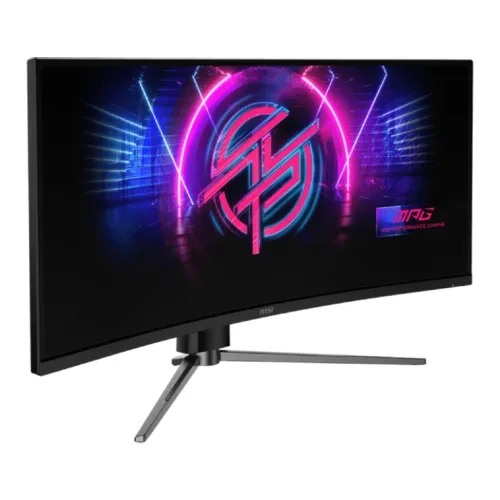
MSI MPG 346CQRF X24 34-inch Curved Gaming Monitor
MSI MPG
Buy — Its 3440×1440 native resolution renders 40.3% fewer pixels than 3840×2160 while retaining 240Hz, 98W USB-C Power Delivery and KVM.
This is the subject monitor and top pick for mixed office and laptop gaming: 3440×1440 reduces the rendering burden while retaining 240Hz, 98W USB-C and KVM. Its drawback is a USB 2.0 hub with no Ethernet or speakers, and detailed independent panel measurements remain scarce.Available at Amazon(paid link) — opens Amazon in a new tab. Price and availability shown there.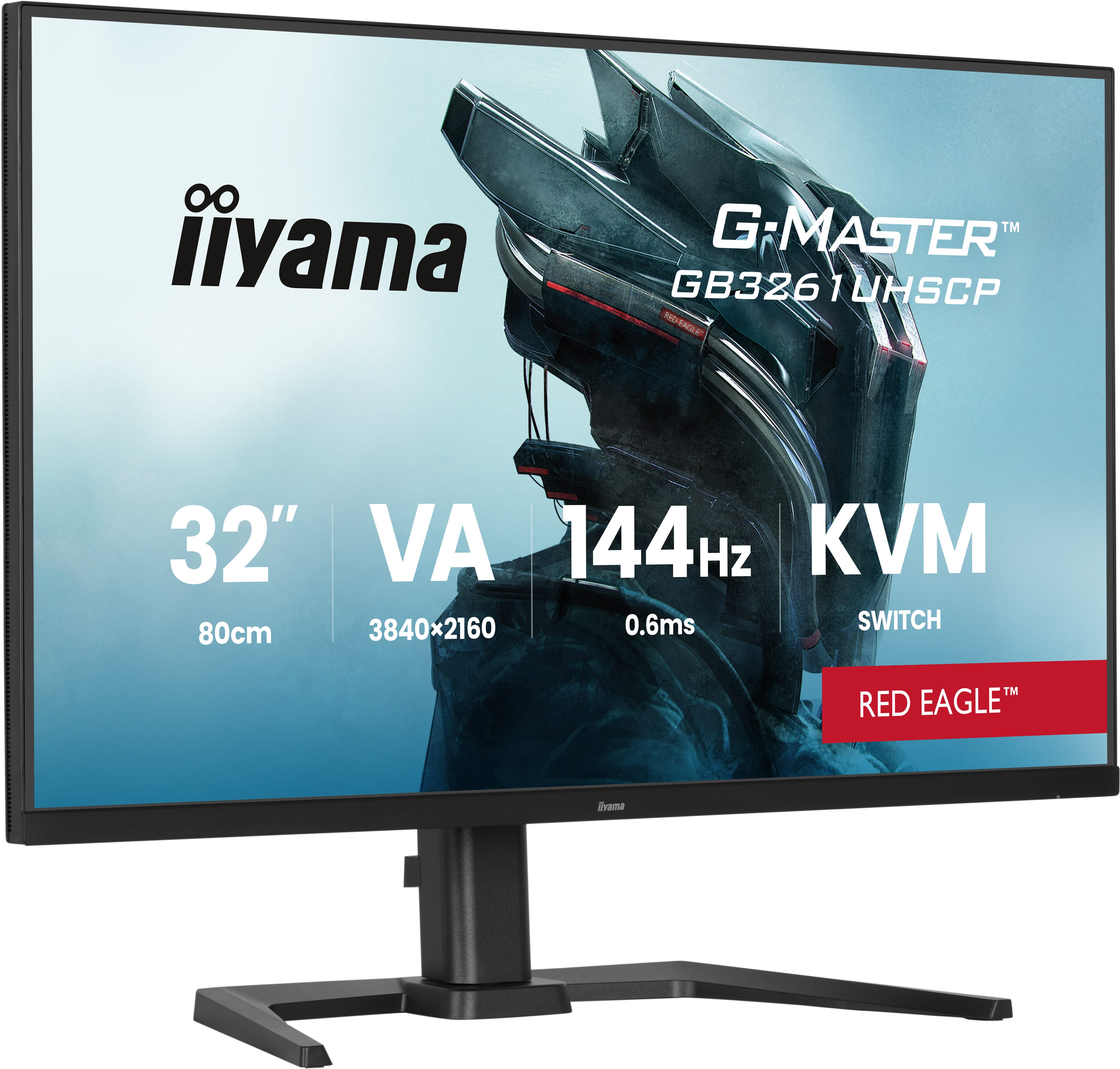
IIYAMA G-Master GB3261UHSCP-B1 Red Eagle 32-inch 4K Monitor
IIYAMA G-Master
Skip — Its 3840×2160 panel pushes 67.4% more pixels than 3440×1440, and IIYAMA documents FreeSync Premium as DisplayPort-only, undermining one-cable USB-C laptop gaming.
This is the 4K rival to the MSI and provides sharper office text, 144Hz and 95W USB-C charging. Skip it for laptop-limited gaming because native 4K adds 67.4% more pixels, while its documented FreeSync support is DisplayPort-only.Available at Amazon(paid link) — opens Amazon in a new tab. Price and availability shown there.
Sources
Pages consulted while researching this article. None of these are affiliate links.
- MSI MPG 346CQRF X24 Specifications — us.msi.com
- IIYAMA G-Master GCB3486WQSCP-B1 Technical Specifications — iiyama.com
- ITHardware Test: IIYAMA G-Master GCB3486WQSCP-B1 Gold Phoenix — ithardware.pl
- IIYAMA G-Master GB3261UHSCP-B1 Technical Specifications — iiyama.com
- PCElite Test: IIYAMA G-Master GB3261UHSCP-B1 — pcelite.pl