ASUS PA279CRV for Color Work: Pivot, Sync, Laptops
The questionWhere do these come from?
Guide about monitor buy: ASUS PA279CRV
Hi there! I'm planning on upgrading my monitor.
The ASUS PA279CRV is a sound pick for colour-critical work with pivot and USB-C laptop use, but at 60Hz it is not a fast-refresh monitor.
The ASUS ProArt PA279CRV is a reasonable fit for a colour-focused setup with a vertical pivot and a laptop on the same desk. Its weak point is speed: it is a 60Hz panel, so “fast enough” holds for editing and composing, not for fast-motion work or gaming.
Nobody here has tested it. This article rests on ASUS’s published specifications and on the colorimeter measurements published by DisplayNinja, TechPorn and Parkablogs, cited below. Those reviewers used different instruments and test conditions, so their figures are not directly comparable with each other.
What the PA279CRV is
It is the 27-inch 4K (3840 x 2160) IPS model in ASUS’s ProArt line. ASUS positions it for creators: wide-gamut coverage including DCI-P3, factory colour calibration with a low Delta E target, and ProArt calibration support. It also has a USB-C input that carries video and charges a laptop. The stand rotates into portrait (pivot), as well as tilt, swivel and height adjustment, per the ASUS product page. Check the exact gamut percentages, Delta E figure and USB-C wattage on that page before you buy.
What independent measurements show
- DisplayNinja measured with a SpyderX Pro, DisplayCAL and HCFR. It found the default Native preset does not clamp the gamut, which produced a maximum Delta E of 4.49 against DCI-P3. Its review points to the clamped presets for saturated work.
- TechPorn used a Spyder5 Elite and reported near-100% coverage of sRGB, Adobe RGB and DCI-P3, plus a uniformity table with Delta E values from 0.0 to 3.9 and hot spots at the left and upper right of the panel (TechPorn).
- Parkablogs, using a Spyder X2, measured roughly 100% sRGB, 92% Adobe RGB and 96% P3, short of the advertised 99% Adobe RGB, and still called the accuracy quite good (Parkablogs).
The practical reading: the factory claim of Delta E under 2 is the manufacturer’s, and the worst-case figure appears when the panel is left in Native mode. Pick a clamped sRGB or P3 preset for colour work. Do not expect full Adobe RGB for print proofing.
Where “fast enough” stops
Sync, in the sense of timeline playback during composing, is a matter of latency and refresh. A 60Hz IPS panel is standard for colour-grading monitors. It is fine for scrubbing a timeline, photo retouching, layout and mixing sessions. If you also play fast shooters or need 120Hz or higher, this is the wrong monitor, and a colour-accurate display with a high refresh rate is a different, pricier class.
Vertical pivot
Pivot is a stand feature, not a panel one. It matters for documents, code, long web pages and portrait compositions. Two practical points:
Just want the recommendation?
Skip to the picks- Rotate the display in the operating system as well (display settings on Windows, System Settings on macOS), or the image stays landscape.
- Check desk clearance. A 27-inch panel rotated upright needs the stand height raised first, or the corner can hit the desk.
Matching a laptop to it
A laptop screen and an external monitor will not match out of the box, because they differ in gamut, white point and brightness. What gets them closest:
- Pick one target for both, usually sRGB (or Display P3 on a Mac), at the same white point (D65) and similar brightness.
- Set the monitor to its sRGB or P3 preset, not Native, if the laptop screen cannot cover wide gamut.
- Calibrate both with a colorimeter and keep the profiles active. A laptop panel is the limiting factor: if it covers only sRGB, the best match is to restrict the monitor to sRGB too.
- Connect over USB-C with DisplayPort Alt Mode, which also charges the laptop. Compare the monitor’s USB-C power rating with the laptop charger’s rating.
A perfect match is not possible if the laptop panel is a cheap one. Only a calibrated, wide-gamut laptop screen will track closely.
Cables
Over USB-C, a monitor needs a data-capable cable rated for video, not a charge-only cable. Over HDMI 2.0 you get 4K at 60Hz, which is the panel’s limit anyway. DisplayPort 1.4 also works. If the laptop’s USB-C port does not carry video, use HDMI or a USB-C-to-DisplayPort cable. The monitor’s own USB-C input is what charges the laptop; adapter cables do not.
How it compares
| Verdict | What decides it | The catch | |
|---|---|---|---|
| ASUS PA279CRV | Buy | Colour-calibrated 4K, pivot, USB-C charging | 60Hz only |
| BenQ SW272U | Consider | Wider Adobe RGB for print work | Costs more than most screen-only work needs |
| Dell U2723QE | Consider | IPS Black contrast, USB-C hub | Not sold as a factory-calibrated colour monitor |
Nothing here deserves a warning label: all three are legitimate monitors. The Dell is the wrong choice for someone whose main task is grading or colour proofing, because it is built for office use. The BenQ is the wrong choice for someone who only delivers to screens, because the extra cost buys gamut they will not use.
If you already own a colorimeter, the PA279CRV’s value rises, since you can re-profile it as the panel ages. If you do not, factory calibration still gets you close for casual work, but treat it as a starting point.
Related reading: Legion 5 Won’t Charge From a 60W Monitor? Use 100W explains why monitor USB-C wattage matters for a laptop.
The bottom line
Two answers, depending on what you meant:
Top pick
Buy this
ASUS ProArt PA279CRV 27 Inch 4K UHD USB-C HDR Professional Monitor for Mac | Calman Verified, Delta E<2, Daisy Chain, IPS, USB-C PD 96W, Height Adjustable, 99% DCI-P3, 99% Adobe RGB
ASUS
ASUS specifies a 27-inch 4K IPS panel with wide-gamut colour, factory calibration, a pivot-capable stand and USB-C power delivery for a laptop.
The subject of the question. It covers colour work, vertical pivot and one-cable laptop use. The catch is a 60Hz panel, so it is not a fast-motion monitor.Available at Amazon(paid link) — opens Amazon in a new tab. Price and availability shown there.The alternative
It depends
BenQ SW272U 27-inch 4K 90W USB-C Photographer Monitor, 99% Adobe RGB/DCI-P3/Display P3, Nano Matte Panel with TUV Anti-Reflection Certification, 1.07 Billion Colors, 16 bit 3D LUT, HDR
BenQ
An alternative aimed at print and photo workflows with wider Adobe RGB coverage, but it is a pricier step up that most screen-only work does not need.
Alternative if your output is print or you want hardware-calibration workflow. Overkill if you deliver for screens only.Available at Amazon(paid link) — opens Amazon in a new tab. Price and availability shown there.
Recommended products
Ordered by how well each one fits the situations above. Each link below is a paid link.
ASUS ProArt PA279CRV 27 Inch 4K UHD USB-C HDR Professional Monitor for Mac | Calman Verified, Delta E<2, Daisy Chain, IPS, USB-C PD 96W, Height Adjustable, 99% DCI-P3, 99% Adobe RGB
ASUS
Buy — ASUS specifies a 27-inch 4K IPS panel with wide-gamut colour, factory calibration, a pivot-capable stand and USB-C power delivery for a laptop.
The subject of the question. It covers colour work, vertical pivot and one-cable laptop use. The catch is a 60Hz panel, so it is not a fast-motion monitor.Available at Amazon(paid link) — opens Amazon in a new tab. Price and availability shown there.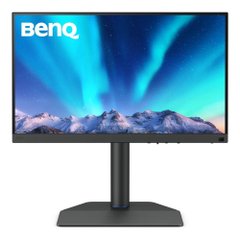
BenQ SW272U 27-inch 4K 90W USB-C Photographer Monitor, 99% Adobe RGB/DCI-P3/Display P3, Nano Matte Panel with TUV Anti-Reflection Certification, 1.07 Billion Colors, 16 bit 3D LUT, HDR
BenQ
It depends — An alternative aimed at print and photo workflows with wider Adobe RGB coverage, but it is a pricier step up that most screen-only work does not need.
Alternative if your output is print or you want hardware-calibration workflow. Overkill if you deliver for screens only.Available at Amazon(paid link) — opens Amazon in a new tab. Price and availability shown there.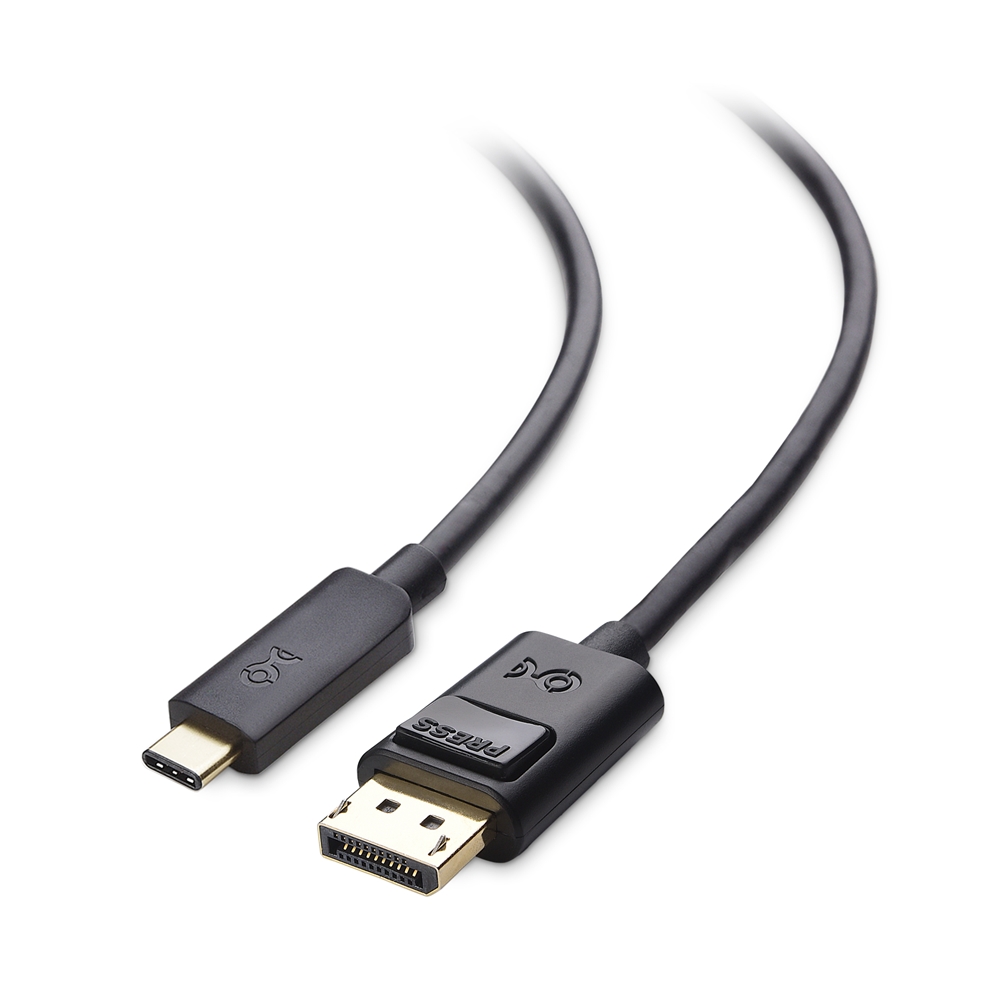
Cable Matters Unidirectional USB C to DisplayPort 1.4 Cable, 6ft | 8K@60Hz / 4K@240Hz, Not for Portable USB C Monitors, Thunderbolt 4 to DisplayPort Cable
Cable Matters
It depends — A complement, not an alternative: it only helps if the laptop has no USB-C video output, since the monitor's own USB-C input covers laptops that have it.
Complement for a laptop with a USB-C port that outputs video but no USB-C-to-monitor cable in the box. Check the laptop supports DisplayPort Alt Mode first.Available at Amazon(paid link) — opens Amazon in a new tab. Price and availability shown there.
Sources
Pages consulted while researching this article. None of these are affiliate links.
- ASUS ProArt Display PA279CRV product page — asus.com
- ASUS PA279CRV Review: Professional 4K IPS Monitor (DisplayNinja) — displayninja.com
- ASUS ProArt PA279CRV monitor review (TechPorn) — techporn.ph
- Designer Review: ASUS ProArt PA279CRV 4K 27-inch display (Parkablogs) — parkablogs.com