LG 32GS95UX vs Alienware & Samsung 32" OLED: Mixed Use
The questionWhere do these come from?
LG UltraGear 32GS95UX or Samsung Odyssey OLED G8 or ASUS ROG Strix XG32UCWG
I can't decide between these 3. Can you guys help me and tell me which one I should go with? I mainly use it for Mac/Youtube/Spotify/Netflix/Browsing/PS5 I would also use it maybe 1-2 Days for Homeoffice.
For one 32-inch OLED covering Mac, PS5, media and browsing, the LG 32GS95UX is the pick; the Dell and Samsung win only on narrower terms.
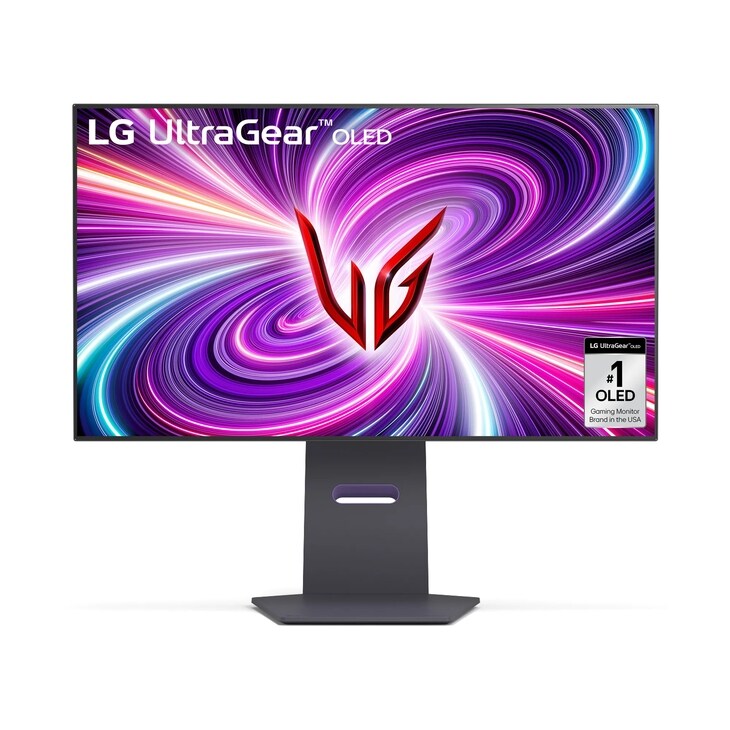
The LG UltraGear 32GS95UX (sold in the US as the 32GS95UE-B) is the pick if one 32-inch OLED has to cover a Mac, a PS5, streaming and daily browsing. It has a flat panel, a 4K 240Hz mode and a 1080p 480Hz mode, and it is the only one of the three that lets you trade resolution for speed. The two usual rivals, the Dell Alienware AW3225QF and the Samsung Odyssey OLED G8 (G80SD), are both QD-OLED 4K 240Hz panels. Each wins under a specific condition, covered below.
The searches behind this page rarely name the three monitors. These are the three most often shortlisted in the 32-inch 4K OLED class, so the comparison assumes them. If your shortlist differs, the deciding questions in the later sections still apply.
What this rests on. This site tests nothing. The comparison draws on manufacturer specifications and published reviews. RTINGS lists review pages for the LG 32GS95UE-B and the Alienware AW3225QF. The fetched copies of both pages returned only headers and navigation, so this article quotes no RTINGS measurement and you should read their scored results yourself. Notebookcheck’s US pricing announcement confirms the dual-mode 4K 240Hz / 1080p 480Hz design.
The comparison at a glance
| Verdict | What decides it | The catch | |
|---|---|---|---|
| LG UltraGear 32GS95UX | Buy | Switchable 4K 240Hz or 1080p 480Hz on a flat WOLED panel | WOLED text and brightness characteristics differ from QD-OLED; check reviews for your room |
| Dell Alienware AW3225QF | Consider | QD-OLED panel, but curved at 1700R | The curve is awkward for a desk shared with a Mac and media |
| Samsung Odyssey OLED G8 G80SD | Consider | Flat QD-OLED with a smart-TV interface | Strongest for media and console use, weaker as a Mac desk monitor |
Why the LG fits a mixed desk
It is flat. Browsing, spreadsheets and Mac windows suit a flat panel, and the 32GS95UX is flat. The Alienware’s curve suits a deep-desk gaming setup better.
The dual mode solves a real PS5 problem. The PS5 outputs 4K at up to 120Hz, so a 240Hz panel gives it nothing extra. The 1080p 480Hz mode matters if you also play fast competitive games on a PC. On a PS5-only desk it is a bonus rather than a reason to buy. Still, the LG is the only one of the three that offers a faster mode at all.
HDMI 2.1 for the console. Use an HDMI 2.1 port for the PS5 and confirm 4K 120Hz and VRR in the PS5 video settings. Keep the Mac on DisplayPort or USB-C if your model offers it. Check the spec sheet for your exact unit, because ports differ between regional variants.
Just want the recommendation?
Skip to the picksThe Mac question every shortlist skips
At 32 inches and 3840x2160, macOS renders at roughly 138 pixels per inch. That is not Retina density, and macOS offers no sub-pixel text smoothing. Text on any of these OLED panels will look a little softer than on an Apple display. In macOS Display settings, choose the scaled mode that looks like 2560x1440. Expect usable but not Retina-sharp text, and consider this a limit of the class rather than a flaw of one model.
If text sharpness on a Mac is your first priority, none of the three beats a 27-inch 4K IPS panel. See OLED Text Eye Strain? The 27-Inch 4K IPS Fix for that trade.
Where the Samsung wins
Choose the Samsung Odyssey OLED G8 if media and console use outweigh Mac work. It is a flat QD-OLED with built-in streaming apps, so you can watch without turning on a computer. It is the wrong choice if you want a faster 1080p mode, because it has none. It is also the weaker fit if the Mac is the main machine, since the smart-TV features add little there.
Where the Alienware wins
Choose the Alienware AW3225QF if you sit close and want an immersive curve, and the desk is mostly gaming. Skip it for a shared desk with a Mac, because a 1700R curve distorts straight lines in documents and spreadsheets.
Burn-in and office use
All three are OLED panels. Static taskbars, browser chrome and spreadsheets are the usual burn-in risk. Use a dark theme, hide the Dock and let the monitor run its pixel-refresh routine rather than interrupting it. Do not buy any OLED if the screen will show the same static window for eight hours a day, five days a week. A matte IPS panel suits that use better.
The verdict
For a Mac, PS5, media and browsing desk, buy the LG UltraGear 32GS95UX. The Samsung G80SD is the better pick only if streaming and console use come first. The Alienware AW3225QF is the one to skip for a shared desk, because its curve gets in the way of document work.
The bottom line
Both are defensible — the split is what you do with it:
Top pick
Buy this
LG 32GS95UE 32-inch Ultragear OLED Gaming Monitor UHD 240Hz 0.03ms DisplayHDR True Black 400 AMD FreeSync Premium Pro NVIDIA G-Sync HDMI 2.1 DisplayPort Tilt/Height/Swivel Stand Black
LG
It is the only one of the three with a switchable 4K 240Hz / 1080p 480Hz dual mode on a flat panel.
The pick for a Mac, PS5, media and browsing desk: flat panel, 4K 240Hz plus a 1080p 480Hz mode. Drawback: WOLED text and brightness behaviour, so read the RTINGS results for your room.Available at Amazon(paid link) — opens Amazon in a new tab. Price and availability shown there.The alternative
It depends
Samsung 32" Odyssey OLED G8 (G80SH) Gaming Monitor, QD-OLED, 4K Resolution | 240Hz, USB-C 96W, DP 2.1, 0.03ms, Glare Free, HAS/Tilt/Swivel/Pivot, OLED Safeguard+, 3 Year Warranty, LS32HG802SNXZA
Samsung
It fits a media and console desk, but offers no faster low-resolution mode and the smart-TV software adds little for a Mac.
A rival for people who watch more than they work: flat QD-OLED with built-in streaming apps. Gives up the faster 1080p mode and is less focused on Mac work.Available at Amazon(paid link) — opens Amazon in a new tab. Price and availability shown there.
Recommended products
Ordered by how well each one fits the situations above. Each link below is a paid link.
LG 32GS95UE 32-inch Ultragear OLED Gaming Monitor UHD 240Hz 0.03ms DisplayHDR True Black 400 AMD FreeSync Premium Pro NVIDIA G-Sync HDMI 2.1 DisplayPort Tilt/Height/Swivel Stand Black
LG
Buy — It is the only one of the three with a switchable 4K 240Hz / 1080p 480Hz dual mode on a flat panel.
The pick for a Mac, PS5, media and browsing desk: flat panel, 4K 240Hz plus a 1080p 480Hz mode. Drawback: WOLED text and brightness behaviour, so read the RTINGS results for your room.Available at Amazon(paid link) — opens Amazon in a new tab. Price and availability shown there.Samsung 32" Odyssey OLED G8 (G80SH) Gaming Monitor, QD-OLED, 4K Resolution | 240Hz, USB-C 96W, DP 2.1, 0.03ms, Glare Free, HAS/Tilt/Swivel/Pivot, OLED Safeguard+, 3 Year Warranty, LS32HG802SNXZA
Samsung
It depends — It fits a media and console desk, but offers no faster low-resolution mode and the smart-TV software adds little for a Mac.
A rival for people who watch more than they work: flat QD-OLED with built-in streaming apps. Gives up the faster 1080p mode and is less focused on Mac work.Available at Amazon(paid link) — opens Amazon in a new tab. Price and availability shown there.

Sources
Pages consulted while researching this article. None of these are affiliate links.
- RTINGS: LG 32GS95UE-B review — rtings.com
- RTINGS: Dell Alienware AW3225QF review — rtings.com
- Notebookcheck: LG UltraGear OLED 32GS95UE US announcement — notebookcheck.net