MSI Optix G27C4 for Console: Worth Leaving IPS?
The questionWhere do these come from?
Should I switch a BenQ GW2790 for a MSI Optix G27C4? I'm a bit worried about ghosting.
Hi there, I'm currently the owner of a BenQ GW2790 and mostly use it for gaming on my PS5. I have the opportunity to sell my BenQ to buy an MSI monitor.
Switching to the G27C4 from an IPS monitor mostly buys contrast and a 120Hz console ceiling, but VA smearing and an HDMI 1.4b port limit the gain.
The MSI Optix G27C4 is a reasonable switch from an IPS monitor only if you value contrast over motion clarity and you do not need console VRR. For most people whose current IPS panel already works, the refresh-rate gain is smaller on console than the spec sheet implies, so keeping the IPS is the safe call.
No independent lab (RTINGS, TFTCentral, Monitors Unboxed) appears to have published response-time or ghosting measurements for the G27C4. Everything below rests on MSI’s datasheets, one written review and owner comments, and says so where it matters.
What the G27C4 actually gives a console
MSI’s datasheet lists a 27-inch 1920 x 1080 curved VA panel with a 170Hz maximum, and notes that 170Hz works over DisplayPort only. HDMI is listed up to 144Hz. MSI’s regional spec sheets list two HDMI 1.4b inputs and one DisplayPort 1.2a. Some retailer copy calls the ports HDMI 2.0; MSI’s own documents do not, so treat that as unconfirmed.
Consoles cannot use DisplayPort and cap at 120Hz anyway. So 170Hz is irrelevant to a PS5 or Xbox Series X|S. The real console question is whether the monitor accepts a 1080p120 signal over HDMI. Retailer copy says it does on PS5; MSI does not state it. Check the PS5’s Video Output screen after connecting before you commit to dropping an older panel.
VRR is the second catch. Xbox consoles support FreeSync-style variable refresh over HDMI, which this monitor advertises. The PS5 uses HDMI VRR, and the listed HDMI 1.4b ports make support there doubtful. Do not buy this expecting PS5 VRR without confirming it.
Ghosting: what is documented
VA panels have slower dark-to-dark transitions than IPS, which shows as smearing on dark backgrounds. The G27C4’s “1ms” is an MPRT figure; Monitornerds lists a 4ms response time and describes 1ms as a boosted setting. MPRT is a motion-blur rating, not a grey-to-grey measurement, so it says little about ghosting.
Just want the recommendation?
Skip to the picksThe only owner evidence found is on the related G27CQ4, where a Coolblue commenter reported regular ghosting on a PS4 Pro, most visible on white pages with black text, and said changing the response-time setting from Fast to Normal helped. That is a different model and a single report, so it points at a known VA trade-off rather than proving the G27C4 behaves the same.
Where the trade works and where it does not
| MSI Optix G27C4 | Typical IPS gaming monitor | |
|---|---|---|
| Panel | VA, 1080p, curved | IPS, often 1440p |
| Console ceiling | 120Hz, HDMI 1.4b listed | 120Hz, usually HDMI 2.0 |
| Strength | Deeper blacks, higher contrast | Cleaner motion, wide viewing angles |
| Risk | Dark-scene smearing, overdrive trade-off | Greyer blacks, IPS glow |
Dark, cinematic games on a 60fps console. VA contrast helps and the ghosting risk is lower at moderate frame rates. This is the case where the switch is defensible.
Fast shooters at 120fps. Smearing in dark areas is the exact complaint, and the IPS is the safer panel. An IPS that already runs 120Hz leaves little to gain.
If you are coming from a 1440p IPS. The G27C4 is 1080p, which is a resolution step down for a 27-inch screen. The Acer Nitro VG271U M3 is an example of an IPS rival that keeps 1440p. Check its HDMI specification on the manufacturer page before buying.
Checking 120Hz on the console itself
Whichever monitor you choose, the console decides what it sends. On a PS5, open Settings > Screen and Video > Video Output and look at whether the 120Hz output option is available and enabled; the console only offers it when the display reports support. On an Xbox Series X|S, the refresh rate option sits under Settings > General > TV & display options. If 120Hz does not appear on either, the port or cable is the limit, not the game, and a certified high-speed HDMI cable is the first thing to swap. Many games also run 120Hz only at reduced resolution or in a performance mode, so the benefit depends on the titles you play, not just the monitor.
What to skip
Nothing here is a bad product, so no skip is warranted. The honest warning is narrow: do not buy the G27C4 for its 170Hz figure if the screen is for a console, because the console cannot use it. Also do not treat the G27C4’s response-time claim as a measured result.
What is unresolved
Whether the G27C4’s HDMI ports accept PS5 1080p120 and VRR can only be settled by MSI support or by testing on the console itself. If the retailer allows returns, test 120Hz and a dark scene on your own console within the return window.
The bottom line
It splits on what you are actually asking:
Top pick
It depends
msi G272QPF, 27" Gaming Monitor, 2560 x 1440 (QHD), Rapid IPS, 1ms, 170Hz, G-Sync Compatible, HDR Ready, HDMI, Displayport, Tilt, Swivel, Height Adjustable, Pivot
msi
MSI's own spec sheets list HDMI 1.4b and cap HDMI at 144Hz, and no independent lab has published ghosting measurements for it.
The monitor in question: a 27-inch 1080p curved VA panel. Consider it if you play dark-scene games and mainly hit 60-120fps; the catch is VA smearing and, per MSI’s sheets, HDMI 1.4b ports.Available at Amazon(paid link) — opens Amazon in a new tab. Price and availability shown there.The alternative
It depends
Acer Nitro 27in QHD 2560x1440 IPS 180Hz Gaming Monitor XV271U M3bmiiprx | 0.5ms, AMD FreeSync, DCI-P3 95%, 2xHDMI, DisplayPort, Ergo Stand, Speaker, VESA Mountable, Bluelight Filter
Acer
Right if clean motion matters more than contrast; weaker for dark-room, dim-scene games where VA contrast helps.
The IPS alternative to the G27C4: keeps the faster pixel transitions and wide viewing angles you would be giving up, and adds a 1440p panel. Gives up the deeper black level a VA panel offers.Available at Amazon(paid link) — opens Amazon in a new tab. Price and availability shown there.
Recommended products
Ordered by how well each one fits the situations above. Each link below is a paid link.

msi G272QPF, 27" Gaming Monitor, 2560 x 1440 (QHD), Rapid IPS, 1ms, 170Hz, G-Sync Compatible, HDR Ready, HDMI, Displayport, Tilt, Swivel, Height Adjustable, Pivot
msi
It depends — MSI's own spec sheets list HDMI 1.4b and cap HDMI at 144Hz, and no independent lab has published ghosting measurements for it.
The monitor in question: a 27-inch 1080p curved VA panel. Consider it if you play dark-scene games and mainly hit 60-120fps; the catch is VA smearing and, per MSI’s sheets, HDMI 1.4b ports.Available at Amazon(paid link) — opens Amazon in a new tab. Price and availability shown there.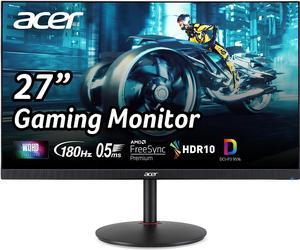
Acer Nitro 27in QHD 2560x1440 IPS 180Hz Gaming Monitor XV271U M3bmiiprx | 0.5ms, AMD FreeSync, DCI-P3 95%, 2xHDMI, DisplayPort, Ergo Stand, Speaker, VESA Mountable, Bluelight Filter
Acer
It depends — Right if clean motion matters more than contrast; weaker for dark-room, dim-scene games where VA contrast helps.
The IPS alternative to the G27C4: keeps the faster pixel transitions and wide viewing angles you would be giving up, and adds a 1440p panel. Gives up the deeper black level a VA panel offers.Available at Amazon(paid link) — opens Amazon in a new tab. Price and availability shown there.
Sources
Pages consulted while researching this article. None of these are affiliate links.
- MSI G27C4 E2 datasheet — storage-asset.msi.com
- MSI G27C4 E2 spec sheet (Singapore) — storage-asset.msi.com
- Monitornerds: MSI G27C4 review — monitornerds.com
- Coolblue: MSI Optix G27CQ4 (owner comments on PS4 Pro ghosting) — coolblue.de