LG OLED77C5PUA Open Box: The Checklist Before You Buy
The questionWhere do these come from?
Is this a good deal for a 77 inch C5 open box?
It’s currently on display with “residue” which just means fingerprints according to the Best Buy salesman. I did throughly look at the screen and saw minimal fingerprints and no damage.
Check the panel with a five-color test, confirm the MR25GA remote is included, and weigh the C5's one-year-only warranty against the savings.
An open-box LG OLED77C5PUA is worth its low price only when three specific checks come back clean: the panel shows no retained image across a five-color test, the box actually contains the MR25GA remote and stand hardware LG ships with a new C5, and the gap between the open-box price and a new unit’s price is wide enough to offset the fact that a C-series OLED carries only LG’s standard one-year warranty once it’s out of factory-sealed condition. Here’s how to check each one, in the order that will save you the most time if the unit fails early.
What the warranty actually covers once it’s open-box
LG’s standard television warranty covers parts and labor for one year from the date of original retail purchase, and by LG’s own terms it extends “only to the original purchaser” and is not assignable to a later owner. If the open-box unit is being sold directly by an authorized retailer — not resold peer-to-peer — you’re generally still the original purchaser in the eyes of that warranty, and the one-year clock restarts on your receipt date rather than whichever date the display unit was first opened. Confirm that in writing before paying; a seller who can’t tell you what date will print on your receipt can’t tell you when your coverage ends either.
The bigger gap is that LG only extends its five-year limited panel warranty to the G, M and Z series OLEDs — the C5 is not on that list and gets the same one-year parts-and-labor coverage as every other LG LED and QNED set. That matters specifically for an open-box purchase because the failure mode you’re actually worried about — uneven wear across the panel from a demo loop or a long-running store display — is a panel fault, and a panel fault that shows up in year two of ownership is not covered at all on a C-series set, open-box or new. Factor that into how much of a saving you actually need before the risk is worth taking.
The five-minute panel check before you agree to buy
Insist on powering the unit on before you commit, and run it through five full-screen colors: white, 25% gray, 50% gray, and then pure red, green and blue. White exposes overall panel uniformity — banding, discoloration, or dimmer patches toward the edges. The two gray levels are the most diagnostic for image retention, because faint shadows that are invisible against a bright white or a saturated color show up clearly against mid-gray: a channel logo bug, a static scoreboard, a browser or app grid from a demo loop. Red, green and blue isolate dead or stuck subpixels that a mixed-color image can hide. Check the four corners specifically — that’s where network logos and on-screen clocks tend to park for hours at a time on a display-floor unit.
If the TV has an LG remote, you can run this more formally through the set’s own diagnostics rather than eyeballing a phone screen: Settings → All Settings → General → Device Care → Self Care (menu wording shifts slightly by webOS version) walks through the same picture self-diagnosis LG support documents for troubleshooting. Not every retained image is permanent — LG’s OLED panels run a short automatic pixel-refresh cycle after roughly four hours of continuous use, and a longer equalization pass every 2,000 hours of on-time. If a faint mark fades noticeably after the set has been running varied content for ten or fifteen minutes, that’s temporary retention, not burn-in. If you can get the seller to agree to a full manual pixel-cleaning cycle — an hour with the set powered off but plugged in, run from the same menu — and the mark is still there afterward, treat it as permanent and walk away or renegotiate hard.
Read the serial number instead of trusting the listing
LG’s serial numbers encode a rough manufacture date directly: the first digit is the last digit of the model year, and the next two digits are the month, so a serial beginning “512” points to December of a year ending in 5. Find it on the back-panel label, or — faster, if the remote works — press Mute three times in a row on an LG remote to pull the model and serial straight up on screen. Cross-reference that manufacture date against how the listing describes the unit’s history. A recent manufacture date paired with a claim that it was a “customer return” is consistent with someone who simply changed their mind. A manufacture date many months old on a unit described as ex-display inventory is consistent with real running hours behind that low price, and it’s worth pushing the panel check harder on that unit specifically.
Just want the recommendation?
Skip to the picksWhat’s actually supposed to be in the box
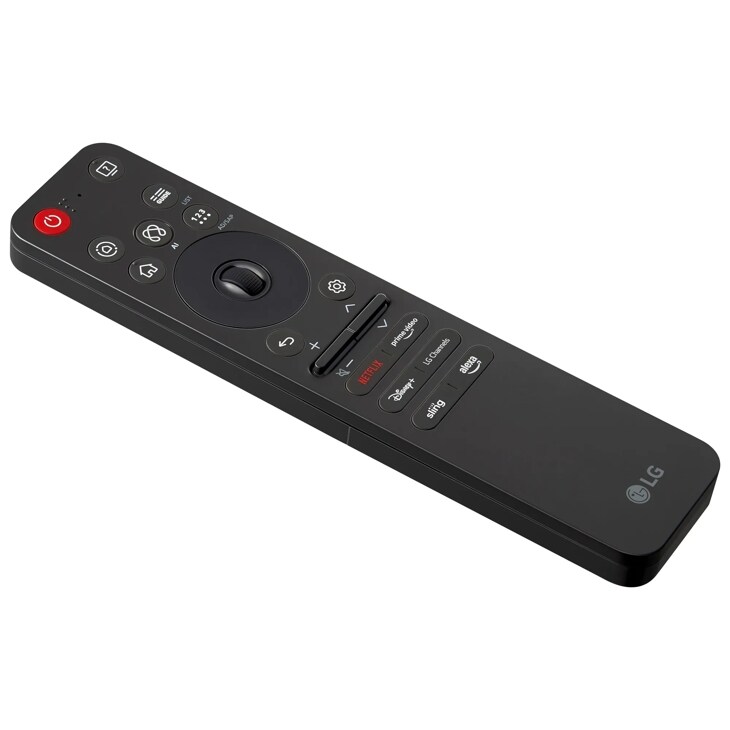
A new OLED77C5PUA ships with the panel, its table stand and mounting screws, a power cable, a quick-start guide, and the 2025 Magic Remote — model MR25GA, which pairs over RF rather than infrared and carries dedicated app and voice buttons tied to webOS 25’s launcher. That’s the specific model to confirm is in the box, not an earlier MR21GA or MR22GA — those will often still pair and handle basic navigation, but they’re missing the button layout and, on cheaper aftermarket “compatible” replacements sold separately, sometimes the pointer and microphone functions that make LG’s remote worth having in the first place. A missing stand or screws is a bigger problem than a missing remote in practice, since a 77-inch panel with no base means either wall-mounting hardware you don’t have or nowhere to safely rest it.
If the remote alone is missing and everything else checks out, that’s the easiest gap to close — the MR25GA is sold on its own and is the one accessory here worth buying outright rather than treating as a reason to walk away from the whole purchase.
When the low price stops being worth the risk
Before you finalize anything, look up current new-unit pricing for the C5 itself, not just the open-box listing. The C5 has already been superseded in LG’s lineup, which typically pushes new-unit pricing on remaining C5 stock down anyway — so the open-box unit in front of you may be competing against a new, fully warrantied C5 that’s closer in price than the open-box listing implies. If that gap is thin, buying new and skipping the entire inspection process is the simpler call.
It’s also worth knowing what you’d be giving up or gaining by stepping to a genuinely different set instead of chasing this specific open-box unit:
| HDR peak brightness (RTINGS, 10% window) | Warranty on a new unit | What you’re trading | |
|---|---|---|---|
| LG OLED77C5PUA (open-box) | ~1,174 nits | 1 year parts & labor only, non-transferable | Condition and accessories are unverified until you inspect |
| LG OLED77C4PUA (new, prior-gen) | ~1,065 nits | Full 1 year from your purchase date | About 10% less peak HDR brightness and a step-down processor generation, but known-new condition |
| Samsung 77-inch S90F (new, QD-OLED) | Comparable in HDR highlights, brighter in Game Mode | Samsung’s standard new-unit coverage | QD-OLED color and text rendering differ from LG’s WOLED panel, and you leave webOS for Samsung’s Tizen platform |
RTINGS measured the C4 at roughly 1,065 nits against the C5’s roughly 1,174 nits on the same 10% HDR window, and separately found the C5 and Samsung’s S90F trading wins depending on content — the C5 pulling ahead in SDR brightness and upscaling, the S90F edging it in Game Mode brightness. Neither rival is a strict downgrade: a new C4 gets you a known-condition LG panel with full first-year coverage for close to what a heavily discounted open-box C5 might cost, and the S90F is a legitimate same-tier rival if you’d rather sidestep the open-box condition question entirely by buying new and accept QD-OLED’s different color character in exchange.
If the seller won’t power it on for you
Treat this as the one non-negotiable. Photos of a screen — especially glossy OLED glass under store lighting — cannot reliably show faint gray-level retention or a single stuck subpixel, and a listing that won’t accommodate an in-person power-on test is asking you to buy the exact risk this checklist exists to catch. If it’s a retailer with a real return window, that’s your backstop; get the return terms in writing before you pay, specifically whether image retention discovered after unboxing counts as a valid return reason. If it’s a private sale with no return path and no power-on test, the low price isn’t a discount — it’s the cost of the risk you’re being asked to absorb sight unseen.
The bottom line
Two answers, priced differently:
Top pick
It depends
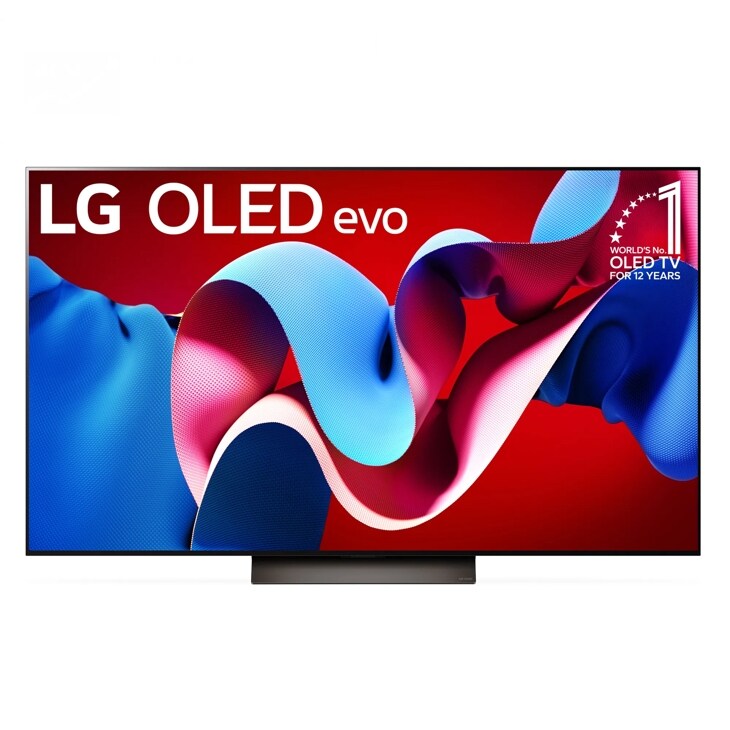
LG 77-Inch Class C5 Series OLED evo AI 4K Smart TV OLED77C5PUA
Class
The C5 gets LG's standard 1-year parts-and-labor warranty rather than the 5-year panel warranty reserved for the G/M/Z series, so an open-box unit has no coverage cushion if a panel fault surfaces in year two.
This is the exact open-box unit in question. It’s worth the price only if it clears a five-color panel check, includes its MR25GA remote and stand hardware, and the savings are large enough to offset the C-series’ one-year-only warranty.Available at Amazon(paid link) — opens Amazon in a new tab. Price and availability shown there.The alternative
Buy this
LG MR25GA Magic Remote
MR25GA Magic
It's sold on its own, pairs correctly with the C5's launcher, and closes the single most commonly missing open-box accessory without affecting the TV purchase decision itself.
The exact remote LG ships with a new C5, with RF pairing and app/voice buttons matched to webOS 25. If the open-box unit is missing its remote, this is the specific accessory to replace it with rather than a generic multi-year ‘compatible’ clone.Available at Amazon(paid link) — opens Amazon in a new tab. Price and availability shown there.
Recommended products
Ordered by how well each one fits the situations above. Each link below is a paid link.

LG 77-Inch Class C5 Series OLED evo AI 4K Smart TV OLED77C5PUA
Class
It depends — The C5 gets LG's standard 1-year parts-and-labor warranty rather than the 5-year panel warranty reserved for the G/M/Z series, so an open-box unit has no coverage cushion if a panel fault surfaces in year two.
This is the exact open-box unit in question. It’s worth the price only if it clears a five-color panel check, includes its MR25GA remote and stand hardware, and the savings are large enough to offset the C-series’ one-year-only warranty.Available at Amazon(paid link) — opens Amazon in a new tab. Price and availability shown there.LG MR25GA Magic Remote
MR25GA Magic
Buy — It's sold on its own, pairs correctly with the C5's launcher, and closes the single most commonly missing open-box accessory without affecting the TV purchase decision itself.
The exact remote LG ships with a new C5, with RF pairing and app/voice buttons matched to webOS 25. If the open-box unit is missing its remote, this is the specific accessory to replace it with rather than a generic multi-year ‘compatible’ clone.Available at Amazon(paid link) — opens Amazon in a new tab. Price and availability shown there.Samsung 77-inch Class S90F Series QD-OLED 4K Smart TV
Samsung
It depends — QD-OLED color rendering and Samsung's Tizen platform are a real departure from LG's WOLED panel and webOS, so it suits someone open to switching ecosystems, not someone set on staying with LG.
A same-generation rival that sidesteps the open-box condition question entirely by buying new. RTINGS found it trades wins with the C5 rather than losing outright, brighter in Game Mode HDR but behind in SDR and upscaling.Available at Amazon(paid link) — opens Amazon in a new tab. Price and availability shown there.LG 77-inch Class C4 Series OLED evo AI 4K Smart TV OLED77C4PUA
Class
It depends — RTINGS measured the C4 at roughly 1,065 nits peak HDR against the C5's roughly 1,174 nits, a real but modest gap that's worth trading for known condition if the open-box C5's savings are thin.
The previous-generation LG alternative, often available new for a price close to a discounted open-box C5. It gives up brightness and a processor generation for guaranteed new condition and full first-year coverage.Available at Amazon(paid link) — opens Amazon in a new tab. Price and availability shown there.

Sources
Pages consulted while researching this article. None of these are affiliate links.
- LG C5 OLED Review - RTINGS.com — rtings.com
- LG C4 vs LG C5 OLED: Which TV Is Better? - RTINGS.com — rtings.com
- Samsung S90D vs LG C5 OLED: Which TV Is Better? - RTINGS.com — rtings.com
- LG C5 vs Samsung S90F OLED: Which TV Is Better? - RTINGS.com — rtings.com
- 77 Inch Class LG OLED evo AI C5 4K Smart TV 2025 - OLED77C5PUA | LG USA — lg.com
- How To Find My LG Model and Serial Number | LG USA Support — lg.com
- [LG OLED TV] Run Pixel Cleaning to Remove Screen Burn-Ins | LG USA Support — lg.com
- LG WebOS TV - Troubleshooting Picture and Sound Using TV's Self Diagnosis Feature | LG USA Support — lg.com