TCL C8K vs C7K vs C9K: Gaming, Office, or Movies
The questionWhere do these come from?
Stuck between choices
I'm looking to upgrade from my 55" 2020 Samsung Q80T to a Mini Led (OLED is out of the question, as I'm also using the TV as a monitor and with my current use habits burn in is guaranteed).
The 75-inch TCL C8K balances mini-LED zone count and brightness best for mixed PC gaming, office, and movie use at a 3-meter distance.
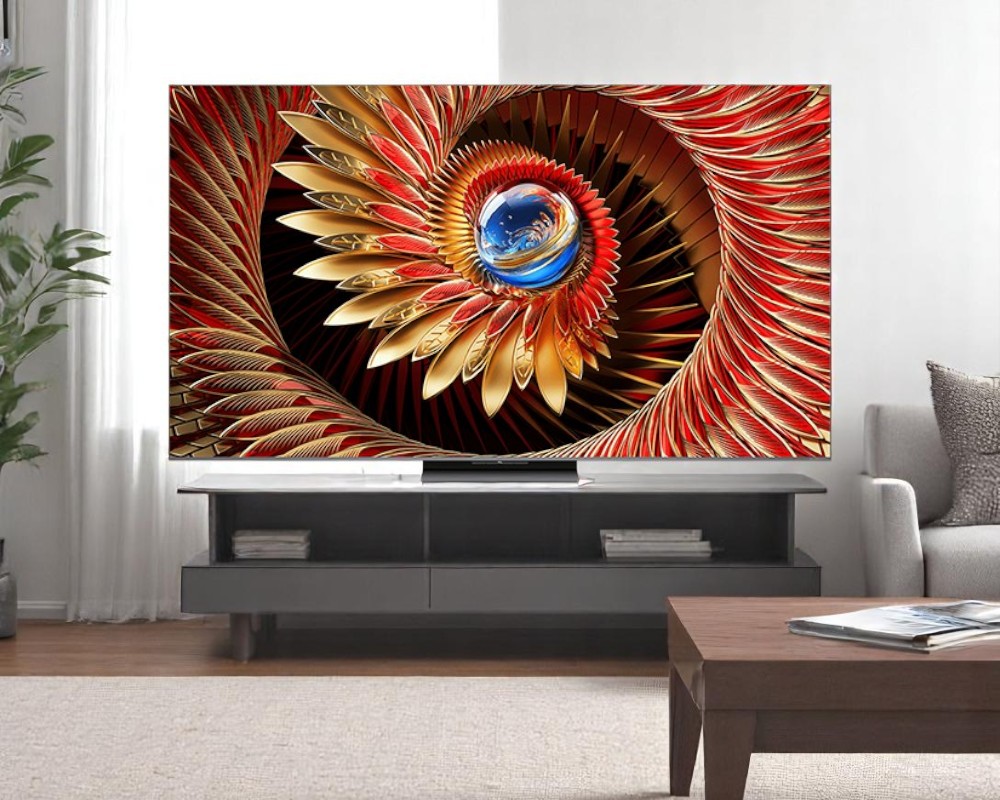
The 75-inch TCL C8K is the right call for a single screen that has to cover PC gaming, office work, and movies at a fixed 3-meter distance and a fixed budget. It carries enough local-dimming zones and sustained brightness to make Dolby Vision look correct rather than flat, a native 144Hz panel with the gaming features a PC actually uses, and a price that sits below TCL’s own C9K without giving up anything that shows at that distance. The C6K and C7K below it cut dimming zones and brightness in ways that are visible in HDR and fast motion; the C9K above it adds zones and nits that a 3-meter seat can’t resolve.
TCL sells the same panel family under two names: C6K/C7K/C8K/C9K outside North America, QM6K/QM7K/QM8K/QM9K in the US. RTINGS and most outlets review them as the same TV, so the measurements below carry across both names.
Why 3 meters changes nothing about sharpness, and everything about brightness
RTINGS’ own size-to-distance guidance puts the ideal seating window for a 75-inch 4K set at roughly 7.5 to 10 feet (2.3 to 3 m) using its standard 40-degree field-of-view target, which means a 3 m seat isn’t a compromise — it’s close to the textbook-correct distance for this screen size. At that range, individual pixels on any 4K 75-inch panel, C6K through C9K, are already invisible, so none of these four models differentiates on sharpness. What keeps changing between them is dimming-zone count and how much brightness each can sustain, and that shows up as haloing around bright objects, whether HDR highlights look correct or blown out, and how well the screen fights room lighting — not as a difference in detail.
What the C8K’s zone count and brightness actually buy
TCL’s spec sheet for the 75C8K lists just over 2,100 local-dimming zones; FlatpanelsHD counted 2,176 on its 75-inch review unit, part of a 1,680 / 2,176 / 2,880 / 3,480 zone progression across the 65/75/85/98-inch sizes. Brightness is where the marketing and the measurements diverge in a useful way: TCL rates the C8K up to 4,500–5,000 nits with its brightness-boost engaged, but FlatpanelsHD measured around 2,000 nits in a small highlight window and 2,800 nits across a 25% window without boost active. RTINGS, testing under the QM8K name, measured 3,176 nits on a 10% HDR window in Standard mode (2,268 nits in the more color-accurate Filmmaker mode), with fullscreen sustained brightness of 629 nits. That last figure — sustained, fullscreen brightness — is the one that actually matters for office use, since a spreadsheet or a browser window lights up the whole panel rather than a small HDR highlight.
Office work: the brightness holds up, the glossy coating doesn’t always
RTINGS found the QM8K bright enough to overcome glare even in a very bright room, with ambient light barely affecting black levels or color accuracy. The catch is the screen coating: it does little to soften mirror-like reflections of direct light sources, so a ceiling fixture or a window positioned behind or beside the seat will show up as a distinct, rainbow-tinted reflection rather than being diffused away — the same failure mode as a glossy monitor. Positioning the screen out of the direct line of a light source matters more here than brightness does. The WHVA panel does add a real benefit for desk use: FlatpanelsHD’s testing found color and contrast hold up noticeably better off-axis than on a standard VA panel, which helps if the screen is shared by someone sitting to one side of center rather than dead-on.
PC gaming: two ports carry the load, and one setting costs you latency
The C8K supports native 4K at 144Hz plus TCL’s “Game Accelerator” mode at 288Hz/1080p, AMD FreeSync Premium Pro, ALLM, and Dolby Vision gaming. Input lag in standard Game mode measures around 12.6–13.2ms, competitive with a dedicated gaming monitor. Two things are worth checking before you wire it up: only two of the C8K’s HDMI inputs run at full HDMI 2.1 bandwidth, so a gaming PC and a current-gen console both wanting 4K/120+ will be sharing those two ports rather than spreading across four. And FlatpanelsHD found that setting Local Dimming to High — the mode that gives the most accurate HDR contrast — roughly doubles input lag to about 30ms. That’s still playable, but it’s a real trade-off between HDR accuracy and responsiveness rather than something you get for free; drop Local Dimming to a lower setting for competitive titles and raise it again for slower, more cinematic ones.
Just want the recommendation?
Skip to the picksMovies: where the extra zones actually pay off
Dolby Vision, HDR10+, and HLG support paired with the C8K’s roughly 2,176 zones produce noticeably tighter contrast around bright HDR highlights than the C7K manages, since more zones mean smaller, more precise pockets of light and dark. Reviewers who tested the set describe it as delivering “excellent overall picture quality” for the price. Sound comes from a built-in 6.2.2-channel Bang & Olufsen system, a genuine step up from the 40W 2.1-channel Onkyo setup TCL uses on the cheaper C6K.
The four models side by side, at 75 inches
| Model | Dimming zones (75") | Peak brightness (claimed / independently measured) | Sound | Verdict for this mix |
|---|---|---|---|---|
| C6K | ~512 | ~1,000 nits / not independently boosted-tested | 40W 2.1-ch Onkyo | Skip |
| C7K | ~1,008 | ~2,600 nits claimed / 1,733–2,350 nits (RTINGS, 10% window) | B&O | Consider |
| C8K | ~2,176 | ~4,500–5,000 nits claimed / 2,268–3,176 nits (RTINGS, 10% window) | B&O 6.2.2-ch | Buy |
| C9K | ~4,032 | 6,000+ nits claimed | B&O | Skip (for this use case) |
All four share the same 144Hz native panel, FreeSync Premium Pro, ALLM, and Dolby Vision/HDR10+/HLG support — the differences that matter here are zones, sustained brightness, and sound.
Where the C7K is the smarter buy instead
If office work is the dominant use and gaming and movies are occasional, the C7K’s roughly half the zone count and its lower sustained brightness barely register in daily desktop use — RTINGS measured 640 nits fullscreen brightness in Standard mode on the C7K, barely below the C8K’s 629, since text and app windows don’t stress peak HDR brightness or local dimming the way HDR gaming and film do. It keeps the same B&O sound and the same 144Hz/288Hz gaming spec sheet as the C8K. Consider it when the budget ceiling is the harder constraint than picture quality, and accept that HDR movies and fast HDR gaming will show more visible blooming around bright objects than they would on the C8K.
Why the C9K’s extra zones don’t earn their price here
At 75 inches the C9K jumps to roughly 4,032 zones and a manufacturer-claimed 6,000+ nits — nearly double the C8K on both counts. That’s a real spec-sheet advantage, but one outlet’s own verdict after testing it captured the trade-off directly: “incredibly bright — but not the best value.” At a 3 m viewing distance, the incremental drop in blooming from doubling the zone count is far harder to notice than it would be sitting closer, and the extra brightness pushes well past what’s useful even in a genuinely bright office. Skip it here unless you’re specifically chasing reference-level HDR performance in a controlled, light-managed home theater — a different use case than the mixed gaming/office/movie setup this comparison is about.
Skip the C6K for this mix
The C6K’s 512 zones are a quarter of the C7K’s count and an eighth of the C8K’s, and its claimed 1,000-nit peak brightness is well below what Dolby Vision content is mastered to use for highlights. It’s a genuinely good value TV for basic streaming and daytime television, which is why reviewers rate it well for that narrower job — but at this brightness ceiling it can’t deliver the highlight punch or contrast control that HDR gaming and movies need, and the 40W 2.1-channel Onkyo sound system is also a real step down for movie watching compared to the B&O systems on the C7K and up. Rule it out unless the budget genuinely can’t stretch to the C7K.
If TCL brand loyalty isn’t a requirement and you want to see how the cheaper end of this lineup compares against a non-TCL rival at the same tier, see Hisense U7Q vs TCL QM6K vs QM7K: What Actually Differs.
The setting worth checking before you decide anything else
Whichever model you land on, the single setting that most affects how it feels for PC gaming versus movies is Local Dimming. Leaving it on a lower or “Low” setting keeps input lag close to the 12–13ms baseline for competitive, twitch-reaction gaming; pushing it to “High” for the best HDR contrast in movies roughly doubles input lag to around 30ms on the C8K. That’s not a defect to troubleshoot — it’s a real trade-off built into how mini-LED local dimming works, and it’s worth setting per activity (a lower setting for shooters, a higher one for cinematic single-player games and film) rather than picking one value and leaving it.
The bottom line
Neither is wrong; the use case separates them:
Top pick
Buy this
TCL 75C8K QD-Mini LED TV
TCL
RTINGS measured 629 nits sustained fullscreen brightness and FlatpanelsHD counted ~2,176 zones on the 75-inch panel — enough for correct HDR without the C9K's unusable-at-this-distance premium.
The subject of this comparison: roughly 2,176 dimming zones and independently measured brightness up to 3,176 nits give it the HDR contrast and gaming specs this mixed use case needs.Available at Amazon(paid link) — opens Amazon in a new tab. Price and availability shown there.The alternative
It depends
TCL 75C7K QD-Mini LED TV
TCL
RTINGS measured only 640 nits fullscreen brightness versus the C8K's 629 (nearly identical for office use), but its ~1,008 zones show visibly more blooming in HDR movies and games.
A cheaper alternative in the same lineup with about half the C8K’s dimming zones; fine if office work dominates and HDR gaming or movies are occasional.Available at Amazon(paid link) — opens Amazon in a new tab. Price and availability shown there.
Recommended products
Ordered by how well each one fits the situations above. Each link below is a paid link.
TCL 75C8K QD-Mini LED TV
TCL
Buy — RTINGS measured 629 nits sustained fullscreen brightness and FlatpanelsHD counted ~2,176 zones on the 75-inch panel — enough for correct HDR without the C9K's unusable-at-this-distance premium.
The subject of this comparison: roughly 2,176 dimming zones and independently measured brightness up to 3,176 nits give it the HDR contrast and gaming specs this mixed use case needs.Available at Amazon(paid link) — opens Amazon in a new tab. Price and availability shown there.
TCL 75C7K QD-Mini LED TV
TCL
It depends — RTINGS measured only 640 nits fullscreen brightness versus the C8K's 629 (nearly identical for office use), but its ~1,008 zones show visibly more blooming in HDR movies and games.
A cheaper alternative in the same lineup with about half the C8K’s dimming zones; fine if office work dominates and HDR gaming or movies are occasional.Available at Amazon(paid link) — opens Amazon in a new tab. Price and availability shown there.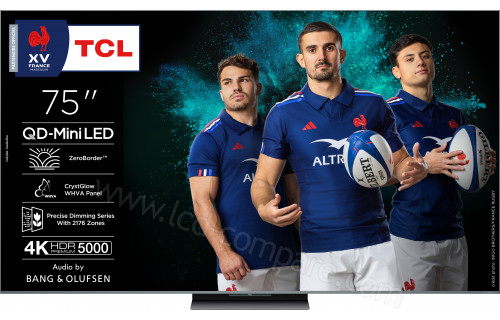
TCL 75C9K QD-Mini LED TV
TCL
Skip — Tom's Guide's own verdict called it 'incredibly bright — but not the best value,' and at a 3-meter seat the extra zone density is far harder to see than it would be sitting closer.
The pricier rival one tier up, with nearly double the C8K’s zone count and manufacturer-claimed 6,000+ nit brightness.Available at Amazon(paid link) — opens Amazon in a new tab. Price and availability shown there.
TCL 75C6K QD-Mini LED TV
TCL
Skip — Its claimed 1,000-nit peak brightness falls well short of what Dolby Vision content is mastered for, so HDR movies and gaming lose highlight punch and contrast control.
The budget model in the same family, with a quarter of the C7K’s dimming zones and a step down to 2.1-channel Onkyo sound.Available at Amazon(paid link) — opens Amazon in a new tab. Price and availability shown there.
Sources
Pages consulted while researching this article. None of these are affiliate links.
- TCL QM8K Review (65QM8K, 75QM8K, 85QM8K, 98QM8K) - RTINGS.com — rtings.com
- TCL QM7K Review (55QM7K, 65QM7K, 75QM7K, 85QM7K, 98QM7K) - RTINGS.com — rtings.com
- TV Size To Distance Calculator (And The Science Behind It) - RTINGS.com — rtings.com
- TCL C8K (QM8K) review - FlatpanelsHD — flatpanelshd.com
- TCL unveils X11K, C8K, C7K and more 2025 models - FlatpanelsHD — flatpanelshd.com
- TCL C8K review: Mini-LED mastery at a 'mini' price - T3 — t3.com
- I tested the TCL C8K mini-LED TV, and its excellent value and performance give Samsung a run for its money - TechRadar — techradar.com
- TCL C7K review: a very good mini-LED TV that's packed with features - TechRadar — techradar.com