Lenovo Legion R24e Brightness: 300 Nits, No HDR Boost
The question this answersWhere do these come from?
What is the peak brightness of the Lenovo Legion R24e monitor?
Lenovo's own spec sheet lists a single 300 cd/m² brightness figure for the Legion R24e, with no separate HDR peak number at all.
Lenovo’s own specification sheet for the Legion R24e lists exactly one brightness number: 300 cd/m². There is no separate “peak” figure, and no HDR brightness spec, because Lenovo doesn’t certify this panel for any HDR tier. Whatever input you feed it — SDR desktop, HDR10 game, HDR movie — 300 cd/m² is the ceiling.
That number comes straight from Lenovo’s Product Specifications Reference (PSREF) sheet for the Legion R24e, dated October 24, 2024. The full display spec: a 23.8-inch IPS panel, 1920×1080 resolution, 1000:1 static contrast ratio, a “dynamic contrast ratio (typical)” of 3,000,000:1 (a backlight-modulation figure, not a measure of simultaneous on-screen contrast — treat it as marketing shorthand, not a real-world number), a 48Hz–180Hz variable refresh range, and response times down to 1 ms at the highest overdrive level. Brightness appears as a single line item: 300 cd/m². No “typical” vs. “peak” split, because Lenovo doesn’t draw that distinction on this model.
Where the 400-nit number comes from instead
If you’ve seen this monitor listed with 400 nits and a 24.5-inch panel, you’re looking at a different spec sheet than the one Lenovo publishes for the Legion R24e. That 400-nit, 24.5-inch combination shows up on some regional distributor listings using the “R24e-30” name, and it doesn’t match any PSREF document Lenovo has published for this monitor. Lenovo’s own PSREF portal issues a spec sheet per machine-type suffix (the code printed on the box, something like 67CCGAC4xx), and every one of those sheets for this line — including the one covering the “R24e-30” name used in some markets — reports the same 23.8-inch panel and the same 300 cd/m² figure as the base Legion R24e sheet.
In practice, that means the 400-nit listings are a labeling error somewhere in the distribution chain, not a genuinely brighter hardware revision. If you want to settle it for your specific unit, check the machine-type code on the box or the rear label and look up that exact code on Lenovo’s PSREF site rather than trusting a retailer’s category page — those pages get populated from templates that don’t always track the right SKU.
The R24e against its closest Legion sibling
Lenovo’s budget 1080p Legion lineup includes a VA-panel cousin, the Legion R25f-30, which does publish a proper peak/typical brightness split and does carry an HDR badge. Comparing the two spec sheets side by side shows what you’re actually trading with the R24e:
| Spec | Legion R24e | Legion R25f-30 |
|---|---|---|
| Panel type | IPS | VA |
| Screen size | 23.8" | 24.5" |
| Brightness | 300 cd/m² (single figure) | 380 cd/m² peak / 350 cd/m² typical |
| Static contrast ratio | 1000:1 | 3000:1 |
| HDR10 compliance | Not listed | Listed |
| Refresh rate | 48–180Hz | 240Hz (overclockable to 280Hz) |
The R25f-30’s VA panel gets both a higher rated brightness and an HDR10 badge specifically because VA panels can produce deeper native blacks and higher contrast, which is what makes an HDR badge worth anything in the first place. The R24e’s IPS panel gives up some of that contrast and brightness headroom in exchange for wider, more consistent viewing angles — a reasonable trade for a monitor you sit directly in front of, less so if you were hoping for HDR-style punch.
What 300 cd/m² actually looks like on a desk
TFTCentral, reviewing why entry-level HDR certification is largely meaningless, notes that ordinary SDR desktop displays typically run in the 300–350 cd/m² range. The R24e’s 300 cd/m² sits at the bottom of that normal band — not dim, but not the kind of output that fights back against a bright room. In a dim-to-moderately-lit space it looks perfectly normal. Put it opposite a window or under strong overhead lighting and the anti-glare coating will do more work than the backlight; there’s no extra brightness in reserve to punch through ambient light, since 300 cd/m² is already the panel’s ceiling at 100% OSD brightness.
Just want the recommendation?
Skip to the picksWhy an “HDR” listing wouldn’t change that ceiling
Lenovo’s PSREF sheet lists three special features for the Legion R24e: AMD FreeSync, Lenovo Artery display-management software support, and generic gaming-console support. HDR10 compliance is not among them — a deliberate contrast with the R25f-30 sheet, which lists “HDR10 Compliance” explicitly. If you’ve seen this model advertised with an “HDR” or “HDR decode” tag on a retail listing, that phrasing typically means the monitor can accept and tone-map an HDR10 signal down to what its SDR panel can actually display — not that it reproduces HDR with extra brightness or contrast.
VESA’s own DisplayHDR performance criteria set 400 cd/m² as the floor for its lowest certification tier, DisplayHDR 400, with 600 and 1000 cd/m² for the tiers above that. The R24e’s 300 cd/m² doesn’t clear even that entry-level bar. And per TFTCentral’s critique of DisplayHDR 400 specifically, that lowest tier requires no local dimming and delivers only a marginal jump over standard SDR brightness anyway — so even a monitor that did clear 400 cd/m² wouldn’t necessarily look meaningfully different in HDR content. On a 300 cd/m² panel with no local dimming and no HDR10 line item on its own spec sheet, there’s no HDR mode worth switching into.
What measurement on a related Lenovo panel suggests
No independent lab has published brightness measurements for the Legion R24e itself — the figures above are Lenovo’s own. The closest data point available is Tom’s Hardware’s review of the sibling R25f-30, which measured roughly 373 cd/m² peak in SDR against Lenovo’s rated 380 cd/m² (about 98% of spec), and around 340 cd/m² in HDR mode — dimmer than SDR, not brighter, on a monitor whose HDR support is limited to signal decoding rather than a dedicated brightness boost.
That pattern is worth keeping in mind if you’re deciding whether to trust the R24e’s rated number: on this product line, Lenovo’s SDR brightness claims have measured close to accurate on the one sibling model that’s been independently tested, while “HDR mode” measured lower than the panel’s own SDR peak rather than higher. Extend that cautiously to the R24e and a healthy unit should land close to its rated 300 cd/m², not meaningfully above it.
If your unit measures well under 300 cd/m²
Before assuming a bad panel, rule out the easy causes: OSD brightness set to 100 (not left at a default that’s often 60–80 out of the box), any eco or power-saving preset disabled, and the dynamic contrast feature turned off if you’re trying to read a steady full-screen brightness rather than a scene-dependent one. None of those should cap you meaningfully below spec — Lenovo’s power figures for this model (16.6W typical, 24W max) show there’s headroom for full backlight output; a unit stuck well under 300 cd/m² with every setting maxed isn’t a configuration problem.
If it’s still off by a wide margin after that, this isn’t something a firmware update or OSD setting fixes — a backlight or panel-uniformity issue is a hardware fault, and the Legion R24e carries Lenovo’s standard 3-year limited warranty. Contacting Lenovo support for a warranty exchange is the correct next step rather than continuing to chase a software fix that doesn’t exist for a hardware brightness shortfall.
If 300 cd/m² and no real HDR path is the deciding factor against this model for you, Lenovo’s curved QHD sibling is covered separately in Why Lenovo’s R27qe Gen 2 Wins This Matchup, for anyone weighing a different panel size and resolution in the same product family.
The bottom line
Two readings, two answers:
Top pick
Buy this
Datacolor SpyderX Pro
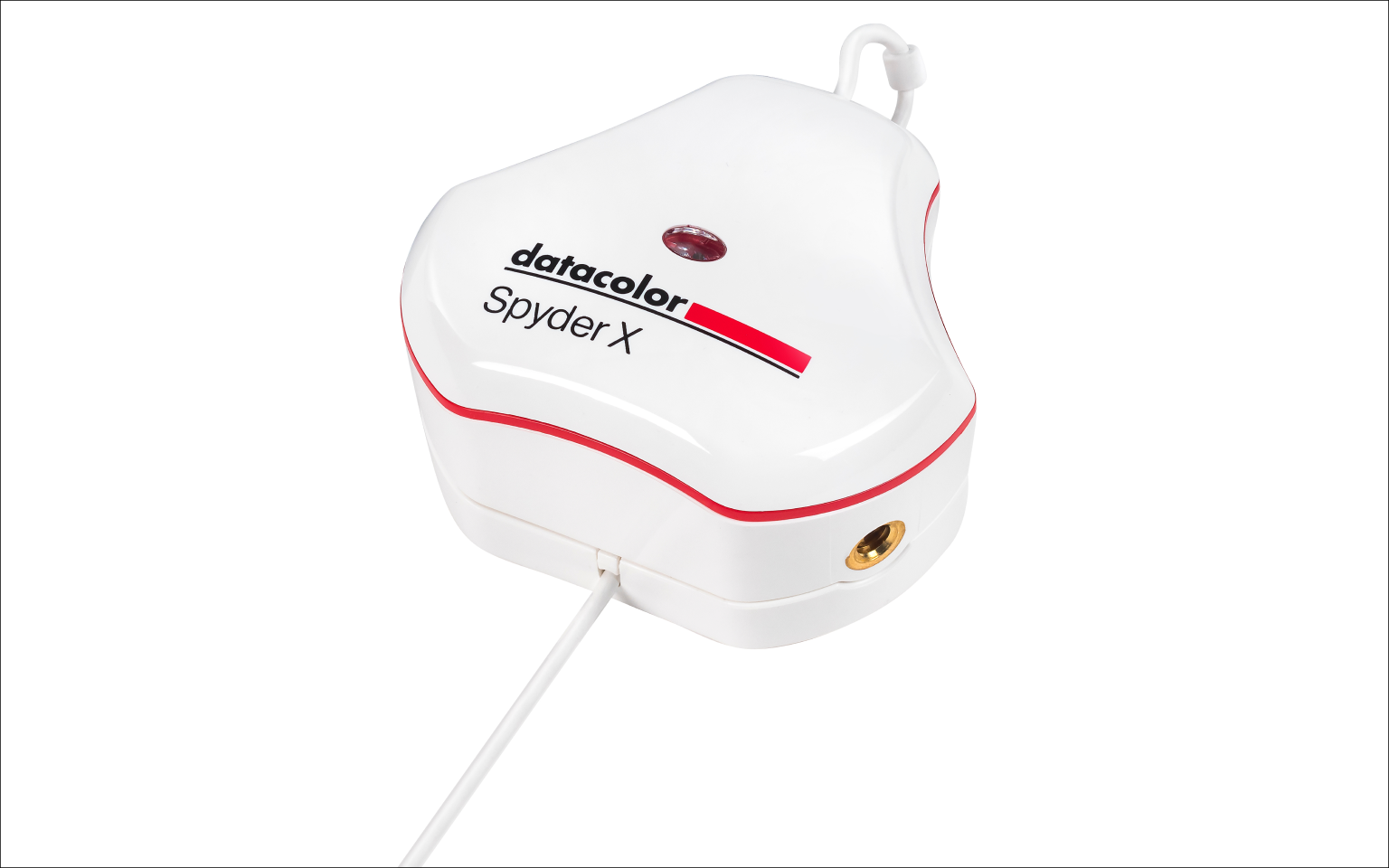
Datacolor SpyderX
It measures luminance directly in cd/m², the same unit Lenovo's spec sheet uses, unlike a photographic lux meter which measures ambient illuminance and can't validate a monitor's rated brightness.
A contact colorimeter that reads actual screen luminance in cd/m² when placed against the panel, which is the only way to confirm what your specific R24e unit really outputs instead of trusting a spec sheet or a mismatched retail listing.Available at Amazon(paid link) — opens Amazon in a new tab. Price and availability shown there.The alternative
It depends
X-Rite i1Display Pro Plus
Rite
Its extended high-brightness accuracy is wasted on a panel capped at 300 cd/m²; it only earns its price if you also own a display bright enough to need that extra range.
A pricier colorimeter with a wider luminance measurement range, useful if you’re calibrating brighter or HDR-capable displays alongside a budget panel like the R24e rather than spot-checking just one screen.Available at Amazon(paid link) — opens Amazon in a new tab. Price and availability shown there.
Recommended products
Ordered by how well each one fits the situations above. Each link below is a paid link.
Datacolor SpyderX Pro
Datacolor SpyderX
Buy — It measures luminance directly in cd/m², the same unit Lenovo's spec sheet uses, unlike a photographic lux meter which measures ambient illuminance and can't validate a monitor's rated brightness.
A contact colorimeter that reads actual screen luminance in cd/m² when placed against the panel, which is the only way to confirm what your specific R24e unit really outputs instead of trusting a spec sheet or a mismatched retail listing.Available at Amazon(paid link) — opens Amazon in a new tab. Price and availability shown there.
X-Rite i1Display Pro Plus
Rite
It depends — Its extended high-brightness accuracy is wasted on a panel capped at 300 cd/m²; it only earns its price if you also own a display bright enough to need that extra range.
A pricier colorimeter with a wider luminance measurement range, useful if you’re calibrating brighter or HDR-capable displays alongside a budget panel like the R24e rather than spot-checking just one screen.Available at Amazon(paid link) — opens Amazon in a new tab. Price and availability shown there.
Lenovo Legion R24e Gaming Monitor
Lenovo
It depends — Its 300 cd/m² brightness sits below VESA's 400 cd/m² floor for even entry-level DisplayHDR certification, so skip it specifically if real HDR contrast is the goal rather than a bright, fast SDR panel.
A 23.8-inch 1080p IPS panel with a 180Hz refresh rate that’s genuinely fine for esports and office use inside a normally lit room, at the brightness ceiling this article measures.Available at Amazon(paid link) — opens Amazon in a new tab. Price and availability shown there.
Sources
Pages consulted while researching this article. None of these are affiliate links.
- Lenovo Legion R24e - PSREF Specification Sheet (PDF) — psref.lenovo.com
- Lenovo Legion R25f-30 - PSREF Specification Sheet (PDF) — psref.lenovo.com
- Lenovo Legion R25f-30 280 Hz gaming monitor review: Brightness and Contrast - Tom's Hardware — tomshardware.com
- Why Your HDR Monitor Is (Probably) Not HDR At All - TFTCentral — tftcentral.co.uk
- VESA Certified DisplayHDR - Performance Criteria — displayhdr.org