Alienware AW2725DM: The Gaming-and-Coding Choice
The questionWhere do these come from?
Need Advice Choosing a 27-inch 1440p IPS Gaming Monitor: LG 27GS75Q vs Alienware AW2725DM vs BenQ EX271Q
Hi everyone, I'm looking to upgrade my monitor and would appreciate some advice from people who have experience with these models.
Choose the AW2725DM for a desktop gaming-and-coding setup; the BenQ EX271Q makes more sense when you also connect a work laptop.
The Alienware AW2725DM is a sound choice for gaming and coding on one desktop PC, provided you use DisplayPort and treat it primarily as an SDR monitor. Against the LG UltraGear 27GS75Q-B and BenQ MOBIUZ EX271Q, the BenQ becomes the stronger choice when laptop charging and sharing peripherals between computers matter.
All three are viable for mixed use; none deserves a blanket skip. The meaningful differences are connections, refresh-rate limits and display behaviour—not how much code fits on the screen.
Three monitors, three reasons to choose
These are the specifications that separate the AW2725DM, 27GS75Q-B and EX271Q. Refresh rates below refer to their maximum supported DisplayPort modes; LG’s highest setting requires overclocking.
| Deciding specification | Alienware AW2725DM | LG 27GS75Q-B | BenQ EX271Q |
|---|---|---|---|
| Panel and resolution | 27-inch IPS, 2560 × 1440 | 27-inch IPS, 2560 × 1440 | 27-inch IPS, 2560 × 1440 |
| DisplayPort refresh rate | 180Hz | 180Hz; 200Hz overclock | 180Hz |
| USB-C laptop charging | None | None | 65W |
| Built-in KVM switch | No | No | Yes |
Sources: Dell’s AW2725DM user guide, LG’s 27GS75Q-B specifications and BenQ India’s EX271Q specifications.
The Alienware is the default recommendation here because its documented connections and independently reviewed SDR performance suit a conventional desktop setup. That is a buying judgement, not evidence that it beats both rivals in every response-time test. There is no common set of measurements cited here that establishes an outright motion-performance winner across all three.
For one desktop, the Alienware makes sense
RTINGS found good text clarity, low input lag and good motion handling across the AW2725DM’s variable-refresh-rate range. It also found an accurate sRGB mode, although white balance needed calibration for greater accuracy. Those findings support everyday programming and SDR gaming more directly than the Alienware badge does. RTINGS’ AW2725DM review
For coding, all three give you essentially the same workspace at the same operating-system scaling. A 27-inch 2560 × 1440 screen has approximately 109 pixels per inch, calculated from its diagonal and resolution. Changing between these models does not create room for another editor pane or make small fonts dramatically sharper.
Start with your preferred editor font size, then decide whether you can comfortably keep documentation beside it. Increasing application zoom is a better response to tiny text than forcing yourself to use an uncomfortable layout. If the physical size remains undecided, the comparison of 27-inch and 32-inch monitors explains the separate size decision.
The AW2725DM’s stand provides 110mm of height adjustment, swivel and portrait rotation. For ordinary desktop colour, its documented setting is Game → Preset Modes → sRGB. Dell’s user guide
A work laptop changes the winner
Choose the BenQ MOBIUZ EX271Q when you regularly move between a compatible work laptop and a gaming desktop. BenQ India lists a USB-C input carrying DisplayPort video, data and up to 65W of power, plus a KVM switch for sharing connected peripherals. BenQ India’s EX271Q specifications
Just want the recommendation?
Skip to the picksThe AW2725DM gets the laptop workflow wrong for anyone expecting one cable to provide both video and charging: its USB upstream connection is Type-B, with no USB-C power delivery. Its USB hub also needs a separate upstream cable; connecting HDMI or DisplayPort alone does not activate the attached USB peripherals. Dell’s connection instructions
The BenQ’s advantage has limits. Check that your laptop supports video output through USB-C and accepts USB-C charging. Compare its required charging power with the monitor’s 65W ceiling; a demanding laptop may still need its own power supply. Also distinguish the BenQ’s video-capable USB-C connection from its separate USB-C upstream port intended for data only.
This is why the EX271Q earns a conditional recommendation: its additional connections solve a specific daily inconvenience. They do not give a single desktop more screen space.
The LG’s 200Hz mode is a modest advantage
Consider the LG 27GS75Q-B when competitive gaming takes priority and you do not need a monitor USB hub. LG specifies 180Hz operation with a 200Hz DisplayPort overclock, alongside HDMI inputs and a headphone output. Its listed stand adjustments are tilt, height and pivot. LG’s specifications
At 180Hz, one refresh takes about 5.56 milliseconds; at 200Hz, it takes 5 milliseconds. That calculated difference is approximately 0.56 milliseconds per refresh. It is not a measured reduction in total input lag, and it does not prove cleaner pixel transitions.
For coding, that small increase is unlikely to decide the purchase. For gaming, it matters most when your PC can consistently produce frames near that rate. The LG loses to the BenQ for a laptop-and-desktop workstation because it lacks the USB-C charging and KVM functions that simplify that setup.
Two Alienware limitations worth taking seriously
First, the AW2725DM reaches 2560 × 1440 at 180Hz through DisplayPort, but its HDMI limit is 144Hz. Dell describes HDMI operation as TMDS even while referencing HDMI 2.1 features. Do not infer 180Hz HDMI support from the version label. Dell’s resolution and connection specifications
Second, skip the AW2725DM if convincing HDR is the main reason for upgrading. RTINGS found distracting haloing from its local dimming, which cannot be disabled in HDR, and low contrast. The same review also found more motion blur with VRR enabled than disabled. These are meaningful limitations, although neither makes it unsuitable for coding and ordinary SDR gaming. RTINGS’ findings
Nor should you assume that the BenQ’s HDR badge guarantees a dramatic upgrade. Independent reviewer Chimolog measured approximately 315 nits maximum and 39 nits minimum in its EX271Q SDR brightness test. Those are measurements of its review sample under its test conditions, not HDR peak results or guarantees for every unit. They demonstrate why advertised brightness and measured behaviour need to be kept separate. Chimolog’s EX271Q measurements
For an Indian purchase, verify the exact model suffix, invoice and applicable local warranty before ordering. Ask the manufacturer to confirm coverage if the listing leaves it unclear; overseas reviews cannot establish the warranty attached to a particular Indian sale. Choose the AW2725DM for a straightforward desktop setup, the EX271Q for shared laptop use, or the LG when its 200Hz mode is a feature you will actually use.
The bottom line
Two good answers to different versions of the question:
Top pick
Buy this
Alienware 27 QHD Gaming Monitor AW2725DM
Alienware
Its 2560 × 1440 IPS panel supports 180Hz through DisplayPort, and RTINGS found good text clarity and low input lag.
A good fit for coding and SDR gaming on one desktop, with an adjustable stand and USB hub. HDMI stops at 144Hz, and its HDR local dimming is a significant weakness.Available at Amazon(paid link) — opens Amazon in a new tab. Price and availability shown there.The alternative
It depends
BenQ MOBIUZ EX271Q 27 inch QHD Gaming Monitor
BenQ
USB-C video with 65W power delivery and a built-in KVM make it particularly useful for a workstation shared between two computers.
Choose this for switching between a compatible work laptop and gaming desktop using its KVM and USB-C connection. Its 65W charging ceiling may not replace your laptop’s power supply.Available at Amazon(paid link) — opens Amazon in a new tab. Price and availability shown there.
Recommended products
Ordered by how well each one fits the situations above. Each link below is a paid link.
Alienware 27 QHD Gaming Monitor AW2725DM
Alienware
Buy — Its 2560 × 1440 IPS panel supports 180Hz through DisplayPort, and RTINGS found good text clarity and low input lag.
A good fit for coding and SDR gaming on one desktop, with an adjustable stand and USB hub. HDMI stops at 144Hz, and its HDR local dimming is a significant weakness.Available at Amazon(paid link) — opens Amazon in a new tab. Price and availability shown there.BenQ MOBIUZ EX271Q 27 inch QHD Gaming Monitor
BenQ
It depends — USB-C video with 65W power delivery and a built-in KVM make it particularly useful for a workstation shared between two computers.
Choose this for switching between a compatible work laptop and gaming desktop using its KVM and USB-C connection. Its 65W charging ceiling may not replace your laptop’s power supply.Available at Amazon(paid link) — opens Amazon in a new tab. Price and availability shown there.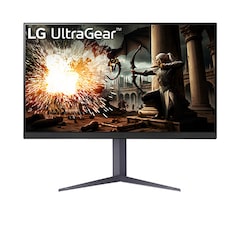
LG UltraGear 27GS75Q-B 27 inch QHD Gaming Monitor
LG
It depends — Its 200Hz overclock exceeds the other models’ 180Hz maximum, but its listed connections provide no USB hub or USB-C charging.
An alternative for competitive gaming when you can use its 200Hz DisplayPort overclock. It lacks the USB-C charging and peripheral-sharing features of the BenQ.Available at Amazon(paid link) — opens Amazon in a new tab. Price and availability shown there.


Sources
Pages consulted while researching this article. None of these are affiliate links.
- Dell Alienware AW2725DM User’s Guide — dl.dell.com
- RTINGS: Dell Alienware AW2725DM Review — rtings.com
- LG UltraGear 27GS75Q-B Specifications — lg.com
- BenQ India: MOBIUZ EX271Q Specifications — benq.com
- Chimolog: BenQ MOBIUZ EX271Q Review and Measurements — chimolog.co