27 vs 32-Inch Monitors: When Bigger Is Better
The question this answersWhere do these come from?
Should I get a 27-inch or 32-inch monitor?
Choose 27 inches for compact desks and 1440p gaming; choose 32 inches for a larger 4K workspace, after checking scaling and viewing distance.
Choose a 27-inch monitor for a compact desk or 1440p gaming, and choose 32 inches when you want a physically larger 4K display and have room to position it comfortably. A 32-inch 1440p monitor is the weaker choice for close-up text work: it spreads the same pixels over a larger surface without adding desktop workspace.
Neither size deserves a blanket warning. The mistake is choosing the diagonal without checking resolution, scaling, and the distance between your eyes and the screen.
| Size and resolution | Pixel density, calculated | Screen width, calculated |
|---|---|---|
| 27-inch, 2560 × 1440 | 109 PPI | 59.8 cm |
| 32-inch, 2560 × 1440 | 92 PPI | 70.8 cm |
| 27-inch, 3840 × 2160 | 163 PPI | 59.8 cm |
| 32-inch, 3840 × 2160 | 138 PPI | 70.8 cm |
These calculations assume exact 27-inch and 32-inch diagonals and a 16:9 aspect ratio. Width excludes bezels. Some monitors sold as 32-inch models actually use 31.5-inch panels: Gigabyte specifies that smaller diagonal for the M32U, giving it approximately 140 PPI at 4K. Gigabyte M32U specifications
At 1440p, 27 inches is the stronger default
A 27-inch 1440p monitor balances readable desktop elements with a reasonably compact picture. Moving to 32 inches at the same resolution makes text, icons, and games larger, but it does not create additional detail.
The distinction matters when you buy a monitor for spreadsheets, coding, or two documents side by side. With the same operating-system scaling and application zoom, both sizes display the same number of rows, columns, and windows. The 32-inch screen simply enlarges them.
At an exact 32 inches, 1440p has approximately the same pixel density as a 24-inch 1080p monitor: about 92 PPI. If you already find that combination sufficiently sharp, a 32-inch 1440p screen is a reasonable way to get a larger image. If you can see coarse text edges on your existing 24-inch Full HD monitor, moving to 32-inch 1440p will not solve that problem.
This is also why 1080p is a poor default for either size when you spend hours reading text nearby. Calculated density falls to about 82 PPI at 27 inches and 69 PPI at 32 inches. Those combinations can serve someone prioritizing large content or viewing from farther away, but they should be deliberate compromises.
For 1440p gaming, choose 27 inches unless you specifically want the larger physical picture. Screen size alone does not increase rendering workload: a 32-inch 1440p monitor asks the GPU to render the same pixel count as a 27-inch 1440p monitor.
For office work, scaling decides what 4K adds
A 32-inch 4K monitor can offer both sharper text and a larger usable desktop than 27-inch 1440p. However, the workspace gain depends on how much you enlarge the interface.
A 4K display at 150% scaling provides a nominal 2560 × 1440 logical workspace—the same dimensions as 1440p at 100%. The calculation is 3840 ÷ 1.5 by 2160 ÷ 1.5. You retain the physical 4K pixel grid for drawing text and graphics; you do not automatically gain room for more windows.
At 125% scaling, 4K instead provides a nominal 3072 × 1728 workspace. That is 20% more logical room in each direction than 2560 × 1440, provided the smaller interface remains comfortable to read. Individual applications can handle scaling differently, so these are layout calculations rather than promises about every program.
On Windows 11, select Settings → System → Display → Scale to adjust interface size. Keep Display resolution at the panel’s native setting instead of lowering resolution to enlarge text; Microsoft warns that lower-than-native resolutions can make text less sharp. Microsoft display resolution and layout guidance
A 27-inch 4K monitor remains a good choice when you want sharper text without a larger screen. At identical resolution and scaling, 27-inch and 32-inch 4K monitors provide the same logical workspace; the larger monitor makes everything physically bigger. Choose between them by readability and fit, rather than assuming 32 inches inherently holds more information.
Just want the recommendation?
Skip to the picksFor an Apple laptop, the related guide to choosing a large external monitor for MacBook Pro addresses that setup more specifically.
A shallow desk can erase the 32-inch advantage
An exact 32-inch 16:9 screen has approximately 40% more screen area than a 27-inch screen. It is about 11.1 cm wider and 6.2 cm taller, before accounting for the enclosure.
That is a substantial change when the screen sits close to you. Measure from your eyes to the intended panel position while sitting normally; desk depth alone cannot tell you the viewing distance because your chair position and the monitor stand also matter.
There is a useful geometric comparison: a 32-inch screen at approximately 71 cm occupies the same angular width as a 27-inch screen at 60 cm. These are calculated equivalent positions, not prescribed ergonomic distances. Moving the bigger monitor back can make it easier to take in, but it also reduces the apparent enlargement that motivated the purchase.
Before ordering, mark out the screen’s approximate width and height with cardboard. Position that outline where the panel will sit, then check whether you can comfortably look between the center and corners. Include space for speakers and any second monitor.
Check the stand separately. Gigabyte lists the M32U’s dimensions with its stand as approximately 71.5 cm wide and 24.4 cm deep. A panel outline alone will miss that footprint. Gigabyte M32U dimensions
Gaming favors 27-inch 1440p or 32-inch 4K
For competitive games played close to the desk, 27 inches is the practical default here: it keeps the picture compact, while 1440p avoids the rendering demand of native 4K. A larger screen does not inherently add input lag or make a game less responsive; those characteristics belong to the particular monitor.
For racing, strategy, and cinematic games, 32 inches can make small objects and interface elements physically larger at the same viewing distance. Pairing that size with 4K preserves finer detail, but 3840 × 2160 contains 2.25 times as many pixels as 2560 × 1440. That is a pixel-count comparison, not a prediction that frame rates will fall by a fixed percentage.
Two concrete models illustrate the choice:
| Specification | LG UltraGear 27GP850-B | Gigabyte M32U |
|---|---|---|
| Panel diagonal | 27 inches | 31.5 inches |
| Native resolution | 2560 × 1440 | 3840 × 2160 |
| Maximum specified refresh | 180Hz overclock; 165Hz standard | 144Hz |
Specifications come from LG’s 27GP850-B documentation and Gigabyte’s M32U specification sheet.
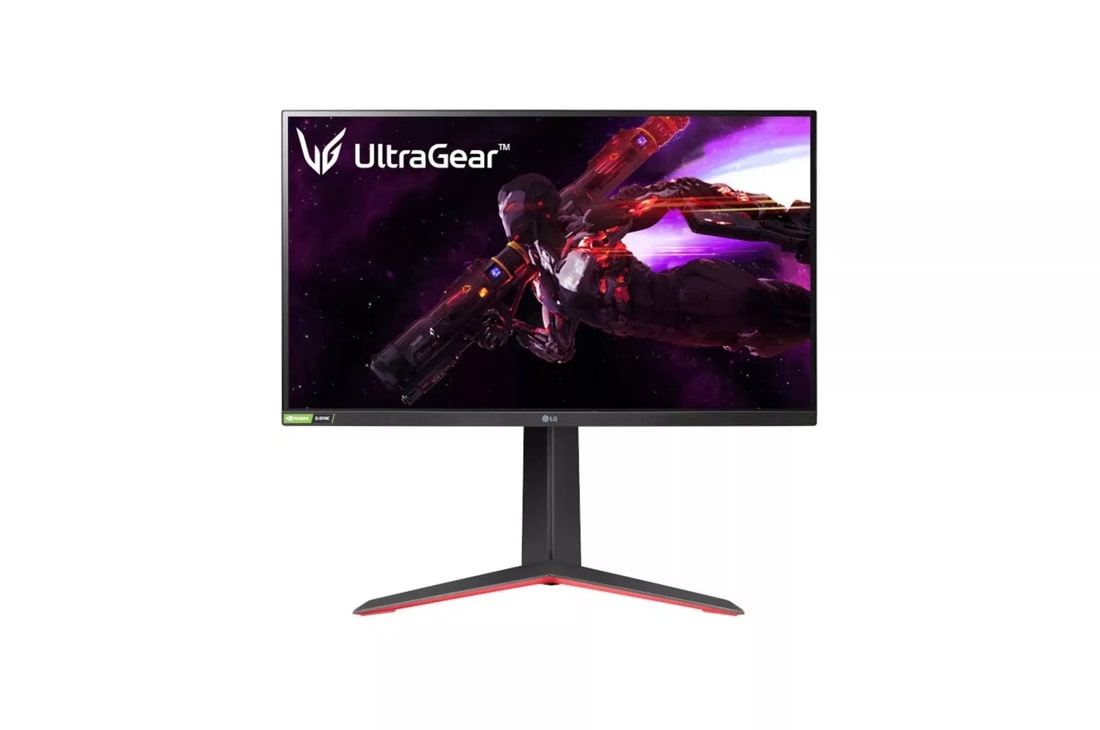
Buy the LG UltraGear 27GP850-B for the default 27-inch 1440p gaming route. Its compromise is resolution: someone prioritizing fine desktop text or native 4K imagery should choose a 4K model instead. Its height, tilt, and pivot adjustments also help place the smaller screen appropriately.
Consider the Gigabyte M32U when you specifically want the larger 4K picture. For a close desk and a PC intended for 1440p gaming, the M32U adds screen width and native rendering demand that work against those priorities. It earns its place when larger content and 4K detail are the goals.
Neither model warrants a blanket skip for this comparison; they serve different conditions. However, do not treat a bigger 4K screen as a guarantee of better contrast. PC Monitors measured the M32U at an average 1115:1 static contrast with only brightness adjusted, and recorded just 16 vertical local-dimming bands. Its larger picture does not make it a strong choice for demanding HDR viewing. PC Monitors’ measured M32U review
Choose the screen size after deciding which resolution your computer can drive, which scaling you can read comfortably, and where the panel will actually sit. Those three checks distinguish a useful 32-inch upgrade from a larger version of the same workspace.
The bottom line
Both are defensible — the split is what you do with it:
Top pick
Buy this
LG UltraGear 27GP850-B
LG
The 27-inch 2560 × 1440 panel provides approximately 109 PPI and supports up to 180Hz with overclocking.
Choose this 27-inch 1440p monitor for a compact gaming setup, with 165Hz refresh and a 180Hz overclock option. Its 2560 × 1440 panel offers less fine detail than 4K.Available at Amazon(paid link) — opens Amazon in a new tab. Price and availability shown there.The alternative
It depends
GIGABYTE - MO32U24 US - 31.5" QD-OLED Gaming Monitor - UHD 3840x2160-240Hz - 0.03ms - AMD FreeSync Premium Pro, NVIDIA G-SYNC Compatible - Type-C KVM - HDMI 2.1, DP - Height/Tilt/Swivel/Pivot
Gigabyte
Its 31.5-inch 3840 × 2160 panel suits a larger 4K setup, but the stand assembly measures approximately 71.5 cm wide and 24.4 cm deep.
Consider this 31.5-inch 4K monitor when you want a larger picture for work and gaming. Its native resolution contains 2.25 times as many pixels as 1440p, and its limited local dimming restricts HDR performance.Available at Amazon(paid link) — opens Amazon in a new tab. Price and availability shown there.
Recommended products
Ordered by how well each one fits the situations above. Each link below is a paid link.
LG UltraGear 27GP850-B
LG
Buy — The 27-inch 2560 × 1440 panel provides approximately 109 PPI and supports up to 180Hz with overclocking.
Choose this 27-inch 1440p monitor for a compact gaming setup, with 165Hz refresh and a 180Hz overclock option. Its 2560 × 1440 panel offers less fine detail than 4K.Available at Amazon(paid link) — opens Amazon in a new tab. Price and availability shown there.GIGABYTE - MO32U24 US - 31.5" QD-OLED Gaming Monitor - UHD 3840x2160-240Hz - 0.03ms - AMD FreeSync Premium Pro, NVIDIA G-SYNC Compatible - Type-C KVM - HDMI 2.1, DP - Height/Tilt/Swivel/Pivot
Gigabyte
It depends — Its 31.5-inch 3840 × 2160 panel suits a larger 4K setup, but the stand assembly measures approximately 71.5 cm wide and 24.4 cm deep.
Consider this 31.5-inch 4K monitor when you want a larger picture for work and gaming. Its native resolution contains 2.25 times as many pixels as 1440p, and its limited local dimming restricts HDR performance.Available at Amazon(paid link) — opens Amazon in a new tab. Price and availability shown there.
Sources
Pages consulted while researching this article. None of these are affiliate links.
- Gigabyte M32U specifications — gigabyte.com
- Microsoft: Change your screen resolution and layout in Windows — support.microsoft.com
- LG UltraGear 27GP850-B specifications — lg.com
- PC Monitors: Gigabyte M32U measured review — pcmonitors.info