32-Inch 4K IPS Gaming Monitors: 5 Compared by Distance
The questionWhere do these come from?
Which monitor to pick for my first build?
Choose a 32-inch 4K IPS gaming monitor if you sit at least an arm's length away; pick 27 inches for closer desks.
Viewing distance decides the size: sit 50–60 cm from the screen and a 27-inch 4K IPS panel is the sharper, better-scaled choice; sit 70–85 cm — roughly an arm’s length or more — and 32 inches lets 4K read as a real upgrade over 1440p rather than just finer text at the same size. Panel type decides reliability: IPS avoids VA’s dark-scene smearing and OLED’s static-image risk, which matters on a screen that also runs a taskbar, Discord, and browser tabs all day.
Five 32-inch and 27-inch 4K IPS gaming monitors, compared on the numbers that decide which one fits a given desk:
4K IPS gaming monitors compared
| Monitor | Size | Best viewing distance | Useful extras | Main tradeoff |
|---|---|---|---|---|
| LG 32GR93U-B | 32-inch | 70–85 cm | HDMI 2.1, FreeSync Premium, G-SYNC Compatible support | HDR is not the reason to buy it; ordinary IPS contrast |
| Gigabyte M32U | 32-inch | 70–85 cm | KVM and USB-C convenience | Weak HDR; limited USB-C charging; RTINGS found motion gets messier at lower refresh rates than at max refresh |
| Dell G3223Q | 32-inch | 70–85 cm | HDMI 2.1, broad color coverage, normal stand adjustments | Edge-lit IPS, not OLED blacks or true high-end HDR |
| Gigabyte M27U | 27-inch | 50–60 cm | 160Hz, HDMI 2.1 bandwidth, VRR, USB-C, KVM | Less immersive; weak HDR and grayish blacks in a dark room |
| MSI MAG 274UPF | 27-inch | 50–60 cm | Stronger USB-C power delivery than the Gigabyte M27U | Behind the 32-inch options unless desk depth decides it |
The viewing-distance threshold: 27 inches vs. 32 inches
For 4K, 32 inches is the default once desk depth allows it. At 27 inches, 4K is extremely sharp — good for text and clean UI scaling — but in games the upgrade over a good 1440p panel can feel less dramatic unless the seating distance is close. At 32 inches, 4K has room to breathe: single-player games look more detailed, desktop space is useful, and the extra resolution isn’t being bought only to shrink everything back down. A shallow desk changes the answer: at 50 to 60 cm, 27 inches is more comfortable; at 70 to 85 cm, 32 inches makes more sense.
Use case tightens the split further. 32 inches fits a main monitor, immersive single-player games, and a desk that isn’t tiny. 27 inches fits competitive shooters played at close range, sharper text at normal scaling, or a tighter monitor budget. Both are valid; a good 32-inch IPS 4K 144Hz panel beats chasing OLED, curved VA, or a feature-loaded model with weak fundamentals for a first build.
Panel type: why IPS beats VA and OLED here
IPS is the call here — not VA, unless deeper blacks matter more than dark-level smearing, and not OLED, unless the budget is flexible and static-desktop risk is acceptable. IPS is boring in the good way: text looks clean, motion is usually solid on these 4K gaming models, viewing angles are fine, and the panel doesn’t need babying because a browser, taskbar, map UI, or Discord window stayed open for hours.
The downside is black level. A normal IPS 4K gaming monitor will not look like an OLED in a dark room. Blacks turn charcoal-gray, HDR usually ranges from fake to only mildly useful, and edge-lit local dimming is often better left off. A monitor advertising DisplayHDR 400 accepts an HDR signal — that’s not the same as producing HDR contrast, and even brighter IPS models with HDR badges often can’t. Real HDR impact on LCD requires a mini-LED monitor with many dimming zones, which changes both the budget and the compromises.
What each monitor gets right and wrong
LG 32GR93U-B is the straightforward 32-inch 4K IPS pick for a setup with no extras to pay for: 32-inch UHD, 144Hz, IPS, HDMI 2.1, FreeSync Premium, and G-SYNC Compatible support. HDR is not the reason to buy it, contrast is ordinary IPS contrast, and it skips the productivity extras Gigabyte includes.
Just want the recommendation?
Skip to the picksGigabyte M32U matches that 32-inch 4K class and adds KVM and USB-C convenience, which matters if the desk shares a work laptop, school laptop, or second machine. HDR is weak, USB-C charging is limited, and RTINGS found motion gets messier at lower refresh rates than at max refresh.
Dell G3223Q is the safe 32-inch IPS pick with strong basic specs and less gamer styling: 4K 144Hz over DisplayPort and HDMI 2.1, broad color coverage for a gaming monitor, and a stand that covers the normal adjustments. It’s still an edge-lit IPS monitor — no OLED blacks, no true high-end HDR.
Gigabyte M27U is the move when 32 inches is physically too large for the desk. It keeps the 4K gaming spec but at 27 inches, with very sharp text, 160Hz support, HDMI 2.1 bandwidth, VRR, USB-C, and KVM. The cost is immersion — 4K at 27 inches is crisp, not huge — plus the same weak HDR and grayish blacks in a dark room as the rest of this list.
MSI MAG 274UPF is a reasonable 27-inch 4K IPS alternative when it’s meaningfully easier to buy than the Gigabyte M27U. It matches the core spec class and has stronger USB-C power delivery than the M27U, but it lands behind the 32-inch options for a first 4K gaming setup unless desk depth decides the issue outright.
Refresh rate and GPU pairing
144Hz is enough for a first 4K gaming build. A 160Hz model is fine if it lands in the same class otherwise, but the extra 16Hz isn’t worth contorting the purchase around — the jump from 60Hz to 144Hz matters; 144Hz to 160Hz mostly doesn’t. Connect over DisplayPort 1.4 with DSC or HDMI 2.1, depending on the GPU and monitor, and confirm the monitor is set to its full refresh rate in Windows after setup; running the right monitor at 60Hz by accident is common.
A current high-end GPU makes 4K 144Hz realistic in esports and older games, and realistic in heavier titles with settings work, DLSS, FSR, or frame generation depending on card and game. A midrange GPU still makes 4K usable but needs tuning. Ultra settings across the board aren’t required: texture quality, anisotropic filtering, and the base resolution supply most of the visual benefit, while shadows, volumetrics, ray tracing, and heavy post-processing are where frame rate goes to die.
What the spec sheet won’t tell you
Most shortlists stall because the spec sheets all look close: 4K, 144Hz or 160Hz, a “1ms” claim, an HDR badge, FreeSync, maybe HDMI 2.1. Built-in speakers, RGB, and HDR labels don’t decide this purchase, and the most expensive monitor on the list is not automatically the right one. Once the marketing numbers are set aside, the decision comes down to size, panel type, and whether USB-C or KVM matters — which is why the numbers in the table above are worth reading before the price tag.
What actually matters: 4K resolution, IPS panel, 144Hz or better, VRR support, decent stand adjustment, HDMI 2.1 if a console may be involved, and a return policy from a retailer that honors it. Monitors have panel variance — dead pixels, bad uniformity, coil whine, or backlight bleed happen even on a good model — so keep the box until the unit is confirmed fine.
The bottom line
Both work; your situation picks one:
Top pick
Buy this
LG 32UR500K-B Ultrafine 32-inch 4K UHD (3840x2160) Computer Monitor HDR10 Built-in Speaker x2 OnScreen Control Reader Mode Flicker Safe Borderless Design HDMIx2 DisplayPort Black
LG
The article recommends its LG 32-inch pick for 70–85 cm viewing distances, while explicitly saying HDR is not a reason to buy it.
Best first pick if your desk fits 32 inches: 4K IPS, 144Hz, HDMI 2.1, VRR support, and no OLED burn-in worries. Buy it for clean fundamentals, not for real HDR.Available at Amazon(paid link) — opens Amazon in a new tab. Price and availability shown there.The alternative
It depends
Gigabyte M32U
Gigabyte
The article recommends 27-inch alternatives when 32 inches will not fit or viewing distance is only 50–60 cm, with reduced immersion as the tradeoff.
The 27-inch option when 32 inches will not fit the desk. Dual Mode switches between 4K detail and a faster 1080p mode, and the KVM and USB-C matter if the monitor is shared with a second computer.Available at Amazon(paid link) — opens Amazon in a new tab. Price and availability shown there.
Recommended products
Ordered by how well each one fits the situations above. Each link below is a paid link.

LG 32UR500K-B Ultrafine 32-inch 4K UHD (3840x2160) Computer Monitor HDR10 Built-in Speaker x2 OnScreen Control Reader Mode Flicker Safe Borderless Design HDMIx2 DisplayPort Black
LG
Buy — The article recommends its LG 32-inch pick for 70–85 cm viewing distances, while explicitly saying HDR is not a reason to buy it.
Best first pick if your desk fits 32 inches: 4K IPS, 144Hz, HDMI 2.1, VRR support, and no OLED burn-in worries. Buy it for clean fundamentals, not for real HDR.Available at Amazon(paid link) — opens Amazon in a new tab. Price and availability shown there.Gigabyte M32U
Gigabyte
It depends — The article recommends 27-inch alternatives when 32 inches will not fit or viewing distance is only 50–60 cm, with reduced immersion as the tradeoff.
The 27-inch option when 32 inches will not fit the desk. Dual Mode switches between 4K detail and a faster 1080p mode, and the KVM and USB-C matter if the monitor is shared with a second computer.Available at Amazon(paid link) — opens Amazon in a new tab. Price and availability shown there.Dell G3223Q Gaming Monitor - 32-Inch 4K Ultra UHD (3840x2160), 144Hz 1Ms Display, AMD FreeSync+NVIDIA G-SYNC Compatible, Height/Swivel/Tilt Adjustability, 3Yr Advanced Exchange - Black
Dell
Buy — The Dell G3223Q is recommended for its 32-inch 4K 144Hz display, HDMI 2.1 and adjustable stand, despite ordinary edge-lit IPS blacks and HDR.
A strong 32-inch 4K IPS gaming alternative with HDMI 2.1 and a less flashy design. It is still IPS, so expect weak blacks compared with OLED.Available at Amazon(paid link) — opens Amazon in a new tab. Price and availability shown there.Gigabyte M27U
Gigabyte
It depends — The Gigabyte M27U is recommended when 32 inches is physically too large, offering 27-inch 4K at 160Hz with less immersion.
Choose this if 32 inches is too large or you sit close. It gives you very sharp 27-inch 4K, high refresh, VRR, USB-C, and KVM, but less immersion than 32 inches.Available at Amazon(paid link) — opens Amazon in a new tab. Price and availability shown there.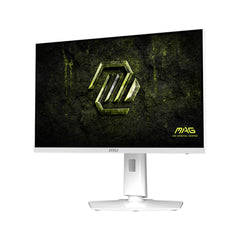
msi MAG 274QRFW X32 27-inch 2560 x 1440 (QHD) Gaming Monitor, 320Hz, AMD FreeSync Premium, NVIDIA G-SYNC Compatible, HDR Ready, HDMI, VGA Port, VESA, Tilt, 0.5ms, White
msi
It depends — The article places its MSI 27-inch alternative behind the 32-inch options unless desk depth decides the choice, and recommends it when meaningfully easier to buy than the M27U.
A practical 27-inch 1440p IPS fallback if it is the better local buy in Canada, especially if USB-C power delivery matters. The trade is resolution for speed at 320Hz, so it should not be the first choice if there is room for 32 inches.Available at Amazon(paid link) — opens Amazon in a new tab. Price and availability shown there.

Sources
Pages consulted while researching this article. None of these are affiliate links.
- Gigabyte M32U Monitor Review - RTINGS.com — rtings.com (accessed 2026-08-09)
- LG 32GR93U-B UltraGear 4K UHD Gaming Monitor — lg.com (accessed 2026-08-09)
- LG 32GR93U-B Monitor Review - RTINGS.com — rtings.com (accessed 2026-08-09)
- Dell 32 4K UHD Gaming Monitor G3223Q — dell.com (accessed 2026-08-09)
- Dell G3223Q vs Dell Alienware AW3225QF - RTINGS.com — rtings.com (accessed 2026-08-09)
- Gigabyte M27U Monitor Review - RTINGS.com — rtings.com (accessed 2026-08-09)
- M27U Gaming Monitor - GIGABYTE Global — gigabyte.com (accessed 2026-08-09)
- MSI MAG 274UPF Monitor Review - RTINGS.com — rtings.com (accessed 2026-08-09)
- MSI MAG 274UPF - MSI — us.msi.com (accessed 2026-08-09)