Swapping a Newer Motherboard Into an OptiPlex 3060 MT
The questionWhere do these come from?
Will a 3060 motherboard work inside a 3050?
I bought an optiplex 3050 for 50 bucks on ebay, but after I already bought it I realized I'll soon have a spare 8700k that I want to put in the system instead.
A newer OptiPlex board is not a drop-in fit for a 3060 MT case — mounting holes, power pins, and BIOS tables all shift by generation.
A newer Dell OptiPlex motherboard is not a safe drop-in for a 3060 MT chassis, even one generation apart. Dell keeps the OptiPlex name and the mini-tower shape stable across years, but it does not keep the screw-hole pattern, the CPU-cooler mounting studs, or the exact power-connector pinout stable — and none of those three things are guaranteed to move together. The only board Dell validated for a 3060 MT case is another 3060 MT board. Anything newer needs to be checked against the specific pair of generations involved, not assumed to work because both boxes say “OptiPlex.”
Why matching the case size doesn’t mean matching the board
Dell’s own spec sheet lists the OptiPlex 3060 Tower chassis at 35.0 x 15.4 x 27.4 cm. The OptiPlex 3080 MT — two generations later, launched with 10th-generation Intel chips — carries the identical published footprint of 35.0 x 15.4 x 27.4 cm, according to Hardware Corner’s teardown comparison. If exterior dimensions were what determined a board swap, that pair would be the safest bet in the whole OptiPlex tower lineup.
They aren’t. The same teardown states plainly that the 3070 MT’s H370 board and the 3080 MT’s B460 board “are not interchangeable,” and separately notes the 3080’s chassis was internally redesigned to drop the hinging drive bay used in earlier towers. A case that measures the same on paper can still have its standoffs, drive cage, and board tray moved around inside. Exterior dimensions tell you whether the box fits in the same spot on a shelf. They tell you nothing about whether the board fits inside it.
Where the mechanical mismatch actually shows up
Dell’s own community forum has a direct example of someone trying exactly this kind of swap: an OptiPlex 3080 MT board dropped into a 3070 MT case after the 3070’s board failed. Before ordering the part, the poster compared both service manuals and photographs and flagged three separate problems — the mounting holes for the screws are not all in the same place between the two models, it’s unclear whether the CPU cooler holes line up, and the front cover of the case would not be usable with the newer board installed. That thread went unanswered and unresolved, which is itself the honest data point: nobody stepped in to say “actually, it’s fine,” because for adjacent OptiPlex MT generations, it usually isn’t.
Three things move independently across generations, and any one of them can stop a swap cold:
- Standoff and screw-hole layout — the pattern that holds the board to the chassis tray.
- CPU cooler retention studs — even when the socket itself stays the same (LGA1151 across the 3060 and 3070 MT), the stud spacing for the stock heatsink is tied to the board revision, not just the socket.
- Front-panel/I-O bezel cutout — front USB, audio, and power-button headers move position and connector type between board revisions, and the case’s front bezel is molded to one specific board’s port layout.
None of these show up on a spec sheet. They only show up when someone lines up the actual boards, which is why the Dell community thread — full of uncertainty from someone who did exactly that homework — is more useful here than any marketing page.
The power connector that says ATX and isn’t
Open Dell’s own OptiPlex 3060 MT service manual and the main power connector on the board is labeled “ATX Power Connector (ATX_SYS),” with a separate “CPU Power Connector (ATX_CPU).” That naming is misleading. PinoutGuide’s reverse-engineered documentation of Dell OptiPlex power supplies describes a 20-pin Molex Mini-Fit Jr. connector that is shaped like a standard ATX plug but wired differently — it omits the 3.3V rail that real ATX supplies carry on that pin, and adds a Thermal Fan Speed Control (TFSC) pin that lets the board throttle fan voltage between roughly 0.7V and 1.4V based on what that specific board expects to see.
The CPU auxiliary connector has its own history of drifting between generations. Dell community documentation for the 3020/7020/9020/XE2 and 3040/5040/7040 families describes an 8-pin proprietary connector where the purple wire carries 12V standby power — on standard ATX and EPS12V supplies, the purple wire is a 5V standby rail, not 12V. Putting a genuinely standard supply on that connector, or pairing a board expecting one pinout with a PSU built for another, risks feeding the wrong voltage down a wire the board isn’t expecting it on. As recently as the OptiPlex 7000 series, Dell forum members were still documenting this same 8-pin connector from scratch to adapt a standard ATX supply to it — a decade after the pinout first appeared, Dell still hasn’t converged on the ATX standard it borrows the shape from.
Just want the recommendation?
Skip to the picksHere’s how that plays out across the generations near the 3060 MT:
| Model | Chipset | CPU socket / generation | Standard PSU | Board fits a 3060 MT case? |
|---|---|---|---|---|
| OptiPlex 3060 MT | H370 | LGA1151, 8th-gen Intel | 260W | — (reference board) |
| OptiPlex 3070 MT | H370 | LGA1151, 8th/9th-gen Intel | 260W | Not confirmed — case depth and height are redistributed (32.4 x 15.4 x 29.2 cm vs. the 3060’s 35.0 x 15.4 x 27.4 cm), and no documented source confirms matching standoffs |
| OptiPlex 3080 MT | B460 | LGA1200, 10th-gen Intel | 260W | No — Hardware Corner confirms the board isn’t even interchangeable with the 3070 MT immediately before it, and the chassis was redesigned internally |
Same PSU wattage across all three rows is not the same thing as a matching connector, a matching pinout, or a matching mounting pattern. It’s one spec out of four that happens to line up.
The firmware route people reach for, and what it doesn’t fix
When a mismatched board does get forced into a different chassis, Dell systems tend to complain about it in software: an asset-tag mismatch, a service tag that no longer matches the board’s stored data, or a fan curve that runs flat-out because the board’s EC firmware never gets the TFSC feedback loop it’s calibrated for. Dell’s own community threads describe the fix people reach for — locating the service tag string at a fixed hex offset in the BIOS image and hex-editing it to match, using a utility like svctag.exe, or clearing NVRAM with the board’s RTC_RST jumper.
That’s a software patch for a hardware complaint. If the board is throwing a service-tag mismatch or running its fans at full speed because it doesn’t recognize the chassis it’s sitting in, editing the stored tag or clearing NVRAM makes the warning go away without changing the physical mismatch that triggered it. It’s worth treating that step as a signal, not a solution: if a swap needs a hex-edited service tag or a forced NVRAM reset to stop complaining, that’s the board telling you it doesn’t recognize its surroundings, and the fan curve or thermal reporting built around the original board may still be wrong even after the message disappears.
The swap that’s actually guaranteed to work
Buy the exact same board back. A Dell OptiPlex 3060 MT motherboard, matched to your unit’s chassis type, is the only replacement Dell validated against this case’s standoffs, this case’s front-panel connector, and this case’s power pinout. It’s also the only option that doesn’t require touching the service tag at all, since the BIOS and asset data already match what the chassis expects. Dell sells the 3060 under three different chassis types — Tower, Small Form Factor, and Micro — each with its own board, dimensions, and PSU (260W, 200W, and a 65W external brick, respectively), so confirm the chassis type on your unit before ordering, not just the “3060” model number; a board pulled from an SFF or Micro 3060 won’t fit the MT case either.
If you actually want a newer socket or more memory headroom
There’s a real reason to want a newer board: the 3080 MT’s B460 chipset supports up to 64GB of RAM against the 3060 and 3070’s 32GB ceiling on the same two DIMM slots, plus a newer CPU generation. That’s a legitimate upgrade motivation — it’s just not one a bare donor board delivers reliably.
The version of this upgrade that actually works is buying the matched unit: a complete OptiPlex 5070 MT or 7070 MT (or later) with its own chassis, its own board, and its own PSU already paired the way Dell built them. That sidesteps every mismatch above at once, because none of the parts are strangers to each other. It’s a narrower recommendation than “buy a new board” — it only makes sense if the newer socket or memory ceiling is the actual goal, not a repair for a dead 3060 board, since it means retiring the 3060 case rather than reusing it.
Skip buying a bare 3070, 3080, or 3090 MT system board with the intention of dropping it into an existing 3060 MT case. It’s the option that looks cheapest on paper and is the one most likely to leave you with a board that won’t sit flush, a heatsink that won’t line up, a front panel that won’t reconnect, or a power pinout you’re now hand-verifying with a multimeter before you dare power it on.
The bottom line
Both fit — your exact model decides:
Top pick
Buy this
Dell OptiPlex 3060 MT Motherboard Replacement
Dell OptiPlex
It's the sole replacement guaranteed to match the 3060 MT's mounting pattern and power pinout, since Dell built the case's standoffs and bezel around this exact board revision.
The only board Dell validated against this exact chassis’s standoffs, front-panel connector, and ATX_SYS/ATX_CPU pinout; it fixes a dead board but doesn’t add newer CPU or memory support.Available at Amazon(paid link) — opens Amazon in a new tab. Price and availability shown there.The alternative
Skip this
Dell OptiPlex 3070 MT Motherboard
Dell OptiPlex
Dell's own community forum reports mismatched screw-hole and CPU-cooler-stud positions between adjacent OptiPlex MT generations, and Hardware Corner confirms boards one generation later (3070 to 3080) are not interchangeable despite sharing a PSU wattage.
The kind of newer bare board a 3060 MT owner is often tempted to drop in as an upgrade; it’s the swap this article is about, and the mechanical fit isn’t documented as safe.Available at Amazon(paid link) — opens Amazon in a new tab. Price and availability shown there.
Recommended products
Ordered by how well each one fits the situations above. Each link below is a paid link.

Dell OptiPlex 3060 MT Motherboard Replacement
Dell OptiPlex
Buy — It's the sole replacement guaranteed to match the 3060 MT's mounting pattern and power pinout, since Dell built the case's standoffs and bezel around this exact board revision.
The only board Dell validated against this exact chassis’s standoffs, front-panel connector, and ATX_SYS/ATX_CPU pinout; it fixes a dead board but doesn’t add newer CPU or memory support.Available at Amazon(paid link) — opens Amazon in a new tab. Price and availability shown there.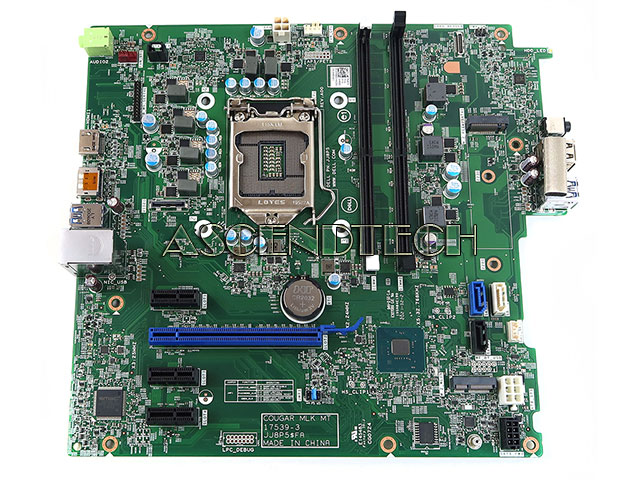
Dell OptiPlex 3070 MT Motherboard
Dell OptiPlex
Skip — Dell's own community forum reports mismatched screw-hole and CPU-cooler-stud positions between adjacent OptiPlex MT generations, and Hardware Corner confirms boards one generation later (3070 to 3080) are not interchangeable despite sharing a PSU wattage.
The kind of newer bare board a 3060 MT owner is often tempted to drop in as an upgrade; it’s the swap this article is about, and the mechanical fit isn’t documented as safe.Available at Amazon(paid link) — opens Amazon in a new tab. Price and availability shown there.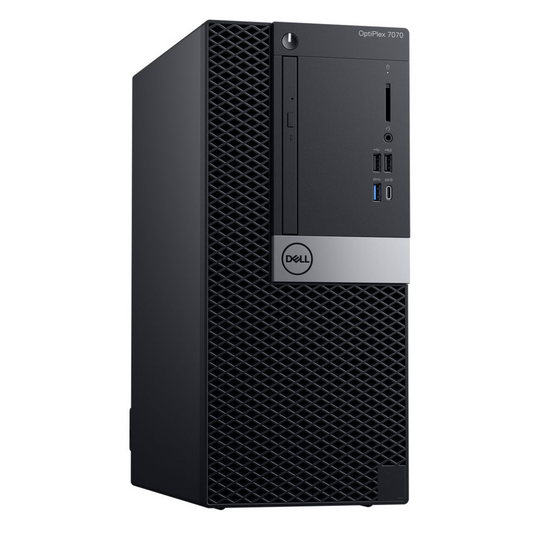
Dell OptiPlex 7070 MT Desktop Refurbished
Dell OptiPlex
It depends — Right only if the newer socket or RAM ceiling is the actual goal rather than a repair, since it means retiring the 3060 case instead of reusing it.
A complete unit where the chassis, board, and PSU are already paired the way Dell built them, giving a newer socket and up to 64GB of RAM support without guessing at standoff or pinout compatibility.Available at Amazon(paid link) — opens Amazon in a new tab. Price and availability shown there.
Sources
Pages consulted while researching this article. None of these are affiliate links.
- Dell OptiPlex 3060 Tower, Small Form Factor and Micro Spec Sheet — i.dell.com
- Dell OptiPlex 3060 Tower Service Manual — Tower Motherboard Layout — dell.com
- Dell OptiPlex 3070 Tower Setup and Specifications — Power — dell.com
- Dell OptiPlex 3080 Tower Setup and Specifications — Power Ratings — dell.com
- Dell OptiPlex 3080 Review and Compared to 3070 — Hardware Corner — hardware-corner.net
- Dell OptiPlex 3060 MT — Specs and Upgrade Options — Hardware Corner — hardware-corner.net
- Dell OptiPlex Power Supply Connector Pinout Signals — PinoutGuide — pinoutguide.com
- Optiplex proprietary 8 pin and 6 pin pinout — Dell Community — dell.com