MSI Aegis at 110°C After Repasting: Does the NH-U12S Fit?
The questionWhere do these come from?
MSI Aegis over 110°C after new thermal paste; stock AIO likely dead, looking for air cooler fit in Canada
Hey Reddit, I’m having a nightmare cooling issue with my MSI Aegis prebuilt gaming PC, and I’m hoping someone here can help me out.
The Noctua NH-U12S fits standard MSI Aegis mid-tower cases; 110°C after repasting means the factory AIO pump has failed, not the paste job.
Repasting doesn’t bring a CPU down from 110°C if the problem is a dead pump, and that’s almost always what’s happening on an MSI Aegis still running hot after a fresh application of paste. The Noctua NH-U12S does fit — MSI’s Aegis R, RS and Ti5 towers are built on a standard ATX mid-tower chassis with standard Intel or AMD mounting holes behind the socket, not a custom shrunken case like MSI’s older barebones Aegis units. Two things are worth confirming before you order one, and both take less time than a return would.
Why the temperature stayed at 110°C after repasting
A CPU cooler moves two kinds of heat: the heat crossing from the die into the coldplate, and the heat the coldplate then carries away. Paste only affects the first step — the microscopic gap between the CPU’s integrated heat spreader and the coldplate. If the cooler’s pump has stopped moving coolant, the second step fails completely, and no amount of paste on the first step changes that. A stalled pump traps a few millilitres of coolant against a socket dissipating well over 100W, and that coolant heats up almost instantly, which is why the temperature reading looks the same after a repaste as before it.
MSI’s Aegis RS 13th- and 14th-generation desktops ship with the company’s own 240mm MAG CoreLiquid M240 AIO as the factory cooler, according to MSI’s product pages for those models. It’s not an isolated design: MSI recalled its MAG CoreLiquid 240R and 360R AIOs after they were found to hit abnormally high idle temperatures, a defect MSI attributed to internal sediment buildup restricting coolant flow. A Tom’s Hardware Forum thread from an owner of the same 240R model describes the identical symptom — CPU temperature spiking past 100°C within seconds under load, independent of paste or reseating. None of this proves your specific unit is affected, but it’s the documented failure mode that matches a temperature that didn’t move after repasting.
Confirm it’s the pump, not the reseat, in under a minute
Before buying anything, check the pump’s RPM reading in MSI Center or your BIOS hardware monitor, usually labeled “Pump” or “CPU Fan 2” depending on how the AIO is wired. A reading of 0 RPM or a value that never changes regardless of load confirms a stalled pump. If the pump shows a normal RPM but temperatures are still spiking, the more likely cause is a kinked or restricted coolant line rather than a seized motor — the fix is the same either way, because neither is something a repaste or a warranty-safe repair addresses on a sealed AIO.
Does the NH-U12S actually fit inside an MSI Aegis?
Noctua’s own specification page lists the NH-U12S at 158mm tall, 125mm wide, and just 45mm deep, with a single-tower design that Noctua states does not overhang the RAM slots even with a second fan installed. That last point matters more in a prebuilt than in a case you picked yourself: a case built around a factory 240mm radiator was never designed with tower-cooler RAM clearance in mind, and the NH-U12S is one of the few coolers in its performance class that doesn’t need it.
Digital Trends’ review of the Aegis RS describes the case in blunt terms: “standard case and parts,” with “no weird custom chassis tricks or hidden parts” — a tempered-glass side panel held on by two thumbscrews, and internals reviewers compared directly to a PC someone would build themselves. That’s the detail that answers the compatibility question: MSI isn’t running a proprietary board or a shrunken enclosure on the RS, R, or Ti5 lines the way it did on the old Mini-ITX Aegis barebones systems. The motherboard uses standard Intel backplate mounting holes, and Noctua’s SecuFirm2 kit — included in the box — covers LGA1700 (12th- through 14th-generation Aegis builds), LGA1200 (10th- and 11th-generation builds), and AM4/AM5 on any AMD-based Aegis configuration.
The one thing MSI doesn’t publish — measure this yourself
MSI’s spec sheets for the Aegis line list radiator support (a 240mm or 280mm mount at the top or front) because that’s what the case ships with. They don’t publish a maximum air-cooler height, because air cooling was never the intended configuration. That’s the actual gap between this case and a case bought specifically to house a tower cooler.
Just want the recommendation?
Skip to the picksNoctua has already made the case for measuring rather than trusting a spec sheet: the company hand-measured cooler clearance in more than 100 PC cases and found that 56 of them deviated from the manufacturer’s published number, by as much as 10mm in either direction, according to Noctua’s own compatibility blog and reporting by Tom’s Hardware. If a dedicated case manufacturer’s numbers are wrong that often, an OEM case that doesn’t publish an air-cooler figure at all isn’t worth guessing on. With the side panel off and the factory AIO’s radiator bracket removed, measure straight up from the motherboard tray to the inside of the panel. The NH-U12S needs 158mm of that; give yourself a few extra millimetres of margin since RAM height and fan clips can eat into the number Noctua lists.
The other thing to check before ordering: whether the motherboard tray has a cutout directly behind the CPU socket. Noctua’s SecuFirm2 backplate mounts from the rear of the tray, and a case without that cutout means pulling the motherboard to install it — a longer job than swapping a cooler, though not an unusual one on a standard ATX case.
NH-U12S vs the alternatives worth knowing about
| Cooler | Height / depth | RAM clearance | Rated for | Verdict |
|---|---|---|---|---|
| Noctua NH-U12S | 158mm / 45mm | Full — no overhang | Tested competitively up to 260W synthetic loads | Fits the case with the least margin needed |
| Thermalright Peerless Assassin 120 SE | ~155mm / 135mm | Overhangs on dual-tower designs above ~40mm RAM height | 265W rated | Cheaper, more headroom, less RAM clearance |
| Noctua NH-D15 | 165mm (168mm w/ both fans) / 135mm | 32mm with front fan mounted, per Noctua’s own FAQ | Higher sustained wattage than NH-U12S | Only worth the tighter fit on the hottest chips |
| ARCTIC Liquid Freezer III 240 | 240mm radiator, same footprint as factory AIO | N/A (liquid) | Rated for high-TDP chips | Same failure mode risk as the cooler you’re replacing |
Where the NH-U12S wins for this specific case isn’t raw cooling capacity — it’s that it asks for the least amount of case it was never designed to have. Hardware Canucks’ review of the closely related NH-U12S Redux tested it against pricier dual-tower coolers up to a 260W synthetic heat load and found it running within a couple of degrees of them, which covers the great majority of what an Aegis-class i5 or i7 configuration produces.
When the Peerless Assassin 120 SE makes more sense
Thermalright’s spec sheet lists the Peerless Assassin 120 SE at roughly 155mm tall but 135mm deep — a dual-tower design, versus the NH-U12S’s 45mm single tower. That extra depth isn’t a case-clearance problem in most mid-towers, but the dual-tower shape does overhang the front DIMM slots the way the NH-U12S doesn’t. If your RAM has low-profile heatspreaders, or you’re willing to check the height against Thermalright’s clearance figures for your specific board, it’s a genuine budget alternative rated for more sustained wattage at a lower cost.
If your Aegis has an i9, not an i5 or i7
The NH-U12S is tested to competitive results up to roughly 165W of sustained load. An Aegis configured with an i9-class chip pulling well past 200W under its default power limits is a case where the NH-D15’s extra surface area earns its keep — but the NH-D15 is 165mm tall with both fans mounted, versus the NH-U12S’s 158mm, and Noctua’s own FAQ lists only 32mm of RAM clearance with the front fan installed. That’s the tradeoff: more cooling headroom for less margin against a case that wasn’t measured for either.
If you’d rather replace the AIO than switch to air
ARCTIC’s Liquid Freezer III 240 uses the same 240mm radiator footprint as MSI’s factory CoreLiquid, so it mounts to the same top bracket without the tray-cutout question that applies to air coolers. It’s backed by a six-year warranty and ships with MX-6 paste pre-applied to the block. The tradeoff is that it’s still a sealed, pump-driven loop — the same category of part that most likely caused the 110°C reading in the first place. Switching to air removes that failure mode entirely rather than betting on a second pump.
Check the recall before you spend anything
Before buying a replacement cooler, check the model number printed on the pump housing of the factory AIO against MSI’s published recall for the MAG CoreLiquid 240R and 360R. If it matches, MSI’s support channel is the faster and cheaper path — a warranty replacement costs nothing, where a cooler swap costs both money and the time to do the install. If the model doesn’t match, or the unit is out of warranty, the compatibility questions above are what to work through before ordering.
Wiring 3 Radiator Fans on One Noctua PWM Splitter covers what to do with the factory AIO’s two radiator fans once they’re no longer attached to a pump — most builders keep them as case exhaust rather than discarding them, and a single splitter keeps them on one PWM curve instead of running blind at full speed.
The bottom line
Two options, and the revision you own picks one:
Top pick
Buy this
Noctua NH-U12S CPU Cooler
Noctua
At 158mm tall, 125mm wide and only 45mm deep, it asks for the least clearance of any cooler in its performance class, which is what matters in a case sized around a factory 240mm AIO rather than a tower cooler.
The subject of this question: a 158mm-tall single-tower cooler that Noctua’s own spec sheet confirms doesn’t overhang RAM slots, and whose SecuFirm2 mounting kit covers whichever socket generation your Aegis shipped with.Available at Amazon(paid link) — opens Amazon in a new tab. Price and availability shown there.The alternative
It depends
Noctua NH-D15 CPU Cooler
Noctua
At 165mm tall with both fans mounted versus the NH-U12S's 158mm, and only 32mm of RAM clearance per Noctua's own FAQ, it trades away the margin that makes the NH-U12S the safer fit in an unmeasured prebuilt case.
Noctua’s bigger dual-tower rival to the NH-U12S, worth the tighter fit only on an i9-class Aegis configuration pulling well past 200W.Available at Amazon(paid link) — opens Amazon in a new tab. Price and availability shown there.
Recommended products
Ordered by how well each one fits the situations above. Each link below is a paid link.

Noctua NH-U12S CPU Cooler
Noctua
Buy — At 158mm tall, 125mm wide and only 45mm deep, it asks for the least clearance of any cooler in its performance class, which is what matters in a case sized around a factory 240mm AIO rather than a tower cooler.
The subject of this question: a 158mm-tall single-tower cooler that Noctua’s own spec sheet confirms doesn’t overhang RAM slots, and whose SecuFirm2 mounting kit covers whichever socket generation your Aegis shipped with.Available at Amazon(paid link) — opens Amazon in a new tab. Price and availability shown there.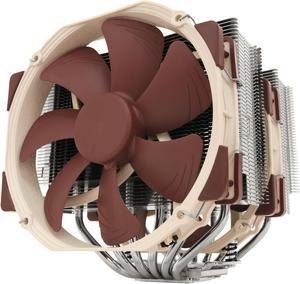
Noctua NH-D15 CPU Cooler
Noctua
It depends — At 165mm tall with both fans mounted versus the NH-U12S's 158mm, and only 32mm of RAM clearance per Noctua's own FAQ, it trades away the margin that makes the NH-U12S the safer fit in an unmeasured prebuilt case.
Noctua’s bigger dual-tower rival to the NH-U12S, worth the tighter fit only on an i9-class Aegis configuration pulling well past 200W.Available at Amazon(paid link) — opens Amazon in a new tab. Price and availability shown there.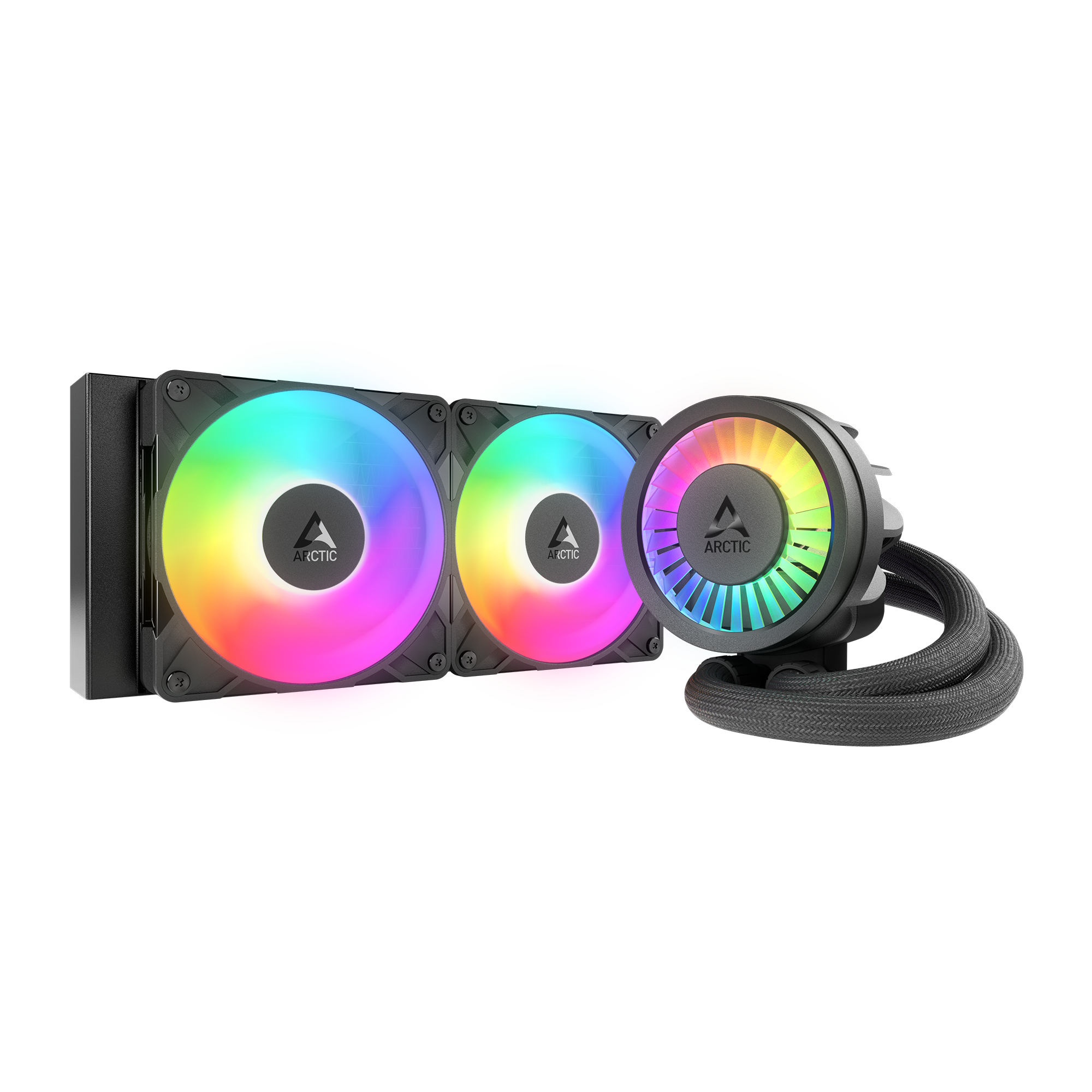
ARCTIC Liquid Freezer III 240
ARCTIC Liquid
It depends — It drops into the same top radiator mount the factory CoreLiquid used and carries a six-year warranty, but it's still a sealed, pump-driven loop — the same category of part that most likely caused the 110°C reading in the first place.
The liquid-cooling rival to consider if you’d rather replace the dead factory AIO with another 240mm loop instead of switching to air.Available at Amazon(paid link) — opens Amazon in a new tab. Price and availability shown there.
Sources
Pages consulted while researching this article. None of these are affiliate links.
- NH-U12S: Specifications | Noctua — noctua.at
- FAQ: What's the difference between NH-D15 and NH-D15S? | Noctua — noctua.at
- CPU cooler clearance: Why our data sometimes deviates from the case manufacturer's specs | Noctua — noctua.at
- Noctua finds more than half of tested PC cases misstate CPU cooler clearances | Tom's Hardware — tomshardware.com
- MSI Aegis RS 12 review: Cheaper than building your own | Digital Trends — digitaltrends.com
- MSI Aegis RS 11th Review: A Potent Rocket Lake Pre-Built | Tom's Hardware — tomshardware.com
- Aegis RS 14th | Gaming PC | Intel 14th Gen Desktops | MSI — us.msi.com
- MSI is recalling MAG CoreLiquid 240R/360R AIO coolers for hitting abnormally high idle temps | PC Gamer — pcgamer.com