Upsiren U6 Pro Putty and Durable Nitro 5 Fan Replacements
The questionWhere do these come from?
Good Fan replacement and Thermal applicants
Edit: I'm stupid, forgot to say my model: Acer Nitro 5 AN515-54-588T I wanted to know if anyone knows some good aftermarket fans, I've been using $20-$30 Amazon replacements for the last few years, swapped out twice, and already needing a third.
U6 Pro's 12.8 W/m·K rating is a manufacturer figure, not a measured one — here's what to trust for AN515-54 putty and fan swaps.
Upsiren U6 Pro is a silicone-based gap-filling putty rated by its maker at 12.8 W/m·K, sold specifically for the uneven, thin-clearance heatsink gaps found on gaming laptops like the Acer Nitro 5 AN515-54 — but that 12.8 W/m·K number comes only from the manufacturer’s own lab, and it belongs on VRAM and VRM chips, not on the CPU or GPU die itself. Pair it correctly and you’ll also need a fan that survives more than one cooling season, which is a separate purchase with its own failure mode.
What the pink putty on the AN515-54 is actually for
Open the AN515-54’s base panel and the pink or grey compound sitting on the GDDR6 memory chips and the VRM stage next to the GPU is thermal putty, not thermal paste. Acer used it there because laptop heatsinks stack a CPU, a GPU, memory chips, and power-delivery components at several different heights on one cold plate, and a fixed-thickness pad can’t take up that variation without leaving a gap somewhere. Putty is viscoelastic — it compresses to whatever thickness the clamped heatsink demands — so one jar covers chips of different heights without needing pads cut to three or four thicknesses. Acer Community members repairing this same chassis confirm the pink compound on the VRAM “can be reused as long as you keep that paste inside the chip region,” and that K5 Pro is the commonly cited drop-in replacement for it, while a separate Acer Community thread on putty versus pads for VRAM lays out the same logic: putty is gap-independent, pads are not.
The claimed number versus the measured one
Here’s the fact that doesn’t show up on any Upsiren product page. Igor’sLab — a hardware site that runs actual ASTM-style thermal resistance testing rather than repeating vendor claims — maintains an independent putty database and has measured a different Upsiren SKU, the UTP-8, at 9.1 W/m·K bulk conductivity and 1.368 °C/W thermal resistance. That’s the same manufacturer family as the U6 Pro, tested independently, coming in noticeably under Upsiren’s own 12.8 W/m·K figure for the U6 Pro. No independent lab has yet published a measurement of the U6 Pro itself, so the 12.8 W/m·K on its listing should be read as a manufacturer claim, not a verified one — the same caution Igor’sLab applies broadly when it notes that “conventional pastes cannot achieve much more than 4 to 5 W/(m·K) under the usual conditions on a GPU or CPU,” well below what marketing copy across the category tends to state.
For comparison, here’s what’s actually been measured, by whom, and where each material belongs on a laptop board:
| Interface material | Type | Conductivity figure | Source of the number | Where it belongs |
|---|---|---|---|---|
| Upsiren U6 Pro | Silicone gap-filling putty | 12.8 W/m·K | Manufacturer (Computer Systems, Thessaloniki) | VRAM and VRM chips under a thin laptop heatsink |
| Upsiren UTP-8 (same maker, different SKU) | Silicone gap-filling putty | 9.1 W/m·K bulk, 1.368 °C/W | Igor’sLab independent test | VRAM and VRM chips |
| Thermal Grizzly TG Putty Pro | Silicone gap-filling putty | 11.7 W/m·K bulk, 1.085 °C/W | Igor’sLab independent test | VRAM and VRM chips, gaps roughly 0.2–3.0 mm |
| Honeywell PTM7950 | Solid phase-change sheet | 6.374 W/m·K effective (ASTM D5470-17) | Igor’sLab independent test | CPU and GPU die, replacing paste |
Thermal Grizzly’s TG Putty line splits into Basic, Advance, and Pro grades specifically so buyers aren’t stuck with one conductivity figure; Igor’sLab’s own review of all three found the Pro grade’s bulk performance running at roughly twice the Basic grade’s rated 5.3 W/m·K, which is the strongest independently confirmed number among the gap-filling putties tested so far. If you want a figure someone other than the seller has checked, that’s currently the safer buy for VRAM and VRM duty. Upsiren U6 Pro is still a reasonable, inexpensive gap filler for that same job — non-conductive, spreadable, and rated for roughly 1–2 mm of total thickness per the manufacturer’s own application guidance — just treat its conductivity claim with the same skepticism you’d apply to any number nobody outside the factory has reproduced.
Putty is not a CPU or GPU die replacement
Don’t extend the putty swap to the CPU or GPU itself. Every source above — Acer’s own community threads included — treats putty as a VRAM/VRM-only material and points to paste or a pre-cut pad for the die. If durability against pump-out over years of thermal cycling is the actual goal (which is what “durable” usually means once paste has dried out and needs redoing every year), Honeywell PTM7950 is the better fit for the CPU and GPU die: it’s a solid sheet at room temperature that turns semi-liquid at operating temperature and re-solidifies when the laptop cools, so it can’t migrate out from under the heatsink the way paste eventually does. Igor’sLab’s ASTM D5470-17 test measured its effective conductivity at 6.374 W/m·K with a minimum compressed layer as thin as 17 µm under 41 N of clamping force, dropping to 8 µm at 300 N — figures that only exist because someone ran the standardized test, not because the datasheet says so.
Just want the recommendation?
Skip to the picksRemoving the old putty without shorting anything nearby
Putty itself is electrically non-conductive, which is why it’s used near VRM components in the first place, but old, dried residue still needs to come off cleanly before reapplying anything. Use 90%+ isopropyl alcohol on a lint-free cloth or a plastic (not metal) spudger to lift the old material from both the chip and the heatsink contact plate, working in one direction so debris doesn’t get dragged across adjacent components. Let the alcohol fully evaporate before applying fresh putty — trapped alcohol under a VRM chip will only slow the assembly, not damage it, but it’s still worth the extra minute.
How much to apply, and how to confirm it worked
Apply a small bead or a few dots directly on each chip rather than trying to spread an even layer — the “test fit” method — then seat the heatsink, tighten it to spec, and check the squeeze-out pattern before deciding whether more is needed. For the U6 Pro specifically, the manufacturer’s own guidance targets roughly 1–2 mm of total compressed thickness for best contact. Confirm the swap actually helped by comparing idle and load temperatures before and after with HWMonitor or HWiNFO rather than judging by feel — a putty job that looks neat can still leave a void if the heatsink wasn’t torqued evenly.
Why cheap replacement fans die fast on this chassis
Laptop blower fans this size are almost universally sleeve-bearing rather than ball-bearing — there isn’t room in a 15 mm-thick assembly for a ball-bearing hub — so “durable” here doesn’t mean hunting for a rare ball-bearing part. It means matching the original electrical spec closely enough that the replacement’s motor doesn’t have to work harder than stock to hit the same airflow. Genuine AN515-54 fans commonly show a 5V, 0.5A (2.5W) draw on their 4-pin connector; a clone rated well under that figure is a fan whose smaller motor will spin faster and louder to compensate, and typically wears out sooner as a result. No independent lab publishes bearing-life data on these aftermarket clone fans, so there’s no measured lifespan number to hand you — the electrical-spec match and connector pin count are the checkable substitutes.
Matching the fan to your exact build, not just the model number
The AN515-54 shipped under at least half a dozen sub-SKUs — 51M5, 599H, 5695, 728C, 5812, 73KT, 74YP among them — and Acer revised the fan and heatsink assembly across some of those runs. That’s why listings citing part numbers like DFS531005PL0T (CPU) and DFS561405PL0T (GPU), or the DC28000-series and KSB0705 designations, can all claim “AN515-54 compatible” while only matching a subset of actual units. Before ordering, pull the fan you’re replacing and compare it directly against the listing photos — blade count, frame shape, and connector position — rather than trusting the model number alone; sellers themselves note this is the reliable way to confirm fitment on this generation of Nitro 5.
If the two fans run at noticeably different speeds after replacement
A CPU fan and GPU fan spinning at different maximum RPMs on the same AN515-54 isn’t necessarily a defect. Acer Community discussion of this exact chassis documents CPU and GPU fan top speeds around 6,000 and 6,122 RPM respectively as normal variance between the two fan positions, not a sign that one replacement fan is faulty. Judge a new fan by grinding or rattling noise and by whether temperatures actually improved, not by whether both fans read an identical RPM in software.
When it isn’t the putty or the fans
If the laptop is loud but not hot, start with compressed air through both intake and exhaust vents and check the NitroSense app for a fan curve set too aggressively — iFixit’s troubleshooting for this exact model lists dust and software fan-curve settings ahead of any hardware fix, plus disabling CoolBoost and, as a diagnostic step only, temporarily disconnecting the GPU fan to confirm the CPU fan alone still holds acceptable temps. If the unit is still under warranty, that guidance also flags disassembly and thermal-material replacement as something to hold off on unless you’re already dealing with confirmed overheating, since opening the base voids Acer’s coverage. Past the warranty window, a laptop old enough to need fresh VRM putty is usually old enough that its fan bearings are wearing too, so budget for doing both at once rather than reopening the chassis twice.
The bottom line
Two of these work — the difference is which situation you are in:
Top pick
It depends
Upsiren U6 Pro Thermal Putty 20g
Upsiren
Igor'sLab independently measured a sibling Upsiren putty (UTP-8) at only 9.1 W/m·K, so the U6 Pro's own unverified 12.8 W/m·K claim should be treated with skepticism until someone outside the factory tests it.
A cheap, non-conductive gap filler sized for the uneven VRAM and VRM heights under the AN515-54’s thin heatsink. Its 12.8 W/m·K rating is a manufacturer figure with no independent lab confirmation yet.Available at Amazon(paid link) — opens Amazon in a new tab. Price and availability shown there.The alternative
Buy this
Thermal Grizzly TG Putty Pro 30g
Thermal Grizzly
Igor'sLab measured its bulk performance at roughly twice the TG Putty Basic's 5.3 W/m·K, the strongest third-party-verified number among gap-filling putties tested against each other.
A gap-filling putty for the same VRAM and VRM chips, with a bulk conductivity figure that an independent lab has actually confirmed rather than only quoted from the box.Available at Amazon(paid link) — opens Amazon in a new tab. Price and availability shown there.
Recommended products
Ordered by how well each one fits the situations above. Each link below is a paid link.
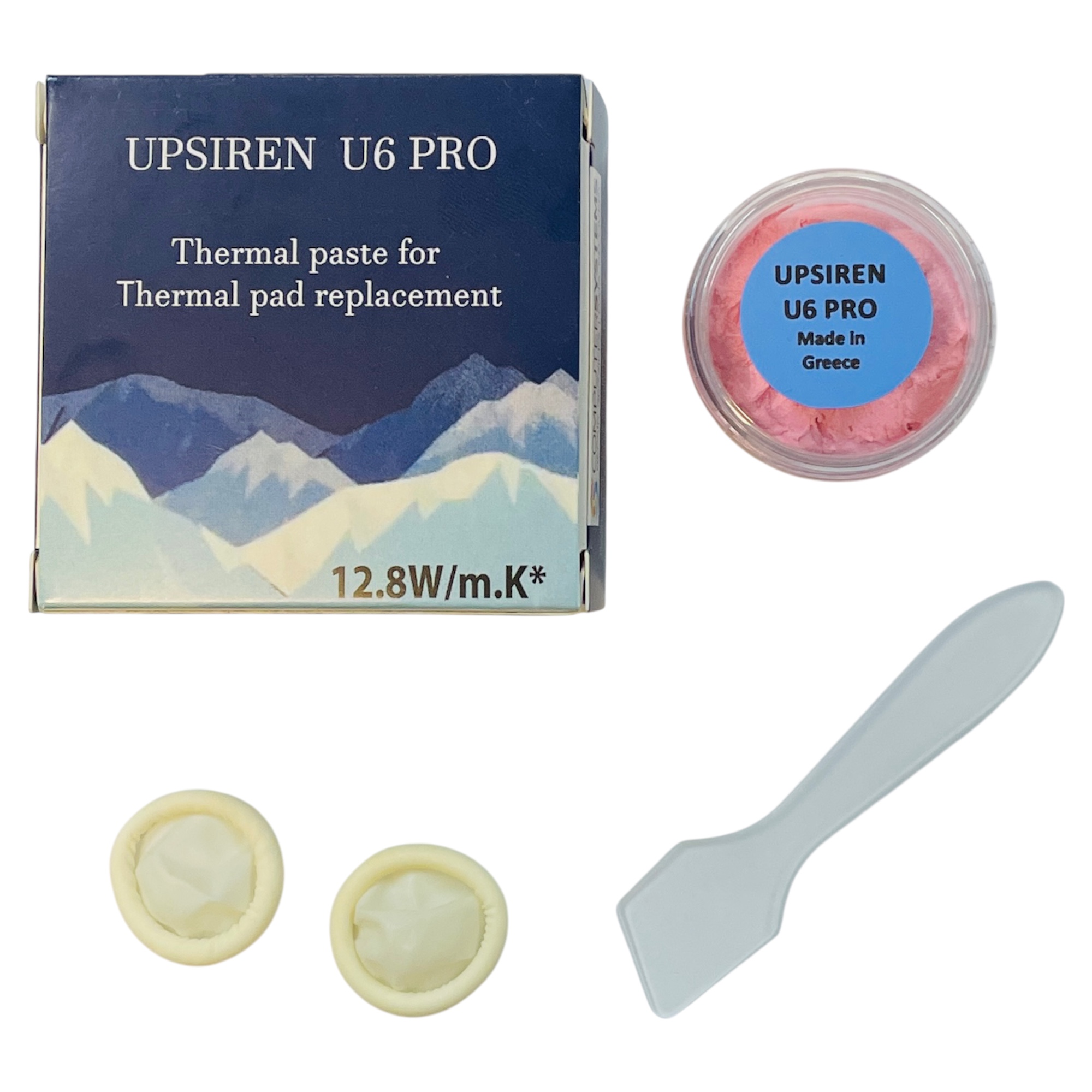
Upsiren U6 Pro Thermal Putty 20g
Upsiren
It depends — Igor'sLab independently measured a sibling Upsiren putty (UTP-8) at only 9.1 W/m·K, so the U6 Pro's own unverified 12.8 W/m·K claim should be treated with skepticism until someone outside the factory tests it.
A cheap, non-conductive gap filler sized for the uneven VRAM and VRM heights under the AN515-54’s thin heatsink. Its 12.8 W/m·K rating is a manufacturer figure with no independent lab confirmation yet.Available at Amazon(paid link) — opens Amazon in a new tab. Price and availability shown there.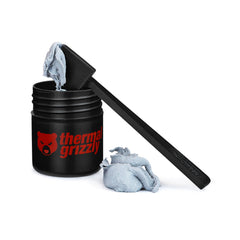
Thermal Grizzly TG Putty Pro 30g
Thermal Grizzly
Buy — Igor'sLab measured its bulk performance at roughly twice the TG Putty Basic's 5.3 W/m·K, the strongest third-party-verified number among gap-filling putties tested against each other.
A gap-filling putty for the same VRAM and VRM chips, with a bulk conductivity figure that an independent lab has actually confirmed rather than only quoted from the box.Available at Amazon(paid link) — opens Amazon in a new tab. Price and availability shown there.Honeywell PTM7950 Phase Change Thermal Pad
Honeywell
Buy — Igor'sLab's ASTM D5470-17 test measured 6.374 W/m·K effective conductivity with a minimum compressed layer of 17 µm, a figure from an actual standardized test rather than a datasheet claim.
A solid phase-change sheet for the CPU and GPU die itself, not for VRAM gap-filling — it resolidifies when the laptop cools, so it can’t pump out from under the heatsink the way dried paste does.Available at Amazon(paid link) — opens Amazon in a new tab. Price and availability shown there.Acer Nitro 5 AN515-54 CPU GPU Cooling Fan Replacement Set
Acer
It depends — The AN515-54 shipped across at least six sub-SKUs with different fan revisions, so a listing marked 'AN515-54 compatible' still needs a physical comparison against your removed fan before it's a safe buy.
Replaces worn fan bearings rather than degraded thermal material — the fix when the noise is grinding or rattling rather than just dusty.Available at Amazon(paid link) — opens Amazon in a new tab. Price and availability shown there.
Sources
Pages consulted while researching this article. None of these are affiliate links.
- UPSIREN U6 PRO 20g Jar – Thermal Putty For Thin Heat Sinks In Gaming Laptops And Slim Consoles - Computer Systems — computer-systems.gr
- Not over-hyped: Honeywell PTM7950 in a lab test and a real game changer for graphics cards | igor'sLAB — igorslab.de
- Best Thermal Putty Database and Charts | igor'sLAB — igorslab.de
- TG Putty Basic, TG Putty Advance and TG Putty Pro from Thermal Grizzly put to the test | igor'sLAB — igorslab.de
- TG Thermal Putty: Thermal Pad Replacement for GPUs - Thermal Grizzly — thermal-grizzly.com
- SOLVED: Why is my fan so loud? - Acer Nitro 5 AN515-54 - iFixit — ifixit.com
- How to replace the pink goo on the VRAM? Nitro 5 AN515-54 - Acer Community — community.acer.com
- Acer Nitro 5 AN515-54 GPU fan max speed not same as CPU fan max speed (6000/6122 RPM) - Acer Community — community.acer.com