Broken NF-A12x25 G2 Blade? Stop the Fan
The questionWhere do these come from?
NF-A12x25 G2 broken wing - still usable?
I bought it on 'graigslist-like' eBay. Is this still usable with minimal impact? This broken piece is off now. Got two fans for 35€. The other one is fine.
Do not keep using an NF-A12x25 G2 with a broken blade tip: missing rotor material creates an unknown imbalance that can worsen with speed.
Do not use a Noctua NF-A12x25 G2 PWM with a broken blade tip. Even if it still spins and appears quiet, missing material changes the balance of its rotor; return the used fan, pursue warranty coverage when eligible, or replace it.
This is not a claim that a tiny chip will instantly damage the rest of a PC. The problem is that neither appearance nor a brief spin can establish that the damaged rotor remains within its designed balance limits. That makes continued use a poor gamble for a fan intended to run unattended for thousands of hours.
Why a small missing tip matters
The NF-A12x25 G2 is not a loose-tolerance utility fan. Its nine-blade Progressive-Bend impeller runs with only 0.5 mm of clearance between the blade tips and frame. Noctua says the outer blade area is deliberately important to the fan’s airflow and pressure performance. Removing even a small piece therefore changes both the rotor’s mass distribution and the shape of a carefully controlled aerodynamic surface. Noctua documents the impeller and 0.5 mm clearance here.
A broken tip is especially concerning because it is near the rotor’s outer radius. Any unequal mass at that radius produces a rotating imbalance, and the resulting force rises rapidly with rotational speed. Fan manufacturer Greenheck describes balancing as adding or removing mass to move a rotor’s center of gravity toward its rotational axis; its engineering bulletin also notes that even paint can affect an impeller’s balance. Greenheck’s balance and vibration bulletin explains the principle.
The NF-A12x25 G2 PWM is rated for up to 1,800 rpm. Independent laboratory Cybenetics measured its sample reaching 1,818 rpm, along with 61.26 CFM maximum airflow and 2.79 mmAq maximum static pressure under its test method. Those are measurements of an intact fan, not evidence that a chipped rotor retains the same performance—but they confirm the speed at which the rotor operates. See the Cybenetics NF-A12x25 G2 test record.
Industrial fan instructions provide a useful mechanical precedent even though they cover much larger equipment: ebm-papst directs users to replace a device when its blades are damaged, warns that vibration shortens fan life, and says severe vibration can destroy a fan. The relevant inspection and replacement guidance appears in its operating instructions.
A surface mark is different from missing material
Not every mark on a used blade means the fan must be discarded. Inspect it while it is disconnected from power and removed from the PC:
- A color rub, shallow surface scuff, or molding mark with no missing material, deformation, or crack may be cosmetic.
- A visibly missing corner, notch, or chip is a broken blade tip. Do not power that fan.
- A crack extending inward from the edge is more serious than an isolated surface mark because it may propagate.
- Damage near the blade root, a bent blade, or contact between a blade and frame requires immediate retirement of the fan.
- If the distinction is unclear from ordinary lighting, photograph the blade from both sides against a contrasting background and ask Noctua support to assess it. Do not use a spin test to settle a visual uncertainty.
With the fan unpowered, the hub can be turned slowly by hand to check for scraping, but that cannot prove dynamic balance. A fan can feel smooth at hand-turning speed and become objectionable at hundreds or thousands of rpm.
What to do before powering the PC again
- Shut the system down, switch off the power supply, and disconnect its power cable.
- Unplug the damaged fan’s four-pin connector. Remove the fan if that is necessary to inspect every blade.
- Photograph the broken tip, the full rotor, the frame label, and any packaging or shipping damage.
- Contact the seller first. For a recently received used fan, a damaged rotor is a materially different condition from ordinary cosmetic wear.
- Check whether an original invoice is available before filing a Noctua warranty request.
Noctua’s warranty terms are unusually specific about second-hand products. Used or refurbished products from third-party sellers are not covered by the manufacturer warranty, while a product bought from a private seller may remain covered if the original buyer’s invoice is available. The same terms say users must verify mechanical integrity and disclaim operation despite obvious visual or mechanical defects. Read Noctua’s current warranty conditions.
If the seller refuses a return and the warranty conditions cannot be met, replacement is the defensible outcome. The value already paid for a used fan does not make an uncertain rotor safer.
Just want the recommendation?
Skip to the picksDo not glue, sand, or counter-trim the blade
Gluing the tip back on is not a reliable repair. Adhesive adds an unknown amount of mass at the part of the rotor where mass error matters most, and the bond must withstand repeated rotational loading. A repair that merely looks aligned does not establish dynamic balance.
Do not trim the damaged blade smooth, cut another blade to “match,” add tape or adhesive as a counterweight, or sand all nine blades. Proper balancing is a measured process, not a visual one. These attempts also change the blade geometry that produces the fan’s airflow and pressure.
An impeller transplant is not a supported shortcut either. Noctua says its fans are not designed to be taken apart by users; removing the impeller breaks the sealed bearing arrangement and voids warranty coverage. Noctua states this in its cleaning instructions.
The supplied Low-Noise Adaptor is not a repair. It lowers the published maximum from 1,800 to 1,500 rpm, but it does not restore missing mass, blade strength, or aerodynamic shape. The official specification page lists both speed limits.
Is the damaged fan worth keeping as a spare?
No. A fan with genuinely missing blade material is not worth using as a case exhaust, bench fan, emergency spare, or CPU-cooler fan. A less critical mounting position may reduce the consequences of losing airflow, but it does not correct rotor imbalance or stop a crack from growing.
The other used fans from the same purchase do not automatically become unsafe. Inspect each one separately for chips, cracks, cable damage, frame distortion, bearing play, and rubbing. An intact fan can then be mounted securely and tested with cables and fingers clear of the rotor. Stop it if it develops scraping, pulsing vibration, unstable RPM reporting, or abnormal bearing noise.
There is no competing product that honestly deserves a skip here. A sound NF-A12x25 G2 and other properly specified 120 mm PWM fans can all be legitimate choices; the thing to skip is the physically damaged fan, not a rival model.
Replacing one fan from an Sx2-PP set
Check the label before ordering. The standard NF-A12x25 G2 PWM is a 0–1,800 rpm single fan. The Sx2-PP package instead contains PPA and PPB variants offset by approximately 50 rpm below and above nominal speed to reduce periodic humming when fans run together.
A standard single NF-A12x25 G2 PWM can replace the cooling function of one broken unit, but it will not automatically reproduce that paired speed offset. Noctua says a standard fan added to a multi-fan arrangement can be set near the slower PPA level—about 1,750 rpm—through PWM control so neighboring fans do not run at the same speed. Noctua explains the PPA/PPB arrangement on the Sx2-PP page.
For an ordinary case position or a single-fan heatsink, buy one standard replacement only after the return and warranty routes fail. For a push-pull cooler or adjacent radiator installation where the Sx2-PP acoustic tuning matters, ask Noctua whether a matching PPA or PPB unit can be supplied before replacing an otherwise healthy pair.
The bottom line
What to replace:
Top pick
It depends
Noctua NF-A12x25 G2 PWM 120mm Fan
Noctua
The standard model matches the original 120 × 120 × 25 mm size, 12 V four-pin PWM connection, and 0–1,800 rpm range, but an Sx2-PP installation may require separate PWM tuning.
Consider one as a like-for-like replacement only after seller return and warranty options fail. Its drawback is that a standard single fan does not automatically reproduce the PPA/PPB speed offset of an Sx2-PP pair.Available at Amazon(paid link) — opens Amazon in a new tab. Price and availability shown there.
Recommended products
Ordered by how well each one fits the situations above. Each link below is a paid link.
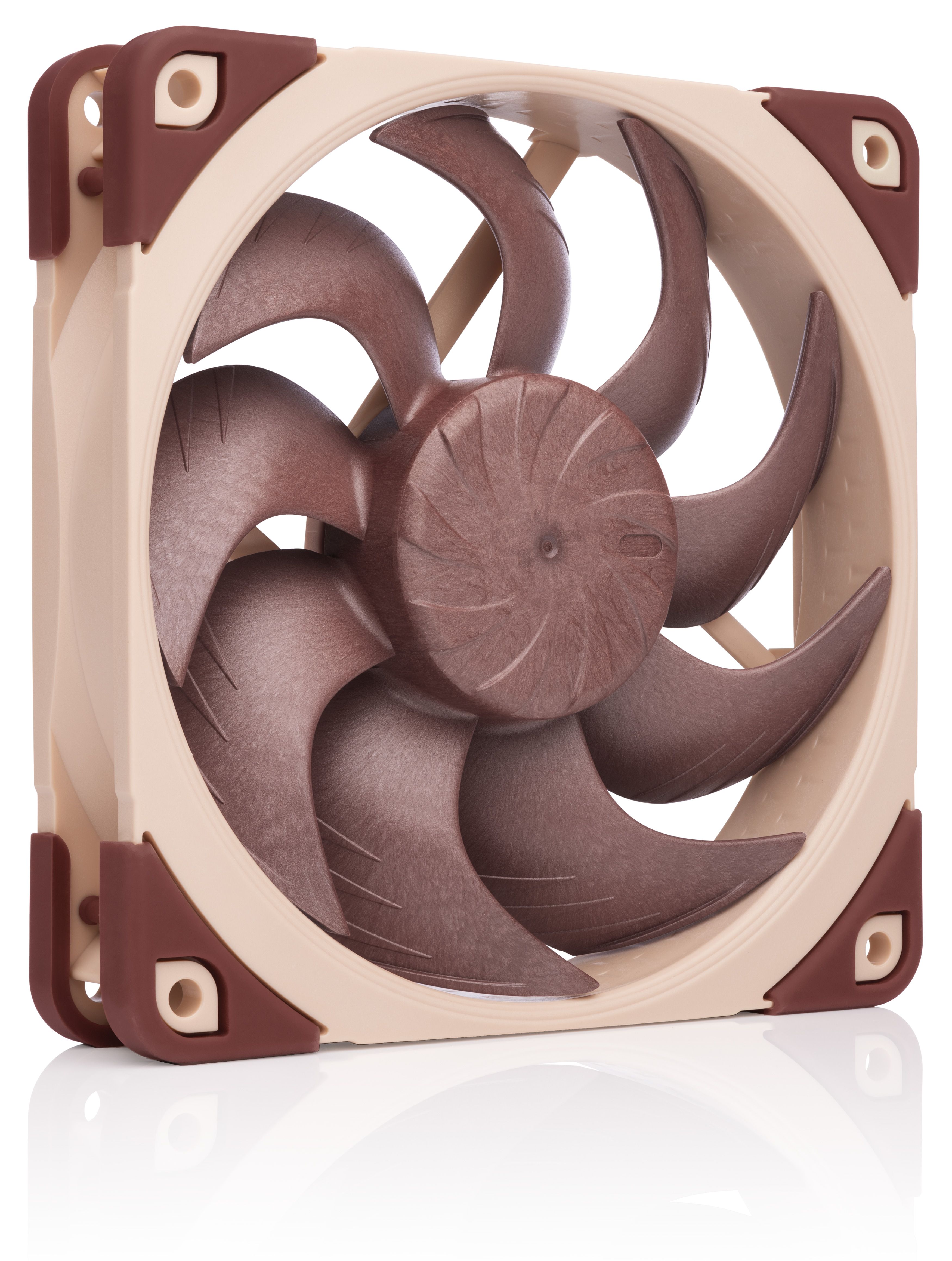
Noctua NF-A12x25 G2 PWM 120mm Fan
Noctua
It depends — The standard model matches the original 120 × 120 × 25 mm size, 12 V four-pin PWM connection, and 0–1,800 rpm range, but an Sx2-PP installation may require separate PWM tuning.
Consider one as a like-for-like replacement only after seller return and warranty options fail. Its drawback is that a standard single fan does not automatically reproduce the PPA/PPB speed offset of an Sx2-PP pair.Available at Amazon(paid link) — opens Amazon in a new tab. Price and availability shown there.
Sources
Pages consulted while researching this article. None of these are affiliate links.
- Noctua NF-A12x25 G2 PWM overview — noctua.at
- Noctua NF-A12x25 G2 PWM specifications — noctua.at
- Cybenetics Noctua NF-A12x25 G2 evaluation — cybenetics.com
- Greenheck Balance, Vibration, and Vibration Analysis of Fans and Blowers — webcontent.greenheck.com
- ebm-papst W4E400-ZE02-01 operating instructions — img.ebmpapst.com
- Noctua warranty terms and conditions — noctua.at
- Noctua fan cleaning and disassembly guidance — noctua.at
- Noctua NF-A12x25 G2 PWM Sx2-PP overview — noctua.at