RTX 5070 in a Prebuilt: Is a 650W PSU Actually Enough?
The questionWhere do these come from?
Upgrade from 5060 Ti to 5070
I have a prebuilt PC from NZXT with 32 Gb of ram, an i5 14400F, a 5060 Ti (8Gb) and it has a 650 W 80+ gold PSU. I’m pretty happy with the PC, but I feel like the GPU kind of struggles a bit during 1440p gaming on newer titles sometimes.
Yes, 650W meets Nvidia's own RTX 5070 minimum — the real prebuilt risks are the power connector and PSU quality, not the wattage number.
A 650W power supply meets Nvidia’s own published minimum for the RTX 5070, so wattage alone isn’t the thing likely to stop this upgrade. What actually derails it in a prebuilt is the power connector, the PSU’s actual quality behind that 650W label, and — separately from power — whether the 5070 is even a big enough jump over what’s already installed to bother. All three are checkable before you buy anything.
What Nvidia’s 650W number actually covers
The RTX 5070 carries a 250W total graphics power (TGP) rating, and Nvidia’s own spec page lists 650W as the recommended system power supply for it — the RTX 5070 Ti, by comparison, is rated at 300W TGP with a 750W recommendation, because more of the card’s headroom gets used (Nvidia). That 650W figure isn’t just “GPU plus a bit of margin” — it’s sized to also cover the CPU, drives, fans, and the card’s transient power spikes, which independent testing puts meaningfully above the card’s steady TGP. Guru3d’s power-consumption testing on the RTX 5070 Founders Edition measured sustained gaming draw around 250W with spikes toward roughly 325W in the most demanding titles (Guru3d). A 650W unit built to spec has room for that; the question for a prebuilt is whether its PSU actually is built to that spec, and whether it can physically connect to the card.
The connector is the more common blocker
Every RTX 5070 board partner is required to ship the card with a single 16-pin 12V-2x6 power input — the same connector standard used across the whole RTX 50 series — rather than the older layout of separate 8-pin PCIe connectors feeding the board directly (Nvidia). Nvidia’s spec sheet lists the card’s power input as “2x PCIe 8-pin cables (adapter in box) OR 300W or greater PCIe Gen 5 cable,” which is the two ways a 650W supply can actually deliver power to this card:
- A native 12V-2x6 cable, if the PSU is ATX 3.0/3.1 and ships one. Corsair’s own RTX 5070 guidance recommends this route specifically because it removes the adapter from the circuit entirely and is rated to handle the card’s transient spikes without tripping protection (Corsair).
- The bundled 2x 8-pin-to-12V-2x6 adapter, which works fine on an older ATX 2.x supply that has two free 8-pin PCIe cables to spare.
A prebuilt’s stock PSU can be rated at 650W or higher and still fail this check, if its only spare connectors are SATA or Molex, or if it’s already using both of its 8-pin PCIe leads to power an older mid-range card. That’s a five-minute check worth doing before the new card arrives, not after.
Where 650W actually runs out inside an OEM tower
Wattage on the sticker and wattage you can trust aren’t the same thing in every prebuilt. Two things specific to OEM towers (Dell, HP, Lenovo, and similar) are worth ruling out separately from the GPU math:
Proprietary form factor and connectors. Some prebuilt lines from Dell and HP use non-standard PSU shapes or motherboard power connectors, which can make even swapping to a different ATX supply harder than “unscrew four screws” — you may need a specific adapter for that model line rather than a stock cable (How-To Geek). Check the PSU model number stamped on its label against the case’s service manual before assuming a standard ATX 650W replacement will just drop in.
Efficiency and build quality behind the rating. A 650W unit built to an 80 PLUS Gold or better standard, on a modern ATX 3.0/3.1 platform, has real margin for a 250W TGP card. A generic 650W unit from a budget prebuilt built to a much lower efficiency tier, sitting several years into its service life, has less margin than the label implies, especially under the RTX 5070’s brief power spikes. If the PSU’s label doesn’t show an 80 PLUS rating at all, or if the label is illegible from age, that’s a reason to check the load with a killawatt-style meter or a monitoring tool during a game before trusting it with a heavier card, or to just budget for a replacement.
Just want the recommendation?
Skip to the picksDoes the 5070 actually move the needle at 1440p
This is the second half of the decision, separate from whether the power supply can feed the card at all. The answer depends on what’s already installed.
| TGP / Min. PSU | VRAM | 1440p vs. RTX 5070 | Verdict | |
|---|---|---|---|---|
| GeForce RTX 5070 | 250W / 650W | 12GB GDDR7 | — | Buy |
| GeForce RTX 4070 Super | 220W / 650W | 12GB GDDR6X | About even (~1.5% slower on average) | Skip |
| GeForce RTX 5070 Ti | 300W / 750W | 16GB GDDR7 | Roughly 11% faster at 1440p | Consider |
Sources: Nvidia spec pages for TGP and PSU minimums; Tech4Gamers’ eight-game 1440p benchmark run for the 4070 Super comparison; Tom’s Hardware’s RTX 5070 Ti review for the 1440p performance gap.
Against a GeForce RTX 4070 Super, the 5070 isn’t the generational leap the newer name suggests. Tech4Gamers’ own eight-game 1440p testing put the two within about 1.5% of each other on average, trading wins depending on the title (Tech4Gamers). What the 5070 adds instead is DLSS 4 with Multi Frame Generation, a feature Nvidia has confirmed is exclusive to the RTX 50 series and not available on the 4070 Super at all (Nvidia) — though that same Tech4Gamers testing found Multi Frame Generation’s real-world benefit more modest than the marketing suggests in several titles. Skip the 4070 Super specifically as something to buy new alongside this decision: at essentially identical raw 1440p performance and the same PSU requirement, there’s no case for choosing the older card over the 5070.
Against a GeForce RTX 5070 Ti, the gap is real but comes with a bigger power ask. Tom’s Hardware’s review found the Ti’s lead over the 5070 narrows to around 11% at 1440p (it’s larger at 4K, where the Ti’s extra VRAM and bus width matter more) (Tom’s Hardware). Consider the Ti instead of the 5070 if the prebuilt’s PSU needs replacing anyway to add the connector or headroom described above — at that point the incremental cost of a 750W-class supply over a 650W one is small, and it buys the option of the faster card. It’s the wrong pick if the 650W PSU already checks out for the 5070 and there’s no other reason to open the case twice. If a 5070 Ti card is what you’re weighing specifically, the ASUS TUF Gaming OC RTX 5070 Ti breakdown covers that card’s actual power delivery and cooling in more depth.
If what’s currently installed in the prebuilt is two or more generations older — something in the RTX 3060/3070 or GTX 10-series range — either the 5070 or the 5070 Ti represents a real, noticeable jump at 1440p. If it’s already a 4070-class card, the upgrade case gets much thinner regardless of which PSU question resolves in your favor.
Checking your specific prebuilt before ordering
- Open the case (unplugged) and read the PSU label directly. Note the wattage, the 80 PLUS tier if listed, and whether it says ATX 3.0/3.1 or PCIe Gen 5 native. A sticker that only says “650W” with no efficiency certification is the one most worth being cautious about.
- Count the free PCIe power connectors. You need either a native 12V-2x6 cable from the PSU, or two free 8-pin PCIe leads to use the adapter that ships in the RTX 5070’s box. SATA and Molex connectors don’t help here.
- Check the PSU’s physical mounting and depth against the case, especially in compact OEM towers — some proprietary units are shorter or use a different screw pattern than a standard ATX replacement, which is the scenario where a same-brand replacement or a specific adapter cable is needed instead of any off-the-shelf ATX unit.
- Confirm the case has clearance for the card’s length and cooler height. A 1440p-focused triple-fan RTX 5070 card runs longer than most cards a budget prebuilt shipped with originally; measure the space in front of the drive cage before ordering a specific model.
When the honest fix is a new power supply first
If the stock PSU turns out to be proprietary, lacks any spare PCIe connectors, or carries no visible efficiency rating on a unit more than four or five years old, replacing it before the GPU arrives is the safer order of operations rather than troubleshooting an underpowered system afterward. A 750W, 80 PLUS Gold, ATX 3.0/3.1 unit with a native 12V-2x6 cable — something in the class of a Corsair RM750e — clears Nvidia’s minimum for either the RTX 5070 or the 5070 Ti with margin to spare, and removes the adapter-cable question entirely (Corsair). Consider it specifically when the case-opening check above turns up a proprietary connector, a missing efficiency rating, or a unit already fully loaded with drives and peripherals — it’s the one purchase on this page that isn’t a GPU, and it’s only necessary for a subset of prebuilts, not a default add-on.
What 1440p does for a weaker prebuilt CPU
A separate concern worth ruling out: prebuilts are often specced with a mid-range CPU paired to whatever GPU tier the model targeted. At 1440p, the GPU does proportionally more of the rendering work than at 1080p, so a CPU that would visibly cap frame rates at 1080p typically has more room to keep up once the resolution — and the GPU’s workload — goes up. That doesn’t make the CPU irrelevant, but it means a 1440p upgrade is generally the safer resolution to pair with an aging prebuilt CPU than a 1080p high-refresh target would be. If frame rates after the upgrade look CPU-limited rather than GPU-limited — flat frame times regardless of graphics settings — that’s a separate bottleneck the GPU swap won’t fix, and it’s worth confirming with a monitoring overlay before assuming the new card is underperforming.
The bottom line
Two options, and the revision you own picks one:
Top pick
Buy this
NVIDIA GeForce RTX 5070 Graphics Card
NVIDIA
Nvidia's own spec sheet lists 650W as the recommended minimum for its 250W TGP, so a compliant 650W supply covers it without a mandatory PSU swap.
The direct answer to the upgrade question: a 250W card Nvidia rates for a 650W minimum system supply, and a real step up over anything two generations older at 1440p.Available at Amazon(paid link) — opens Amazon in a new tab. Price and availability shown there.The alternative
It depends
NVIDIA GeForce RTX 5070 Ti Graphics Card
NVIDIA
Its 300W TGP raises Nvidia's recommended system power to 750W, which many stock prebuilt 650W units can't clear without replacing the PSU first.
The rival a step up: roughly 11% faster at 1440p with double the VRAM headroom, but it pushes Nvidia’s own minimum PSU recommendation to 750W.Available at Amazon(paid link) — opens Amazon in a new tab. Price and availability shown there.
Recommended products
Ordered by how well each one fits the situations above. Each link below is a paid link.

NVIDIA GeForce RTX 5070 Graphics Card
NVIDIA
Buy — Nvidia's own spec sheet lists 650W as the recommended minimum for its 250W TGP, so a compliant 650W supply covers it without a mandatory PSU swap.
The direct answer to the upgrade question: a 250W card Nvidia rates for a 650W minimum system supply, and a real step up over anything two generations older at 1440p.Available at Amazon(paid link) — opens Amazon in a new tab. Price and availability shown there.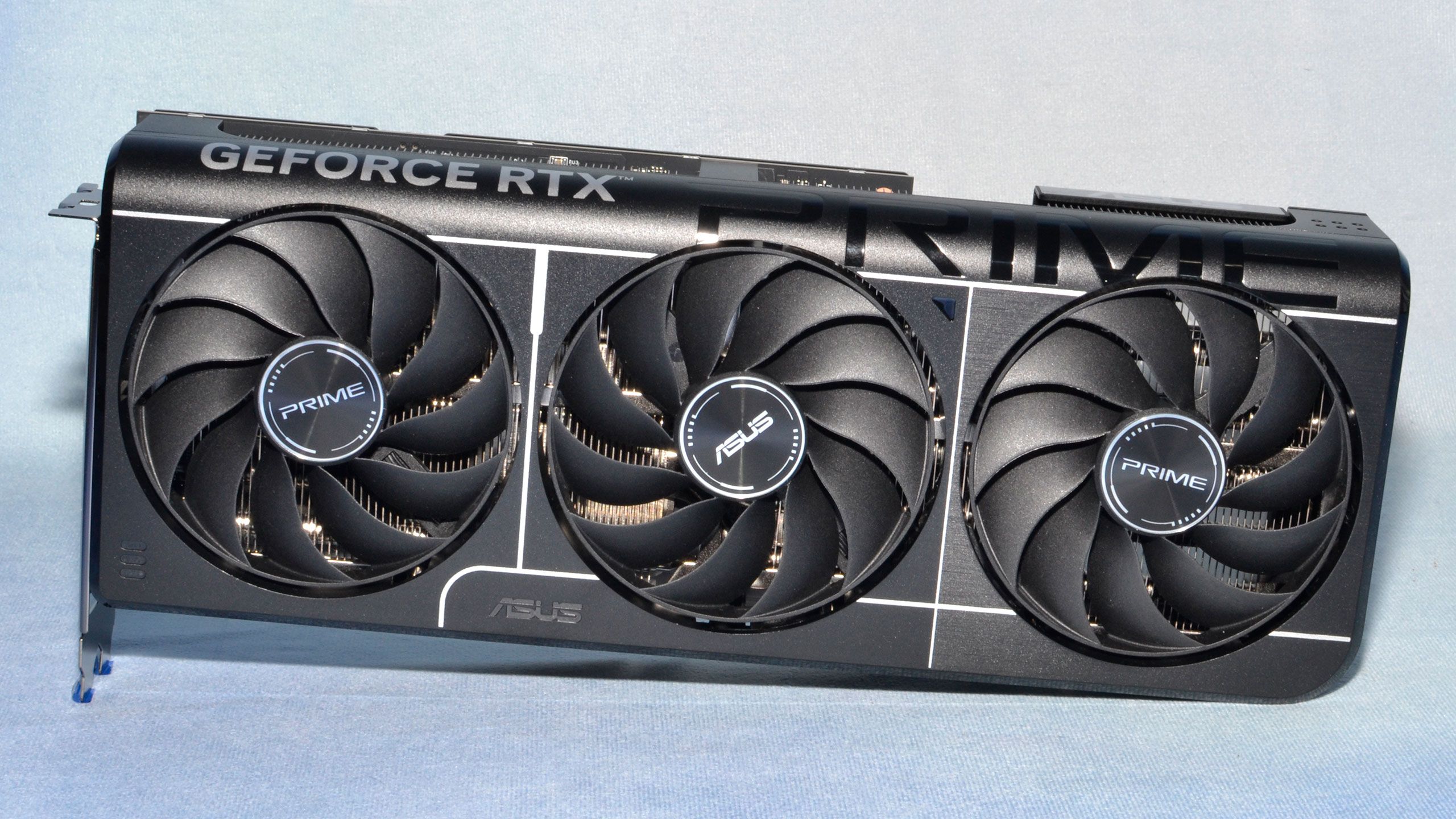
NVIDIA GeForce RTX 5070 Ti Graphics Card
NVIDIA
It depends — Its 300W TGP raises Nvidia's recommended system power to 750W, which many stock prebuilt 650W units can't clear without replacing the PSU first.
The rival a step up: roughly 11% faster at 1440p with double the VRAM headroom, but it pushes Nvidia’s own minimum PSU recommendation to 750W.Available at Amazon(paid link) — opens Amazon in a new tab. Price and availability shown there.
NVIDIA GeForce RTX 4070 Super Graphics Card
NVIDIA
Skip — Tech4Gamers measured only a 1.5% average 1440p FPS gap against the RTX 5070, and it lacks DLSS 4 Multi Frame Generation, which Nvidia confirmed is exclusive to the RTX 50 series.
The previous-generation rival sitting at the same price tier and PSU requirement, worth ruling out before buying either card new.Available at Amazon(paid link) — opens Amazon in a new tab. Price and availability shown there.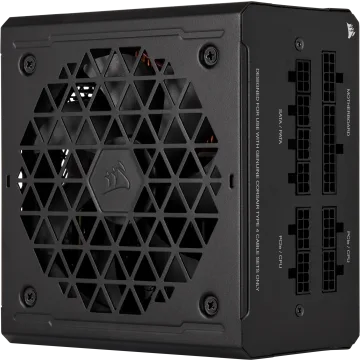
Corsair RM750e 750W 80 Plus Gold ATX 3.1 Power Supply
Corsair
It depends — It ships a native 12V-2x6 cable and clears Nvidia's 650W-750W range with margin, but it's an unnecessary purchase for any prebuilt whose stock PSU already passes the connector and rating check.
The complement this upgrade needs only if the case-opening check finds a proprietary connector, no spare PCIe leads, or no visible efficiency rating on the stock PSU.Available at Amazon(paid link) — opens Amazon in a new tab. Price and availability shown there.
Sources
Pages consulted while researching this article. None of these are affiliate links.
- GeForce RTX 5070 Family Graphics Cards | NVIDIA — nvidia.com
- GeForce RTX 5070 Founders Edition Review — Power Consumption | Guru3D — guru3d.com
- Best PSU for RTX 5070 | CORSAIR — corsair.com
- Best PSU for RTX 5070 Ti | CORSAIR — corsair.com
- Can You Upgrade a Prebuilt PC? | How-To Geek — howtogeek.com
- NVIDIA DLSS 4 Introduces Multi Frame Generation & Enhancements For All DLSS Technologies — nvidia.com
- RTX 5070 Vs RTX 4070 Super - Is Upgrade Worth It? | Tech4Gamers — tech4gamers.com
- Nvidia GeForce RTX 5070 Ti Review: Rasterization Gaming Performance | Tom's Hardware — tomshardware.com