RX 9070 XT Black Screen on a Z790 Tomahawk: PSU or Not?
The questionWhere do these come from?
Z790 Tomahawk fatal black screen crash
I've had this set up for a while and it has started acting up lately. Any GPU load just crashes everything with a black screen. Only way to get back up is to do a full power cycle.
A digital PSU tester rules out a dead power supply fast; if it passes, suspect transient sag or drivers, not the Z790 Tomahawk.
Start with a five-minute check rather than a guess: plug a digital PSU tester into the 24-pin connector and read the rails. A fail means the power supply is genuinely bad and needs replacing — no debate. A pass narrows things but does not clear the PSU, because a plug-in tester only applies a light, steady load. It cannot reproduce the sudden, sub-millisecond power spike a 300W-plus GPU pulls when a frame renders, which is the exact condition that triggers a black screen under load while the desktop, BIOS, and light gaming stay rock solid.
That distinction is the whole troubleshooting path here. An RX 580 and an RX 9070 XT ask completely different things of the same power supply, and “works with one, blacks out with the other” is close to a textbook description of a PSU that is either failing or simply out of transient headroom for the newer card — not a Z790 Tomahawk problem, though the board is worth ruling out along the way.
Why the RX 580 works and the 9070 XT doesn’t
| RX 580 | RX 9070 XT | |
|---|---|---|
| Board power | ~185 W | 304 W reference, up to 330 W on factory-overclocked cards |
| Power connector | Single 8-pin | 2x or 3x 8-pin on most cards; a 16-pin connector on some AIB models |
| Load behavior | Flat, low transient demand | Sharp millisecond-scale spikes well above the steady draw |
AMD’s own board-power figure for the reference RX 9070 XT is 304 W, and Corsair’s RX 9070 XT guide notes that custom-clocked cards run higher still. The RX 580 draws roughly 185 W and does it smoothly, so a power supply that has quietly degraded, or was never rated with real headroom, can carry it for years without incident and then fail the instant a much spikier load shows up. That is why swapping down to the RX 580 “fixes” the system — it isn’t a fix, it’s a lighter load that never triggers whatever is actually marginal.
Test the PSU for a dead or out-of-spec rail first
This is where the PSU tester earns its place, and it is the right first step because it needs no spare GPU or PSU to run. Every ATX power supply is specified to hold +3.3V between 3.135V and 3.465V, +5V between 4.75V and 5.25V, and +12V between 11.4V and 12.6V — a ±5% window defined in the ATX12V design guide. A digital tester reads all of these plus the -12V and +5VSB rails, and most models also show Power-Good timing, which should land between roughly 100ms and 500ms after power-on; a 0ms or missing PG signal is a failing supply on its own.
If any rail reads outside that window, or PG never asserts, the power supply is bad and no amount of cable-swapping or driver reinstalling will fix a black screen caused by it. Replace it and stop troubleshooting further.
What a passing PSU tester can’t tell you
A pass here only means the PSU can hold voltage under the tester’s light, static load — it says nothing about what happens when the RX 9070 XT asks for a 100-microsecond burst well above its rated draw. This is a documented, specified behavior, not a defect unique to one card: the ATX 3.0/3.1 design guide requires compliant power supplies to sustain 200% of rated power for excursions up to 100 microseconds without shutting down, precisely because modern GPUs pull spikes the older ATX12V spec never anticipated. A power supply built before that requirement existed, or a budget unit that never tested for it, can read perfect steady-state voltages on a tester and still trip its own overcurrent protection — or simply sag hard enough to lose signal — the instant the 9070 XT spikes under a real game load.
Just want the recommendation?
Skip to the picksTwo ways to check further, and they trade effort for certainty. A digital multimeter probes any single pin directly and can catch a rail sagging in real time while a load is applied, which is closer to what actually happens during the spike — but it has no pass/fail readout or Power-Good timing, so it only helps if the ATX pinout is already familiar. The other, more conclusive option is simply borrowing or trying a different power supply already known to be adequate; if the black screens disappear, the diagnosis is confirmed without needing to interpret a single voltage reading.
| Tool | Verdict | What it actually checks | The catch |
|---|---|---|---|
| PSU Tester Digital | Buy | All rails against ATX ±5% tolerance, plus Power-Good timing, on a light static load | Can’t reproduce a GPU’s transient spike, so a pass doesn’t clear the PSU under real load |
| Digital multimeter | Consider | Precise voltage at any single pin, can watch a rail sag while a load is applied | No pass/fail readout or PG timing — needs the ATX pinout already known |
| 850W+ ATX 3.0/3.1 80+ Gold PSU (e.g. Corsair RM850x) | Consider | The actual fix: rated to sustain 200% of output for 100-microsecond excursions | Only worth buying once testing or a straight swap actually implicates the PSU |
Check the power cables before you blame the PSU
Before condemning the power supply outright, confirm the RX 9070 XT is getting clean, dedicated power. Use one cable per 8-pin connector straight from the PSU rather than a single cable with two 8-pin heads daisy-chained to both, and reseat each connector until it clicks. Check exactly how many connectors the specific card needs — most RX 9070 XT models use two or three 8-pin connectors, but at least one AIB design (Sapphire’s Nitro+) ships with the newer 16-pin connector instead, and Tom’s Hardware documented a Nitro+ 9070 XT with scorched pins on that connector, a failure mode tied to imperfect seating rather than the card itself. A connector that isn’t fully seated behaves exactly like marginal PSU headroom: fine at idle, failing the instant load current climbs.
Rule out the Z790 Tomahawk itself
The motherboard is the least likely culprit here, for a specific reason: a PCIe x16 slot only ever supplies up to 75W regardless of which board it’s on, so the GPU’s actual power comes almost entirely through its own PCIe cables, not through the Tomahawk. Two board-side things are still worth ten minutes: make sure the card is seated in the primary CPU-fed x16 slot rather than the secondary slot (which drops to x4 electrical lanes when an M.2 drive occupies the M2_1 slot), and confirm the BIOS is on the latest version, since early UEFI releases on Z790 boards have needed updates for PCIe Gen5 and Resizable BAR stability with newer cards. Neither of these produces the specific “fine at idle, black screen under load” pattern on its own, but they’re free to check before spending on hardware.
Rule out the driver before replacing hardware
The RX 9070 series launched with driver-related black screen reports independent of any PSU issue — AMD shipped several Adrenalin hotfixes through 2025, and posts on AMD’s own community forum and elsewhere describe a clean reinstall (uninstalling the existing driver with Display Driver Uninstaller in safe mode, then installing the current Adrenalin release fresh rather than over the old one) resolving black screens that looked identical to a power problem. This costs nothing and takes fifteen minutes, so do it before assuming the fault is electrical.
Read Event Viewer to tell PSU sag from a driver reset
Windows leaves a specific fingerprint depending on which of these is actually happening. Open Event Viewer and check the System log around the time of a black screen. A Kernel-Power Event ID 41 means the system lost power without a clean shutdown — no warning, no logged shutdown event just before it — and that pattern points at the PSU or a connector rather than software, since a graceful component like a driver reset doesn’t cut power to the whole board. A display-driver timeout or TDR (Timeout Detection and Recovery) event, by contrast, means the GPU driver crashed and Windows tried to recover it, which points at drivers or the card itself rather than the power supply. Checking this log costs nothing and tells you which half of this guide to focus on.
If the PSU really is the problem
Once a tester fails, a multimeter shows a rail sagging under load, or swapping to a known-good unit fixes the black screens, replace with real headroom rather than the bare minimum. AMD’s recommended 750W for the RX 9070 XT assumes a fairly light rest-of-system; add a K-series 13th- or 14th-Gen CPU capable of spiking past 250W on its own under full load, and 850W with an ATX 3.0 or 3.1 rating — which guarantees that 200% transient excursion tolerance rather than just a wattage number — is the safer target, matching what Corsair and MSI both publish as their own comfortable recommendation for this card. For a lower-wattage build asking the same question from the other direction, RTX 5070 in a Prebuilt: Is a 650W PSU Actually Enough? walks through the same headroom math for a different card.
An aging supply that has run fine for years on lighter GPUs is the single most common cause of exactly this symptom, and it will keep working perfectly with the RX 580 forever — it just was never asked to handle a spike like the 9070 XT’s until now.
The bottom line
Two candidates — the symptom tells you which:
Top pick
Buy this
Digital PSU Tester ATX 24-Pin LCD Power Supply Tester
Digital PSU
It applies a light load and checks every rail against the ATX ±5% tolerance plus Power-Good timing, which is enough to catch a dead or badly out-of-spec supply without borrowing a spare part.
This is the tool the question is actually about: plug it into the 24-pin connector (and PCIe/EPS heads if it has them) and read every rail plus the Power-Good signal in under a minute, no spare PSU or GPU needed. A fail confirms a genuinely bad unit; a pass only rules out a dead PSU, since it can’t reproduce the split-second power spike a 9070 XT pulls under load.Available at Amazon(paid link) — opens Amazon in a new tab. Price and availability shown there.The alternative
It depends
Corsair RM850x 850W 80 PLUS Gold Fully Modular ATX Power Supply
Corsair
Its ATX 3.1 rating guarantees 200% of rated output for 100-microsecond excursions, the specific transient headroom an older or borderline-wattage unit can lack even while it reads perfect voltages at idle.
The actual fix if a tester, a multimeter, or a straight swap points at the PSU rather than clearing it: 850W leaves real headroom over the 9070 XT’s 304W board power plus a K-series CPU that can spike past 250W on its own. It solves nothing if the real fault turns out to be a loose cable or an old driver, so it’s only worth buying once testing actually implicates the power supply.Available at Amazon(paid link) — opens Amazon in a new tab. Price and availability shown there.
Recommended products
Ordered by how well each one fits the situations above. Each link below is a paid link.

Digital PSU Tester ATX 24-Pin LCD Power Supply Tester
Digital PSU
Buy — It applies a light load and checks every rail against the ATX ±5% tolerance plus Power-Good timing, which is enough to catch a dead or badly out-of-spec supply without borrowing a spare part.
This is the tool the question is actually about: plug it into the 24-pin connector (and PCIe/EPS heads if it has them) and read every rail plus the Power-Good signal in under a minute, no spare PSU or GPU needed. A fail confirms a genuinely bad unit; a pass only rules out a dead PSU, since it can’t reproduce the split-second power spike a 9070 XT pulls under load.Available at Amazon(paid link) — opens Amazon in a new tab. Price and availability shown there.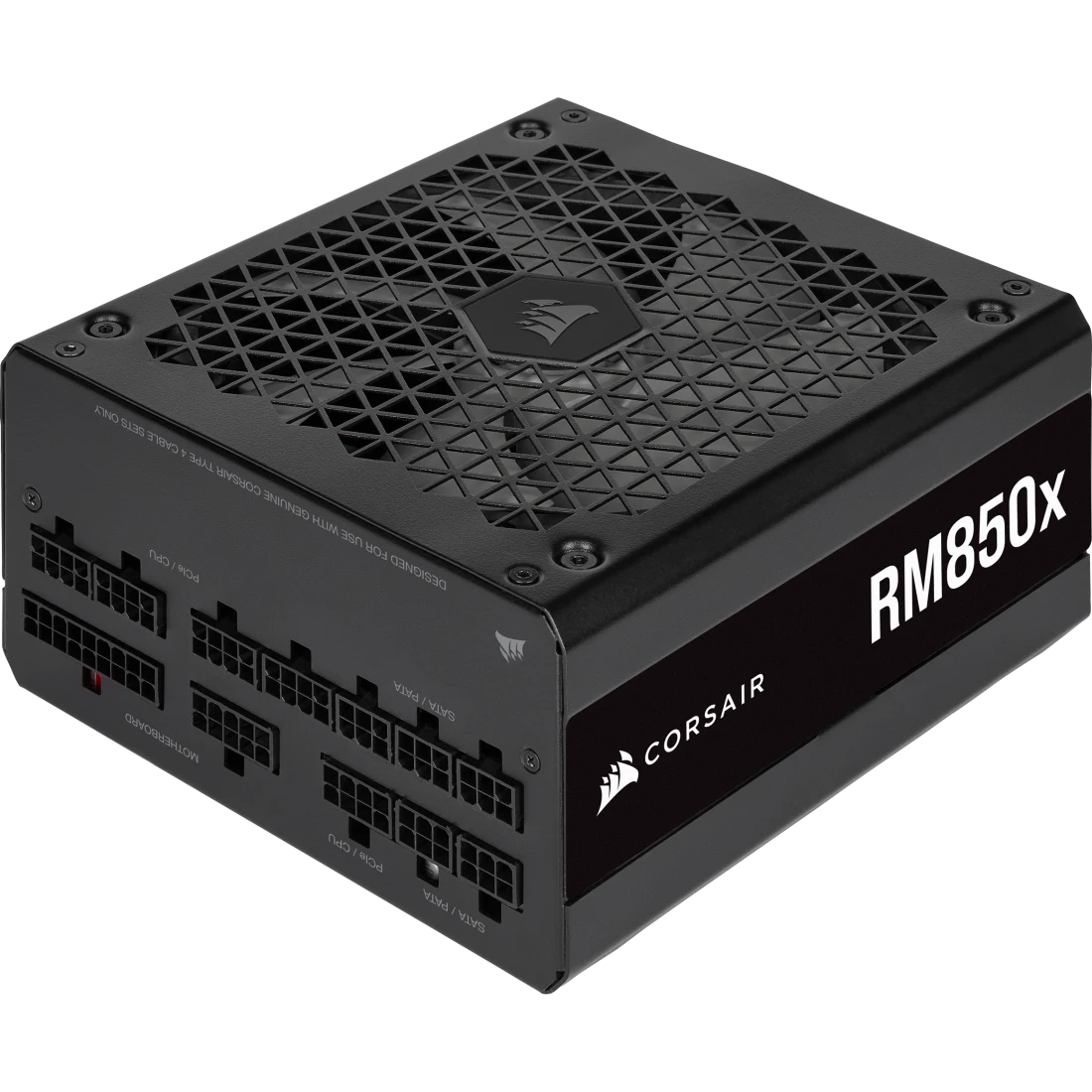
Corsair RM850x 850W 80 PLUS Gold Fully Modular ATX Power Supply
Corsair
It depends — Its ATX 3.1 rating guarantees 200% of rated output for 100-microsecond excursions, the specific transient headroom an older or borderline-wattage unit can lack even while it reads perfect voltages at idle.
The actual fix if a tester, a multimeter, or a straight swap points at the PSU rather than clearing it: 850W leaves real headroom over the 9070 XT’s 304W board power plus a K-series CPU that can spike past 250W on its own. It solves nothing if the real fault turns out to be a loose cable or an old driver, so it’s only worth buying once testing actually implicates the power supply.Available at Amazon(paid link) — opens Amazon in a new tab. Price and availability shown there.
Sources
Pages consulted while researching this article. None of these are affiliate links.
- AMD RX 9070 and 9070 XT: Everything You Need to Know — Corsair — corsair.com
- Best PSU for AMD RX 9070 XT — MSI Blog — msi.com
- AMD Radeon RX 9070 XT PSU Requirement — whatpsu.com — whatpsu.com
- 9070XT random crashes under load — AMD Community — community.amd.com
- Another 16-pin GPU power connector gets scorched — Sapphire Nitro+ 9070 XT — Tom's Hardware — tomshardware.com
- How to fix Kernel-Power Event 41 — Microsoft Q&A — learn.microsoft.com
- Power Supply Isolated Test — Puget Systems — pugetsystems.com
- PSU: How to Test a PSU (Power Supply Unit) — Corsair Help Center — help.corsair.com