Will the i7-9700K Bottleneck an RX 7800 XT at 1440p?
The questionWhere do these come from?
Best value GPU upgrade for 1440p (2K) gaming on an i7-9700K build?
Hey everyone, looking for some advice on my next GPU upgrade. I'm currently playing at 1440p (2K) and my RTX 2060 is definitely struggling. My current specs: CPU: Intel i7-9700K @ 4.
At 1440p an i7-9700K keeps pace with an RX 7800 XT in nearly every game — the GPU tier, not a new CPU, is the upgrade that actually matters.
At 1440p, an i7-9700K keeps an RX 7800 XT fed in nearly every game that isn’t already CPU-bound at lower resolutions — the resolution bump moves the workload back onto the GPU, so the “severe bottleneck” scenario people worry about mostly doesn’t show up here. The exceptions are a small list of specific, mostly competitive titles, and they’re worth naming rather than guessing at.
Where the 9700K actually runs out of road
The i7-9700K is an 8-core, 8-thread chip with no Hyper-Threading — Tom’s Hardware’s original review of the part confirmed this was the defining trade-off against its 8700K predecessor, which had fewer cores but SMT. That absence matters more as games lean on more logical threads, and it shows up at 1080p before it shows up at 1440p.
A 2025 retest of the 9700K paired it with an RTX 4070 — a card close enough to the RX 7800 XT in raster performance to be a useful stand-in — and found real CPU limits at 1080p in two specific cases. In GTA V Enhanced Edition, the reviewer noted the GPU “wasn’t fully used, and some cores on the 9700K were maxed out,” so frame rate was capped by the CPU rather than the graphics card. In Marvel Rivals, the system still averaged 177 fps at 1080p, but per-core utilization sat close to 100%, and the reviewer concluded a newer CPU would post a higher average with the same GPU.
Both of those are 1080p results, and that’s the detail that matters for a 1440p upgrade. Moving from 1080p to 1440p increases the pixel count by about 78%, which increases per-frame GPU render time and pulls the bottleneck back toward the graphics card in most engines. A title that was borderline CPU-bound at 1080p usually becomes clearly GPU-bound at 1440p. The titles that stay CPU-limited regardless of resolution are the ones already running at very high frame rates on lighter engines — competitive shooters, some strategy and simulation titles with heavy unit counts — and even there, the ceiling the 9700K imposes is typically still well above what a 1440p/144Hz-or-lower panel needs. It only becomes a real constraint if the goal is chasing 200+ fps on a high-refresh 1440p monitor in one of those specific games.
RX 7800 XT vs. RTX 4070 vs. RX 7700 XT at 1440p
| GPU | VRAM / bus / bandwidth | 1440p result vs. RX 7800 XT | Verdict |
|---|---|---|---|
| RX 7800 XT | 16GB GDDR6, 256-bit, 624 GB/s | Reference card | Buy |
| RTX 4070 | 12GB GDDR6X, 192-bit, 504 GB/s | Behind by 23% in Starfield, 9% in Resident Evil 4; roughly even in Total War: Warhammer 3 | Skip |
| RX 7700 XT | 12GB GDDR6, 192-bit, 432 GB/s | One tier down — 54 compute units vs. 60, no direct 1440p benchmark against the 7800 XT | Consider |
GamersNexus’s own 1440p testing put the RX 7800 XT ahead of the RTX 4070 in most of the titles it ran, including a 23% lead in Starfield and a 9% lead in Resident Evil 4, with the two cards close to even in Total War: Warhammer 3. Dying Light 2 was the outlier — the previous-generation RX 6800 XT led both cards there, with the 4070 landing ahead of the 7800 XT specifically in that one title. That’s worth knowing rather than hiding: no GPU wins every benchmark, and a card that’s ahead on average can still lose a specific game. The RTX 4070 also ships with 12GB of VRAM against the RX 7800 XT’s 16GB, on a narrower 192-bit bus, which matters more the longer this GPU has to last on a platform that isn’t getting replaced soon.
Just want the recommendation?
Skip to the picksSkip the RTX 4070 for this upgrade specifically: it’s rarely faster at 1440p in the benchmarks above, and its VRAM is the more likely limiter over the next few years, not this CPU.
What your Z390 board changes about the answer
An i7-9700K sits on a Z390 (LGA1151) board, which only supports PCIe 3.0 from the CPU. The RX 7800 XT is a PCIe 4.0 x16 card but is fully backward-compatible, and TechSpot’s PCIe bandwidth testing found that restricting a modern 16-lane GPU to PCIe 3.0 x16 costs roughly 2-3% at the high end — inside the normal run-to-run variance of a benchmark, not something to plan an upgrade around.
The one thing worth actually checking on your specific board is Resizable BAR support. Not every Z390 motherboard received the BIOS update that added it — support varies by vendor and model, since it arrived well after the boards originally shipped — and RDNA 3 cards see a measurable, if modest, gain with it enabled. Check your board’s support page for a BIOS revision that lists Resizable BAR or “Smart Access Memory” before you install the card; it’s a five-minute flash if it’s available; there’s no fix if it isn’t.
On power, AMD lists the RX 7800 XT’s typical board power at 263W and recommends a 700W supply for a full system built around it. Since you’ve already confirmed your PSU has headroom, there’s nothing further to size here.
The case for spending less: RX 7700 XT
If the i7-9700K isn’t the thing limiting frame rate at 1440p, then the decision between the RX 7800 XT and the RX 7700 XT is a pure budget call, not a bottleneck call. The RX 7700 XT’s 54 compute units and 12GB of GDDR6 on a 192-bit bus (TechPowerUp’s teardown of the Sapphire Pulse card) will run the same games at 1440p high settings without the CPU being the constraint either way — you’re trading GPU headroom for VRAM and bandwidth, not trading around a CPU limit. Consider it only if the budget is the deciding factor: it’s the right card for a narrower case than “best 1440p GPU for this system,” and the 7800 XT’s extra 4GB of VRAM and 44% more memory bandwidth is what buys the longer runway on a platform you’re not planning to replace soon.
When the CPU, not the GPU, becomes the limit
The scenario where the 9700K does become the next thing to fix is specific: chasing high refresh rates (165Hz and above) at 1440p in the same lightweight, CPU-heavy titles named above, or moving to a resolution lower than 1440p for competitive play. In that case, a bigger GPU stops paying off and the platform is the actual lever — the same trade-off covered in RX 9070 XT With Ryzen 5 3600: Upgrade GPU or CPU? for a different CPU generation, with the same underlying logic: check where the frame rate ceiling actually sits before spending on the wrong half of the system. For general 1440p gaming at high-to-max settings, though, the GPU is still the correct upgrade, and the RX 7800 XT is sized to this specific system without dragging in a platform change you didn’t ask for. If a further GPU jump is ever on the table, RX 9070 XT: When the Upgrade Is Worth It covers the point at which that next tier actually earns its keep.
The bottom line
Both work; your situation picks one:
Top pick
Buy this
AMD Radeon RX 7800 XT 16GB graphics card
AMD
GamersNexus's 1440p testing showed it leading the RTX 4070 by 23% in Starfield and 9% in Resident Evil 4, with 4GB more VRAM on a wider 256-bit bus.
GamersNexus measured it ahead of the RTX 4070 at 1440p in most tested titles, and its 16GB of VRAM gives an older platform more headroom than a 12GB card before the GPU itself becomes the limit again.Available at Amazon(paid link) — opens Amazon in a new tab. Price and availability shown there.The alternative
Skip this
NVIDIA GeForce RTX 4070 graphics card
NVIDIA
GamersNexus measured it behind the RX 7800 XT in Starfield, Resident Evil 4, and roughly even only in Total War: Warhammer 3, while shipping 12GB of GDDR6X against the 7800 XT's 16GB GDDR6.
A capable 1440p card on its own, but not the better buy for this specific upgrade — it trailed the RX 7800 XT in most of GamersNexus’s 1440p benchmarks and carries less VRAM for a system that will keep this GPU a while.Available at Amazon(paid link) — opens Amazon in a new tab. Price and availability shown there.
Recommended products
Ordered by how well each one fits the situations above. Each link below is a paid link.
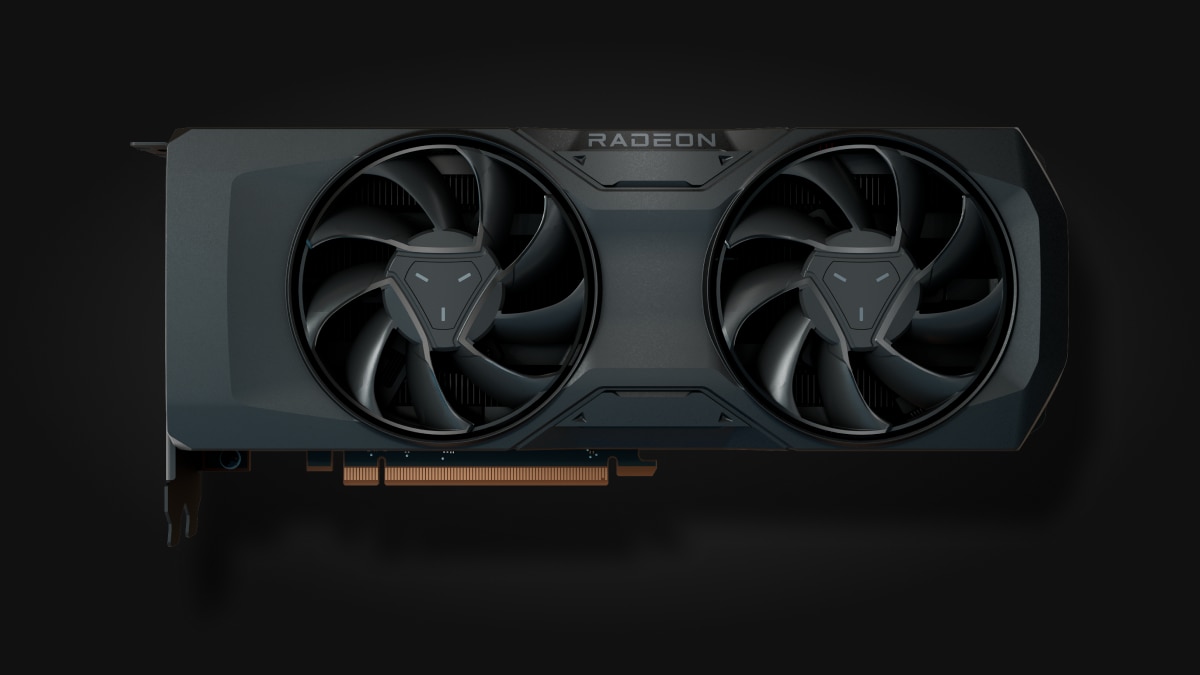
AMD Radeon RX 7800 XT 16GB graphics card
AMD
Buy — GamersNexus's 1440p testing showed it leading the RTX 4070 by 23% in Starfield and 9% in Resident Evil 4, with 4GB more VRAM on a wider 256-bit bus.
GamersNexus measured it ahead of the RTX 4070 at 1440p in most tested titles, and its 16GB of VRAM gives an older platform more headroom than a 12GB card before the GPU itself becomes the limit again.Available at Amazon(paid link) — opens Amazon in a new tab. Price and availability shown there.
NVIDIA GeForce RTX 4070 graphics card
NVIDIA
Skip — GamersNexus measured it behind the RX 7800 XT in Starfield, Resident Evil 4, and roughly even only in Total War: Warhammer 3, while shipping 12GB of GDDR6X against the 7800 XT's 16GB GDDR6.
A capable 1440p card on its own, but not the better buy for this specific upgrade — it trailed the RX 7800 XT in most of GamersNexus’s 1440p benchmarks and carries less VRAM for a system that will keep this GPU a while.Available at Amazon(paid link) — opens Amazon in a new tab. Price and availability shown there.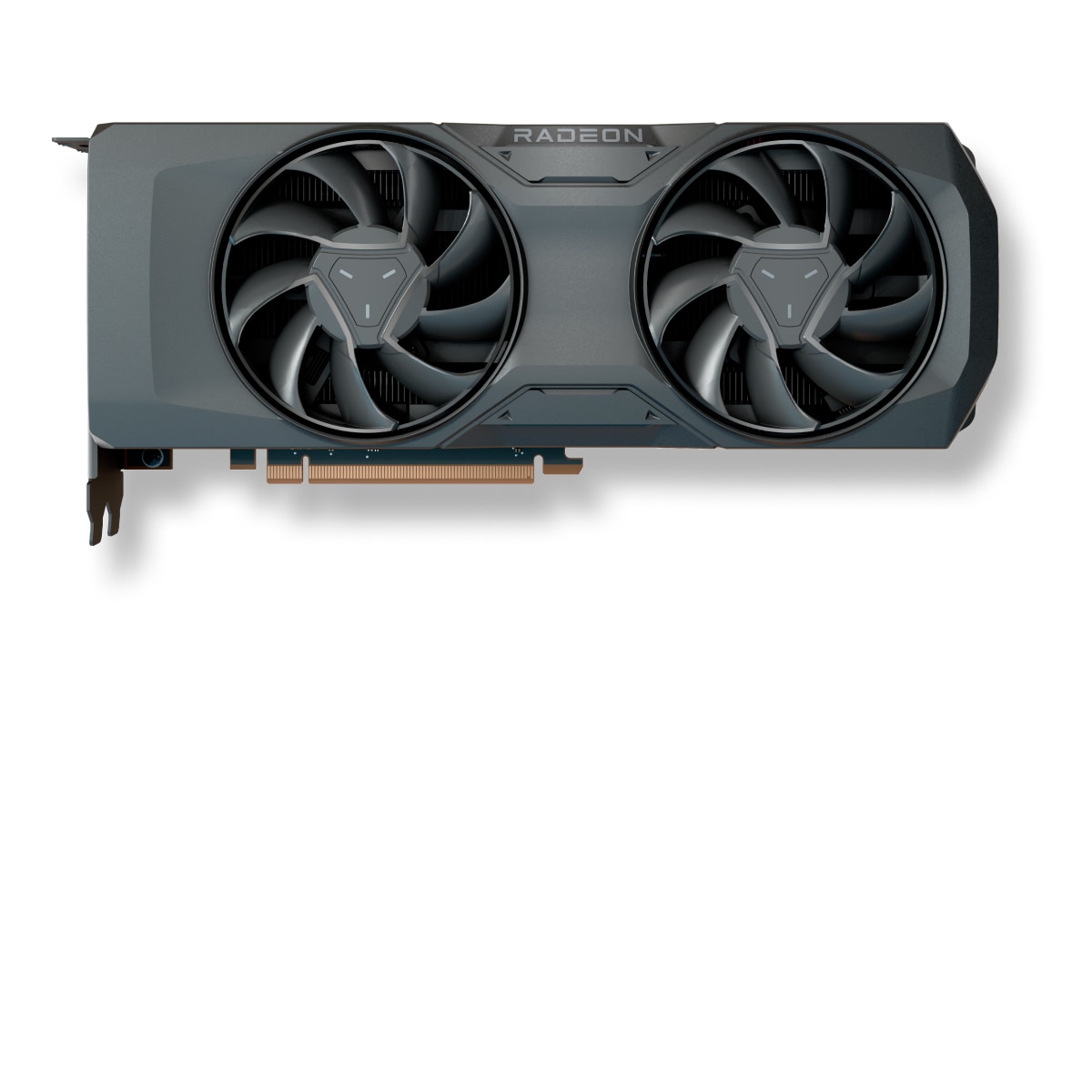
AMD Radeon RX 7700 XT 12GB graphics card
AMD
It depends — TechPowerUp's teardown lists 54 compute units and 12GB of GDDR6 on a 192-bit bus versus the RX 7800 XT's 60 compute units and 256-bit bus, a real gap in headroom rather than a bottleneck difference.
The right call if budget is the deciding factor rather than the CPU, since the i7-9700K isn’t what’s limiting frame rate at 1440p either way — just expect less VRAM and bandwidth headroom over time.Available at Amazon(paid link) — opens Amazon in a new tab. Price and availability shown there.
Sources
Pages consulted while researching this article. None of these are affiliate links.
- AMD Radeon RX 7800 XT Review - Relative Performance | TechPowerUp — techpowerup.com
- New AMD Radeon RX 7800 XT and Radeon RX 7700 XT Graphics Cards Deliver High-Performance 1440p Gaming — amd.com
- AMD Radeon RX 7800 XT GPU Review & Benchmarks vs. RX 6800 XT, RTX 4070, & More | GamersNexus — gamersnexus.net
- Intel Core i7-9700K 9th Gen CPU Review: Eight Cores And No Hyper-Threading | Tom's Hardware — tomshardware.com
- Intel Core i7-9700K Revisited: Is It Still Worth It in 2025? | NoobFeed — noobfeed.com
- PCI Express Bandwidth Test: PCIe 4.0 vs. PCIe 3.0 Gaming Performance | TechSpot — techspot.com
- Sapphire Radeon RX 7700 XT Pulse Review | TechPowerUp — techpowerup.com
- NVIDIA GeForce RTX 4070 GPU Family Specifications | The FPS Review — thefpsreview.com