27 vs 32-Inch 4K Gaming: Let Distance Decide
The question this answersWhere do these come from?
Should I get a 27-inch or 32-inch 4K monitor for gaming?
Choose 32-inch 4K for immersion with room to sit back; choose 27-inch for closer seating and a more compact view.
Choose 32-inch 4K for immersive gaming when you can sit roughly 75–90 cm away, and 27-inch 4K when you sit closer or want the screen’s edges easier to scan. Both render the same number of pixels, so choosing 27 inches does not reduce the graphics power needed for 4K.
Neither size deserves a blanket warning. The mistake is buying 32 inches for immersion and then pushing it so far away that it looks no larger than a 27-inch screen—or buying 27 inches expecting higher frame rates at the same resolution.
| Specification | 27-inch 4K | 32-inch 4K |
|---|---|---|
| Native resolution | 3840 × 2160 | 3840 × 2160 |
| Calculated pixel density | 163 pixels per inch | 138 pixels per inch |
| Calculated screen width × height | 59.8 × 33.6 cm | 70.8 × 39.8 cm |
| Horizontal viewing angle at 70 cm | 46.2° | 53.7° |
| Distance matching a 27-inch screen at 60 cm | 60 cm | 71.1 cm |
These calculations use exact 27- and 32-inch diagonals and flat 16:9 screens, excluding bezels. Retail size classes can be rounded, so check the actual viewable diagonal and housing dimensions before buying. LG’s 27GR93U-B specifications and 32GR93U-B specifications provide examples of both sizes at 3840 × 2160.
Close seating and competitive games favor 27 inches
Choose 27 inches when your normal position puts your eyes around 60 cm from the display and you want a compact view of the action. At an unchanged distance, the smaller screen puts corner information—minimaps, ammunition counters and peripheral movement—closer to the center of your view.
That is a layout advantage, not proof that 27-inch monitors are faster. Screen size does not establish input lag, pixel response time or refresh rate. Those belong to the individual monitor.
The LG pair illustrates the distinction: RTINGS found that the 32GR93U-B has better motion handling than the 27GR93U-B, despite being larger. Choosing the smaller model solely because “smaller is faster” gets this comparison wrong. RTINGS’ comparison of the two LG monitors
Measure from your eyes to the screen surface while sitting normally. Desk depth alone cannot answer the question: a stand can bring the panel forward, while your chair position changes the distance again. If your existing monitor already feels large enough during fast games, use that as the starting point rather than assuming a larger diagonal is an upgrade.
A deeper setup gives 32 inches its advantage
A true 32-inch 16:9 screen has approximately 40.5% more display area than a 27-inch screen. At the same viewing distance, scenery, characters and interface elements appear larger without adding any pixels or changing the game’s configured field of view.
That makes 32 inches the stronger default for mixed gaming when you have room to sit back comfortably. It particularly suits games where you want to take in scenery, inspect detailed environments or lean back with a controller.
The 27-inch option gets this wrong for players sitting farther back: it makes the same game and interface physically smaller, weakening the reason to choose a large, detailed 4K display.
Treat 75–90 cm as a practical starting range, not a required distance. Eyesight, posture and the amount of screen you enjoy filling your view matter. RTINGS gives overlapping general ranges of 60–90 cm for 27 inches and 70–105 cm for 32 inches, reinforcing that there is no universal dividing line. RTINGS’ monitor-size guide
Once you know the larger size fits, the comparison of 32-inch 4K IPS gaming monitors addresses the next decision: which panel and feature set to choose.
Just want the recommendation?
Skip to the picksMoving 32 inches farther away can erase the difference
The useful calculation is 32 ÷ 27 = 1.185. Move a 32-inch screen approximately 18.5% farther away and it occupies the same angle in your vision as a 27-inch screen.
For example, 27 inches at 60 cm and 32 inches at about 71 cm have the same apparent size. Likewise, 27 inches at 70 cm matches 32 inches at approximately 83 cm.
This also changes the sharpness argument. At the same distance, 27-inch 4K has smaller apparent pixels. At those matched distances, both screens distribute the same 3840 horizontal pixels across the same viewing angle. Their geometric pixel detail is therefore equivalent, assuming comparable panel characteristics and the same image.
These are calculations, not comfort measurements. Their practical value is exposing an easily missed tradeoff: if you need to move the larger screen back simply to tolerate it, you may gain little apparent size. Buy 32 inches because its final position works better for you, not because the diagonal alone promises greater immersion.
4K is useful at 27 inches, but it cannot improve frame rates
At 163 pixels per inch, 27-inch 4K packs the image more tightly than the roughly 138 pixels per inch of a true 32-inch 4K screen. That supports fine detail and sharp text at close range; 4K is not automatically wasted at 27 inches.
For desktop use, scaling matters. At 150% scaling, a 3840 × 2160 desktop has approximately 2560 × 1440 logical workspace; at 125%, it has approximately 3072 × 1728. Those are arithmetic examples of workspace, not a reduction in the panel’s physical resolution. A larger display can make the smaller scaling setting comfortable, but it does not automatically show more content when both monitors use identical settings.
For gaming performance, both sizes contain 8,294,400 pixels. With the same game, render resolution and graphics settings, the diagonal does not change the rendering workload. If native 4K runs too slowly, choosing 27 inches will not fix it. Adjust graphics settings or use the game’s supported upscaling options.
For PS5, prioritize verified 4K 120Hz input support alongside size. Sony confirms that PS5 supports 4K 120Hz output, but the display and game must support the relevant mode; buying a larger monitor does not unlock it. PlayStation’s video-output guidance
Two concrete choices, with the same HDR limitation
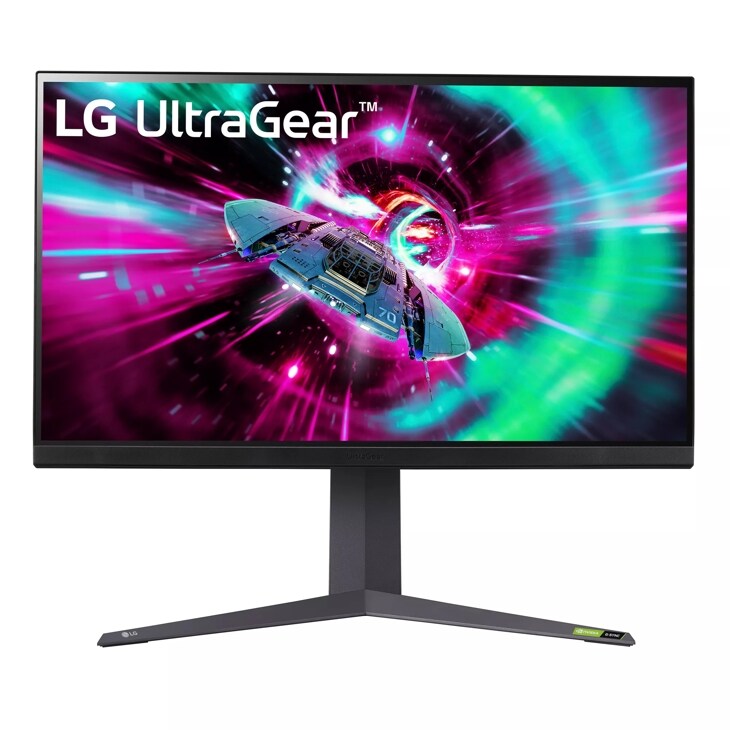
Buy the LG UltraGear 32GR93U-B for a spacious setup focused on general gaming in SDR. Its IPS panel, 3840 × 2160 resolution, 144Hz refresh rate and HDMI 2.1 connections make it a straightforward example of the larger format. Its limitation is HDR: RTINGS reports low contrast and no local dimming, so dark scenes cannot deliver the contrast suggested by the HDR label. LG specifications, RTINGS review
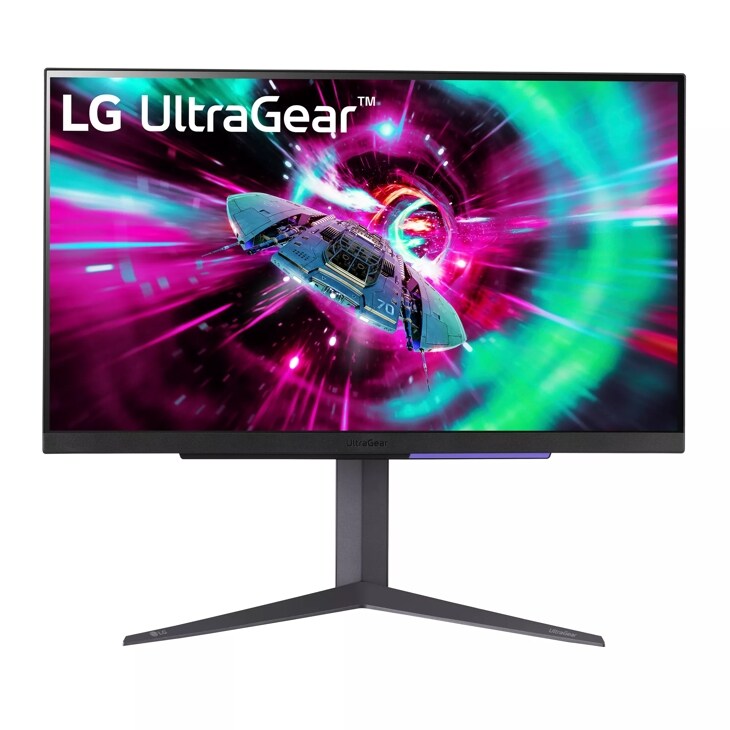
Consider the LG UltraGear 27GR93U-B when close seating or limited space makes 32 inches excessive. It retains 4K, 144Hz and HDMI 2.1 in the smaller format. The narrower use case is physical fit; it does not offer a resolution or frame-rate advantage over the larger LG. LG specifications
Independent measurements also show why brightness alone should not settle the purchase. Hardware-Journal measured 546 nits in a 10% HDR window on the 27GR93U, using an X-Rite i1 Display Pro colorimeter. That is a bright highlight measurement, not evidence of deep blacks: RTINGS separately documents the model’s lack of local dimming and limited contrast. Hardware-Journal’s measurements, RTINGS review
Both models are valid for SDR gaming; neither warrants a blanket skip for this query. If convincing HDR is central to your purchase, neither LG is the right target. Settle the comfortable screen size first, then compare displays with the contrast performance you actually want.
The bottom line
Both are defensible — the split is what you do with it:
Top pick
Buy this
LG UltraGear 32GR93U-B
LG
Its 3840 × 2160 IPS display supports 144Hz and HDMI 2.1, matching the larger-screen SDR gaming use case.
A 32-inch 4K 144Hz IPS choice for immersive SDR gaming when you have room to sit back. Its lack of local dimming limits HDR contrast.Available at Amazon(paid link) — opens Amazon in a new tab. Price and availability shown there.The alternative
It depends
LG UltraGear 27GR93U-B
LG
The 27-inch panel fits closer seating while retaining 3840 × 2160 at 144Hz, but provides a smaller image than the 32-inch option at equal distance.
Choose the compact 4K 144Hz format for close seating or limited desk space. It has weaker motion handling than the larger LG in RTINGS’ comparison and similarly limited HDR.Available at Amazon(paid link) — opens Amazon in a new tab. Price and availability shown there.
Recommended products
Ordered by how well each one fits the situations above. Each link below is a paid link.
LG UltraGear 32GR93U-B
LG
Buy — Its 3840 × 2160 IPS display supports 144Hz and HDMI 2.1, matching the larger-screen SDR gaming use case.
A 32-inch 4K 144Hz IPS choice for immersive SDR gaming when you have room to sit back. Its lack of local dimming limits HDR contrast.Available at Amazon(paid link) — opens Amazon in a new tab. Price and availability shown there.LG UltraGear 27GR93U-B
LG
It depends — The 27-inch panel fits closer seating while retaining 3840 × 2160 at 144Hz, but provides a smaller image than the 32-inch option at equal distance.
Choose the compact 4K 144Hz format for close seating or limited desk space. It has weaker motion handling than the larger LG in RTINGS’ comparison and similarly limited HDR.Available at Amazon(paid link) — opens Amazon in a new tab. Price and availability shown there.
Sources
Pages consulted while researching this article. None of these are affiliate links.
- LG UltraGear 27GR93U-B specifications — lg.com
- LG UltraGear 32GR93U-B specifications — lg.com
- RTINGS: LG 27GR93U-B vs 32GR93U-B — rtings.com
- RTINGS: 27-Inch vs 32-Inch Monitors — rtings.com
- PlayStation: How to change PS5 console resolution — playstation.com
- RTINGS: LG 32GR93U-B review — rtings.com
- RTINGS: LG 27GR93U-B review — rtings.com
- Hardware-Journal: LG UltraGear 27GR93U brightness measurements — hardware-journal.de