TUF A15 7435HS Battery Life: Expect 2–4 Hours
The questionWhere do these come from?
Lenovo 15AHP10 VS Asus Tuff A15
Budget: ($1300) Country: (Azerbaijan) Use Case: (Gaming —(games ill be playing: Heavily modded minecraft, gta 5, ea football(fifa), 00s and 10s titles( all of them basically), some 20s titles, maybe some of the newer games.
Expect roughly two to four hours of light use because the Ryzen 7 7435HS has no integrated graphics, leaving the RTX 4060 active.
Plan on roughly two to four hours of light web, video, or document use from the Asus TUF A15 FA507NVR with the Ryzen 7 7435HS and RTX 4060—not an all-day battery. A directly matching owner report records about two to three hours of YouTube playback, but no controlled independent battery test of this exact configuration was found, so the wider range is a purchasing estimate rather than a laboratory result. See the matching FA507NVR owner report.
The problem is not the battery’s size. Asus fits a 90Wh four-cell battery, which is large for a gaming laptop. The limitation is the Ryzen 7 7435HS: AMD explicitly lists it as requiring a discrete graphics card, so the RTX 4060 must remain available even during undemanding work. AMD’s Ryzen 7 7435HS specification and Asus’s FA507NVR specifications confirm the combination.
Why 10–12-hour A15 reviews may not apply
Check the processor before trusting that result. TUF A15 reviews featuring a Ryzen 7 7735HS, Ryzen 7 8845HS, or Ryzen 9 8945H do not describe the 7435HS model. Those processors include integrated Radeon graphics and can shut down the Nvidia GPU during light work.
| TUF A15 configuration | Integrated graphics | Battery | Published runtime evidence |
|---|---|---|---|
| FA507NVR, Ryzen 7 7435HS, RTX 4060 | No | 90Wh | 2–3 hours of YouTube in an owner report |
| FA507UV, Ryzen 9 8945H, RTX 4060 | Yes | 90Wh | 11 hours 42 minutes in a Wi-Fi test |
| FA507, Ryzen 7 7735HS, RTX 4050 | Yes | 90Wh | 11 hours 42 minutes in a Wi-Fi test |
The latter two figures come from Notebookcheck’s controlled A15 Wi-Fi testing. The 7435HS figure is uncontrolled owner evidence, so the table is not a precise head-to-head benchmark. It does show why searching for TUF A15 battery life without including the CPU produces a dangerously optimistic answer.
No BIOS, driver, Armoury Crate update, or Windows reinstall can add an integrated GPU that is physically absent. Asus also states that Armoury Crate’s GPU switching feature requires a machine with both integrated and discrete graphics. Consequently, Eco GPU mode is not a usable fix on the 7435HS configuration. Do not disable the RTX 4060 in Device Manager; it is the only available display processor. Asus documents the GPU-mode requirement here.
When the Lenovo LOQ is the better choice
If the Lenovo is the commonly compared LOQ 15AHP10 with Ryzen 7 250 and RTX 5060, choose the Lenovo when unplugged runtime matters more than a slightly smaller chassis. Its Ryzen 7 250 includes Radeon 780M integrated graphics, allowing the RTX 5060 to switch off during ordinary work.
| Attribute | TUF A15 FA507NVR | Lenovo LOQ 15AHP10 reviewed SKU |
|---|---|---|
| Processor graphics | None | Radeon 780M |
| Installed battery | 90Wh | 60Wh |
| Published light-use evidence | 2–3 hours of YouTube; owner report | 4 hours 30 minutes of Wi-Fi browsing; lab test |
| Manufacturer-listed weight | 2.20kg | Starting at 2.4kg |
| Footprint | 354 × 251mm | 359.86 × 258.7mm |
Lenovo’s official specification also lists an 80Wh LOQ option, so check the complete machine-type number rather than assuming every 15AHP10 has the tested 60Wh pack. Lenovo rates the 60Wh version for 4.4 hours in MobileMark 30 and the 80Wh version for 6.5 hours in MobileMark 25; those are different benchmark versions and should not be compared as a clean percentage gain. Lenovo’s LOQ 15AHP10 PSREF provides the battery, graphics, dimensions, and weight specifications, while Notebookcheck measured 4 hours 30 minutes on the 60Wh model.
This is not a controlled Asus-versus-Lenovo battery shootout, but the available evidence and GPU architecture both favor that Lenovo configuration for unplugged work. Choose the Asus only if its approximately 200g lower listed weight and smaller footprint matter more, and access to power every few hours is acceptable. If the Asus listing actually says 8845HS rather than 7435HS, this recommendation no longer applies; the 8845HS A15 is a substantially better battery-life machine.
Just want the recommendation?
Skip to the picksThe settings that stretch each charge
These changes reduce consumption, but they cannot turn the 7435HS model into an eight-hour laptop:
- Open Armoury Crate and select Silent under Operating Mode. Asus says Silent limits CPU and GPU power.
- Open Settings > System > Power & battery and set Power mode to Best power efficiency. Turn on Energy saver before leaving an outlet.
- Open Settings > System > Display > Advanced display and select 60Hz if it appears. The panel supports 144Hz, but Microsoft confirms that lowering refresh rate saves battery power. Microsoft’s refresh-rate instructions show the exact menu path.
- Reduce brightness to the lowest comfortable level, turn off the RGB keyboard lighting, disconnect unused USB devices, and close launchers or overlays that remain active in the background.
- Check Settings > System > Power & battery > Battery usage for applications consuming power while supposedly idle.
Battery Care can create an apparent runtime problem. In MyASUS > Device Settings > Power & Performance, an enabled charge limit may stop the battery at 80%. That protects long-term battery health but gives you only four-fifths of the available energy for that trip. Use Full Capacity or Instant Full-Charge mode before travel, then restore the protective limit afterward. Asus explains its 80% and temporary 100% modes.
Under two hours calls for diagnosis
A new 90Wh unit that cannot approach two hours from a genuine 100% charge during light browsing—with Silent mode, 60Hz, reduced brightness, and no external devices—deserves diagnosis.
Run powercfg /batteryreport from an administrator Command Prompt, open the generated HTML file, and compare Design Capacity with Full Charge Capacity. Microsoft documents the report and the sections to inspect in its Windows battery-care guide.
Then open MyASUS > System Diagnosis > Battery problems, connect the power adapter, and run Checkup. If MyASUS returns a battery error, the laptop shuts down unexpectedly, or Full Charge Capacity is already far below Design Capacity on a new machine, contact Asus or the retailer for service or an RMA. Asus specifically recommends support and battery replacement when its diagnostic reports bad battery health. Follow Asus’s short-battery-life diagnostic procedure.
If the report and MyASUS test are healthy, short runtime is probably the platform’s normal limitation. Replacing a healthy battery will not solve the always-active-GPU design. Stop using the laptop and seek service immediately if the battery is swollen or lifting the chassis.
USB-C Power Delivery lightens the load
The FA507NVR can accept USB-C Power Delivery through its USB 3.2 Gen 2 Type-C/DisplayPort/PD combination port. Asus specifies a 20V/5A, 100W source. This is suitable for classes, browsing, coding, and recharging in a bag-friendly setup. The FA507NVR manual gives the required USB-C rating.
A 100W USB-C adapter is not a replacement for the bundled 240W barrel adapter during gaming. The laptop’s RTX 4060 is configured for up to 140W before accounting for the processor, display, and other components. Use the barrel adapter for games and sustained rendering; use USB-C only when reduced portability matters more than full performance.
The bottom line
In one line:
Top pick
It depends
ASUS TUF A15 7435HS
ASUS
Choose the Asus only if its approximately 200g lower listed weight and smaller footprint outweigh battery life, and access to power every two to four hours is acceptable.
Available at Amazon(paid link) — opens Amazon in a new tab. Price and availability shown there.
Recommended products
Ordered by how well each one fits the situations above. Each link below is a paid link.
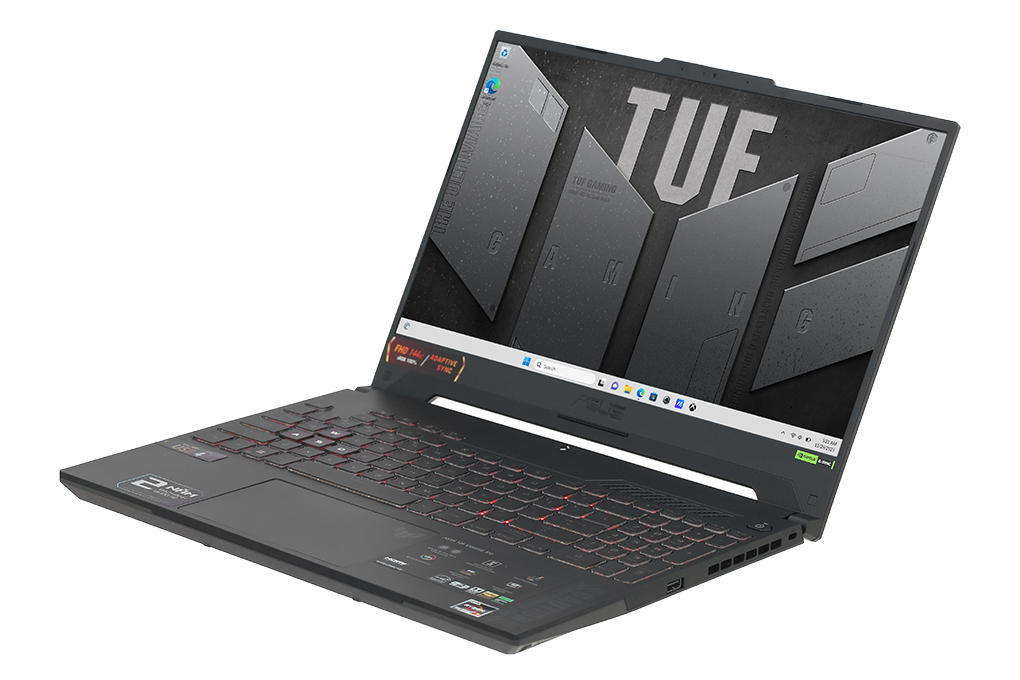
ASUS TUF A15 7435HS
ASUS
It depends — Choose the Asus only if its approximately 200g lower listed weight and smaller footprint outweigh battery life, and access to power every two to four hours is acceptable.
Available at Amazon(paid link) — opens Amazon in a new tab. Price and availability shown there.
Sources
Pages consulted while researching this article. None of these are affiliate links.
- ASUS TUF Gaming A15 FA507NVR specifications — asus.com
- AMD Ryzen 7 7435HS specifications — amd.com
- TUF A15 Ryzen 7 7435HS owner battery report — reddit.com
- Notebookcheck Asus TUF Gaming A15 battery test — notebookcheck.net
- ASUS Armoury Crate GPU and operating modes — asus.com
- Lenovo LOQ 15AHP10 Product Specifications Reference — psref.lenovo.com
- Notebookcheck Lenovo LOQ 15AHP10 battery test — notebookcheck.net
- Microsoft Windows refresh-rate instructions — support.microsoft.com