Acer Nitro V15 RTX 4050 vs ASUS TUF A15: Answer
The questionWhere do these come from?
Buying an Acer Nitro
Hi everyone, I'm considering buying an Acer Nitro V15 (ANV15-41-R8ZP) and I'd like to hear your opinions before I pull the trigger. Specs: AMD Ryzen 7 7735HS NVIDIA RTX 4050 Laptop GPU 16 GB DDR5 RAM 1 TB NVMe SSD 15.
Choose the Acer Nitro V15 RTX 4050 for modern 1080p gaming unless the ASUS TUF A15 has a non-GPU feature you specifically need.
Choose the Acer Nitro V15 RTX 4050 for modern 1080p gaming. Choose the ASUS TUF A15 RTX 3050 only when its specific listing includes a non-GPU feature you actually need, such as more installed RAM, Windows, the right keyboard layout, or a better warranty condition.
The deciding difference is the GPU, not the badge: the Nitro has an RTX 4050 with 6 GB of GDDR6, while the TUF A15 RTX 3050 models listed by ASUS have 4 GB of GDDR6.
| Spec to check | Acer Nitro V15 ANV15-41-R6J0 | ASUS TUF A15 FA506 RTX 3050 |
|---|---|---|
| GPU | GeForce RTX 4050, 6 GB GDDR6 | GeForce RTX 3050, 4 GB GDDR6 |
| CPU examples | Ryzen 7 7735HS, 8 cores / 16 threads | Ryzen 5 7535HS or Ryzen 7 7435HS |
| Display | 15.6-inch FHD IPS, 165 Hz, 45% NTSC | 15.6-inch FHD, 144 Hz, 62.5% sRGB |
| Starting RAM in listed configs | 8 GB DDR5-4800, one SO-DIMM | 8 GB or 16 GB DDR5 SO-DIMM |
| Battery | 57 Wh | 48 Wh |
Acer’s Brazil listing for the Nitro V15 ANV15-41-R6J0 specifies a Ryzen 7 7735HS, RTX 4050 with 6 GB of dedicated GDDR6, 8 GB of DDR5-4800 RAM, a 512 GB PCIe 4.0 NVMe SSD, a 15.6-inch 1920 × 1080 165 Hz IPS display, and a 57 Wh battery. ASUS lists TUF A15 FA506 RTX 3050 variants with 4 GB of GDDR6, a 144 Hz 1080p display, a 512 GB PCIe 4.0 SSD, Wi-Fi 6, and a 48 Wh battery. Sources: Acer Brazil Nitro V15 specs and ASUS TUF Gaming A15 FA506 tech specs.
The short answer for each buying condition
- Modern, demanding, or open-world games: Buy the Nitro V15 RTX 4050. Its extra VRAM and DLSS Frame Generation support give it the stronger gaming ceiling.
- Esports, older games, and light multiplayer: Either can work. The TUF A15 becomes reasonable when the exact configuration is more convenient.
- A TUF listing has more RAM or appears to have a better CPU: That does not erase the graphics gap. RAM is the cheaper problem to correct after purchase.
- The Brazil-market Nitro is the option available: Check its operating system and RAM layout. That configuration may require Windows installation and a memory upgrade.
These conditions resolve the buying decision, but not the exact frame-rate difference between the two laptops. Neither cited manufacturer publishes a head-to-head benchmark for these specific models.
Why the RTX 4050 is the safer gaming choice
The RTX 4050’s 6 GB of VRAM provides more room than the RTX 3050’s 4 GB when newer 1080p games load high-resolution textures, open-world assets, or ray-tracing data. That does not guarantee ultra settings in every game. It gives the Nitro more graphics headroom in this particular comparison.
DLSS support also separates them. NVIDIA lists DLSS Super Resolution for all GeForce RTX GPUs, but reserves DLSS Frame Generation for GeForce RTX 40 Series GPUs. The Nitro’s RTX 4050 can therefore use Frame Generation in supported games; the TUF’s RTX 3050 cannot. Source: NVIDIA DLSS supported hardware.
For heavier games such as Cyberpunk 2077, Hogwarts Legacy, Starfield-style open worlds, recent Unreal Engine 5 releases, or modded games with high-resolution textures, target the Acer Nitro V15. The RTX 3050’s 4 GB of VRAM is the limitation likely to appear first. Reducing texture quality and disabling ray tracing can help, but those changes do not give it the RTX 4050’s newer feature set or additional VRAM.
Where the ASUS TUF A15 still makes sense
The TUF A15 RTX 3050 remains adequate for games such as Valorant, League of Legends, Rocket League, Minecraft, GTA V at older or lighter settings, and many indie titles. In that use case, convenience can matter more than unused GPU headroom.
A TUF configuration with 16 GB of RAM, Windows already installed, the required keyboard layout, and clean warranty coverage can be the more practical package for a casual player. That is a configuration-based reason to buy it, not evidence that its RTX 3050 is the stronger GPU.
The same distinction applies to price differences: a cheaper TUF can be sensible for esports, schoolwork, and older games, but it remains the weaker graphics option.
Why RAM and CPU labels can obscure the decision
Some TUF A15 RTX 3050 listings include 16 GB of RAM, while the cited Acer ANV15-41-R6J0 includes one 8 GB module. The TUF consequently looks better in a store comparison, but memory can be upgraded; the GPU cannot.
Just want the recommendation?
Skip to the picksThe Nitro has two SO-DIMM slots and supports up to 32 GB of DDR5-4800, with one 8 GB module installed in the cited configuration. ASUS lists two DDR5 SO-DIMM slots and support for up to 64 GB on the FA506 page. If the Nitro ships with only 8 GB, budget for a second DDR5-4800 SO-DIMM. Treat 16 GB as the practical floor for modern gaming, preferably with dual-channel memory.
That memory upgrade should come before RGB accessories, a cooling pad, or a larger SSD. It prevents Windows and the game from competing over the original 8 GB while preserving the Nitro’s graphics advantage.
CPU differences are less decisive for gaming. The cited Nitro uses the eight-core, 16-thread Ryzen 7 7735HS. ASUS lists RTX 3050 FA506 variants with either a Ryzen 5 7535HS or Ryzen 7 7435HS. The RTX 4050-versus-RTX 3050 difference normally matters more to games than the Ryzen 7 7735HS-versus-Ryzen 7 7435HS distinction. For compiling code, heavy browser use, or video export, compare the exact processor on the listing.
Settings that fit each GPU
On either laptop, target 1920 × 1080 and begin with medium or high settings. Keep ray tracing disabled unless the game supports DLSS, and avoid maximum-resolution texture packs on the RTX 3050’s 4 GB of VRAM.
On the Nitro, try DLSS Quality first, then Balanced if performance still feels too heavy. The TUF can also use DLSS Super Resolution in supported games, but it cannot use Frame Generation.
The Brazil Nitro needs two extra checks
The cited Acer ANV15-41-R6J0 ships with Linux 64-bit AGP OS rather than Windows. That is workable when Windows will be installed separately or Linux is already the intended operating system. It is not a minor gaming detail: many Steam games run through Proton, while some anti-cheat titles and launcher-dependent games can still cause problems on Linux.
The 8 GB single-module configuration also means the stronger laptop may require setup before it delivers the better overall experience. Confirm the operating system and plan the RAM upgrade rather than assuming every Nitro V15 is ready in the same way.
What remains unresolved before purchase
The exact unit that will arrive: “Nitro V15” and “TUF A15” describe product families, not one guaranteed configuration. The cited Nitro is model ANV15-41-R6J0, Acer part number NH.U20AL.004, with Linux/AGP OS, one 8 GB RAM module, and a 135 W charger. Another Nitro listing can differ.
The cited TUF models are FA506NC and FA506NCR. ASUS’s RTX 3050 configurations vary between 8 GB and 16 GB of RAM, and those two models use a 180 W charger. Before paying, verify the model code, RAM arrangement—1×8 GB, 2×8 GB, or 1×16 GB—the operating system, keyboard layout, charger wattage, seller, and warranty source. For Brazil, check specifically for an ABNT2 keyboard and Acer Brazil or authorized-seller warranty coverage.
The exact performance gap in each game: The GPU generation, VRAM capacities, and Frame Generation distinction are supported by NVIDIA, Acer, and ASUS. The cited material does not provide measured frame rates comparing these exact laptops, so no defensible percentage or FPS gap can be stated. More VRAM and access to Frame Generation are the sourced reasons to expect the Nitro to hold up better in newer games; a precise benchmark gap remains unresolved.
Final answer
Buy the Acer Nitro V15 RTX 4050 for modern 1080p gaming. Buy the ASUS TUF A15 RTX 3050 only when its particular configuration solves a non-GPU problem the Nitro does not—Windows preinstalled, more RAM already fitted, the required keyboard layout, or a more trustworthy seller and warranty—and the intended games are light enough that the weaker GPU is acceptable.
The bottom line
Neither is wrong; the use case separates them:
Top pick
Buy this
Acer Nitro V15 RTX 4050 Gaming Laptop
Acer
The Nitro’s RTX 4050 has 6 GB of VRAM and supports DLSS Frame Generation, making it the article’s choice for modern 1080p gaming.
The pick for gaming, per the ruling above. The only reason to take the TUF A15 instead is a specific listing that already includes something the Nitro’s does not — installed RAM, an operating system, or a keyboard layout worth paying for.Available at Amazon(paid link) — opens Amazon in a new tab. Price and availability shown there.The alternative
It depends
Crucial P310 1TB SSD, PCIe Gen4 NVMe M.2 2280, Up to 7,100MB/s, for Laptop, Desktop (PC), & Handheld Gaming Consoles, Includes Acronis Data Recovery Software, Solid State Drive - CT1000P310SSD801
Crucial
The SSD is useful if 512 GB is too tight for several large games, but M.2 slot limits and warranty rules need checking, and the article prioritizes upgrading RAM first.
Useful if 512 GB is too tight after installing several large games. The drawback is that laptop M.2 slot limits and warranty rules should be checked before opening the chassis.Available at Amazon(paid link) — opens Amazon in a new tab. Price and availability shown there.
Recommended products
Ordered by how well each one fits the situations above. Each link below is a paid link.

Acer Nitro V15 RTX 4050 Gaming Laptop
Acer
Buy — The Nitro’s RTX 4050 has 6 GB of VRAM and supports DLSS Frame Generation, making it the article’s choice for modern 1080p gaming.
The pick for gaming, per the ruling above. The only reason to take the TUF A15 instead is a specific listing that already includes something the Nitro’s does not — installed RAM, an operating system, or a keyboard layout worth paying for.Available at Amazon(paid link) — opens Amazon in a new tab. Price and availability shown there.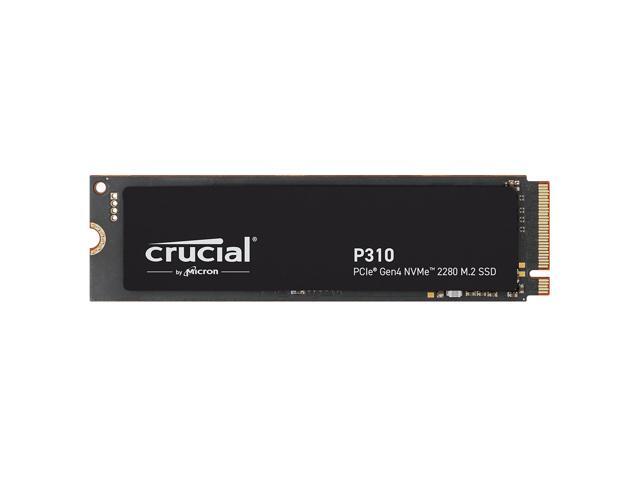
Crucial P310 1TB SSD, PCIe Gen4 NVMe M.2 2280, Up to 7,100MB/s, for Laptop, Desktop (PC), & Handheld Gaming Consoles, Includes Acronis Data Recovery Software, Solid State Drive - CT1000P310SSD801
Crucial
It depends — The SSD is useful if 512 GB is too tight for several large games, but M.2 slot limits and warranty rules need checking, and the article prioritizes upgrading RAM first.
Useful if 512 GB is too tight after installing several large games. The drawback is that laptop M.2 slot limits and warranty rules should be checked before opening the chassis.Available at Amazon(paid link) — opens Amazon in a new tab. Price and availability shown there.
Sources
Pages consulted while researching this article. None of these are affiliate links.
- Notebook Gamer Acer Nitro V15 — br-store.acer.com
- ASUS TUF Gaming A15 FA506 Tech Specs — asus.com
- DLSS Technology | NVIDIA — nvidia.com