MSI’s 27-Inch QD-OLED Choice Is Simpler Than It Looks
The questionWhere do these come from?
Can't decide between these 2 models
I seem to like both, and I don't really need 360hz.
Choose the MSI MPG 271QRX over the MAG 271QPX only for KVM, 90W USB-C charging, Gaming Intelligence, and FreeSync Premium Pro.
Choose the MSI MPG 271QRX if you want the extra desktop features; choose the MSI MAG 271QPX if you only care about the 27-inch 1440p QD-OLED gaming panel. On the core display specs, MSI lists both as 26.5-inch flat QD-OLED monitors with 2560 x 1440 resolution, 360Hz refresh, 0.03ms GtG response time, DisplayHDR True Black 400, anti-reflection surface treatment, and a 3-year warranty including panel burn-in coverage.
| Attribute | MSI MPG 271QRX QD-OLED | MSI MAG 271QPX QD-OLED |
|---|---|---|
| Panel / resolution | 26.5-inch QD-OLED, 2560 x 1440 | 26.5-inch QD-OLED, 2560 x 1440 |
| Refresh / response | 360Hz, 0.03ms GtG | 360Hz, 0.03ms GtG |
| Brightness / HDR | 250 nits typical, DisplayHDR True Black 400 | 250 nits typical, DisplayHDR True Black 400 |
| USB-C power | DP Alt Mode with 90W PD | DP Alt Mode with 15W PD |
| USB / control extras | 2 x USB 2.0 Type-A, 1 x USB 2.0 Type-B, KVM, Gaming Intelligence, Mystic Light | No USB hub listed on the spec page; PIP/PBP listed |
Sources: MSI’s official MPG 271QRX specification page, MAG 271QPX specification page, and MSI’s QD-OLED comparison page.
Image quality is not the reason to pay more
There is no clean manufacturer-spec reason to expect the MPG 271QRX to have a better picture than the MAG 271QPX. MSI lists the same panel size, same QD-OLED panel type, same WQHD resolution, same 360Hz refresh rate, same 0.03ms GtG response time, same 1,500,000:1 typical contrast ratio, same 250-nit typical brightness, and the same DisplayHDR True Black 400 HDR support for both models.
Color is also effectively a wash on the published numbers. MSI lists the MPG at 98% Adobe RGB, 99% DCI-P3, and 138% sRGB. MSI lists the MAG at 98% Adobe RGB, 99.1% DCI-P3, and 138.4% sRGB. Those tiny published differences should not drive the decision. They are not a practical reason to choose one over the other.
For the Reddit-style requirement of “good brightness, nice colors, glossy preference, no WOLED,” both monitors answer the most important part: they are QD-OLED, not WOLED. MSI’s spec pages describe both surfaces as “Anti-Reflection,” so this is not a case where one official spec page clearly says glossy and the other says matte. If a true glossy finish is a hard requirement, the official MSI spec wording alone is not enough to settle the feel of reflections in your room. Check real product photos, return policy language, or see the panel under store lighting before treating either as a guaranteed bare-gloss display.
Neither model fits a lower refresh target better
If you do not need 360Hz, neither the MPG 271QRX nor the non-E2 MAG 271QPX becomes a perfect match on refresh rate alone, because both are listed as 360Hz models. You can still run either at lower refresh rates from Windows display settings or the GPU control panel, but the panel you are buying is still a 360Hz-class monitor.
The model name to watch is MAG 271QPX QD-OLED E2. MSI’s own QD-OLED comparison page lists the MAG 271QPX QD-OLED at 360Hz and the MAG 271QPX QD-OLED E2 at 240Hz. That suffix matters. If someone in a forum says “the 271QPX is 240Hz,” they may be talking about the E2 variant, not the regular MAG 271QPX QD-OLED.
For a buyer who only needs “at least 240Hz,” the practical split is this: the regular MPG 271QRX and regular MAG 271QPX both overshoot that requirement with 360Hz. The choice between them should therefore move away from refresh rate and toward features: USB-C charging power, KVM, monitor-control software, and whether you want the MPG extras.
The MPG 271QRX wins for USB-C laptops
The MPG 271QRX is the stronger choice if the monitor will sit on a desk with a USB-C laptop. MSI lists the MPG’s USB-C port as DisplayPort Alt Mode with 90W Power Delivery. MSI lists the MAG’s USB-C port as DisplayPort Alt Mode with 15W Power Delivery.
That is a real functional difference. 15W is enough for light device charging, but it is not a proper one-cable laptop docking replacement for many performance laptops. 90W is much more useful if you want video and meaningful laptop charging through the same USB-C cable.
Just want the recommendation?
Skip to the picksThe MPG also lists 2 x USB 2.0 Type-A and 1 x USB 2.0 Type-B ports, which support its KVM and USB hub behavior. The MAG spec page does not list a USB hub section in the same way. If you want one keyboard and mouse shared across a desktop and laptop, the MPG is the model that matches that setup.
The MAG 271QPX is enough over DP or HDMI
If the monitor will be connected to one gaming PC over DisplayPort, the MAG 271QPX gives up very little that affects actual gaming output. MSI lists both monitors with 1 x DisplayPort 1.4a, 2 x HDMI 2.1 ports capable of WQHD at up to 360Hz, and USB-C DisplayPort Alt Mode at up to 360Hz.
For a desktop GPU, use DisplayPort 1.4a or HDMI 2.1 from the GPU directly to the monitor. Avoid old HDMI cables, passive adapters, docks, and motherboard display outputs unless you know the exact bandwidth path. If 2560 x 1440 at 360Hz is not showing in Windows, check Settings > System > Display > Advanced display, then check NVIDIA Control Panel or AMD Software for the active resolution and refresh rate. The cable and GPU output matter as much as the monitor port.
The MPG has AMD FreeSync Premium Pro listed on the spec page, while the MAG lists AMD FreeSync. That is a published distinction, but it should not be oversold as a visible image-quality upgrade for every setup. It matters most if you specifically care about AMD’s Premium Pro tier and HDR-capable variable refresh behavior. If you just need smooth variable refresh gaming at 1440p, both are still built around very fast OLED response and high refresh.
Firmware and controls favor the MPG 271QRX
The MPG 271QRX has the stronger control-feature story. MSI advertises Gaming Intelligence, KVM, AI Vision, Smart Crosshair, and Mystic Light on the MPG overview page. The MAG page advertises AI Vision and Smart Crosshair, but not the same MPG set of KVM, Gaming Intelligence, and Mystic Light.
There is also a specific firmware note for the MPG 271QRX: MSI’s May 6, 2024 QD-OLED update notes list FW.010 for the MPG 271QRX and MPG 321URX. That update added a DSC switch in the OSD for DLDSR/DSR modes, added an HDMI PC/Console switch for the MPG 271QRX, added a 24.5-inch aspect-ratio option for the MPG 271QRX, fixed HDR color gamut clamping, and optimized language issues.
Do not buy either monitor assuming a future firmware update will add missing hardware features. Firmware can change behavior and menus; it cannot turn 15W USB-C charging into 90W, add a USB hub that is not listed, or create a KVM feature without the required hardware path.
What to choose
Choose the MSI MPG 271QRX QD-OLED if you want the same 27-inch-class 1440p QD-OLED gaming experience plus 90W USB-C charging, USB hub support, KVM, Gaming Intelligence controls, Mystic Light, and FreeSync Premium Pro.
Choose the MSI MAG 271QPX QD-OLED if your setup is a single gaming PC or console and the important requirements are QD-OLED, 1440p, at least 240Hz, strong color coverage, HDMI 2.1, and burn-in warranty coverage. On MSI’s own published panel specs, the MAG is not a worse image-quality model; it is the simpler feature set.
If the listing says MAG 271QPX QD-OLED E2, treat it as a separate 240Hz variant and re-check the exact spec page before deciding. The suffix changes the comparison.
The bottom line
Both are defensible — the split is what you do with it:
Top pick
Buy this
msi 27" QD-OLED Gaming Monitor | QHD(2560x1440), 240Hz, 0.03ms | AMD FreeSync Premium Pro | True Black HDR 400, 99% DCI-P3 | USB-C, Adjustable Ergonomic Stand
msi
The MPG 271QRX provides the shared 1440p 360Hz QD-OLED specifications plus 90W USB-C charging, a USB hub, and KVM.
Best fit when the reader wants the same 1440p QD-OLED panel class plus KVM, USB hub behavior, Gaming Intelligence controls, and 90W USB-C charging. The drawback is that those extras are the main reason to choose it over the simpler MAG.Available at Amazon(paid link) — opens Amazon in a new tab. Price and availability shown there.The alternative
It depends
msi MAG 271QPX QD-OLED, 27 OLED Gaming Monitor, 2560 x 1440 (QHD), 0.03ms Response time, 360Hz, True Black HDR 400, HDMI, DP Port, USB Type C, Tilt, Height, Black
msi
The MAG 271QPX suits a single gaming PC or console, but its 15W USB-C power and lack of the MPG’s hub and KVM features limit desktop versatility.
Best fit when the reader only needs the core 26.5-inch 1440p 360Hz QD-OLED experience and does not need laptop-class USB-C power or KVM. The drawback is the much weaker 15W USB-C Power Delivery and fewer desktop convenience features.Available at Amazon(paid link) — opens Amazon in a new tab. Price and availability shown there.
Recommended products
Ordered by how well each one fits the situations above. Each link below is a paid link.
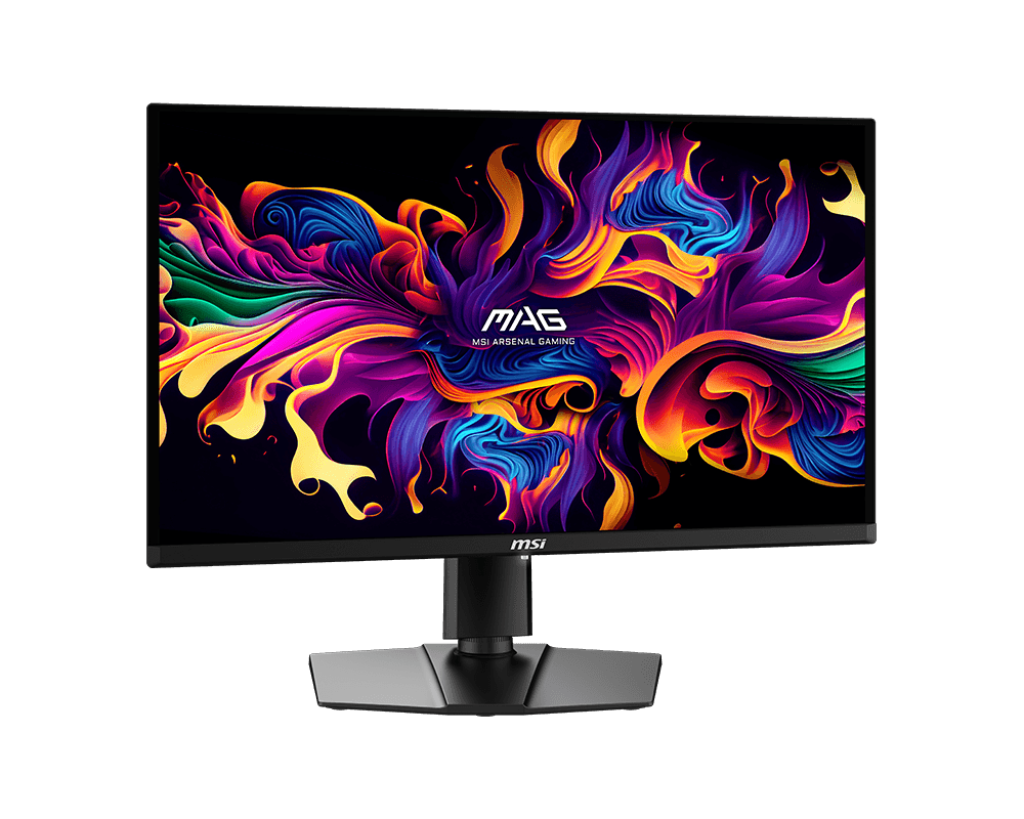
msi 27" QD-OLED Gaming Monitor | QHD(2560x1440), 240Hz, 0.03ms | AMD FreeSync Premium Pro | True Black HDR 400, 99% DCI-P3 | USB-C, Adjustable Ergonomic Stand
msi
Buy — The MPG 271QRX provides the shared 1440p 360Hz QD-OLED specifications plus 90W USB-C charging, a USB hub, and KVM.
Best fit when the reader wants the same 1440p QD-OLED panel class plus KVM, USB hub behavior, Gaming Intelligence controls, and 90W USB-C charging. The drawback is that those extras are the main reason to choose it over the simpler MAG.Available at Amazon(paid link) — opens Amazon in a new tab. Price and availability shown there.
msi MAG 271QPX QD-OLED, 27 OLED Gaming Monitor, 2560 x 1440 (QHD), 0.03ms Response time, 360Hz, True Black HDR 400, HDMI, DP Port, USB Type C, Tilt, Height, Black
msi
It depends — The MAG 271QPX suits a single gaming PC or console, but its 15W USB-C power and lack of the MPG’s hub and KVM features limit desktop versatility.
Best fit when the reader only needs the core 26.5-inch 1440p 360Hz QD-OLED experience and does not need laptop-class USB-C power or KVM. The drawback is the much weaker 15W USB-C Power Delivery and fewer desktop convenience features.Available at Amazon(paid link) — opens Amazon in a new tab. Price and availability shown there.![Cable Matters [VESA Certified] 32.4Gbps Braided DisplayPort Cable, 6ft product image](https://www.cablematters.com/images/Product/large/1279.jpg)
Cable Matters [VESA Certified] 32.4Gbps Braided DisplayPort Cable, 6ft
Cable Matters
It depends — The cable is useful for DisplayPort connection issues at 2560 x 1440 and 360Hz only when the GPU output also supports the required mode.
Useful if 2560 x 1440 at 360Hz does not appear reliably over DisplayPort. The drawback is that it only helps when the GPU output also supports the needed mode.Available at Amazon(paid link) — opens Amazon in a new tab. Price and availability shown there.
Sources
Pages consulted while researching this article. None of these are affiliate links.
- Differences Between the MSI MPG 271QRX and MAG 271QPX Explained — tftcentral.co.uk
- MSI MPG 271QRX QD-OLED Monitor Review — rtings.com
- MSI MPG 271QRX Review (1440p/360Hz QD-OLED) — kitguru.net
- AMD FreeSync Technology — amd.com
- MSI MPG 271QRX QD-OLED Specifications — us.msi.com
- MSI MAG 271QPX QD-OLED Specifications — us.msi.com
- MSI QD-OLED Monitors Comparison — us.msi.com
- MSI QD-OLED Firmware Update Notes — us.msi.com