M2 Max 32GB vs M3 Pro 18GB: Which Wins, and When
The questionWhere do these come from?
Did I make the right choice?
I don’t need the latest and greatest generation of MacBook Pro, last night I ordered a 14 inch M2 Pro MacBook Pro with 32GB memory and 512GB storage for $1520 AUD (~$1070US), another option was a M3 Pro MacBook Pro with 18GB memory and 512GB storage for $1700 AUD (~$1197US).
Choose 32GB for local LLMs and image generation; the M3 Pro 18GB wins only when its newer GPU features outweigh memory capacity.
Choose the M2 Max with 32GB over the M3 Pro with 18GB if local LLMs or image generation are part of the plan. The additional unified memory is worth more for those workloads than moving to the newer but lower-tier chip. M3 Pro 18GB only wins when its ray tracing, AV1 decoding, or brighter SDR display matter more than memory capacity.
One naming issue affects that answer directly: a 14-inch MacBook Pro listed with 32GB memory and a 512GB SSD is an M2 Pro configuration, not M2 Max. That is still a sensible choice against an M3 Pro with 18GB, but it does not have the M2 Max’s larger GPU or 400GB/s memory bandwidth.
The specs behind the answer
Apple’s specifications show the exact differences between the 2023 M2 Pro and M2 Max MacBook Pro and the 2023 M3 Pro MacBook Pro:
| Specification | M2 Max 32GB | M2 Pro 32GB | M3 Pro 18GB |
|---|---|---|---|
| Unified memory | 32GB | 32GB | 18GB |
| Memory bandwidth | 400GB/s | 200GB/s | 150GB/s |
| CPU cores | 12 | 10 or 12 | 11 or 12 |
| GPU cores | 30 or 38 | 16 or 19 | 14 or 18 |
| Starting internal SSD | 1TB | 512GB | 512GB |
M2 Max supplies 14GB more unified memory, over twice the memory bandwidth, and substantially more GPU cores than M3 Pro. M2 Pro is the closer comparison, but it still matches M2 Max’s 32GB capacity and beats M3 Pro’s memory bandwidth.
Choose by condition
- Local LLMs planned → M2 Max 32GB, or M2 Pro 32GB if that’s the actual chip.
- Image generation is the heavier workload → M2 Max 32GB; M2 Pro 32GB still beats M3 Pro 18GB on headroom.
- Three or four external displays needed → M2 Max only; M2 Pro and M3 Pro cap at two.
- Local AI secondary, workflow uses ray tracing, AV1 decoding, or a brighter SDR display → M3 Pro 18GB.
- Browsing, coding, office apps only, no local-AI plans → either configuration works; M3 Pro’s newer GPU is a reasonable tiebreaker.
If you are running local LLMs
Choose 32GB. On Apple silicon, the CPU and GPU use the same memory pool; Apple’s MLX unified-memory documentation confirms that both processors directly access the same arrays without copying them into separate GPU memory.
That makes memory capacity a hard practical constraint. Model weights, the context or key-value cache, macOS, and every open application must coexist inside the available unified memory. An 18GB Mac does not provide the full 18GB exclusively to the model, and the same warning applies to a 32GB Mac.
The 32GB configuration gives substantially more room for larger quantized models, longer contexts, and other applications running alongside the model. Apple’s MLX-LM documentation explicitly warns that models large relative to total system memory can run slowly. It also notes that reducing the key-value cache saves memory at the cost of output quality.
For inference speed, M2 Max also has an on-paper advantage: its 400GB/s memory bandwidth is 2.67 times the M3 Pro’s 150GB/s. Do not read that as a promise of 2.67 times the tokens per second — model architecture, quantization, context length, inference engine, GPU utilization, and software updates all affect real throughput.
One security detail matters when downloading community models: if MLX-LM requests --trust-remote-code, the model repository wants permission to execute its own code. Enable that option only for a repository and revision you trust.
If image generation is the heavier workload
The M2 Max 32GB is the strongest specification-level choice. It combines more memory with a 30- or 38-core GPU and 400GB/s bandwidth. The M2 Pro 32GB is less powerful than M2 Max, but its additional memory still provides more headroom than the M3 Pro 18GB for large models, batches, upscalers, and other applications running concurrently.
This does not mean image generation is impossible with 18GB. Apple’s Stable Diffusion example for MLX documents float16 loading and optional model quantization specifically to reduce memory requirements. Quantization can make a workload fit, but it is a workaround for capacity rather than extra capacity.
Just want the recommendation?
Skip to the picksM3 Pro does introduce hardware-accelerated ray tracing and AV1 decoding. Those features matter for compatible 3D applications, games, and AV1 video playback, but they do not automatically make diffusion-based image generation faster. Choose M3 Pro for a workflow that specifically uses those capabilities — not merely because “M3” is a newer name.
If the laptop is actually M2 Pro with 32GB
The M2 Pro with 32GB and 512GB storage is still the better match for the stated combination of general use, local LLMs, and image generation. Its 200GB/s bandwidth is half that of M2 Max, and its 16- or 19-core GPU is much smaller, so it should never be advertised or evaluated as an M2 Max.
Against M3 Pro 18GB, however, the M2 Pro retains the more important advantage for local AI: 32GB instead of 18GB, and 200GB/s rather than 150GB/s of memory bandwidth. M3’s newer architecture can win in particular applications, but it cannot manufacture another 14GB of physical unified memory when a model exceeds the available capacity.
The 512GB SSD is the compromise. Local model files, image checkpoints, generated outputs, and macOS can consume that storage quickly. External storage can hold model files and archives, but it cannot increase unified memory or substitute for RAM while a model is running.
If long-term memory headroom is the concern, the same underlying tradeoff is explained in the MacBook Pro RAM choice that ages better.
If you mainly browse, code, and use office apps
Both configurations are more than capable of ordinary web, document, media, and development work. If local AI is only hypothetical and 18GB has already been proven sufficient for every real workload, M3 Pro becomes reasonable for its hardware ray tracing, AV1 decoder, and newer GPU architecture.
The displays and ports are otherwise close. Both generations provide a 14.2-inch 3024-by-1964 Liquid Retina XDR display, three Thunderbolt 4 ports, HDMI, MagSafe 3, and an SDXC slot. Apple rates both 14-inch generations for up to 18 hours of Apple TV playback or 12 hours of wireless web use. M3 Pro’s display is rated at 600 nits for SDR content, compared with 500 nits for the M2 generation.
M2 Max has another concrete advantage for desk setups: it supports as many as four external displays, while M2 Pro and M3 Pro support up to two. If three or four external screens are required, M3 Pro is the wrong tier regardless of its generation.
What to verify before buying it
Open Apple menu > About This Mac and confirm the exact chip and memory. Then open System Settings > General > Storage to confirm the SSD capacity. A factory 14-inch 2023 configuration described as “M2 Max, 32GB, 512GB” conflicts with Apple’s specifications: M2 Max started with a 1TB SSD, while the 512GB configuration belonged to M2 Pro.
After loading the intended workload, open Applications > Utilities > Activity Monitor > Memory. Apple explains that green memory pressure means RAM is being used efficiently, yellow indicates that more memory may eventually be needed, and red means more memory is required. Check Swap Used as well; sustained swapping during the normal workload is evidence that the lower-memory configuration is too constrained. Apple’s Activity Monitor guide also notes that these Mac configurations do not expose upgradeable memory slots.
What this comparison can’t settle
Two things resist a spec-sheet answer. Bandwidth is not throughput, as noted above — a ratio in memory bandwidth is not a ratio in tokens per second. And application-specific performance isn’t covered by memory capacity at all: a given diffusion pipeline, IDE, or app suite can run faster or slower on either chip for reasons unrelated to unified memory. The only way to know either is to benchmark that exact application, model, and quantization — not the chip in the abstract.
The decision rule stands regardless: take M2 Max 32GB for the strongest local-AI option, or keep the M2 Pro 32GB/512GB if that is the actual machine already chosen. Take M3 Pro 18GB only when local AI is secondary and its hardware ray tracing, AV1 decoding, or brighter SDR display solves a specific need.
The bottom line
The one to buy:
Top pick
Buy this
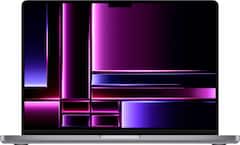
Apple MacBook Pro 14-inch M2 Max 32GB
Apple
The article recommends M2 Max 32GB for local LLMs and image generation because it offers 32GB of unified memory and 400GB/s memory bandwidth, versus M3 Pro’s 18GB and 150GB/s.
The 32GB configuration the verdict points to: enough unified memory to hold a local LLM or an image model without swapping. The drawback is that a 512GB SSD fills quickly once you keep several models on disk.Available at Amazon(paid link) — opens Amazon in a new tab. Price and availability shown there.
Recommended products
Ordered by how well each one fits the situations above. Each link below is a paid link.
Apple MacBook Pro 14-inch M2 Max 32GB
Apple
Buy — The article recommends M2 Max 32GB for local LLMs and image generation because it offers 32GB of unified memory and 400GB/s memory bandwidth, versus M3 Pro’s 18GB and 150GB/s.
The 32GB configuration the verdict points to: enough unified memory to hold a local LLM or an image model without swapping. The drawback is that a 512GB SSD fills quickly once you keep several models on disk.Available at Amazon(paid link) — opens Amazon in a new tab. Price and availability shown there.
Sources
Pages consulted while researching this article. None of these are affiliate links.
- Apple MacBook Pro 14 2023 M3 Pro review — Notebookcheck — notebookcheck.net
- Testing Apple’s M3 Pro: More efficient, but performance is a step sideways — Ars Technica — arstechnica.com
- MacBook Pro 14-inch (2023) review — Tom’s Guide — tomsguide.com
- Stable Diffusion XL on Mac with Advanced Core ML Quantization — Hugging Face — huggingface.co
- Profiling Large Language Model Inference on Apple Silicon: A Quantization Perspective — arxiv.org
- MacBook Pro (14-inch, 2023) - Tech Specs — support.apple.com
- MacBook Pro (14-inch, M3 Pro or M3 Max, Nov 2023) - Tech Specs — support.apple.com
- MLX Unified Memory Documentation — github.com
- MLX-LM — github.com
- Stable Diffusion in MLX — github.com
- Check if your Mac needs more RAM in Activity Monitor — support.apple.com