The M5 MacBook Pro RAM Choice That Ages Better
The questionWhere do these come from?
First MacBook for Next.js / Rust: Base M5 vs M5 Pro (24GB)?
Hi, I am considering the following options for my first MacBook and ditching windows.
For heavy web development, Rust, and monorepos, choose 24GB over 16GB; 16GB is only the safer buy for lighter local workloads.
Choose 24GB if this MacBook Pro is for heavy web development, Rust, large monorepos, Docker, and a 3 to 5 year ownership window. The 16GB configuration is workable for everyday coding, but it is the easier one to outgrow once browsers, language servers, containers, build tools, and local databases are all open at the same time.
The important wrinkle is that “M5 24GB vs 16GB” can mean two different comparisons. It can mean the same base M5 MacBook Pro with more memory, or it can mean a base M5 16GB model against a MacBook Pro with M5 Pro, 24GB unified memory, and 1TB storage. For the workload described here, the practical recommendation is the MacBook Pro M5 Pro 24GB 1TB, unless portability and basic coding matter more than parallel build headroom.
If you mean base M5 with 24GB vs base M5 with 16GB
Pick 24GB. Apple lists the M5 MacBook Pro with 16GB, 24GB, or 32GB unified memory, and the base M5 chip has a 10-core CPU, 10-core GPU, 16-core Neural Engine, and 153GB/s memory bandwidth. That means the 16GB and 24GB versions are not a different class of computer; the real difference is how much shared memory macOS, the CPU, the GPU, browser tabs, IDEs, containers, and development tools can all use before the system leans harder on compression and swap.
For light web development, 16GB is not automatically wrong. A normal stack of Safari or Chrome, VS Code, a Node dev server, a terminal, Git, Slack, and a few browser tabs can fit. It becomes less convincing when the workday includes multiple repos, pnpm or npm installs, TypeScript language services, Storybook, Playwright, local Postgres or Redis, Docker Desktop, and a browser profile with dozens of tabs. Those tools do not fail just because the Mac has 16GB, but they leave less margin.
The reason 24GB matters is not that it makes every compile magically faster. It reduces the number of times the machine has to juggle active work through compressed memory or swap during a busy session. Apple’s Activity Monitor documentation is the right way to think about this: Memory Pressure, not the raw “Memory Used” number, is the useful signal. Green means memory is being used efficiently; yellow means the Mac might eventually need more RAM; red means it needs more RAM. Apple also documents Swap Used as storage used to move files between RAM and the startup disk.
For a first MacBook expected to last 3 to 5 years, 24GB is the sensible floor for serious development. The only strong reason to stay at 16GB is if the machine will mostly run one editor, one dev server, normal browser tabs, and cloud-hosted databases or containers.
If you mean M5 Pro 24GB vs M5 16GB
Choose the M5 Pro 24GB 1TB for heavy web development and Rust. This is not just a memory upgrade. Apple’s specs list the M5 Pro with 307GB/s memory bandwidth, compared with 153GB/s on the base M5. Apple also lists M5 Pro configurations with a 15-core CPU and 16-core GPU, configurable to an 18-core CPU and 20-core GPU. The base M5 is listed as a 10-core CPU and 10-core GPU.
| Option | CPU / GPU | Memory bandwidth | Memory and storage |
|---|---|---|---|
| Base M5 16GB | 10-core CPU / 10-core GPU | 153GB/s | 16GB unified memory |
| M5 Pro 24GB 1TB | 15-core CPU / 16-core GPU, configurable to 18-core CPU / 20-core GPU | 307GB/s | 24GB unified memory and 1TB storage |
For Rust and large monorepos, CPU headroom matters because builds, tests, code generation, indexing, and package-manager work can all run in parallel. Memory matters because IDE indexing, rust-analyzer, Docker, browser tabs, local services, and test runners are all alive during the same work session. The M5 Pro 24GB configuration gives both more memory and a higher-tier chip, which is the more balanced spec for a developer who does not want the machine to feel cramped halfway through its ownership period.
A 1TB SSD also fits the workload better than a smaller development drive. It leaves room for multiple repos, package caches, Docker images, iOS or Android tooling if needed, local database snapshots, build artifacts, and several years of project sprawl. The article cannot honestly claim a specific compile-time advantage without measured benchmarks for the exact projects involved, but the spec direction is clear: large local software work benefits from more CPU parallelism, more memory, and enough storage that cleanup is not a weekly tax.
Just want the recommendation?
Skip to the picksIf portability is the reason you are hesitating
A 14-inch MacBook Pro M5 Pro 24GB 1TB is the better fit if the laptop will be carried often but still used as a primary development machine. The 16-inch class can make sense for people who live in a full-screen IDE and rarely connect an external display, but the query is really about memory, not display size. For a developer moving between rooms, offices, cafes, and travel, the 14-inch Pro configuration is the practical middle ground: stronger than the base chip, less bulky than the larger chassis.
Do not use portability as a reason to drop from 24GB to 16GB if the workload is already heavy. Memory pressure is workload-driven, not bag-weight-driven. A lighter-feeling purchase that spends the next several years swapping under Docker and browser load is the wrong compromise.
What to check if you already own the 16GB model
Open Applications > Utilities > Activity Monitor, click the Memory tab, and watch the Memory Pressure graph during a real work session, not just after a reboot. Use the same tools you normally use: IDE, browser, local servers, Docker containers, test runner, database, and any background apps.
If Memory Pressure stays green and Swap Used remains modest during your heaviest normal day, 16GB is probably acceptable for that workflow. If Memory Pressure regularly turns yellow while builds, browser tabs, and containers are open, 24GB would be the cleaner long-term spec. If it turns red or macOS starts asking you to quit apps, the answer is no longer about preference; the machine does not have enough memory for that working set.
There is no post-purchase RAM upgrade path to treat as a fallback in this decision. Apple’s own Activity Monitor guide says to check Apple menu > System Information > Hardware > Memory for upgradeable memory, and if the Memory Slots pane does not appear, upgradeable memory is not available. Modern MacBook Pro unified memory should be treated as fixed at purchase.
When 16GB is still the right answer
Choose 16GB only when the real workload is lighter than the Reddit-style description: mostly frontend work, a few services, cloud dev environments, no regular Docker-heavy stack, no big Rust workspace, no local Kubernetes, and no expectation that the same laptop must absorb larger projects for 5 years.
It is also fine for learning macOS, writing, browsing, light coding, and smaller single-repo projects. The mistake is buying 16GB because today’s smallest project fits, while the actual plan is heavy web development, Rust, monorepos, and long ownership. In that case, 24GB is not luxury headroom; it is the more realistic baseline.
The practical spec decision
For the searcher comparing macbook pro m5 24gb vs 16gb, the short answer is: get 24GB. For the specific product choice, the MacBook Pro M5 Pro 24GB 1TB is the better match for heavy web development, Rust, monorepos, and a 3 to 5 year plan.
Move above 24GB only if the work includes consistently large Docker stacks, local Kubernetes, virtual machines, large Xcode projects, big data processing, running local AI models, or keeping several heavyweight IDEs and repos active at once. Stay at 16GB only if the workload is genuinely moderate and the laptop is not expected to be the main development machine for years.
The bottom line
The pick:
Top pick
Buy this
Apple 2025 MacBook Pro Laptop with Apple M5 chip with 10‑core CPU and 10‑core GPU: Built for AI, 14.2-inch Liquid Retina XDR Display, 24GB Unified Memory, 1TB SSD Storage; Space Black
Apple
The article explicitly recommends the base M5 with 24GB over 16GB, calling 24GB the sensible floor for serious development over a 3 to 5 year ownership window.
This is the balanced target spec for heavy web development, Rust, monorepos, and a multi-year ownership window. The drawback is that workloads involving virtual machines, local AI models, or many containers may still justify more than 24GB.Available at Amazon(paid link) — opens Amazon in a new tab. Price and availability shown there.
Recommended products
Ordered by how well each one fits the situations above. Each link below is a paid link.
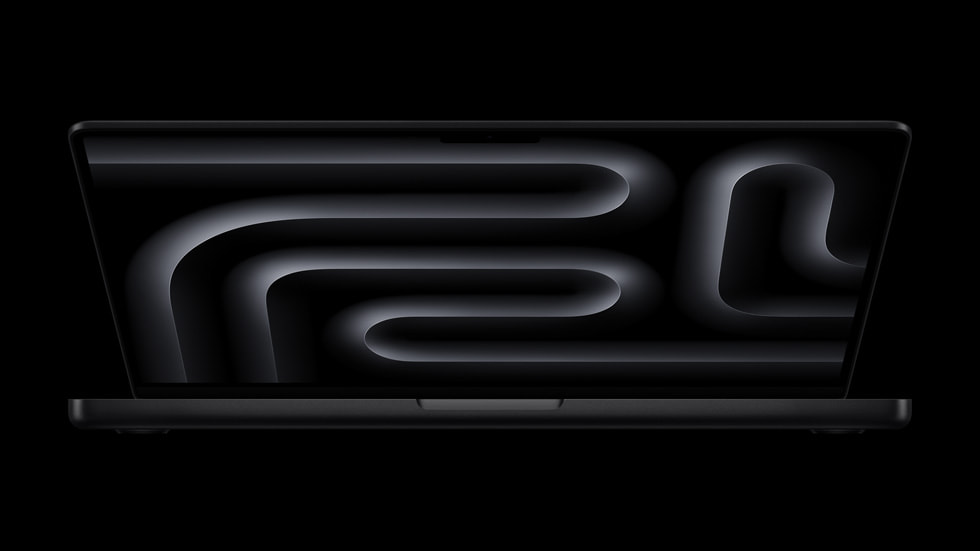
Apple 2025 MacBook Pro Laptop with Apple M5 chip with 10‑core CPU and 10‑core GPU: Built for AI, 14.2-inch Liquid Retina XDR Display, 24GB Unified Memory, 1TB SSD Storage; Space Black
Apple
Buy — The article explicitly recommends the base M5 with 24GB over 16GB, calling 24GB the sensible floor for serious development over a 3 to 5 year ownership window.
This is the balanced target spec for heavy web development, Rust, monorepos, and a multi-year ownership window. The drawback is that workloads involving virtual machines, local AI models, or many containers may still justify more than 24GB.Available at Amazon(paid link) — opens Amazon in a new tab. Price and availability shown there.
Sources
Pages consulted while researching this article. None of these are affiliate links.
- Apple MacBook Pro 16 2026 Review — M5 Pro Makes One of the Best Multimedia Laptops Even Better — notebookcheck.net
- Architecture — rust-analyzer — rust-analyzer.github.io
- Visual Studio Code October 2019 Release Notes — code.visualstudio.com
- MacBook Pro - Tech Specs - Apple — apple.com
- Check if your Mac needs more RAM in Activity Monitor - Apple Support — support.apple.com
- View memory usage in Activity Monitor on Mac - Apple Support — support.apple.com