iPad 9th Gen 64GB Wi-Fi: Still Worth Buying?
The question this answersWhere do these come from?
Is the iPad 9th gen 64GB Wi-Fi still worth buying?
The iPad 9th gen 64GB Wi-Fi suits streaming and light use, but storage, battery condition and accessory compatibility decide the purchase.
The iPad 9th generation 64GB Wi-Fi is still a reasonable choice for streaming, reading and light schoolwork, provided its battery is healthy and you keep relatively little content downloaded. Choose the iPad A16 128GB Wi-Fi instead if you want more room for apps and offline media without frequent storage housekeeping.
The model you are looking for is the 2021 iPad, model A2602. That number identifies the ninth-generation Wi-Fi hardware, but does not distinguish its 64GB and 256GB capacities; verify storage separately before accepting a listing or used device. Apple lists both capacities under the same model number. Apple’s model identification guide
When 64GB is enough—and when to choose 128GB
These are the specifications that matter when deciding whether to buy the older model or move to the A16:
| Specification | iPad 9th gen 64GB Wi-Fi | iPad A16 128GB Wi-Fi |
|---|---|---|
| Advertised storage | 64GB | 128GB |
| Processor | A13 Bionic | A16 |
| Display resolution | 2160 × 1620 | 2360 × 1640 |
| Charging connector | Lightning | USB-C |
The figures come from Apple’s iPad ninth-generation specifications and iPad A16 specifications. The A16 configuration doubles advertised storage, although neither model makes its entire capacity available for your files.
Skip the iPad 9th gen 64GB Wi-Fi if you want to keep several large games and a substantial offline video library installed together: the operating system, apps and downloaded content must all fit within that 64GB capacity. The A16 128GB is the better general purchase for that use. The ninth-generation model remains a conditional recommendation for people whose tablet mostly accesses content online.
Streaming video, reading ebooks and working on ordinary documents make a more plausible 64GB workload. Downloaded courses, scanned textbooks, game assets and saved episodes change the calculation. A tablet used mainly at home can stream much of its entertainment; one packed for weeks without reliable internet needs space for local copies.
If you already use an iPad, open Settings > General > iPad Storage and examine the apps and documents you actually intend to retain. Apple counts locally downloaded iCloud Drive files against device storage too. Keeping something in the cloud does not prevent its downloaded copy from occupying space. Apple’s storage guide
Leave room for your collection to grow rather than planning to fill the tablet immediately. There is no universal figure for how much free space a freshly configured 64GB unit will show: software, settings and installed content affect it. Offloading unused apps can recover application space while retaining their documents, but that is maintenance you must be willing to do.
The A16 has its own limitation: its USB-C connector supports USB 2.0 transfers up to 480Mb/s. Choose it for greater internal capacity and more convenient connector compatibility; do not assume the connector makes it a fast external-drive workstation. Apple’s A16 connection specifications
Wi-Fi works at home; navigation and accessories need care
The ninth-generation iPad has a 10.2-inch screen, a Home button with Touch ID and a headphone jack. Those last two features are practical reasons to choose it if you prefer a physical Home button or already use wired headphones. Its front camera supports Center Stage for compatible video calls. Apple’s ninth-generation specifications
Just want the recommendation?
Skip to the picks“Wi-Fi” means this configuration has no cellular modem. You can use a phone hotspot for internet access away from a router, but cannot add a SIM or enable cellular service through a software update.
There is a less obvious distinction: the iPad 9th gen Wi-Fi has no built-in GPS/GNSS receiver. Apple lists GPS/GNSS only for Wi-Fi + Cellular versions. Wi-Fi location services can still provide location information, but this is the wrong configuration to choose when standalone satellite positioning is a requirement. Downloading maps does not add the missing receiver. Apple’s wireless and location specifications
For handwriting, the compatible Apple stylus is Apple Pencil, first generation. Skip Apple Pencil USB-C for the ninth-generation iPad: Apple’s compatibility list excludes this tablet. Apple Pencil second generation and Apple Pencil Pro are incompatible as well. An accessory described simply as “Apple Pencil” needs closer inspection before you order it. Apple Pencil compatibility
The tablet itself charges through Lightning. When buying a used or refurbished unit, check the included cable and power adapter separately; the contents of an original retail box do not establish what a particular seller supplies.
Buying used: battery condition matters more than old benchmarks
Notebookcheck measured 13 hours 25 minutes of Wi-Fi web browsing on its ninth-generation iPad review unit, using Safari 15 with display brightness adjusted to 150 nits. It also measured average screen brightness of 490.6 nits. Those results provide independent evidence of the model’s original endurance and display output. Notebookcheck’s measured iPad 2021 review
They do not establish how long a particular used iPad will run today. Battery wear, screen brightness, workload and software all affect runtime. Treat the review as a reference for the hardware when new, rather than a promise attached to a refurbished listing.
There is another buying trap: the ninth-generation model does not have Apple’s Battery Health screen in Settings. Apple lists that feature for newer supported models, including the A16. A screenshot showing a 100% charge is therefore not proof that a ninth-generation battery retains 100% of its original capacity. Apple’s Battery Health requirements
Before keeping a used unit:
- Confirm the model and capacity, then inspect the screen and enclosure.
- Test charging, touch input across the display, Touch ID, cameras, speakers and Wi-Fi during the return period.
- Ask what battery condition the seller guarantees and whether battery replacement is documented.
- Begin setup after erasure and check that it does not request the previous owner’s Apple Account.
Do not accept an Activation Locked iPad on the promise that a reset will fix it. Apple instructs buyers to have the previous owner remove the device from their account before taking ownership. An unresolved account lock needs the seller’s action or Apple’s support process, not another charger or accessory. Apple’s used-device Activation Lock checks
Software support has not simply ended because this is a 2021 tablet: Apple’s compatibility page, checked in September 2026, lists the ninth generation for iPadOS 27. That establishes compatibility, not a guarantee of every feature or a promised number of future upgrades. Apple’s iPadOS compatibility list
For the older update specifically, the site’s iPad ninth-generation and iPadOS 18 guide addresses that question separately. When choosing a device now, verify the requirements of your essential apps and buy the 64GB model only if its storage and documented condition fit how you will use it.
The bottom line
Worth it either way — the difference is your budget:
Top pick
It depends
Apple iPad 9th Generation 10.2-inch Wi-Fi 64GB Space Gray
Apple
The 64GB configuration suits limited local storage needs, but its capacity must also accommodate iPadOS, applications and their data.
Suitable for streaming, reading and light schoolwork with limited downloads. Its 64GB capacity and the battery condition of used units require careful checking.Available at Amazon(paid link) — opens Amazon in a new tab. Price and availability shown there.The alternative
Buy this
Apple iPad A16 11-inch Wi-Fi 128GB Silver
Apple
Its 128GB capacity doubles the ninth-generation configuration’s advertised storage, while adding USB-C connectivity.
The better general purchase when you need more space for apps and offline media. USB-C is convenient, but transfers remain limited to USB 2.0 speeds.Available at Amazon(paid link) — opens Amazon in a new tab. Price and availability shown there.
Recommended products
Ordered by how well each one fits the situations above. Each link below is a paid link.
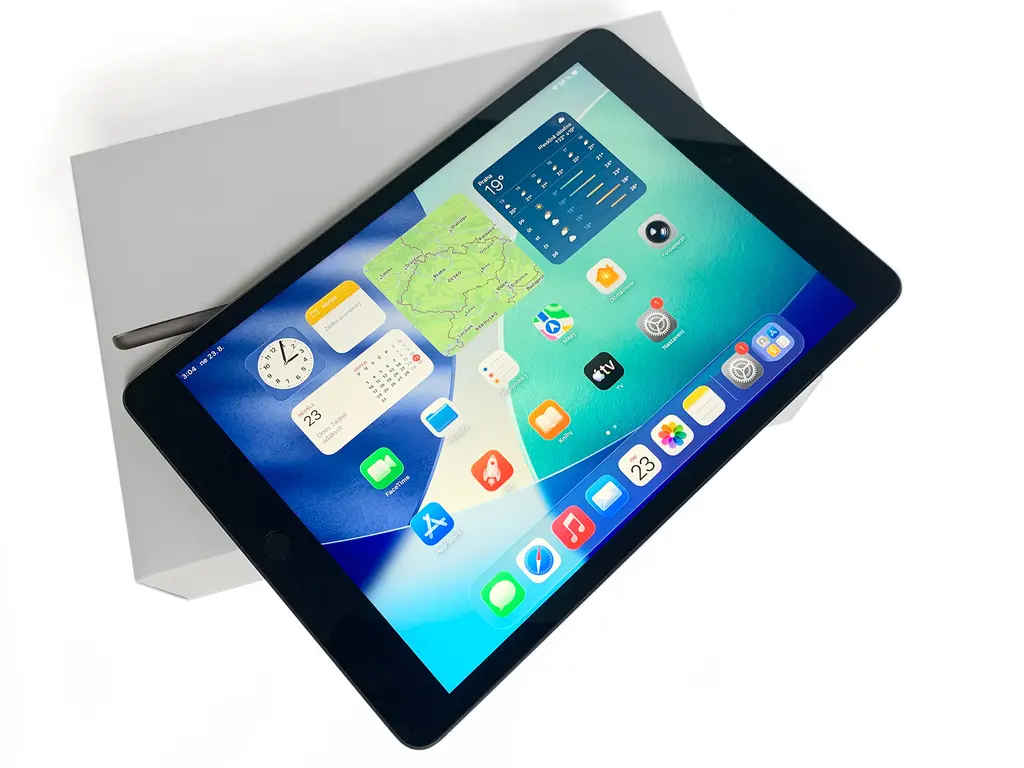
Apple iPad 9th Generation 10.2-inch Wi-Fi 64GB Space Gray
Apple
It depends — The 64GB configuration suits limited local storage needs, but its capacity must also accommodate iPadOS, applications and their data.
Suitable for streaming, reading and light schoolwork with limited downloads. Its 64GB capacity and the battery condition of used units require careful checking.Available at Amazon(paid link) — opens Amazon in a new tab. Price and availability shown there.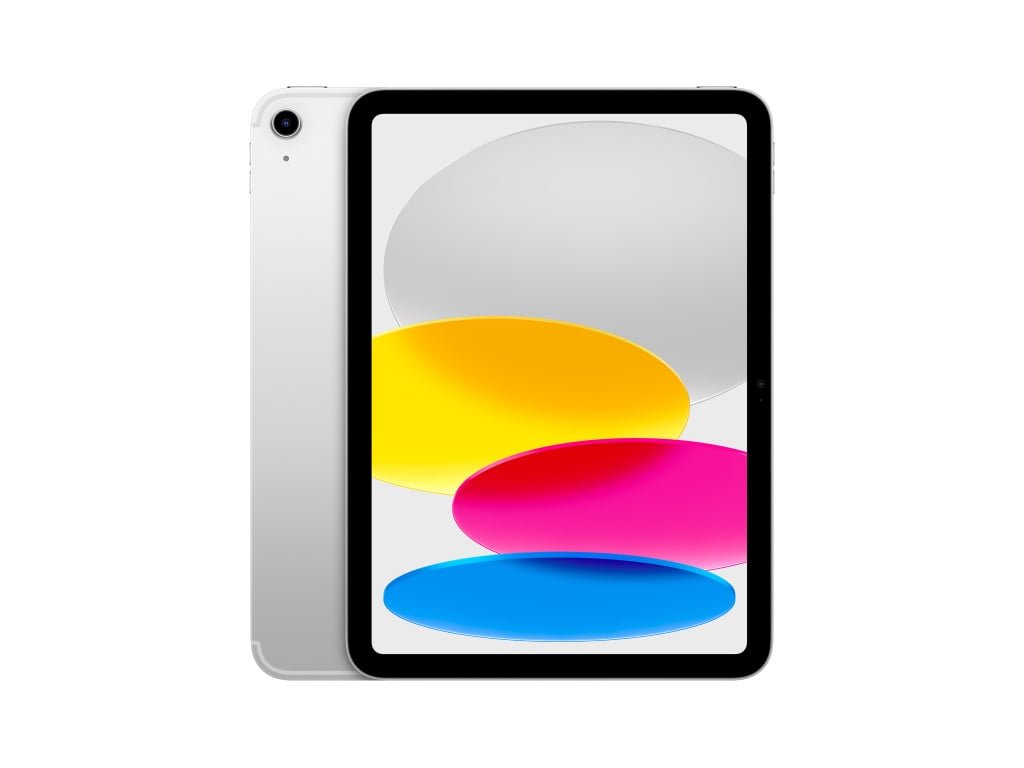
Apple iPad A16 11-inch Wi-Fi 128GB Silver
Apple
Buy — Its 128GB capacity doubles the ninth-generation configuration’s advertised storage, while adding USB-C connectivity.
The better general purchase when you need more space for apps and offline media. USB-C is convenient, but transfers remain limited to USB 2.0 speeds.Available at Amazon(paid link) — opens Amazon in a new tab. Price and availability shown there.
Apple Pencil (USB-C)
Apple Pencil
Skip — Apple’s compatibility list does not support Apple Pencil USB-C on the iPad ninth generation.
Do not buy this stylus for an iPad ninth generation. That tablet requires the first-generation Apple Pencil instead.Available at Amazon(paid link) — opens Amazon in a new tab. Price and availability shown there.
Sources
Pages consulted while researching this article. None of these are affiliate links.
- Apple: Identify your iPad model — support.apple.com
- Apple: iPad (9th generation) technical specifications — support.apple.com
- Apple: iPad (A16) technical specifications — support.apple.com
- Apple: How to check storage on your iPhone and iPad — support.apple.com
- Apple Pencil compatibility — support.apple.com
- Notebookcheck: 2021 Apple iPad 10.2 ninth-generation review — notebookcheck.net
- Apple: Check battery health and history on your iPad — support.apple.com
- Apple: Activation Lock for iPhone and iPad — support.apple.com