iPad 10 256GB vs iPad 11 128GB: Storage or Speed?
The question this answersWhere do these come from?
Should I get the iPad 10th gen with 256GB or the iPad 11 (A16) with 128GB?
Choose the iPad A16 128GB for everyday use; pick the 10th-gen 256GB when a large offline library matters more than speed.
Choose the iPad 11th generation, officially called iPad (A16), with 128GB for everyday browsing, studying, streaming and a modest game library. Choose the iPad 10th generation with 256GB when you need substantial offline storage and would otherwise spend time deleting games, videos or project files.
The 10th-gen 256GB is the weaker choice for someone whose files comfortably fit within 128GB: its extra capacity brings little benefit while you give up the newer processor. Neither model deserves a blanket warning; the older iPad remains a sensible choice under a specific storage condition.
| Deciding specification | iPad 10th gen 256GB | iPad 11th gen/A16 128GB |
|---|---|---|
| Internal storage | 256GB | 128GB |
| Processor | A14 Bionic | A16 |
| Display resolution | 2360 × 1640 | 2360 × 1640 |
| Rectangular screen diagonal | 10.86 inches | 10.86 inches |
| USB data connection | USB 2.0, up to 480Mb/s | USB 2.0, up to 480Mb/s |
These specifications come from Apple’s iPad 10th-generation documentation and iPad A16 specifications. The advertised change from 10.9 inches to 11 inches does not give you a larger working area.
For notes, streaming and everyday apps, choose the A16
The A16 128GB is the better default when you mostly stream entertainment, browse websites, annotate documents and keep a manageable selection of apps installed. In that situation, choosing 256GB simply to obtain the bigger number sacrifices processing performance for storage you may never use.
There is measured evidence behind the performance distinction. Notebookcheck recorded 2,559 points for the iPad A16 versus 2,124 for the iPad 10 in 3DMark Wild Life Extreme Unlimited. That is approximately a 20% advantage, calculated from its results. Its older comparison unit had 64GB, so this establishes a graphics-performance difference between generations rather than a direct test of the exact 256GB configuration. It also does not promise 20% higher frame rates in every game. Notebookcheck’s iPad A16 review
For gaming, separate two questions: how well a game runs and how many games remain installed. The A16 is the stronger choice for performance; the older 256GB model provides more room for a collection. Keeping several demanding games installed can make storage the deciding constraint even when the newer chip is preferable.
For college notes, screen dimensions do not break this tie. Both give you the same space for a document and your handwriting. If carrying size is the real concern, the separate guide to when an iPad mini works for college notes addresses that different decision.
A large offline library makes the 256GB model worthwhile
The iPad 10th-gen 256GB gives you 128GB more advertised internal capacity. That matters when the tablet must hold downloaded entertainment for travel, large games, lecture recordings or creative projects without relying on a connection.
Before choosing, check an existing iPad under Settings → General → iPad Storage. Tap the largest apps to inspect their storage use. Apple’s storage breakdown includes apps and their content, local files and other categories; the initial app download alone is an incomplete estimate. Apple’s storage-checking instructions
Just want the recommendation?
Skip to the picksUse these practical planning bands, which are editorial guidelines rather than Apple limits:
- Below about 70GB used: 128GB is a reasonable choice if your habits will remain similar.
- Around 70–100GB used: add the downloads and projects you expect to keep before choosing.
- Above about 100GB used, with little you want to remove: favor 256GB between these two configurations.
Those bands deliberately leave room for growth. Advertised capacity is not all available for your files, and future updates, caches and app content also need space. Do not assume a nearly full 64GB device proves 128GB will be sufficient if you have already been deleting content to make it fit.
For a first iPad, build a short inventory instead: essential apps, games you want installed together, offline video and locally stored projects. The useful question is whether the collection fits comfortably, rather than whether an average student or casual user supposedly needs a particular capacity.
Cloud storage and an SSD do not erase the difference
iCloud can help manage photos and documents, but it does not increase the tablet’s physical storage. Files downloaded for offline access still occupy local space. A cloud-heavy workflow supports choosing 128GB only when you are comfortable leaving some content online. Apple’s explanation of device storage and iCloud storage
An external drive helps with transferable files. Apple supports accessing USB drives and SD cards through Files and other compatible apps. That makes a drive useful for an archive, but it does not turn the iPad into a larger-capacity model or provide a general destination for installed iPad apps. Apple’s external-storage guide
Both tablets also retain the USB 2.0 transfer ceiling shown above. Buying a fast SSD cannot remove the iPad port’s limit. If the plan for a 128GB A16 requires frequently moving large folders back and forth, the older tablet’s internal capacity may be the more convenient choice.
The newer model does not improve every feature
The shared screen dimensions conceal another useful finding: Notebookcheck measured 531:1 contrast on its iPad A16 sample versus 953:1 on its iPad 10 comparison unit. The newer sample produced less convincing blacks. These are measurements of review units, not a guarantee that every panel will match, but they undermine the assumption that the newer generation necessarily has a better display. Notebookcheck’s display measurements
Pencil compatibility also remains the same. Both support Apple Pencil (USB-C) and Apple Pencil (1st generation); the latter requires the USB-C to Apple Pencil Adapter for pairing and charging. Neither supports Apple Pencil Pro or Apple Pencil (2nd generation), so an existing Pencil of either type will not settle this comparison in favor of one tablet. Apple’s Pencil compatibility list
Finally, neither iPad supports Apple Intelligence under Apple’s published requirements. Choosing the A16 does not unlock those features. A longer remaining software-support life is a reasonable expectation for the newer model, but an exact number of additional update years would be speculation. Apple’s Intelligence requirements
Choose the A16 128GB when your storage inventory fits with room to grow. Choose the 10th-gen 256GB when keeping your content available offline matters more than the performance advantage.
The bottom line
Neither is wrong; the use case separates them:
Top pick
Buy this
Apple iPad 11-inch A16 Wi-Fi 128GB Blue
Apple
The A16 generation scored approximately 20% higher in Notebookcheck’s Wild Life Extreme Unlimited comparison, while retaining the same display resolution.
The default choice for studying, streaming and everyday apps when your files fit comfortably within 128GB. Its drawback is half the internal capacity of the older configuration.Available at Amazon(paid link) — opens Amazon in a new tab. Price and availability shown there.The alternative
It depends
Apple iPad 10th Generation A14 Bionic Wi-Fi 256GB Blue
Apple
Its 256GB capacity is twice that of the compared A16 model, making it useful when 128GB would require frequent content removal.
Choose it for a large offline collection of games, videos or documents. You gain storage but accept the older A14 processor.Available at Amazon(paid link) — opens Amazon in a new tab. Price and availability shown there.
Recommended products
Ordered by how well each one fits the situations above. Each link below is a paid link.
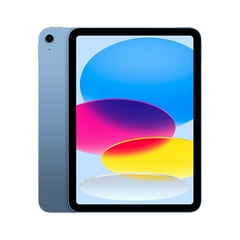
Apple iPad 11-inch A16 Wi-Fi 128GB Blue
Apple
Buy — The A16 generation scored approximately 20% higher in Notebookcheck’s Wild Life Extreme Unlimited comparison, while retaining the same display resolution.
The default choice for studying, streaming and everyday apps when your files fit comfortably within 128GB. Its drawback is half the internal capacity of the older configuration.Available at Amazon(paid link) — opens Amazon in a new tab. Price and availability shown there.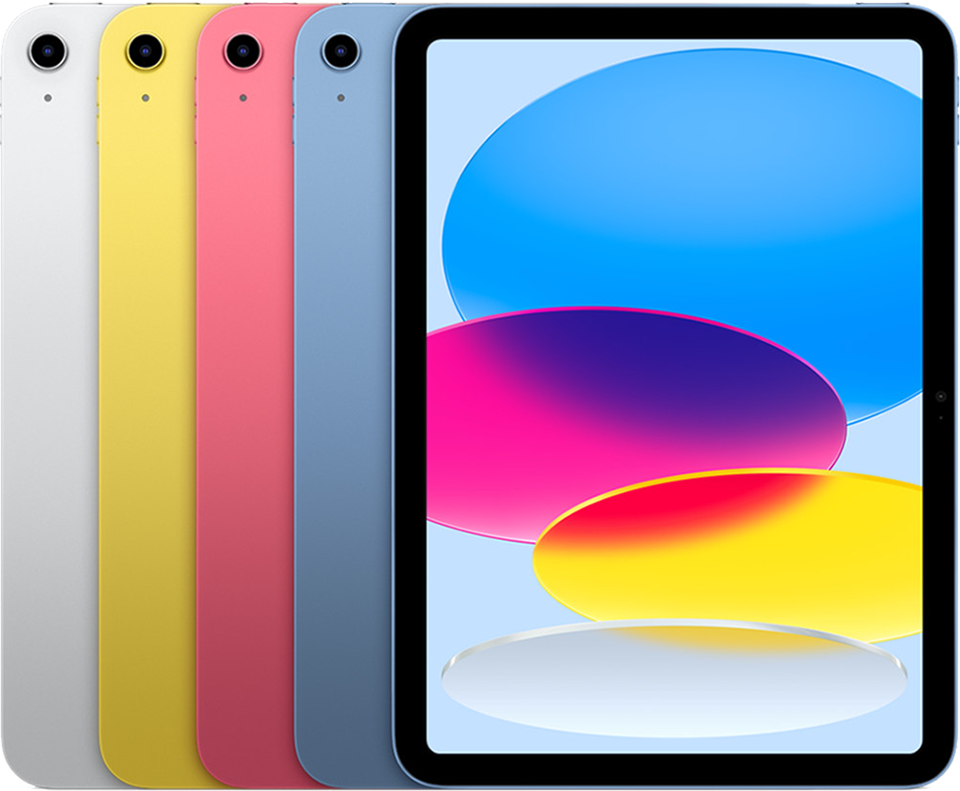
Apple iPad 10th Generation A14 Bionic Wi-Fi 256GB Blue
Apple
It depends — Its 256GB capacity is twice that of the compared A16 model, making it useful when 128GB would require frequent content removal.
Choose it for a large offline collection of games, videos or documents. You gain storage but accept the older A14 processor.Available at Amazon(paid link) — opens Amazon in a new tab. Price and availability shown there.
Sources
Pages consulted while researching this article. None of these are affiliate links.
- Apple: iPad (10th generation) technical specifications — support.apple.com
- Apple: iPad 11-inch (A16) technical specifications — apple.com
- Notebookcheck: Apple iPad 11 (2025) review — notebookcheck.net
- Apple: How to check the storage on your iPhone and iPad — support.apple.com
- Apple: The difference between iCloud storage and device storage — support.apple.com
- Apple: Connect external storage devices to iPad — support.apple.com
- Apple: Apple Pencil compatibility — support.apple.com
- Apple: How to get Apple Intelligence — support.apple.com