Dell S2722DC and the M2 MacBook Air: What Actually Works
The questionWhere do these come from?
best budget monitor for mac air?
i have mac air m2, 8GB, need an external budget monitor! what can u recommend?
The Dell S2722DC runs an M2 MacBook Air over one USB-C cable; Apple's spec does not establish whether it reaches the panel's full 75Hz.
The Dell S2722DC works with an M2 MacBook Air over a single USB-C cable — one wire carries video, USB data, and enough power to charge the laptop. The refresh-rate expectation is narrower: Apple’s own spec sheet lists one external display with up to 6K resolution at 60Hz, but that maximum resolution/refresh combination does not establish whether the 2560×1440 S2722DC can use its full 75Hz.
What the M2 MacBook Air can actually drive
Apple’s tech specs for the MacBook Air (M2, 2022) list support for “one external display with up to 6K resolution at 60Hz,” connected over native DisplayPort output through USB‑C. The one-display count is a chip-level ceiling shared by every M1 and M2 Mac that isn’t a Pro or Max variant — MacRumors confirmed in 2022 that M2 MacBooks were still limited to a single external display when Apple’s own documentation was checked line by line, and nothing about that limit changed later in the M2 generation.
The Dell S2722DC’s native resolution is 2560×1440 — well inside that 6K ceiling, so there’s no bandwidth or scaling issue to work around. You plug in, and the full panel resolution is available at native pixel density with no downscaling.
The one number to get right: refresh rate
The S2722DC’s IPS panel is rated for 75Hz over its USB-C/DisplayPort input, per Dell’s spec sheet. That’s a real spec, but it’s a spec for the monitor, not a guarantee for this laptop. Apple documents support for one external display with up to 6K resolution at 60Hz, but it neither guarantees the monitor’s 75Hz mode nor states that lower resolutions are capped at 60Hz.
In practice, some M1 and M2 MacBook Air owners report seeing higher refresh rates on third-party 1440p monitors connected directly over USB-C to DisplayPort Alt Mode, according to reports in Apple’s own community forums, and results vary by cable and by which of the two Thunderbolt/USB4 ports is used. Those reports do not establish a guaranteed result for every setup. Treat 75Hz as a possibility to verify in System Settings → Displays after you connect, rather than assuming it is unavailable.
That matters most if refresh rate was the reason you were considering a pricier 27-inch option in the first place — Apple’s cited specification alone does not establish how much of the higher refresh rate this specific laptop can use.
One cable does video, data, and charging
The S2722DC’s USB-C upstream port carries three things at once: DisplayPort Alt Mode video, USB 3.2 data, and up to 65W of Power Delivery. Connect it to either Thunderbolt/USB4 port on the M2 MacBook Air and you get a picture, a working hub (the monitor’s two downstream USB 3.2 Gen 1 ports, one with Battery Charging 1.2, stay live for a mouse, webcam, or drive), and a charging laptop, all through one cable — no separate charger needed on the desk.
Just want the recommendation?
Skip to the picksOn the charging side, 65W sits comfortably above what the M2 MacBook Air actually needs. Apple’s own power adapter guidance for MacBook Air models introduced in 2022 or later lists 30W, 35W, 67W, and 70W as compatible adapters, with the higher wattages reserved for fast charging. The Dell’s 65W falls just under that fast-charge tier, so a MacBook Air plugged into the monitor all day will stay topped up fine; charging from a nearly dead battery will be a little slower than with Apple’s 67W or 70W adapter, but that’s a non-issue for anyone who’s plugged in for normal desk use rather than racing a drained battery back to 50%.
If you’re picturing two external monitors
This is where the S2722DC’s own capability stops mattering, because the limit is in the laptop. The M2 chip supports exactly one native external display — connecting a second monitor to a spare port, or to a dock plugged into the Dell, will not give you two independent macOS displays. Plugable’s breakdown of external-display support across Apple’s M1 through M5 chips confirms this is a hardware limitation on the non-Pro M-series chips, not a driver bug, and the only way around it on an M2 Mac is a DisplayLink-based adapter or dock, which renders the second screen over USB rather than native GPU output — expect more latency and higher CPU use than a directly connected display like the S2722DC.
If dual monitors are the actual goal, buying two S2722DCs (or any two USB-C displays) for an M2 MacBook Air won’t get you there without that DisplayLink workaround. That’s worth knowing before the monitor arrives, not after.
S2722DC or the newer S2725DC
Dell’s current lineup also includes the S2725DC, a similarly specced 27-inch QHD USB-C monitor with a 144Hz panel instead of 75Hz. On paper it looks like the obvious upgrade. Paired with an M2 MacBook Air specifically, Apple’s 6K-at-60Hz statement does not establish whether 144Hz is available at QHD, so it cannot support the claim that the extra refresh headroom goes unused on this laptop.
| Buy / Consider | What decides it | The catch | |
|---|---|---|---|
| Dell S2722DC | Buy | 2560×1440 IPS, 65W USB-C Power Delivery, single-cable hub with two USB-A downstream ports | 75Hz panel spec, but Apple’s 6K-at-60Hz documentation does not say whether 75Hz is supported at 2560×1440 |
| Dell S2725DC | Consider | Same 65W PD plus HDMI 2.1, DisplayPort 1.4, and a second USB-C port for a wired hub setup | The cited evidence does not establish whether the M2 MacBook Air can use 144Hz; verify that before paying a premium for refresh rate |
The S2725DC still makes sense if the extra ports matter to you, or if this monitor is going to outlive the current laptop and eventually sit on a desk with a machine that can actually push 144Hz. For an M2 MacBook Air bought today, the S2722DC remains the Buy choice if its listed features are enough, but Apple’s cited specification does not establish that the two monitors will deliver the same real-world refresh rate.
What independent testing actually covers here
No independent lab has published measurements specifically for the S2722DC. The closest data point is DisplayNinja’s review of the S2722QC — the 4K sibling that shares the same chassis, stand, and USB-C hub design, differing mainly in panel resolution — which measured roughly 10ms of input lag, 350 cd/m² of peak brightness, and 99% sRGB coverage with accurate color out of the box. Those numbers should carry over reasonably well to the QHD S2722DC given the shared panel supplier and electronics, but they were not measured on this exact model, so treat them as a strong estimate rather than a confirmed figure for the S2722DC itself.
If screen size is still an open question rather than settled, The Best Large MacBook Pro Monitor: Sharp or Wide? covers how to weigh a single large panel against an ultrawide for a MacBook screen, which applies just as directly to an Air as to a Pro.
What to check if the picture doesn’t show up
Set the monitor’s input source to USB-C in its on-screen menu rather than HDMI — the S2722DC defaults to whichever input it detects last, and a stray HDMI connection from a previous device can leave it parked on the wrong input. If the display still isn’t detected, try the other Thunderbolt/USB4 port on the MacBook Air; both are electrically identical, but a loose or non-compliant USB-C cable is a more common cause of a blank screen than anything on the software side. If neither port produces an image with a cable you know supports DisplayPort Alt Mode, that points to a faulty cable or a monitor needing an RMA rather than anything fixable in macOS.
The bottom line
Two that fit, depending on the model you have:
Top pick
Buy this
Dell S2722DC 27 Inch QHD USB-C Monitor
Dell
It supplies the documented 2560x1440 display, 65W USB-C Power Delivery, and single-cable hub, while the cited Apple specification leaves 75Hz at QHD unestablished rather than documenting a 60Hz cap.
A 27-inch QHD IPS panel that connects to an M2 MacBook Air over one USB-C cable, delivering video, data, and up to 65W of charging power at once.Available at Amazon(paid link) — opens Amazon in a new tab. Price and availability shown there.The alternative
It depends
Dell S2725DC 27 Inch QHD USB-C Monitor
Dell
Consider it if the extra ports matter or if you can verify the refresh rate before paying a premium; Apple's 6K-at-60Hz statement does not establish whether 144Hz is available at QHD.
The newer 144Hz version of the same QHD USB-C monitor line, with an extra USB-C port and HDMI 2.1; the cited evidence does not establish whether the M2 MacBook Air can use 144Hz at QHD.Available at Amazon(paid link) — opens Amazon in a new tab. Price and availability shown there.
Recommended products
Ordered by how well each one fits the situations above. Each link below is a paid link.
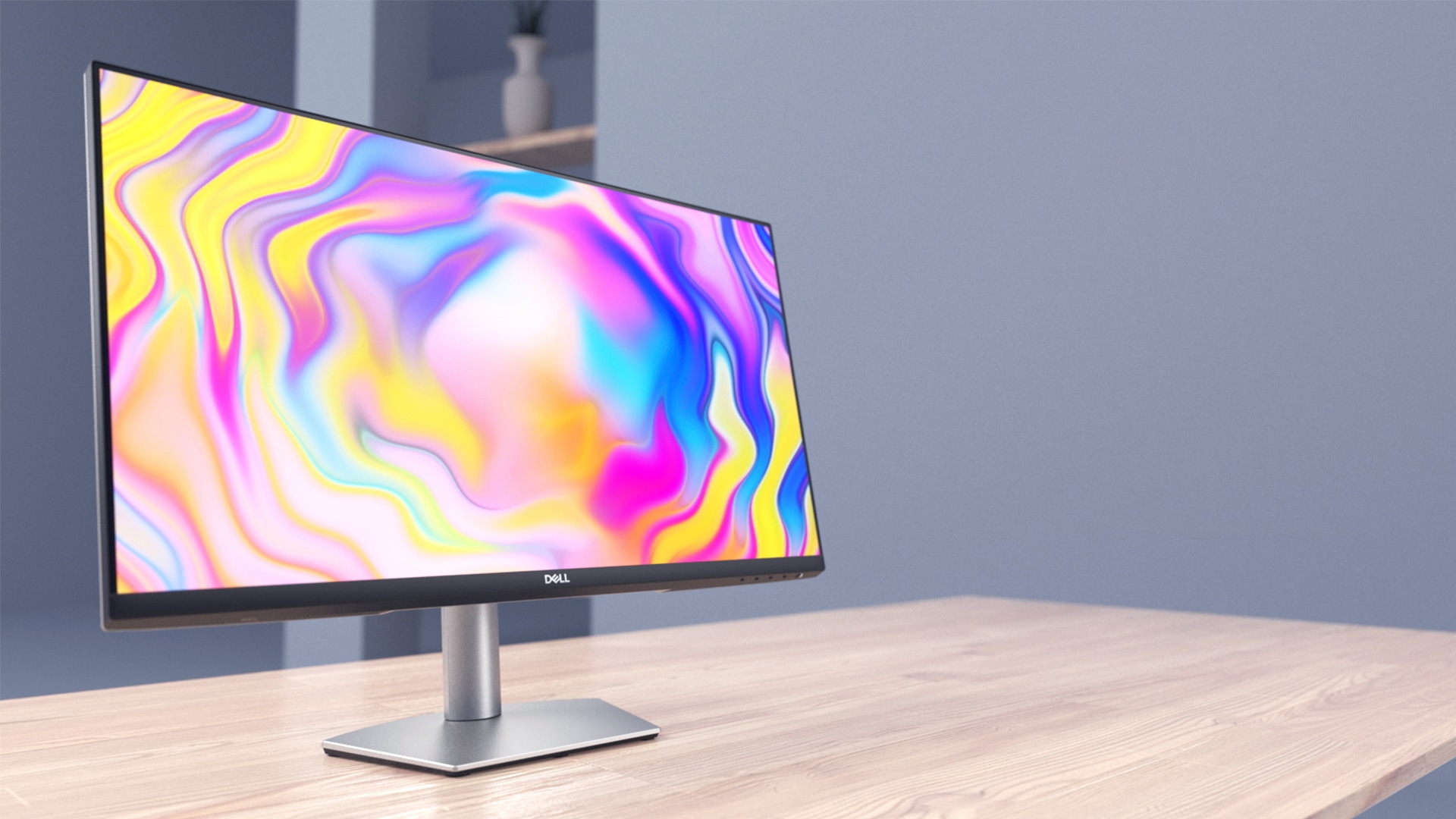
Dell S2722DC 27 Inch QHD USB-C Monitor
Dell
Buy — It supplies the documented 2560x1440 display, 65W USB-C Power Delivery, and single-cable hub, while the cited Apple specification leaves 75Hz at QHD unestablished rather than documenting a 60Hz cap.
A 27-inch QHD IPS panel that connects to an M2 MacBook Air over one USB-C cable, delivering video, data, and up to 65W of charging power at once.Available at Amazon(paid link) — opens Amazon in a new tab. Price and availability shown there.Dell S2725DC 27 Inch QHD USB-C Monitor
Dell
It depends — Consider it if the extra ports matter or if you can verify the refresh rate before paying a premium; Apple's 6K-at-60Hz statement does not establish whether 144Hz is available at QHD.
The newer 144Hz version of the same QHD USB-C monitor line, with an extra USB-C port and HDMI 2.1; the cited evidence does not establish whether the M2 MacBook Air can use 144Hz at QHD.Available at Amazon(paid link) — opens Amazon in a new tab. Price and availability shown there.

Sources
Pages consulted while researching this article. None of these are affiliate links.
- MacBook Air (M2, 2022) - Tech Specs — support.apple.com
- Use a power adapter with your Mac - Apple Support — support.apple.com
- M2 MacBooks Still Officially Support Only a Single External Display - MacRumors — macrumors.com
- Dell 27 Plus QHD USB-C Monitor - S2722DC | Dell USA — dell.com
- Dell Plus 27 Inch QHD USB-C Monitor - S2725DC | Dell USA — dell.com
- Dell S2722QC Review 2026: Affordable USB-C Monitor - DisplayNinja — displayninja.com
- Understanding External Display Support on Apple M1, M2, M3, M4 and M5 Chips - Plugable — kb.plugable.com
- M2 MacBook Air 2K display refresh rate - Apple Community — discussions.apple.com