Acer Nitro V15 ANV15-41 Battery Dead? Match the Part First
The questionWhere do these come from?
Acer Nitro V15 battery failed just after warranty expired – need help finding a genuine replacement battery
Hi everyone, I own an Acer Nitro V15 ANV15-41 (Ryzen 7 7735HS, 16GB RAM, 512GB SSD). The laptop is a little over a year old and unfortunately the warranty has recently expired.
The ANV15-41 uses one of two OEM battery codes, AP18E7M or AP18E8M — the label on your old pack, not the laptop's model number, decides which one to buy.
A dead or fast-draining battery in the Acer Nitro V15 ANV15-41 is almost always a worn or failed cell, not a charger fault — and the fix is a straight swap once you know which pack you actually have. The catch is that Acer used two different OEM battery codes inside this exact chassis, AP18E7M and AP18E8M, and only the label on the pack — or the numbers Windows reports back — tells you which one your unit needs.
Find the part number before you buy anything
Every ANV15-41 ships with an internal 4-cell lithium-polymer pack rated at 15.4V. Acer’s own spec sheet lists it as a “57 Wh Lithium-Ion, 4-cell” battery, while the rating printed on the physical label reads 58.75Wh — the same battery, just rounded two different ways (typical vs. rated capacity), according to NotebookCheck’s listing for the ANV15-41.
What actually varies between units is the cell code stamped on the battery itself. Two show up across ANV15-41 configurations:
- AP18E7M, cell code 4ICP4/69/90
- AP18E8M, cell code 4ICP4/70/88
Some listings also reference Acer’s internal spare-part numbers (KT.00407.017, KT.00407.009, or N18C3) instead of the cell code — those refer to the same physical parts, just catalogued under Acer’s service-part system rather than the battery’s own printed code.
These two part numbers, along with the shared chassis platform, also turn up in several generations of the Nitro 5 AN515 line and in some Nitro 7 and Predator Helios 300 units. That’s why a plain search for “Acer Nitro replacement battery” returns a wall of listings for laptops that are not yours — the pack physically fits several chassis, but only one of the two codes matches the connector and battery-management firmware in any given unit. Match the code on your old battery’s label, not the model name on the listing.
Confirm it’s actually the battery before you order one
Before spending on a replacement, rule out the two things that mimic a dead battery: a failing AC adapter and a loose DC jack. Try the laptop with the original Acer adapter plugged into a different outlet, and watch whether the charging LED behaves normally when connected. If charging is inconsistent no matter what you plug in, the battery is the more likely culprit — but it’s worth eliminating the cheaper fix first.
Windows can quantify the wear directly. Open PowerShell and run:
powercfg /batteryreport /output "C:\battery-report.html"
This generates an HTML report showing Design Capacity (what the cell was built to hold) against Full Charge Capacity (what it holds now), a method Dell’s own support documentation walks through for reading battery health on any Windows laptop. Divide Full Charge Capacity by Design Capacity to get a rough health percentage. A pack that’s dropped to roughly half its rated capacity, or lower, explains sudden shutdowns and a percentage that jumps from 40% to 5% in seconds — that’s cell degradation, not a software bug.
Just want the recommendation?
Skip to the picksIt also helps to know what healthy looks like on this specific model, since a gaming laptop’s battery life is short even when nothing is wrong. Independent reviewers measured a factory-fresh ANV15-41 at 5 hours 40 minutes in Tom’s Guide’s battery test, 5 hours 41 minutes in Laptop Mag’s web-browsing loop, and 7 hours 20 minutes on Trusted Reviews’ PCMark 10 benchmark. If your unit is now dying in under an hour on light use, or shutting off with charge still showing on the indicator, that’s well outside normal wear for this model.
One symptom that overrides all of the above: if the bottom of the laptop is visibly bulging, the touchpad has started lifting, or the machine won’t sit flat on a desk, that’s a swollen cell. Stop charging it and replace it immediately rather than running the diagnostics above — a swollen lithium battery is a safety issue, not a performance one.
What’s actually inside: opening the ANV15-41
The internal battery isn’t individually screwed to the chassis. According to LaptopMedia’s disassembly guide for the ANV15-41, the pack sits in a dedicated socket molded into the base, held in place by the bottom panel itself, and connects to the motherboard through a single plug-in connector. Replacing it is a matter of removing the bottom panel, disconnecting that connector, and lifting the old pack out — no soldering, no adhesive to fight.
The panel itself is the harder part. It’s secured by a full set of small Phillips and Torx screws plus a run of plastic clips around the edge, and undersized or worn screwdriver tips will strip those heads before the panel comes loose. If the laptop is still inside its Acer warranty window, opening it yourself for a self-service repair typically ends that coverage — in that case, going through Acer support or an authorized service provider keeps the warranty intact and costs you only the wait.
For a comparison of what battery failure looks like on a different chassis entirely, see Dell Precision 5560 Battery Collapsing? The OEM Fix and MSI GF63 Thin Battery Dead? Replace It or Retire It — both walk through the same fail-then-diagnose-then-replace sequence on laptops with a similarly sealed internal pack.
Which replacement battery to buy
| Part | Verdict | Cell code to match | Note |
|---|---|---|---|
| AP18E7M replacement pack | Buy | 4ICP4/69/90 | The more common code across ANV15-41 units; confirm against your old battery’s label first |
| AP18E8M replacement pack | Consider | 4ICP4/70/88 | Right only if your unit’s original battery is stamped this code instead — not interchangeable with AP18E7M despite the shared chassis |
| Precision screwdriver kit (e.g. iFixit Pro Tech Toolkit) | Consider | Phillips #0 / small Torx | Needed to remove the bottom panel without stripping screw heads; skip it if you’re sending the repair to Acer service instead |
Buy the AP18E7M-coded pack once you’ve confirmed the label on your removed battery matches 4ICP4/69/90 — it’s the code that shows up on the majority of ANV15-41 units and carries the same 15.4V/58.75Wh rating Acer specs for this chassis. If the label instead reads 4ICP4/70/88, get the AP18E8M-coded pack rather than assuming the two are the same part with different printing; they use different cell arrangements and aren’t cross-compatible.
The screwdriver kit is the one item on this list you can skip entirely if you’d rather not open the case yourself. It only earns a place here because generic screwdrivers are the single most common reason a straightforward battery swap turns into a stripped-screw repair — the bits in a proper electronics kit are sized for the exact Phillips and Torx heads Acer uses on this panel, where a hardware-store Phillips #1 is not.
When the DIY route isn’t the right call
Two situations are worth routing to Acer support instead of a self-install: a laptop still inside its warranty period, where opening the case yourself forfeits coverage you’re already paying for, and a battery that’s swollen enough to have deformed the keyboard deck or bottom panel, where prying at warped plastic risks puncturing a cell that’s already under mechanical stress. In either case, contacting Acer or an authorized service center for a supported replacement is the more reasonable answer than saving the cost of a repair against the risk of a damaged chassis or a voided warranty.
Outside those two cases, matching the cell code on the old battery to the correct replacement — AP18E7M or AP18E8M — and going in with the right screwdriver bits is enough to get the ANV15-41 back to its original runtime.
The bottom line
Both fit — your exact model decides:
Top pick
Buy this
AP18E7M Replacement Battery for Acer Nitro V15 ANV15-41
Acer
Matches the 15.4V/58.75Wh, 4-cell rating Acer specs for the ANV15-41 and the cell code stamped on most units.
The direct replacement for the more common cell code in this chassis (4ICP4/69/90). Confirm the code on your old battery’s label before ordering — it’s not the only part Acer used here.Available at Amazon(paid link) — opens Amazon in a new tab. Price and availability shown there.The alternative
It depends
AP18E8M Replacement Laptop Battery 4ICP4-70-88 Acer
AP18E8M
Right only when the removed battery is stamped 4ICP4/70/88 rather than 4ICP4/69/90; buying the wrong code for your unit won't work even though both are legitimate ANV15-41 parts.
The other OEM code Acer shipped inside the same ANV15-41 chassis. It’s a genuine alternative to AP18E7M, not a mislabeled duplicate — the two use different cell arrangements and aren’t interchangeable.Available at Amazon(paid link) — opens Amazon in a new tab. Price and availability shown there.
Recommended products
Ordered by how well each one fits the situations above. Each link below is a paid link.
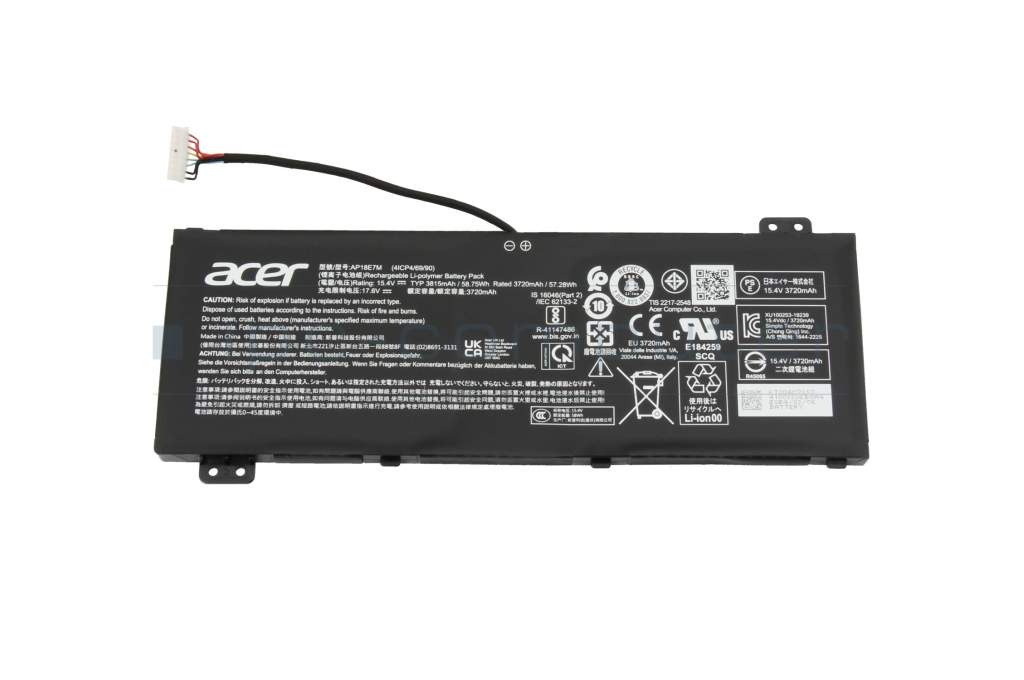
AP18E7M Replacement Battery for Acer Nitro V15 ANV15-41
Acer
Buy — Matches the 15.4V/58.75Wh, 4-cell rating Acer specs for the ANV15-41 and the cell code stamped on most units.
The direct replacement for the more common cell code in this chassis (4ICP4/69/90). Confirm the code on your old battery’s label before ordering — it’s not the only part Acer used here.Available at Amazon(paid link) — opens Amazon in a new tab. Price and availability shown there.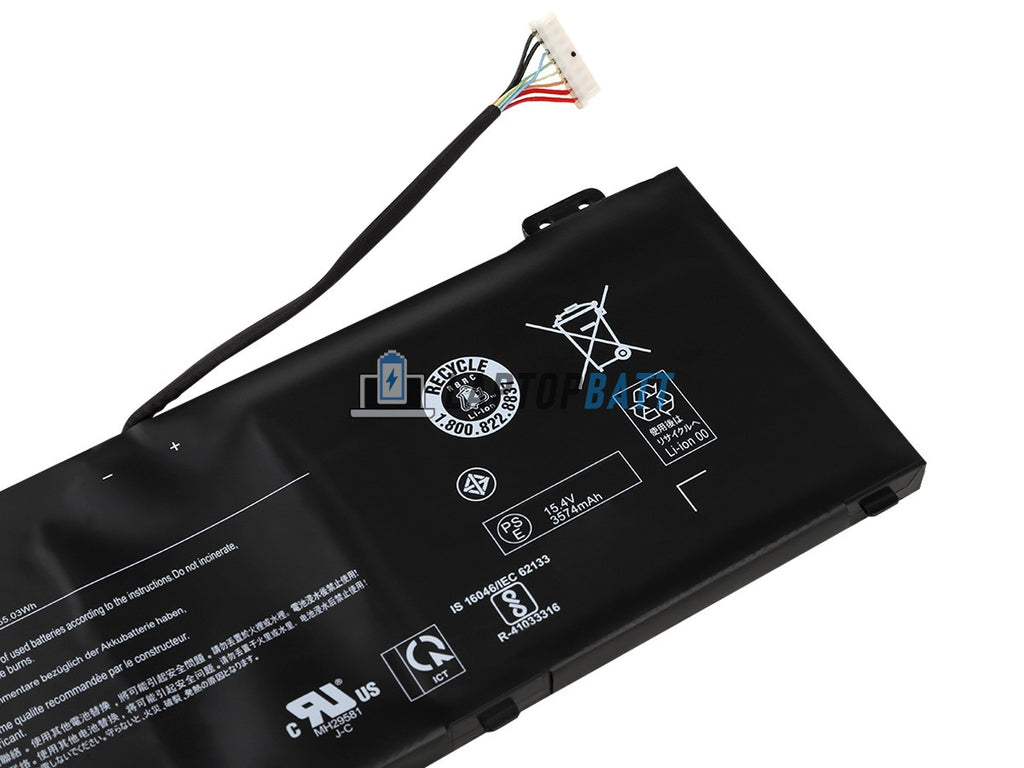
AP18E8M Replacement Laptop Battery 4ICP4-70-88 Acer
AP18E8M
It depends — Right only when the removed battery is stamped 4ICP4/70/88 rather than 4ICP4/69/90; buying the wrong code for your unit won't work even though both are legitimate ANV15-41 parts.
The other OEM code Acer shipped inside the same ANV15-41 chassis. It’s a genuine alternative to AP18E7M, not a mislabeled duplicate — the two use different cell arrangements and aren’t interchangeable.Available at Amazon(paid link) — opens Amazon in a new tab. Price and availability shown there.
iFixit Pro Tech Toolkit
iFixit
It depends — The correctly sized bits prevent stripped screw heads on a panel that has to come off before the battery connector is reachable.
A complement to the battery itself: the ANV15-41’s bottom panel is held by small Phillips and Torx screws that strip easily with a generic screwdriver. Skip it if you’re routing the repair through Acer service instead of opening the case yourself.Available at Amazon(paid link) — opens Amazon in a new tab. Price and availability shown there.
Sources
Pages consulted while researching this article. None of these are affiliate links.
- Acer Nitro V-15 ANV15-41 - NotebookCheck — notebookcheck.net
- Acer Nitro V 15 (2024) review: Giving the RTX 3050 time to shine - Tom's Guide — tomsguide.com
- Acer Nitro V 15 review: Compromises in all the wrong places - Laptop Mag — laptopmag.com
- Acer Nitro V15 Review - Trusted Reviews — trustedreviews.com
- Acer Nitro V 15 review: Well-built budget system, but a bland screen - Tom's Hardware — tomshardware.com
- Nitro V 15 - ANV15-41-R2MS Tech Specs - Acer — acer.com
- Product Support - Nitro ANV15-41 - Acer — acer.com
- How to Generate a Battery Report Using the POWERCFG Command - Dell — dell.com