8BitDo Pro 3 Lag: Controller or Mac Mini?
The questionWhere do these come from?
Mac Mini 2018 input lag vs Mini PC
I play my retro games on my Mac mini 2018. Generally, the input delay isn’t noticeable, but games that require precision and perfect timing are difficult to play because there’s a bit of input lag.
Keep the Mac mini: test the Pro 3 wired first, and buy a DualSense only if the fault follows the 8BitDo controller.
Keep the Mac mini: test the Pro 3 wired first, and buy a DualSense only if the fault follows the 8BitDo controller. A Windows mini PC becomes the sensible move only when keyboard input is equally delayed and the Mac is failing the game’s performance or platform requirements.
The deciding compatibility detail is easy to miss: the 8BitDo Pro 3 supports Apple devices through Bluetooth or wired USB, while its included 2.4GHz adapter is officially limited to Windows and Switch. It also requires macOS 26 or later for official Apple support. On a Mac, the dongle therefore is not the low-latency escape route it is on a Windows PC. 8BitDo’s specification table states those connection limits directly.
The three choices are not equivalent
| Product | Supported connection that matters | Deciding limitation | Verdict |
|---|---|---|---|
| 8BitDo Pro 3 Bluetooth Gamepad | Bluetooth or USB on macOS 26+ | Its 2.4GHz adapter is not supported on Apple devices | Consider |
| Sony DualSense Wireless Controller | Bluetooth or USB; Sony lists macOS Big Sur 11.3+ | Advanced features are not available in every Mac game | Buy |
| ASUS ROG NUC 2025 NUC15JNK | Windows and discrete RTX 50-series graphics | Replaces the entire platform without diagnosing Bluetooth lag | Consider |
The DualSense is the top pick for a Mac-focused replacement because Apple explicitly lists it as supported and documents both Bluetooth and direct USB pairing. Sony’s own compatibility page reaches back to macOS Big Sur 11.3, rather than the Pro 3’s macOS 26 floor. Apple lists the DualSense among its supported PlayStation controllers, while Sony documents its Mac operating-system requirement.
There is no honest blanket skip among these three. The Pro 3 remains attractive when you want its TMR sticks, extra buttons and charging dock; the ROG NUC is a legitimate compact gaming PC when Windows compatibility or GPU performance is the actual problem. Neither is the default answer to controller lag on a functioning Mac mini.
Why the connection test comes before shopping
Gamepadla’s hardware-assisted testing shows how dramatically the Pro 3’s latency can change with transport and input mode. On firmware 1.06 under Windows 11, it measured average button and stick latency of 5.85ms and 11.44ms over wired XInput. The 2.4GHz adapter produced 9.20ms and 14.77ms, while Bluetooth in Switch mode measured 11.93ms and 28.08ms. Bluetooth DInput was much slower in that test, at 53.51ms for buttons and 73.46ms for sticks. Gamepadla publishes the test method, firmware, operating system and individual results.
Those are Windows measurements, not estimates of what a Mac mini will deliver. They should not be transplanted into a macOS benchmark. What they establish is that the same physical controller can behave very differently according to its transport and mode—enough to justify isolating the connection before replacing a computer.
Run this ten-minute split test
1. Check the software floor and controller mode
Open Apple menu → About This Mac and confirm that the system is running macOS 26 or newer. The Pro 3 may pair on an older release, but 8BitDo does not claim official support there, so inconsistent recognition cannot fairly be diagnosed as failing Mac hardware.
For Apple devices, move the Pro 3’s mode switch to D. The official manual specifies D mode for both Bluetooth and wired Apple connections. For a fresh Bluetooth pairing, turn the controller on, hold its Pair button for three seconds, and select 8BitDo Pro 3 under System Settings → Bluetooth. The Pro 3 manual gives the Apple pairing sequence and macOS 26 requirement.
Update the controller through 8BitDo Ultimate Software V2 before drawing a conclusion. 8BitDo says the controller can connect to that utility over USB or 2.4GHz on macOS, although normal Mac gameplay remains limited to Bluetooth or USB.
2. Bypass Bluetooth completely
Connect the Pro 3 directly to the Mac mini with a USB cable that carries data, not a charge-only cable. Avoid a display hub or dock for this test. Confirm that the controller appears in System Settings → Game Controllers, then repeat the same local-game sequence that felt delayed.
Interpret the result narrowly:
- If the delay disappears over USB, the Mac’s CPU and GPU have not changed; the Bluetooth path, wireless interference or controller mode caused the difference.
- If both connections fail only in one game, suspect that game’s controller support or its Steam Input configuration.
- If buttons respond promptly but the stick needs excessive travel before movement begins, that is more likely a dead-zone or calibration problem than latency.
- If USB remains delayed in several local games while another controller works normally, the Pro 3 itself has become the leading suspect.
For an apparent stick dead zone, 8BitDo’s support procedure is specific: hold L1 + R1 + Select for eight seconds, rotate both sticks around their full range two or three times, fully press both triggers two or three times, then press the same button combination again. Ultimate Software V2 also exposes the controller’s zero-dead-zone adjustment. 8BitDo documents both procedures on its Pro 3 support page.
Just want the recommendation?
Skip to the picks3. Retest Bluetooth under the conditions macOS expects
In System Settings → Bluetooth, forget the controller and pair it again. Temporarily disconnect Bluetooth headphones, keyboards and other controllers. Apple specifically recommends re-pairing and reducing the number of connected Bluetooth devices when a game controller behaves unpredictably or encounters wireless interference. Apple’s controller troubleshooting page lists both steps.
Run the game in macOS’s native full-screen mode so Game Mode can activate. On an Apple-silicon Mac running macOS Sonoma 14 or later, Apple says Game Mode gives the game priority access to the CPU and GPU and doubles the Bluetooth sampling rate. That is a system-level latency change, not a graphics preset. Apple documents the requirements and Bluetooth behavior of Game Mode.
If Bluetooth is still poor but wired play is clean, keeping the Pro 3 wired is a valid fix. Replace it with the DualSense when a cable across the room is unacceptable and you want a controller with longer-established native Mac support. The DualSense gets wrong what Pro 3 enthusiasts may care about: it lacks the Pro 3’s four extra remappable controls, magnetic ABXY layout and charging dock, so it is the better Mac default rather than a universal controller upgrade.
Separate input latency from slow rendering
A controller cannot fix a game that is rendering slowly. At 30 frames per second, a new frame arrives every 33.3ms; at 60fps it arrives every 16.7ms; at 120fps it arrives every 8.3ms. Uneven frame delivery can therefore feel like delayed steering even when the controller report arrived promptly.
Repeat the troublesome action with a keyboard or mouse in the same scene. If keyboard input produces the same late visual response, watch the game’s frame-rate or frame-time display and lower resolution or graphics settings. Also test on a monitor or place a television in its low-latency game picture mode. A smooth image where every input is delayed points toward the display; stuttering that affects every input points toward rendering.
Cloud gaming adds network and encoder delay after the controller event. Test a locally installed game before blaming either computer. Replacing a Mac mini cannot remove latency introduced by the streaming service, route or remote server.
If the Mac itself is the limit, the Mac mini M4 Pro GPU comparison explains when additional local graphics capacity changes the result. That is a separate decision from whether the Pro 3’s Bluetooth connection is behaving correctly.
When a Windows mini PC is justified
Consider the ASUS ROG NUC 2025 only after the wired and keyboard tests point away from the controller. It is relevant when the required game has no satisfactory Mac version, the Mac cannot sustain the desired frame rate, or Windows is needed for the controller’s supported 2.4GHz XInput path. ASUS offers NUC15JNK configurations with discrete RTX 5060 through RTX 5080 laptop graphics and Bluetooth 5.4 in a three-litre chassis. ASUS publishes the configuration range and dimensions.
That performance comes with desktop-class cooling and power behavior. In testing the RTX 5080 configuration, Notebookcheck recorded 45.1dB under maximum load and approximately 297 watts during its Cyberpunk 2077 run. Notebookcheck also measured 142.6fps over its 30-minute 1080p Ultra test. Those measurements apply to the tested RTX 5080 version, not every NUC15JNK configuration, but they show the scale of machine being considered: this is a compact gaming-PC migration, not a controller accessory.
Do not buy the ROG NUC merely to cure Pro 3 lag. Buy a Windows mini PC only when the same game remains unresponsive with wired and non-controller input, or when Windows game availability is itself the goal.
The return-or-keep threshold
Keep the Pro 3 if USB is responsive and its features matter more than playing wirelessly. For a new purchase, consider it only when the Mac runs macOS 26 or later and Bluetooth-or-USB connectivity is acceptable; the included 2.4GHz adapter does not provide a supported Mac connection.
Contact 8BitDo or return the controller if missed, stuck or delayed inputs persist over direct USB in multiple local games after a firmware update, a second known-good data cable and recalibration. At that point, replacing the Mac mini would be an expensive way to leave the most likely faulty component untouched.
For the least complicated Mac replacement, buy the Sony DualSense Wireless Controller. Move to the ASUS ROG NUC only when the evidence identifies a Windows-library or rendering-performance problem rather than a controller fault.
The bottom line
Two parts fix this, depending on which failed:
Top pick
Buy this
Sony PlayStation 5 DualSense Wireless Controller
Sony
Apple lists DualSense as supported, and Sony supports its Bluetooth and USB connections from macOS Big Sur 11.3 onward.
This is the safer default replacement for a Mac because Apple explicitly supports it over Bluetooth and USB. Its drawback is that advanced haptics and adaptive-trigger support is game-dependent, and it lacks the Pro 3’s extra remappable controls.Available at Amazon(paid link) — opens Amazon in a new tab. Price and availability shown there.The alternative
It depends
8BitDo Pro 3 Bluetooth Gamepad
Bluetooth Gamepad
8BitDo requires macOS 26 and lists only Bluetooth and wired USB for Apple, reserving the 2.4GHz connection for Windows and Switch.
Keep or consider it if you run macOS 26, value its TMR sticks and extra controls, and can fall back to USB. The drawback is that its included 2.4GHz adapter is not officially supported for Mac gameplay.Available at Amazon(paid link) — opens Amazon in a new tab. Price and availability shown there.
Recommended products
Ordered by how well each one fits the situations above. Each link below is a paid link.

Sony PlayStation 5 DualSense Wireless Controller
Sony
Buy — Apple lists DualSense as supported, and Sony supports its Bluetooth and USB connections from macOS Big Sur 11.3 onward.
This is the safer default replacement for a Mac because Apple explicitly supports it over Bluetooth and USB. Its drawback is that advanced haptics and adaptive-trigger support is game-dependent, and it lacks the Pro 3’s extra remappable controls.Available at Amazon(paid link) — opens Amazon in a new tab. Price and availability shown there.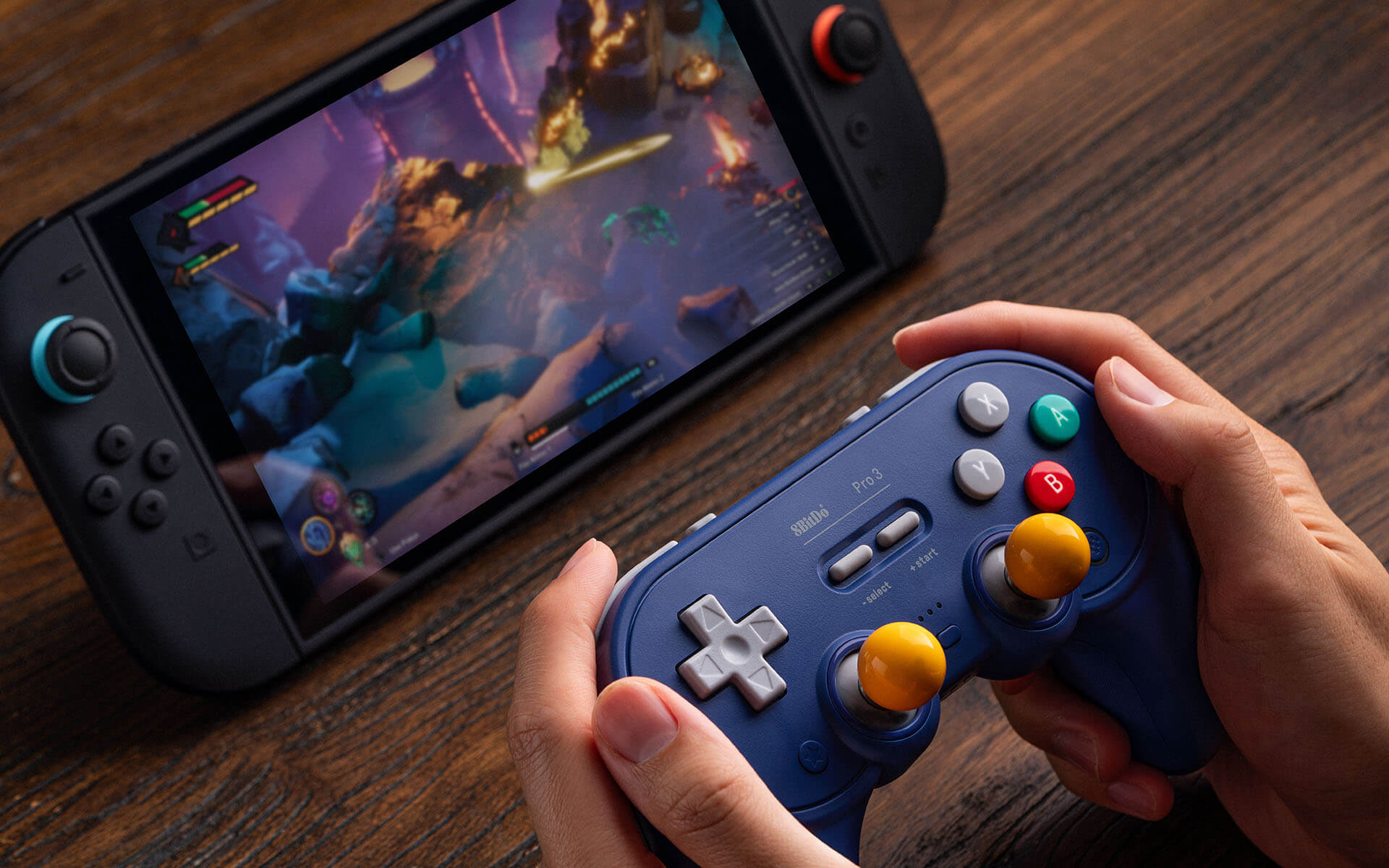
8BitDo Pro 3 Bluetooth Gamepad
Bluetooth Gamepad
It depends — 8BitDo requires macOS 26 and lists only Bluetooth and wired USB for Apple, reserving the 2.4GHz connection for Windows and Switch.
Keep or consider it if you run macOS 26, value its TMR sticks and extra controls, and can fall back to USB. The drawback is that its included 2.4GHz adapter is not officially supported for Mac gameplay.Available at Amazon(paid link) — opens Amazon in a new tab. Price and availability shown there.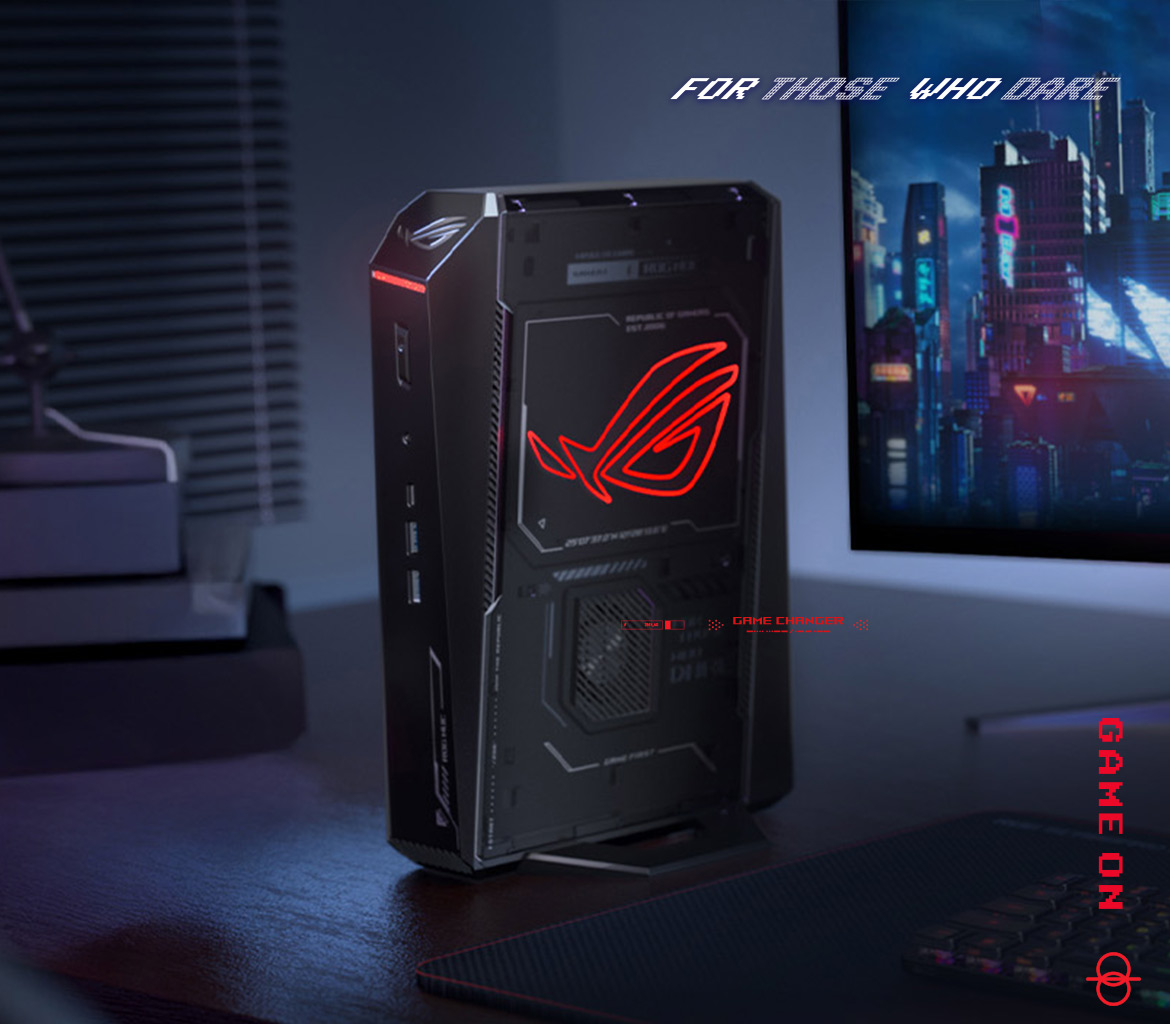
ASUS ROG NUC 2025 NUC15JNK RTX 5070 Ti 32GB 2TB
ASUS
It depends — Its discrete RTX 5070 Ti graphics and Windows environment address game performance and compatibility, but replacing the host does not diagnose a faulty Bluetooth controller path.
Consider this only when testing shows a genuine Windows-compatibility or GPU-performance problem rather than controller lag. The drawbacks are an operating-system migration and the heat, fan noise and power demands of discrete graphics in a compact chassis.Available at Amazon(paid link) — opens Amazon in a new tab. Price and availability shown there.
Sources
Pages consulted while researching this article. None of these are affiliate links.
- 8BitDo Pro 3 Bluetooth Gamepad specifications — 8bitdo.com
- 8BitDo Pro 3 Bluetooth Gamepad manual — download.8bitdo.com
- Gamepadla 8BitDo Pro 3 latency and stick tests — gamepadla.com
- 8BitDo Pro 3 support and calibration instructions — wwwuat.8bitdo.com
- Apple: Connect and troubleshoot a wireless game controller — support.apple.com
- Apple: Use Game Mode — support.apple.com
- Apple: Connect a PlayStation controller to an Apple device — support.apple.com
- PlayStation: Use DualSense with PC, Mac and mobile devices — playstation.com