1440p Monitor for Coding and Gaming
The questionWhere do these come from?
Which 1440p monitor should i buy for 250$?
For coding and light gaming, choose a 27-inch 1440p IPS monitor; buy the AOC Q27G40XMN only if returns are easy.
Buy the AOC Q27G40XMN only if you can return or exchange it easily; otherwise, put a good 27-inch 1440p IPS monitor first for your use. For coding, papers, simulations, dark mode, a bright room, occasional media, and light gaming, the best answer is not just “best gaming monitor”; it is the monitor that stays comfortable and predictable after thousands of hours of text.
Why the AOC is tempting
The AOC Q27G40XMN is tempting for a real reason. It is not another ordinary budget 1440p IPS panel with fake HDR. It is a 27-inch 1440p VA mini LED monitor with 180Hz refresh and 1,152 local dimming zones. RTINGS found it has sharp text clarity, strong brightness for glare, deep blacks, and good local dimming. TechSpot also liked the newer G40XMN a lot, especially because the higher zone count reduces blooming and improves HDR compared with the older Q27G3XMN.
That matters for you because dark mode and media are not side details. If you spend nights in VS Code, read white text on dark backgrounds, watch films, and care about games looking rich instead of washed out, a normal IPS monitor will look gray in a dark room. The AOC is one of the few non-OLED monitors in this class that can actually make dark scenes look dark without burn-in risk.
Where the work choice splits
But the reason to hold off on buying it blindly is simple: your main use is work.
For coding and science papers, the monitor has to behave well with static text, side-by-side windows, PDF pages, plots, terminals, and maybe a browser full of small fonts. A 27-inch 1440p screen is a good size for this. It gives you about 109 PPI, which is a clear jump over 24-inch 1080p without making scaling annoying on Windows or Linux. You can run it at native resolution, set text scaling only if you want it, and still fit two useful windows side by side.
The panel type is where the choice splits.
IPS is the boring, safer work answer. It has wider viewing angles, so the left and right sides of the screen stay more consistent when you sit close. It is usually better for documents, spreadsheets, diagrams, and anything where you move around in your chair. A good IPS gaming monitor also has clean motion for light gaming and fewer weird interactions with VRR, local dimming, and desktop apps.
VA mini LED is the better image-quality answer if contrast bothers you. The AOC will make dark-mode apps, films, and HDR games look much better than a basic IPS. It also gets bright enough for a bright room. The cost is that VA still has narrower viewing angles, and the Q27G40XMN specifically has some practical annoyances: RTINGS notes poor ergonomics, no USB hub, VRR flicker with changing frame rates, some smearing or inverse ghosting with fast objects, and DisplayPort bandwidth limits. TechSpot also raised a more serious issue: possible firmware variance, with some units behaving worse and no user firmware update path.
Just want the recommendation?
Skip to the picks| Option | Panel and resolution | Best fit | Main tradeoff |
|---|---|---|---|
| AOC Q27G40XMN | 27-inch 1440p VA mini LED | Dark mode, films, and HDR | Narrower viewing angles, poor ergonomics, VRR flicker, and possible firmware variance |
| MSI MAG 274QRF QD E2 | 27-inch 1440p Rapid IPS | Safer long-term work and desktop use | Black level and HDR are weaker than the AOC |
| Dell S2725QS | 27-inch 4K IPS | Coding, papers, PDFs, and sharper text | More GPU load in games and scaling required |
What to verify before keeping the AOC
That last point is why your country matters. If you are in Vietnam and translating US recommendations, do not treat the model name as enough. Check the exact regional model, return policy, stand, inputs, and whether reviews apply to that variant. A monitor that is excellent when bought from a US retailer with easy returns can become a bad bet if the local shop gives you no clean exchange path.
If you choose the AOC, inspect it immediately. Use it in SDR first. Set Windows or your OS to 2560x1440 at a refresh rate your GPU and cable handle cleanly. For coding, use the sRGB mode if colors look oversaturated. Keep local dimming off or low on the desktop if it causes brightness shifts around white windows on dark backgrounds. Turn local dimming and HDR on for games and video where it actually helps. If you see obvious brightness pulsing, bad VRR flicker, strange overbright HDR behavior, or text that feels uncomfortable after a few hours, return it. Do not “get used to it” if this is your main monitor.
If you want the safer work monitor
If you want the safer long-term work pick, the MSI MAG 274QRF QD E2 makes more sense. It is a 27-inch 1440p Rapid IPS monitor with 180Hz refresh, wide gamut color, FreeSync Premium, an ergonomic stand, and DisplayHDR 400. Do not buy it for HDR; DisplayHDR 400 without real local dimming is not the same category as the AOC. Buy it because it is the more normal daily-driver monitor: clearer behavior on the desktop, better viewing angles, good motion, and fewer special cases.
The downside of the MSI is black level. In a dark room, dark mode will look more dark gray than black, and films will not have the same depth. If your “occasional media” slowly becomes “I care a lot about HDR movies and atmospheric games,” the AOC becomes more attractive again.
When gaming or reading changes the answer
The Gigabyte M27Q3 is the high-refresh alternative if it is available locally. Gigabyte lists it as a 27-inch 1440p SS IPS monitor with a very high refresh ceiling, full stand adjustment, HDMI 2.1, DisplayPort 1.4, USB-C with display input, and USB ports. For your simulations and coding setup, those inputs and ergonomics are useful. The problem is that it is more gaming-leaning than you actually need. It is worth considering if the local price is close to the MSI or AOC, but stretching for refresh rate alone is not worth it when your games are light.
The LG 27GR83Q-B is similar logic: very strong if gaming matters more than papers. RTINGS found it fast, responsive, and bright enough for some glare, with good text clarity, but also weak in dark-room contrast and HDR because it lacks local dimming. It is a good monitor, just not the most efficient answer to your exact use unless you care about 240Hz.
There is one non-1440p option worth mentioning because of your reading workload: the Dell S2725QS. It is 27-inch 4K IPS, not 1440p, and RTINGS describes it as a budget-friendly work monitor with ergonomic stand, good brightness, accurate colors, and 120Hz refresh. For coding and papers, 4K at 27 inches gives sharper text than 1440p. The tradeoff is GPU load in games and the need for scaling. If you mostly work, read PDFs, and only play light games, this could be the smarter long-term productivity choice. If you want native 1440p gaming performance and simple scaling, stay with 1440p.
How to decide
Here is how to decide: if your shop has a clean return policy and you care about dark mode, films, and HDR, get the AOC Q27G40XMN first and test it hard during the return window. If you want the least annoying monitor for years of code, papers, and general desktop use, get the MSI MAG 274QRF QD E2. If the Gigabyte M27Q3 is locally close and you want better ports or a very fast IPS panel, it is a strong alternate. If reading comfort matters more than gaming, seriously consider stepping sideways to the Dell S2725QS 4K IPS instead of forcing yourself into 1440p.
The bottom line
Worth it either way — the difference is your budget:
Top pick
It depends
AOC 27 Inch Gaming Monitor QHD 180Hz Mini-LED HDR1000, Q27G3XMN
AOC
The article recommends its AOC pick only with easy returns because it reports possible firmware variance and no user firmware update path.
Best if you can return it easily and want real contrast, strong brightness, and useful HDR without OLED burn-in risk. The bad parts are firmware uncertainty, weak ergonomics, VA viewing angles, and possible VRR/local-dimming quirks.Available at Amazon(paid link) — opens Amazon in a new tab. Price and availability shown there.The alternative
Buy this
msi MAG 274QF E20 27-inch 2560 x 1440 (WQHD) Gaming Monitor, 200Hz, AMD FreeSync Premium, NVIDIA G-SYNC Compatible, HDR Ready, HDMI, VGA Port, VESA, Tilt, 0.5ms, Black
msi
The article favors its MSI pick for coding and light gaming because it offers IPS viewing angles, an ergonomic stand, and fewer desktop complications.
The safer long-term 1440p work-and-light-gaming pick. It gives you IPS viewing angles, high refresh, good ergonomics, and fewer desktop annoyances, but it will not give you real HDR or deep blacks.Available at Amazon(paid link) — opens Amazon in a new tab. Price and availability shown there.
Recommended products
Ordered by how well each one fits the situations above. Each link below is a paid link.
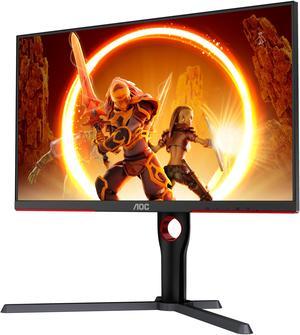
AOC 27 Inch Gaming Monitor QHD 180Hz Mini-LED HDR1000, Q27G3XMN
AOC
It depends — The article recommends its AOC pick only with easy returns because it reports possible firmware variance and no user firmware update path.
Best if you can return it easily and want real contrast, strong brightness, and useful HDR without OLED burn-in risk. The bad parts are firmware uncertainty, weak ergonomics, VA viewing angles, and possible VRR/local-dimming quirks.Available at Amazon(paid link) — opens Amazon in a new tab. Price and availability shown there.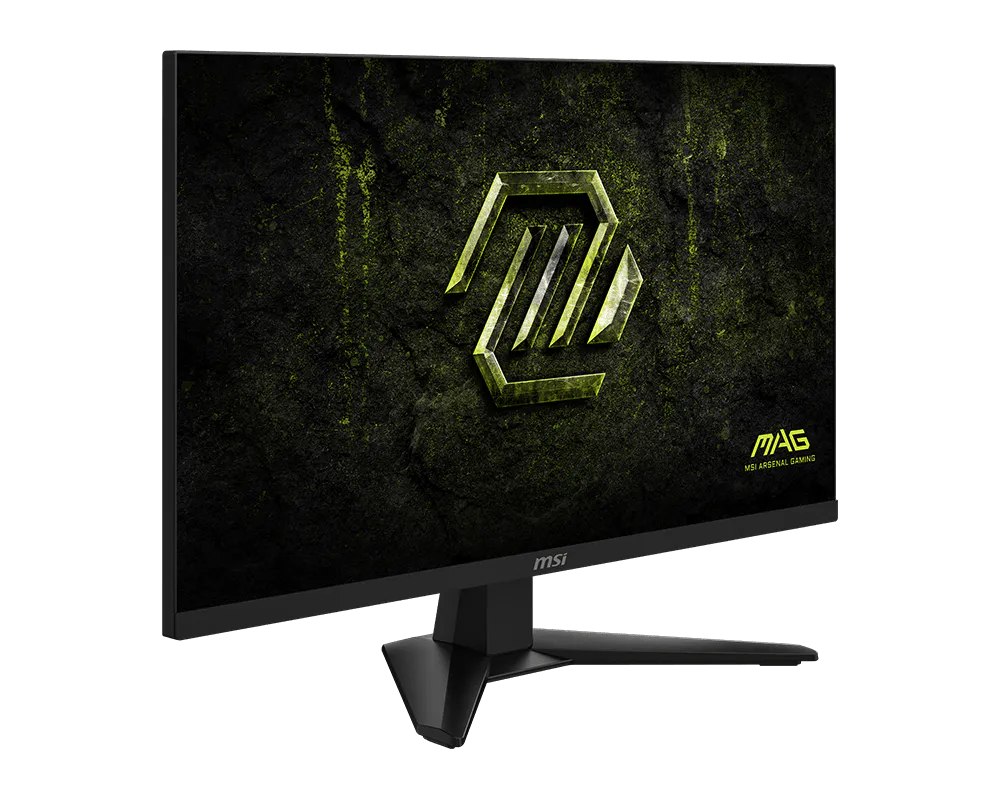
msi MAG 274QF E20 27-inch 2560 x 1440 (WQHD) Gaming Monitor, 200Hz, AMD FreeSync Premium, NVIDIA G-SYNC Compatible, HDR Ready, HDMI, VGA Port, VESA, Tilt, 0.5ms, Black
msi
Buy — The article favors its MSI pick for coding and light gaming because it offers IPS viewing angles, an ergonomic stand, and fewer desktop complications.
The safer long-term 1440p work-and-light-gaming pick. It gives you IPS viewing angles, high refresh, good ergonomics, and fewer desktop annoyances, but it will not give you real HDR or deep blacks.Available at Amazon(paid link) — opens Amazon in a new tab. Price and availability shown there.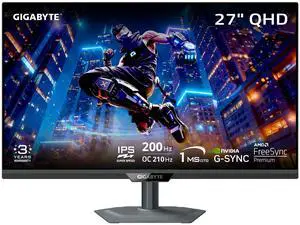
GIGABYTE - M27Q2-27" SS IPS Gaming Monitor - QHD 2560x1440-200Hz/OC 210Hz - 1ms GTG - AMD FreeSync Premium, G-SYNC Compatible - Type-C KVM - HDMI, DP, Type-C - Height and Tilt Adjustable - Black
Gigabyte
It depends — The article recommends its Gigabyte alternative if local pricing is close to the MSI or AOC, since paying extra for refresh rate alone is not worthwhile for light gaming.
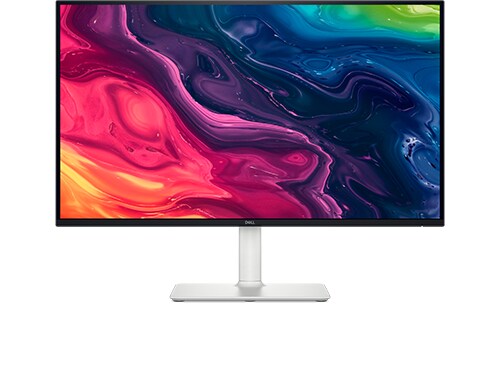
A strong IPS alternative if it is available locally with good warranty support. It is especially appealing if you value the stand, HDMI 2.1, DisplayPort 1.4, USB-C display input, and USB hub more than mini LED contrast.Available at Amazon(paid link) — opens Amazon in a new tab. Price and availability shown there.Dell 27 Monitor S2725QS, 4K UHD IPS, 120Hz, 5ms, FreeSync Premium
Dell
It depends — The Dell suits readers who prioritize sharper 27-inch 4K text over native 1440p gaming, with increased GPU load and required scaling as the tradeoffs.
The productivity detour: sharper 27-inch 4K text, IPS behavior, ergonomic stand, and enough refresh for light gaming. Choose it if papers and code matter more than native 1440p gaming performance.Available at Amazon(paid link) — opens Amazon in a new tab. Price and availability shown there.
Sources
Pages consulted while researching this article. None of these are affiliate links.
- AOC Q27G40XMN Monitor Review - RTINGS.com — rtings.com (accessed 2026-08-09)
- AOC Q27G40XMN 27-inch Monitor Review - TechSpot — techspot.com (accessed 2026-08-09)
- MSI MAG 274QRF QD E2 Specifications — my.msi.com (accessed 2026-08-09)
- Gigabyte M27Q3 Gaming Monitor Specifications — gigabyte.com (accessed 2026-08-09)
- LG 27GR83Q-B Monitor Review - RTINGS.com — rtings.com (accessed 2026-08-09)
- Dell S2725QS Monitor Review - RTINGS.com — rtings.com (accessed 2026-08-09)