UX7 vs Cloud Gateway Ultra for Routed U7 APs
The questionWhere do these come from?
UX7 as network controller for U7 on WAN port?
I have a building with 3 rooms and a basement. There are cat5e cables from the basement to every room. I cannot run new cables between rooms. I'm wondering if the attached topology can work.
A UX7 can Layer 3-adopt U7 APs through its WAN, but the split gateway design is fragile; a Cloud Gateway Ultra should normally own the site.
A UX7 can adopt U7 APs reachable through its WAN interface using Layer 3 adoption, but that does not place those APs or their wireless clients behind the UX7. For one building and one UniFi site, skip the UX7 as a WAN-side controller and put a Cloud Gateway Ultra at the network’s wiring hub instead.
The important correction is that APs connected to the router or switch on the UX7’s WAN side are upstream of the UX7. Controller traffic may cross that boundary, but ordinary client traffic does not pass through the controller merely because it manages the AP.
| Product | Deciding specification | Main limitation here | Verdict |
|---|---|---|---|
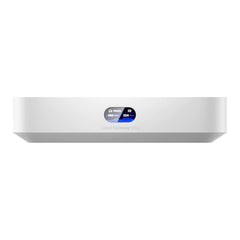
| UniFi Cloud Gateway Ultra | Runs UniFi Network for 30+ devices; four 1GbE ports plus one 2.5GbE default WAN | No integrated Wi-Fi or PoE; IDS/IPS is rated at 1Gbps | Buy |
| UniFi Express 7 | Integrated Wi-Fi 7, one 10GbE WAN and one 2.5GbE LAN; manages 30+ devices | Cannot remain a controller-only bridge; gateway mode separates WAN-side APs from its LAN | Skip for this topology |
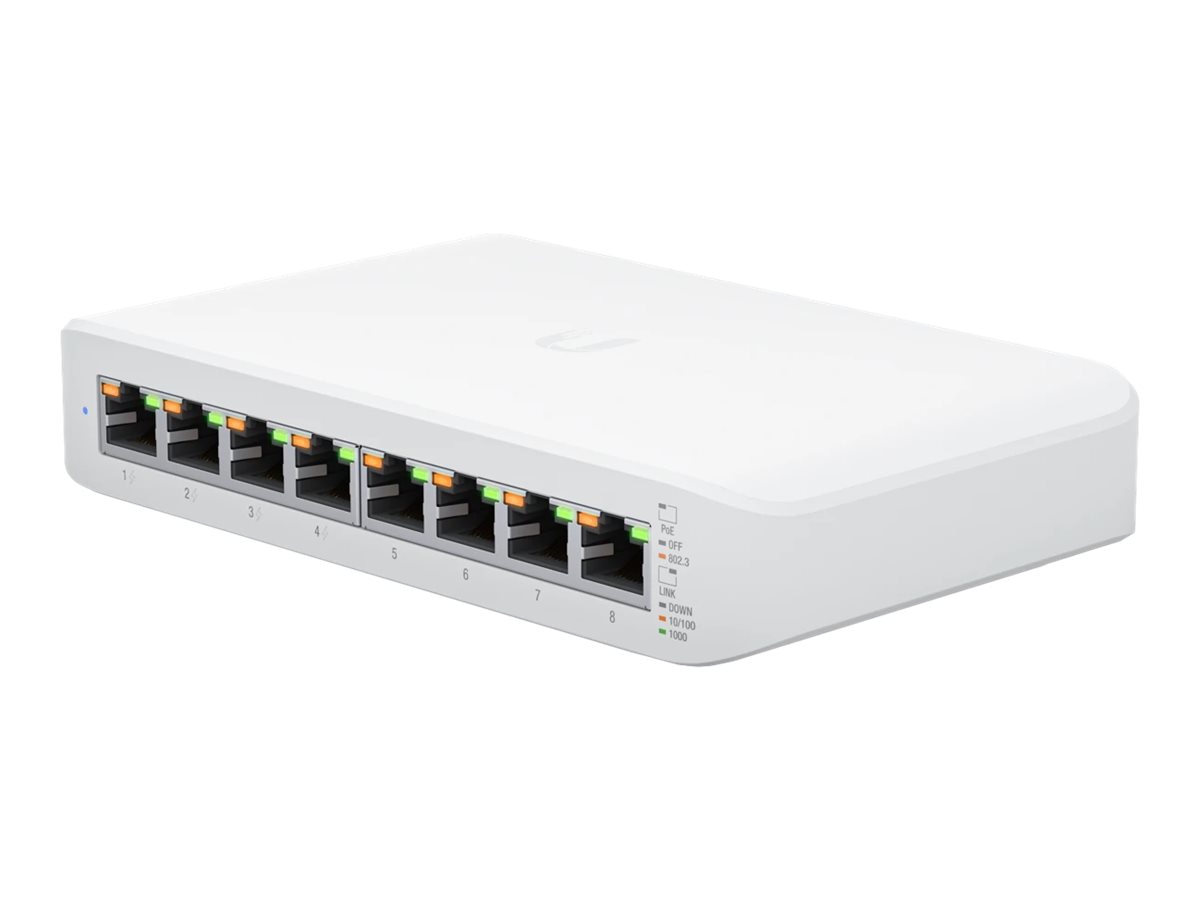
| UniFi Lite 8 PoE | Four PoE+ ports and a 52W total PoE budget | Every port is 1GbE, limiting a U7 AP’s 2.5GbE uplink | Consider for gigabit networks |
Ubiquiti’s specifications confirm that both the UX7 and UCG-Ultra run the UniFi Network application and support 30-plus managed devices. Capacity is therefore not the problem. Device placement, routing and the UX7’s operating role are.
Why Layer 3 adoption only solves management
Ubiquiti documents Layer 3 adoption for devices separated from their Network application by a router or VLAN. The essential requirement is connectivity between the AP and controller over TCP port 8080. A factory-default AP can be pointed at the controller through SSH with:
set-inform http://CONTROLLER-IP:8080/inform
The documented alternatives are DHCP option 43 and a DNS record resolving unifi to the Network application. Ubiquiti’s Layer 3 adoption guide also warns that a privately addressed controller behind a remote, double-NAT gateway will not work without changing the network path.
If the U7 AP and UX7 WAN interface share the same upstream private network, the AP may be able to use the UX7’s WAN address as CONTROLLER-IP. The UX7 firewall must accept that connection, however. With UniFi’s zone-based firewall, WAN traffic belongs to the External zone and traffic addressed to the UX7 itself belongs to the Gateway zone. In Network 9.4, policies are created under Settings > Zones > Create Policy or Settings > Policy Table > Create New Policy. An External-to-Gateway TCP 8080 allow policy should be restricted to the AP management addresses, not the entire internet. Ubiquiti’s zone-based firewall documentation describes those zones and menu paths.
The broader required-ports reference also lists UDP 3478 for STUN and UDP 10001 for discovery. Manual set-inform avoids depending on Layer 2 discovery across a router, but normal device communication may still require the other documented flows. Do not expose all three ports indiscriminately to a public WAN; use source-address restrictions or a VPN.
What breaks after the AP appears online
Successful adoption proves only that the AP can contact UniFi Network. It does not change where the AP bridges wireless traffic.
An AP connected to the upstream router receives its management address there and bridges untagged wireless clients back to that upstream network. Meanwhile, the UX7’s built-in radio in gateway mode bridges clients to the UX7’s LAN-side networks. If both radios broadcast the same SSID but lead to different IP subnets, roaming clients can retain an address from the wrong subnet and lose connectivity until DHCP is renewed.
Tagged SSIDs introduce another failure point. Every VLAN broadcast by a WAN-side U7 must already exist on the upstream switch and router, with working DHCP and routing. Creating the VLAN only inside the UX7’s Network application cannot make that VLAN cross the UX7’s WAN boundary. The AP is a bridge, not a tunnel back to its controller.
Double NAT is also likely when an ISP router remains in router mode and the UX7 runs as another gateway. Devices on the UX7 LAN sit behind both routers, while WAN-side U7 clients sit behind only the upstream router. That splits firewall policy, client visibility and troubleshooting between two routing domains.
Just want the recommendation?
Skip to the picksIf the upstream “fiber router” is actually an ONT or bridge presenting the ISP connection directly, do not connect U7 APs beside the UX7 WAN at all. That segment is not a protected LAN and may not provide usable DHCP service to the APs.
The coherent Cloud Gateway Ultra layout
The normal design keeps one gateway and one Network application:
ISP ONT or bridged modem
          |
    UCG-Ultra WAN
          |
  Managed PoE switch
     |      |      |
   U7 AP  U7 AP  room uplink
Place the UCG-Ultra where the room cables converge. Connect its LAN to a managed PoE switch, then connect the U7 APs to that switch. The UCG-Ultra owns DHCP, VLAN routing, firewall policy and AP management, so wireless traffic and controller traffic follow the same network design.
Ubiquiti says only one Cloud Gateway should run at a site, except for a supported Shadow Mode pair. A UX7 and UCG-Ultra should not run competing Network applications for the same collection of APs.
The UCG-Ultra’s drawback is physical rather than functional: it has no integrated AP and does not power the U7s. For example, the U7 Lite specification calls for PoE, lists 13W maximum consumption and provides one 2.5GbE uplink. A separate switch or injector is therefore mandatory.
A Lite 8 PoE can power several U7 Lite APs because it supplies four PoE+ ports from a 52W total budget. Consider it only when gigabit switching is acceptable: its 1GbE ports prevent a U7 Lite from using its full 2.5GbE wired interface.
One cable can carry separate WAN and LAN paths
A single in-wall cable does not necessarily mean one logical network. Two managed switches can carry a dedicated WAN VLAN and one or more LAN VLANs over the same 802.1Q trunk:
Basement switch                      Room switch
ONT -- access port: WAN VLAN   -->   WAN VLAN access port -- UX7 WAN
APs -- access/trunk: LAN VLANs <--   LAN VLAN access port -- UX7 LAN
                    one tagged cable
This keeps the U7 APs logically behind the UX7 LAN even though WAN and LAN traffic share one physical cable. Ubiquiti defines a trunk as a port carrying tagged VLANs and an access port as one carrying only its native, untagged VLAN in its switch-port VLAN guide.
This design is valid but easy to misconfigure. The WAN VLAN must never be native on, or permitted untagged into, a LAN or AP port. Both switches should be configured and verified before the gateway is moved, because a tagging mistake can remove access to the controller. It also requires two VLAN-aware switches, making it less attractive than placing the UCG-Ultra beside the central switch.
When the UX7 remains the right product
The UX7 makes sense as the sole gateway/controller or as an AP adopted by another UniFi Cloud Gateway. It is the wrong choice for people trying to keep an upstream router, run the UX7 as a controller-only bridge and manage APs through its WAN: the controller and bridge roles cannot be combined that way.
Independent testing does not reveal a hardware-performance reason to avoid it. Dong Knows Tech measured about 225Wh over 24 hours in router mode and reported stable operation during more than two weeks of router and mesh testing. The same UX7 review identifies the actual role limitation: there is no AP mode while the UX7 is hosting the Wi-Fi system. In other words, the UX7 is capable hardware being asked to fill the wrong place in this topology.
If WAN-side Layer 3 adoption is unavoidable, use different SSIDs or ensure genuine end-to-end VLAN continuity, restrict TCP 8080 to the AP management addresses, and verify that the APs reconnect after both a controller reboot and an upstream-router reboot. If adoption succeeds but the AP later cycles between “Adopting,” “Offline” and “Managed by Another Console,” check its inform address and routing before resetting it. Contact Ubiquiti support if the UX7 will not accept inform traffic on its WAN address after the documented firewall path is open; Ubiquiti does not document this private-WAN arrangement as a standard single-site design.
The bottom line
Both fit — your exact model decides:
Top pick
Buy this
Ubiquiti UniFi Cloud Gateway Ultra UCG-Ultra
Ubiquiti UniFi
The UCG-Ultra runs UniFi Network for 30-plus managed devices and provides four 1GbE ports plus a 2.5GbE default WAN, making it the coherent central controller for this topology.
Use the UCG-Ultra at the wiring hub to keep the gateway, VLAN routing and U7 management in one UniFi site. It has neither integrated Wi-Fi nor PoE, and its documented IDS/IPS throughput is 1Gbps.Available at Amazon(paid link) — opens Amazon in a new tab. Price and availability shown there.The alternative
Skip this
Ubiquiti UniFi Express 7 UX7
Ubiquiti UniFi
The UX7 cannot operate as a controller-hosting bridge, so keeping its Network application active means WAN-side U7 APs remain outside its LAN routing domain.
The UX7 is a good standalone gateway or an AP under another UniFi gateway, but it is the wrong controller for U7 APs placed on its WAN side. Controller reachability does not bridge those APs into the UX7 LAN.Available at Amazon(paid link) — opens Amazon in a new tab. Price and availability shown there.
Recommended products
Ordered by how well each one fits the situations above. Each link below is a paid link.
Ubiquiti UniFi Cloud Gateway Ultra UCG-Ultra
Ubiquiti UniFi
Buy — The UCG-Ultra runs UniFi Network for 30-plus managed devices and provides four 1GbE ports plus a 2.5GbE default WAN, making it the coherent central controller for this topology.
Use the UCG-Ultra at the wiring hub to keep the gateway, VLAN routing and U7 management in one UniFi site. It has neither integrated Wi-Fi nor PoE, and its documented IDS/IPS throughput is 1Gbps.Available at Amazon(paid link) — opens Amazon in a new tab. Price and availability shown there.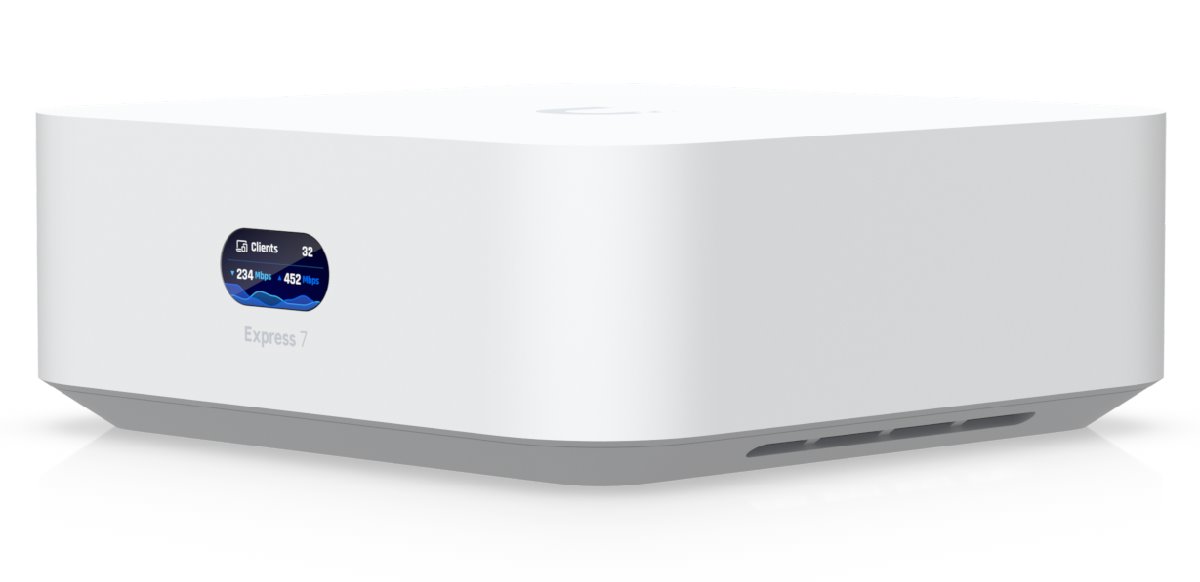
Ubiquiti UniFi Express 7 UX7
Ubiquiti UniFi
Skip — The UX7 cannot operate as a controller-hosting bridge, so keeping its Network application active means WAN-side U7 APs remain outside its LAN routing domain.
The UX7 is a good standalone gateway or an AP under another UniFi gateway, but it is the wrong controller for U7 APs placed on its WAN side. Controller reachability does not bridge those APs into the UX7 LAN.Available at Amazon(paid link) — opens Amazon in a new tab. Price and availability shown there.Ubiquiti UniFi Lite 8 PoE USW-Lite-8-PoE
Ubiquiti UniFi
It depends — The switch supplies four PoE+ ports with a 52W total budget, while its all-gigabit port layout makes it suitable only when 1Gbps uplinks are acceptable.
Consider this switch when several U7 Lite APs need central PoE and the network is limited to gigabit speeds. Its four PoE+ ports share 52W, but its 1GbE interfaces bottleneck the APs’ 2.5GbE uplinks.Available at Amazon(paid link) — opens Amazon in a new tab. Price and availability shown there.
Sources
Pages consulted while researching this article. None of these are affiliate links.
- UniFi Express 7 Technical Specifications — techspecs.ui.com
- UniFi Cloud Gateway Ultra Technical Specifications — techspecs.ui.com
- Remote Adoption (Layer 3) — help.ui.com
- UniFi Required Ports Reference — help.ui.com
- Zone-Based Firewalls in UniFi — help.ui.com
- Running Multiple UniFi Network Consoles on the Same Site — help.ui.com
- Switch Port VLAN Assignment — help.ui.com
- UniFi U7 Lite Technical Specifications — techspecs.ui.com