M1 iPad Pro vs M3 Air: Benchmark Verdict
The questionWhere do these come from?
Please help me decide which iPad to buy
Need urgent and honest advice here because I'm seriously torn. Option 1: Used iPad Pro 11" M1 128GB (2021) for about $430. Seller says it's basically mint/no scratches and battery still lasts a full day.
The M3 iPad Air leads the M1 iPad Pro by about 26% in single-core and 36% in multi-core, but the Pro’s 120Hz display still feels smoother.
The 11-inch M3 iPad Air wins the benchmarks, leading the 11-inch M1 iPad Pro by about 26% in single-core CPU performance, 36% in multi-core performance, and 60% in Geekbench Metal. The M1 iPad Pro can nevertheless feel smoother because its ProMotion display reaches 120Hz, while the M3 Air’s display stops at 60Hz.
For most buyers, the M3 Air is the safer long-term choice. Choose a verified-good M1 Pro when display smoothness, Thunderbolt, speakers, or the 12.9-inch model’s mini-LED screen matters more than benchmark leadership.
The benchmark result at a glance
These Geekbench Browser device averages were checked on September 3, 2026. They come from user-submitted results and can move as new runs are added, so the percentages are more useful than a one-point difference.
| Measurement | 11-inch M3 Air | 11-inch M1 Pro | 12.9-inch M1 Pro |
|---|---|---|---|
| Geekbench single-core average | 2,750 | 2,189 | 2,158 |
| Geekbench multi-core average | 11,886 | 8,746 | 8,662 |
| Geekbench Metal average | 45,367 | 28,423 | 27,624 |
| Maximum display refresh rate | 60Hz | 120Hz | 120Hz |
| Apple display brightness specification | 500 nits | 600 nits SDR | 600 nits SDR; 1,600 nits peak HDR |
Against the 11-inch M1 Pro, those figures give the M3 Air a 26% single-core lead, 36% multi-core lead, and approximately 60% Metal lead. The two M1 Pro sizes score within about 3% of one another because they use the same eight-core M1 CPU and eight-core GPU. Their small difference is ordinary run-to-run variation, not a reason to choose one size.
Independent measurements confirm the M3 Air’s general CPU performance. Tom’s Guide recorded 3,042 single-core and 11,804 multi-core in Geekbench 6, while Notebookcheck’s M3 test recorded 3,019 and 11,773. Do not compare either result directly with an old M1 review quoting Geekbench 5: changing the benchmark version changes the scale.
The CPU lead matters when exporting media, processing a large photo batch, compiling code, or completing another sustained compute job. Notes, PDFs, streaming, browser tabs, and ordinary split-screen work are already light enough that the M1 usually completes them without its processor becoming the bottleneck.
Why the slower M1 Pro can look faster
The M1 Pro’s strongest advantage never appears in a CPU score. Its ProMotion panel can refresh up to 120 times per second, producing a new frame as often as every 8.3 milliseconds. The 60Hz Air can update every 16.7 milliseconds.
That difference affects scrolling, window animations and Apple Pencil strokes. It can make the M1 Pro look more responsive even while the M3 finishes calculations sooner. A 120Hz panel does not guarantee that every game will run at 120 frames per second—the application and GPU must support that rate—but normal interface movement still benefits.
The brightness difference is measurable too. Apple specifies 500 nits for the 11-inch M3 Air and 600 nits for the 11-inch M1 Pro. Tom’s Guide measured 485 nits from its M3 Air, while Notebookcheck measured an average of 598.1 nits from its 2021 11-inch Pro review unit. The Pro therefore has both the smoother and brighter display in this size comparison.
The 11-inch M1 Pro uses a conventional IPS Liquid Retina panel, however. It does not have the mini-LED Liquid Retina XDR display sometimes attributed to every M1 Pro listing.
The 12.9-inch M1 Pro changes the display verdict
The 12.9-inch M1 Pro uses the same processor as the 11-inch version, so its benchmark result is effectively identical. Its screen is substantially different: Apple specifies a mini-LED backlight with 2,596 local-dimming zones, 1,000 nits full-screen XDR brightness, and 1,600 nits peak brightness for HDR highlights.
Those XDR figures apply to suitable HDR content, not an ordinary white document. SDR brightness remains rated at 600 nits. Mini-LED can also produce visible blooming around bright objects on dark backgrounds, so it is not automatically preferable for every page or drawing.
Size and weight become the tradeoff. The 12.9-inch Wi-Fi model weighs 682 grams, compared with 460 grams for the 11-inch M3 Air. It is better suited to a desk, keyboard case, large canvas, or side-by-side documents than to prolonged handheld reading. The separate guide to a used M1 iPad Pro 12.9 for drawing covers that larger model’s art-specific advantages.
Multitasking is closer than the chip names suggest
The M3 Air has 8GB of RAM at every storage capacity. M1 Pro models with 128GB, 256GB, or 512GB of storage also have 8GB; only the 1TB and 2TB M1 Pro configurations have 16GB.
Just want the recommendation?
Skip to the picksA typical 256GB M1 Pro therefore does not have more memory than the Air. The M3 completes CPU work faster, but iPadOS still decides when suspended applications and browser tabs are removed from memory. Neither benchmark score guarantees that every inactive application will remain loaded.
External storage reverses part of the performance comparison. The M3 Air’s USB-C port supports USB 3 at up to 10Gb/s. The M1 Pro supports Thunderbolt 3 and USB 4 at up to 40Gb/s. You need a compatible Thunderbolt drive, cable, and workload to approach that ceiling, but the difference is meaningful when transferring large video or photo libraries. It is irrelevant when the port is used only for charging.
Both can drive one external display at up to 6K and 60Hz. The Pro additionally supplies four-speaker audio and Face ID; the Air has landscape stereo speakers and Touch ID in its top button. The Air’s landscape-positioned front camera is more naturally placed for video calls when the tablet is attached to a keyboard.
Pencil compatibility can change the real cost
The M1 Pro supports Apple Pencil (2nd generation) and Apple Pencil (USB-C). The M3 Air supports Apple Pencil Pro and Apple Pencil (USB-C). Pencil 2 does not pair with the M3 Air, while Pencil Pro does not work with the M1 Pro.
Apple Pencil (USB-C) is the cross-compatible option, but it omits advanced Pencil Pro features such as squeeze, barrel roll, haptic feedback, and Find My support. Anyone who already owns Pencil 2 should count replacing it as part of moving to the Air, even though the tablet itself wins the processor benchmark.
What a benchmark cannot reveal about a used M1 Pro
A used M1 Pro’s condition can outweigh every specification above. Apple says iPad batteries are designed to retain 80% of their original capacity after 1,000 complete charge cycles, but calendar age, heat, and charging habits also affect a particular battery.
The M3 Air exposes maximum capacity, cycle count, manufacture date, and first-use date under Settings > Battery > Battery Health. Apple’s supported-model list does not include the 2021 M1 Pro, so a seller cannot demonstrate the same native Battery Health screen on that model. A timed battery-drain test or an Apple service diagnostic is more useful than a screenshot from an unofficial shortcut.
Battery reviews from launch do not describe a used unit several years later. Tom’s Guide measured 9 hours 41 minutes from its new M3 Air during continuous Wi-Fi browsing at 150 nits. Notebookcheck measured 13 hours 39 minutes from a new M1 Pro in its separate 2021 Wi-Fi test. Different labs, software versions, and battery ages prevent those figures from establishing that a used Pro will last longer today.
Before accepting a used Pro:
- Have the seller erase it and begin setup. Apple says the device is ready when it reaches the Hello screen without requesting the previous owner’s Apple Account.
- Test Face ID, every speaker, both cameras, the USB-C port, Wi-Fi, charging, and physical buttons.
- Draw slow lines across the entire screen to reveal touch or Pencil dead zones.
- Inspect the panel on white, gray, and black backgrounds for bright spots, pressure marks, tinting, and backlight problems.
- Reject a bent chassis, intermittent touch response, unreliable charging, or any device still protected by Activation Lock.
Longevity favors the M3 Air, but no exact date is promised
Apple introduced the M1 Pro in 2021 and the M3 Air in 2025. Apple does not publish a guaranteed final iPadOS version for either model, so claims that the Air will receive an exact number of additional updates are speculation.
It is reasonable to expect the M3 Air to have the longer remaining software runway because it is four model years newer and uses a newer processor architecture. That is an inference, not an Apple support guarantee. A new battery and clearer purchase history also make its usable lifespan easier to predict.
The buying rule
Choose the 11-inch M3 iPad Air for the faster processor, substantially higher Metal score, Apple Pencil Pro support, newer battery, and lower ownership risk. It is the better default for university work, multitasking, media, and several years of use.
Choose the 11-inch M1 iPad Pro when you have verified its condition and know that 60Hz bothers you. Its 120Hz display, higher measured brightness, four speakers, Face ID, and 40Gb/s Thunderbolt connection can improve daily use more than the M3’s benchmark lead.
Choose the 12.9-inch M1 iPad Pro when the large mini-LED XDR display is the reason for buying it and its 682-gram weight is acceptable. Its benchmark performance is not meaningfully faster than the 11-inch M1 Pro.
The final result is therefore not contradictory: the M3 Air is the faster computer, while the M1 Pro can be the smoother and more capable tablet around that computer.
The bottom line
The choice turns on one thing:
Top pick
Buy this
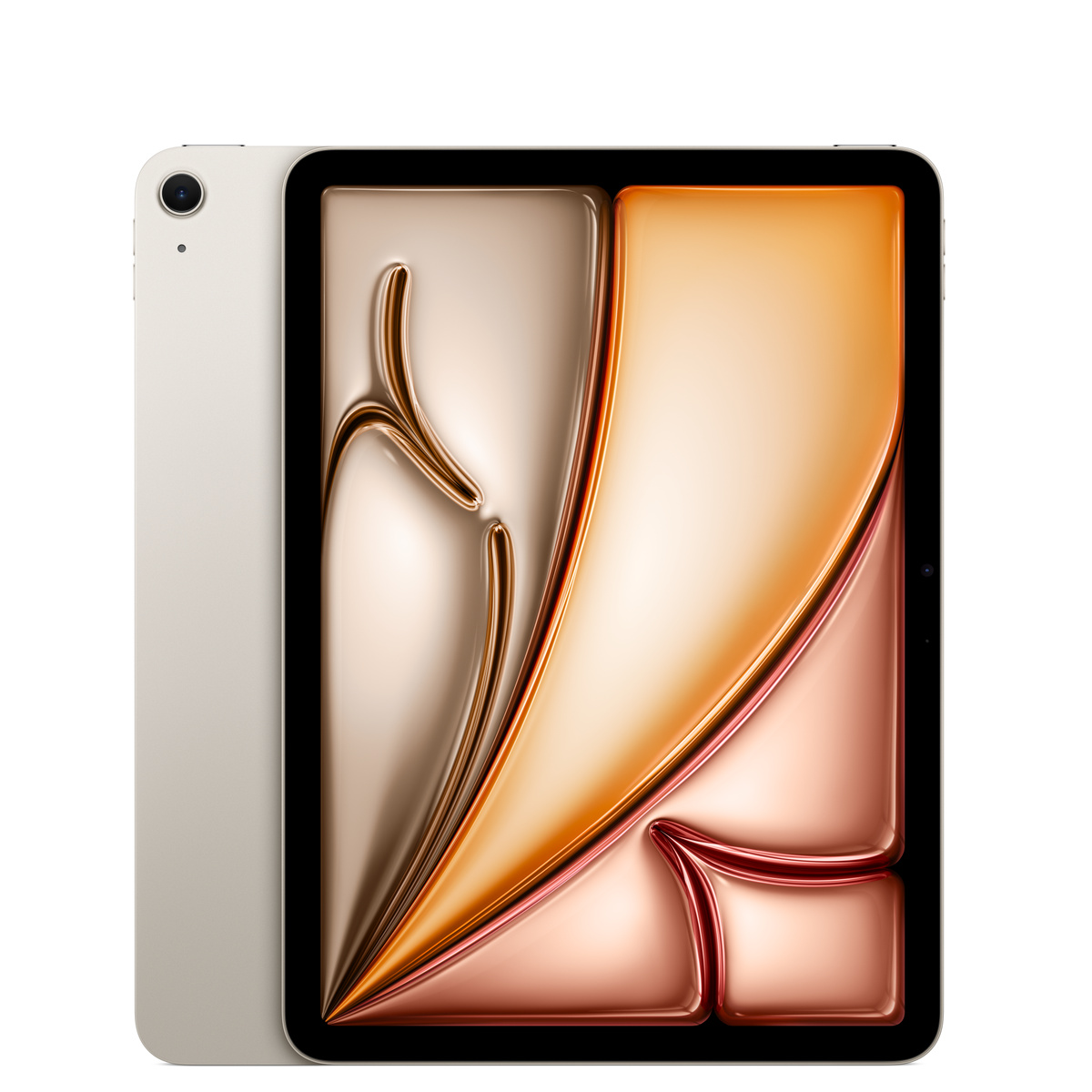
Apple iPad Air 11-inch M3 Wi-Fi 128GB
Apple
The article names the M3 Air the better default, with approximately 26% higher single-core, 36% higher multi-core, and 60% higher Metal scores than the 11-inch M1 Pro.
This is the benchmark winner and the lower-risk choice when you want a newer battery and Apple Pencil Pro support. Its main compromises are the 60Hz display and 10Gb/s USB-C connection.Available at Amazon(paid link) — opens Amazon in a new tab. Price and availability shown there.The alternative
It depends
Apple Pencil Pro
Apple Pencil
Apple Pencil Pro offers squeeze, barrel roll, haptic feedback, and Find My support for M3 Air users, but does not work with the M1 Pro.
Choose this stylus with the M3 Air for squeeze, barrel roll, haptic feedback, and Find My support. It is incompatible with the M1 iPad Pro.Available at Amazon(paid link) — opens Amazon in a new tab. Price and availability shown there.
Recommended products
Ordered by how well each one fits the situations above. Each link below is a paid link.
Apple iPad Air 11-inch M3 Wi-Fi 128GB
Apple
Buy — The article names the M3 Air the better default, with approximately 26% higher single-core, 36% higher multi-core, and 60% higher Metal scores than the 11-inch M1 Pro.
This is the benchmark winner and the lower-risk choice when you want a newer battery and Apple Pencil Pro support. Its main compromises are the 60Hz display and 10Gb/s USB-C connection.Available at Amazon(paid link) — opens Amazon in a new tab. Price and availability shown there.Apple Pencil Pro
Apple Pencil
It depends — Apple Pencil Pro offers squeeze, barrel roll, haptic feedback, and Find My support for M3 Air users, but does not work with the M1 Pro.
Choose this stylus with the M3 Air for squeeze, barrel roll, haptic feedback, and Find My support. It is incompatible with the M1 iPad Pro.Available at Amazon(paid link) — opens Amazon in a new tab. Price and availability shown there.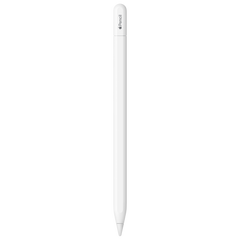
Apple Pencil (USB-C)
Apple Pencil
It depends — Apple Pencil USB-C works with both tablets, but suits users who can forgo Pencil Pro features such as squeeze, barrel roll, haptic feedback, and Find My support.
This is the one current Apple Pencil that works with both tablets, making it useful if you may switch models later. It lacks Pencil Pro features and requires a cable for pairing and charging.Available at Amazon(paid link) — opens Amazon in a new tab. Price and availability shown there.

Sources
Pages consulted while researching this article. None of these are affiliate links.
- Geekbench: iPad Air 11-inch (7th generation) Benchmarks — browser.geekbench.com
- Geekbench: iPad Pro 11-inch (3rd generation) Benchmarks — browser.geekbench.com
- Apple: iPad Air 11-inch (M3) Technical Specifications — support.apple.com
- Apple: iPad Pro 11-inch (3rd generation) Technical Specifications — support.apple.com
- Apple: iPad Pro 12.9-inch (5th generation) Technical Specifications — support.apple.com
- Tom’s Guide: iPad Air M3 Review — tomsguide.com
- Notebookcheck: Apple iPad Pro 11 (2021) Review — notebookcheck.net
- Apple: Apple Pencil Compatibility — support.apple.com