Galaxy Tab S9 Ultra and Windows: What Actually Works
The question this answersWhere do these come from?
Can the Galaxy Tab S9 Ultra run Windows?
The Galaxy Tab S9 Ultra cannot officially run Windows, but it can display or remotely control a Windows PC.
The Galaxy Tab S9 Ultra runs Android and has no Samsung-supported Windows installation path; you can use it as a Windows PC’s second screen or remote-access terminal. Skip the Samsung Galaxy Tab S9 Ultra if you need a standalone Windows tablet: Samsung specifies Android as its operating system, and a keyboard cover does not change that. Samsung specifications
Put your Windows PC’s desktop on the tablet
Start with Samsung’s built-in Second Screen feature if your PC is nearby and you want another display:
- Enable Wi-Fi on both devices and keep them close together. Samsung recommends connecting them to the same Wi-Fi network.
- Open the tablet’s Quick settings panel and tap Second screen. On newer layouts, swipe down from the upper-right corner to find the panel.
- On the Windows PC, press Windows + K and select the tablet.
- Press Windows + P, then choose Extend for extra desktop space or Duplicate to show the same desktop on both screens.
- Open Settings > System > Display on the PC. Arrange the screens to match their positions on your desk and adjust scaling for readable text.
Samsung lists compatible PCs with Wireless Display support running Windows 10 version 2004 or later. Windows 11 alone does not establish hardware compatibility. Samsung’s Second Screen instructions
If the desktop appears but touch or pen input does nothing, open the PC’s casting controls with Windows + K and enable the option allowing input from the connected device. Samsung documents this separately from establishing the display connection. Samsung’s input and connection guide
These similarly named features do different jobs:
| Feature | Where applications run | What the tablet provides |
|---|---|---|
| Samsung Second Screen | Windows PC | Additional or duplicated display |
| Microsoft Windows App remote connection | Remote Windows PC | Access to that PC’s desktop |
| Samsung DeX | Galaxy Tab S9 Ultra | Desktop-style interface for Android apps |
The distinction matters when you disconnect. A Windows application displayed through Second Screen remains on the PC; it has not been installed on the tablet.
USB Second Screen support is no longer accurately described as universally unavailable. Samsung’s Korean support documentation specifies Windows 11 24H2 and One UI 7.0 or later for its experimental USB connection feature. It also says Second Screen is optimized for Samsung computers and that other manufacturers’ systems can have limitations. Install or update Samsung’s Second Screen PC app through Microsoft Store and check whether its Labs options expose USB connection. The documentation does not establish identical availability on every non-Samsung PC, so a missing option is not evidence that you need a different cable. Samsung’s USB requirements
For a wireless connection that never appears, check the PC manufacturer’s wireless-display compatibility information and update its Wi-Fi and graphics drivers. If a managed work PC blocks casting, its administrator must resolve that restriction. Buying a tablet keyboard will not fix PC discovery.
The screen’s own speed also cannot establish connection latency. Notebookcheck measured 1.75 milliseconds for black-to-white pixel response on the Tab S9 Ultra, but that is a panel measurement, not the delay between moving a Windows mouse and seeing the result through Second Screen. Its test also recorded 625 nits maximum on a full-white image, a more relevant reference for bright documents than a small HDR highlight. Neither result guarantees a particular streaming refresh rate or drawing response. Notebookcheck’s measured review
Access Windows applications when the PC is elsewhere
Use remote desktop access when you want to operate an existing Windows computer from the tablet. Microsoft’s Android client is Windows App. The PC supplies the processing power, applications and files; the tablet supplies the screen and controls.
First check the host PC’s Windows edition under Settings > System > About > Windows specifications. For an ordinary personal PC using Microsoft’s built-in Remote Desktop host, you need Windows Pro; Windows Home cannot host that connection. On a suitable PC, enable Settings > System > Remote Desktop and note its PC name. Microsoft’s host setup instructions
Just want the recommendation?
Skip to the picksThen connect from the Tab S9 Ultra:
- Install Windows App, published by Microsoft, from Google Play.
- Open it and tap + > PC connection.
- Enter the host’s name or reachable IP address under PC Name, then save.
- Select the saved PC and authenticate with an account authorized to use it.
- Review the requested access to local resources, such as your microphone or files, and allow only what the session needs.
Microsoft supports remote-PC connections from Android 10 or later and does not require signing into Windows App itself before adding a PC. Microsoft’s Android connection procedure
Establish the first connection on your local network. Away from home, use an appropriately configured VPN or your organization’s remote-access gateway; do not expose Remote Desktop directly to the internet as a shortcut. The host must remain powered on, awake and reachable. An internet connection on the tablet does not automatically make your home PC accessible.
This arrangement suits occasional access to a Windows-only application you already run on another computer. It cannot provide independent Windows computing when that computer is unavailable. Before relying on it for work, open the actual application, edit a representative file and check any peripherals your task requires.
When you need Windows installed on the tablet itself
Samsung DeX does not install Windows. It changes how the tablet presents and manages its Android applications. A familiar taskbar, resizable windows and mouse support do not make a Windows installer compatible.
There is another naming trap: Samsung explicitly states that DeX for PC is unavailable on Galaxy tablets. Instructions for connecting certain Galaxy phones to the old Windows DeX application therefore do not establish Tab S9 Ultra compatibility. Samsung’s DeX compatibility documentation
Windows-on-Arm support elsewhere does not change Samsung’s supported operating system. Do not treat a Windows Arm installation image as a supported upgrade for this tablet. The sources here establish Android operation, display connections and remote access; they do not establish a complete, supported native Windows conversion.
Some Windows programs can run through compatibility software. Winlator, for example, describes itself as an Android application using Wine and Box86/Box64 to run Windows applications. That is different from replacing Android with Windows. Compatibility with one program does not prove another will work, and the project’s troubleshooting instructions include application-specific adjustments. Treat this as an experiment for a particular application, not a dependable purchasing rationale for a Windows work tablet. Winlator’s project documentation
If Windows must run locally, consider the Microsoft Surface Pro, 11th Edition, Snapdragon X Elite, 16GB RAM, 256GB storage. Microsoft lists Windows 11 Home for the consumer Snapdragon model, so it addresses the operating-system requirement the Galaxy Tab S9 Ultra misses. Microsoft’s Surface model documentation
That recommendation has a specific boundary: this Surface uses Windows on Arm. Microsoft documents support for native Arm applications and emulated x86/x64 applications, but hardware and software that require drivers need compatible Arm drivers. Check specialist peripherals, required plug-ins and games with the relevant vendors before choosing it. If essential equipment lacks Arm support, choose an Intel or AMD Windows machine instead. Microsoft’s Arm compatibility guidance
Already own the Tab S9 Ultra and a compatible PC? Try Second Screen or remote access before buying hardware. Buying your only computer for Windows applications? Choose a device that ships with Windows and supports those applications locally.
The bottom line
Both fit — your exact model decides:
Top pick
Skip this
Samsung Galaxy Tab S9 Ultra 256GB Wi-Fi Graphite
Samsung
Samsung specifies Android as the operating system; Second Screen and DeX do not provide a supported native Windows installation.
Skip it if you need Windows applications running locally on your only computer. It can serve as a PC display or remote-access terminal, but its supported operating system is Android.Available at Amazon(paid link) — opens Amazon in a new tab. Price and availability shown there.The alternative
It depends
Microsoft Surface Pro 11th Edition Snapdragon X Elite 16GB RAM 256GB Storage Black
Microsoft
The consumer Snapdragon Surface Pro 11 ships with Windows 11 Home, but driver-dependent software and peripherals require Arm-compatible drivers.
Consider it when you need a standalone Windows tablet and your required software supports Windows on Arm. Applications or peripherals requiring unavailable Arm drivers remain a limitation.Available at Amazon(paid link) — opens Amazon in a new tab. Price and availability shown there.
Recommended products
Ordered by how well each one fits the situations above. Each link below is a paid link.
Samsung Galaxy Tab S9 Ultra 256GB Wi-Fi Graphite
Samsung
Skip — Samsung specifies Android as the operating system; Second Screen and DeX do not provide a supported native Windows installation.
Skip it if you need Windows applications running locally on your only computer. It can serve as a PC display or remote-access terminal, but its supported operating system is Android.Available at Amazon(paid link) — opens Amazon in a new tab. Price and availability shown there.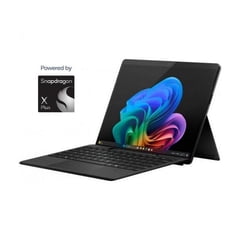
Microsoft Surface Pro 11th Edition Snapdragon X Elite 16GB RAM 256GB Storage Black
Microsoft
It depends — The consumer Snapdragon Surface Pro 11 ships with Windows 11 Home, but driver-dependent software and peripherals require Arm-compatible drivers.
Consider it when you need a standalone Windows tablet and your required software supports Windows on Arm. Applications or peripherals requiring unavailable Arm drivers remain a limitation.Available at Amazon(paid link) — opens Amazon in a new tab. Price and availability shown there.

Sources
Pages consulted while researching this article. None of these are affiliate links.
- Samsung Galaxy Tab S9 Ultra specifications — samsung.com
- Use your Galaxy tablet as a second screen with your Windows PC — samsung.com
- Samsung Second Screen app: requirements, USB support and input settings — samsungsvc.co.kr
- Notebookcheck: Samsung Galaxy Tab S9 Ultra measured review — notebookcheck.net
- Microsoft: How to use Remote Desktop — support.microsoft.com
- Microsoft: Connect to Windows devices and apps with Windows App — learn.microsoft.com
- Samsung DeX screen and device compatibility — samsung.com
- Winlator official project documentation — github.com