Epson L3270 for Art Prints: Switch or Skip?
The questionWhere do these come from?
Artist wanting to start printing art but doesn't know stuff about printers. Help.
I currently own an HP deskjet 4120, bought it for very cheap but I have seen many people complain that the cartridges for it are very expensive and actually don't last for long at all.
Skip the four-colour L3270 for art prints you sell; keep the HP for proofs, or choose a six-colour L8050 once orders become regular.
Skip the Epson EcoTank L3270 as the default printer for art you plan to sell; keep a working HP for proofs and admin work, then move to the six-colour Epson EcoTank L8050 when regular A4 orders justify an in-house photo printer. The L3270 gets the purchase wrong for artists selling larger prints because its borderless mode stops at 10 × 15 cm and its four-colour engine offers less tonal control than a dedicated photo model.
| Printer | Ink system | Largest relevant borderless format | Verdict |
|---|---|---|---|
| Epson EcoTank L8050 | Six dye inks, including light cyan and light magenta | A4 | Buy for regular A4 art production |
| Epson EcoTank L3270 | Four dye inks | 10 × 15 cm | Skip for saleable A4 art prints |
| Canon PIXMA PRO-200S | Eight dye cartridges, including gray and light gray | 13 × 19 inches / A3+ | Consider for wider or monochrome work |
The 6,500-page claim is not 6,500 art prints
The L3270’s consumable advantage is genuine, but its headline yield is easy to misread. Epson supplies enough ink for a stated 8,100 black or 6,500 colour pages. It also lists four 65 ml bottles plus an additional black bottle in the box. Those figures make the printer attractive beside a cartridge machine that frequently asks for replacement ink. Epson’s L3270 specifications confirm those numbers.
They are not full-page artwork yields. Epson explains that bottle yields are produced by continuously printing a suite of ISO/IEC 24712 document patterns in default mode on plain paper. Full-coverage illustrations, high-quality settings, cleaning cycles and an image that heavily uses one colour can produce a very different result. Epson’s page-yield methodology is the reason you should not divide 6,500 by your expected monthly art orders and call the result a business forecast.
That distinction matters most at low volume. Tank capacity only saves money when enough suitable work passes through the printer. If orders are occasional and the current HP already produces acceptable proofs, using what you own avoids buying capacity that may sit idle.
What the L3270’s four colours actually limit
The L3270 is an A4 home and home-office multifunction printer with printing, scanning and copying. It uses black, cyan, magenta and yellow dye inks, a 3-picolitre minimum droplet and a 100-sheet rear tray. Epson permits media up to 300 g/m², but explicitly qualifies that figure using its own Ultra Glossy Photo Paper and warns that third-party media compatibility can differ.
The decisive limitation is not the advertised 5,760 × 1,440 dpi resolution. It is that borderless printing is limited to 10 × 15 cm. An A4 illustration can be printed, but it will not be a true edge-to-edge A4 product without trimming, mounting or deliberately incorporating a border.
Independent testing supports that positioning. Chip timed a 10 × 15 cm photo over Wi-Fi at two minutes 52 seconds and an A4 photo over USB at three minutes. Its reviewer judged the photos suitable for home viewing and ordinary public presentation but recommended a printer with more colours for professional photographers. Chip’s measured L3270 test therefore reaches the same practical dividing line as the specifications: the L3270 is a capable inexpensive all-in-one, not a dedicated production photo printer.
Skip the Epson EcoTank L3270 if the products in your shop are borderless A4 prints, smooth-gradient illustrations, portraits or work where repeatable colour is part of what the customer is buying. It remains reasonable for invoices, draft proofs, colouring pages, bordered cards and small 10 × 15 cm pieces—but those narrower jobs do not make it the right art-business upgrade.
Keeping the HP can be the rational first step
“HP cartridges” covers everything from basic DeskJets to professional photo printers, so there is no honest universal page-count crossover. Cartridge code, installed capacity, cleaning behaviour and the amount of ink covering each artwork all change the calculation.
Keep the existing HP while all three statements remain true:
- Its best-quality output is good enough to approve composition and colour direction.
- Orders are too irregular to establish a repeatable monthly workload.
- Final customer prints can still be produced externally or in small batches without delaying fulfilment.
A working HP can also remain useful after adding a photo printer. Use it for labels, invoices, drafts and scanning while reserving the dedicated printer for customer work. This separates office ink consumption from the colour-managed production workflow.
Just want the recommendation?
Skip to the picksThe trigger to switch is not simply disliking cartridges. Switch when repeated customer orders, cartridge interruptions or inconsistent output are demonstrably affecting fulfilment. Before buying, print the same reference file on the intended paper, record the driver and colour-management settings, and inspect it under the lighting in which customers will view the work.
The EcoTank path that fits A4 art
The Epson EcoTank L8050 is the stronger tank choice for regular A4 art production. It is a print-only photo model with six 70 ml dye inks: black, cyan, magenta, yellow, light cyan and light magenta. It supports borderless A4 printing, uses 1.5-picolitre droplets and has a replaceable maintenance box. Epson rates a replacement set for as many as 2,100 high-quality 10 × 15 cm photos. Epson’s L8050 specifications make it a much closer match to products sold as prints.
That photo-specific yield is more useful than an office-page number, though it is still a controlled estimate rather than a guarantee. At 25 small photos per month, 2,100 photos nominally represents 84 months of output; actual results will be lower or higher according to image coverage, cleaning, paper and settings. This illustrates why even the L8050’s tank advantage develops slowly at genuinely low volume.
Chip’s L8050 test found the extra light cyan and light magenta produced visibly smoother transitions and more precise colour than ordinary four-colour tank printers. It also measured a 10 × 15 cm photo at about 25 seconds through a normal Wi-Fi network, versus almost 100 seconds over Wi-Fi Direct. Chip’s independent L8050 test gives you a useful setup detail: connect through the router instead of treating Wi-Fi Direct as the default production path.
The L8050’s drawback is equally clear. It has no scanner or copier, stops at A4 and lacks dedicated gray inks for demanding monochrome work. Buy it for colourful A4 illustrations and photos produced regularly, not because every artist automatically needs an ink tank.
Where cartridges still win
Consider the Canon PIXMA PRO-200S when the product itself requires A3+ output, stronger black-and-white tonal control or a wider choice of professional photo formats. Canon specifies eight individual dye cartridges and borderless printing from 3.5 × 5 up to 13 × 19 inches. Its gray and light-gray inks are the meaningful difference—not the fact that it uses cartridges. Canon’s PRO-200S specifications also list Canon Professional Print & Layout software for a more deliberate print workflow.
Tom’s Guide measured a standard-quality A3 colour print at one minute 14 seconds, a highest-quality version at three minutes 40 seconds and an A4 matte colour print at 58 seconds. The reviewer found its glossy and lustre output stronger than its matte output and praised its monochrome tonal range. Tom’s Guide’s measured PRO-200S review makes this the conditional cartridge choice for premium, wider or monochrome work.
It is not the general recommendation here. Eight separate cartridges require more consumable management, and the PRO-200S has no scanner. RTINGS also notes that it can clog after extended disuse, so cartridges do not make an inkjet immune to low-volume maintenance. RTINGS’ PRO-200S testing is a useful warning for a business that may go weeks between orders.
Low volume changes the maintenance decision
Any inkjet bought for irregular work needs a maintenance routine. Epson’s L3270 manual says to shut the printer down with its power button and wait for the power light to go out before disconnecting it; interrupting shutdown can leave the print head uncapped, allowing the nozzles to dry. The same manual provides nozzle-check, head-cleaning and Power Cleaning procedures. Epson’s L3270 user guide is worth keeping with the production checklist.
Before fulfilling an order, run a nozzle check, print a small reference target on the same paper batch, and confirm that the application or printer driver—not both—is managing colour. Record the paper preset, quality setting, ICC profile where available and whether borderless expansion is enabled. A tank printer reduces consumable interruptions; it does not create a repeatable print process by itself.
The practical decision is therefore straightforward: keep the HP while validating demand, skip the L3270 as an A4 art-print upgrade, and buy the L8050 once colourful A4 orders are regular enough to benefit from a dedicated six-colour tank. Consider the Canon PRO-200S instead when A3+ size or monochrome control matters more than tank capacity.
The bottom line
Neither is wrong; the use case separates them:
Top pick
Buy this
Epson EcoTank L8050 A4 Wi-Fi Ink Tank Photo Printer
Epson EcoTank
Its six-colour dye system, 1.5-picolitre droplets and borderless A4 support directly address the L3270's four-colour and 10 × 15 cm borderless limits.
Choose this when regular orders require colourful, borderless A4 prints and low consumable intervention. It has no scanner and its six-dye system lacks dedicated gray inks for demanding monochrome work.Available at Amazon(paid link) — opens Amazon in a new tab. Price and availability shown there.The alternative
Skip this
Epson EcoTank L3270 A4 Multifunction Wi-Fi Ink Tank Printer
Epson EcoTank
It uses four dye inks and limits borderless output to 10 × 15 cm, so sellable A4 prints require borders or trimming and receive less tonal control than a photo model.
This is a useful home all-in-one for drafts, scans and small photos, but it is the wrong upgrade for an artist selling borderless A4 work. Its large office-page yield does not represent full-coverage art-print yield.Available at Amazon(paid link) — opens Amazon in a new tab. Price and availability shown there.
Recommended products
Ordered by how well each one fits the situations above. Each link below is a paid link.
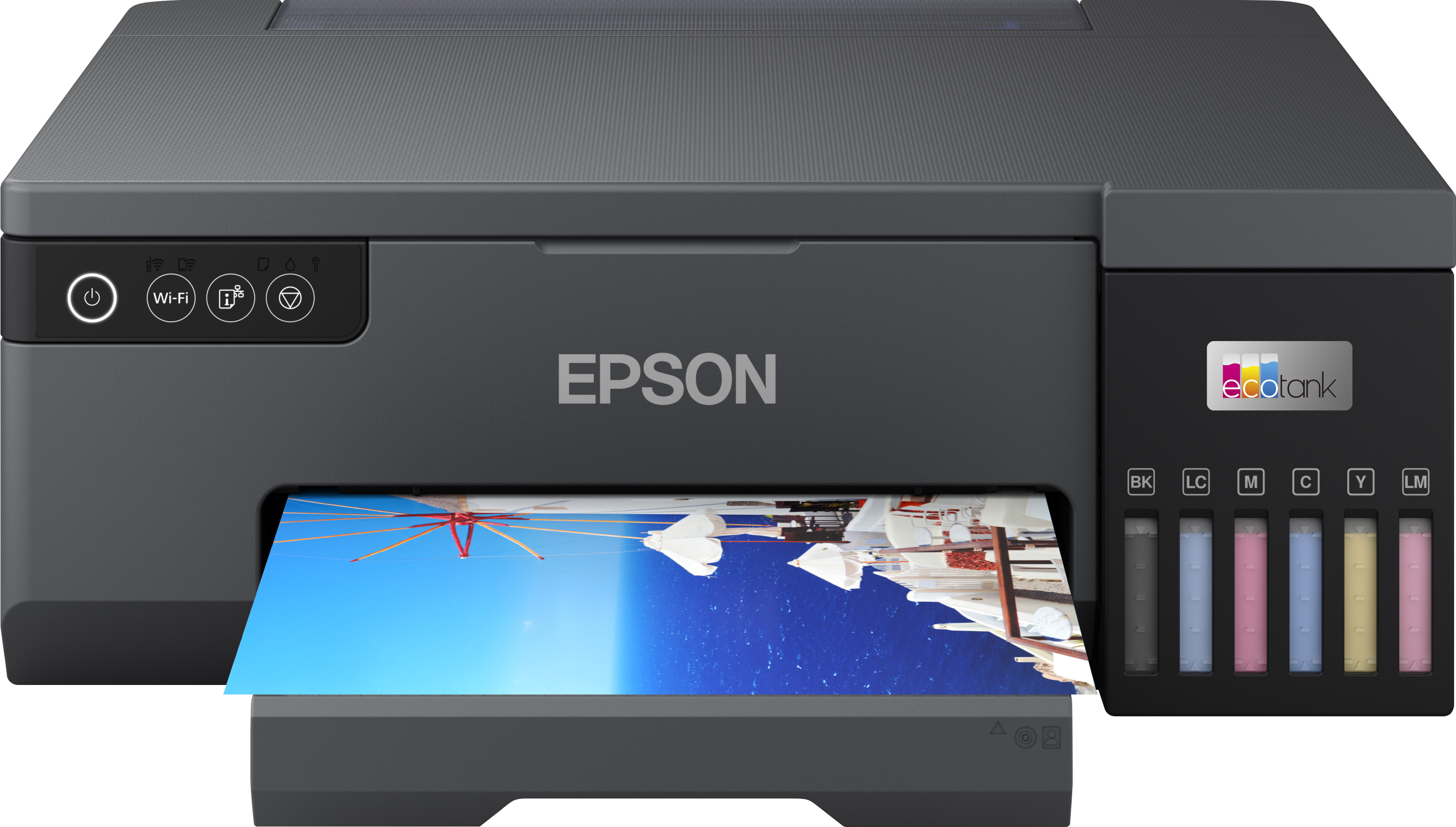
Epson EcoTank L8050 A4 Wi-Fi Ink Tank Photo Printer
Epson EcoTank
Buy — Its six-colour dye system, 1.5-picolitre droplets and borderless A4 support directly address the L3270's four-colour and 10 × 15 cm borderless limits.
Choose this when regular orders require colourful, borderless A4 prints and low consumable intervention. It has no scanner and its six-dye system lacks dedicated gray inks for demanding monochrome work.Available at Amazon(paid link) — opens Amazon in a new tab. Price and availability shown there.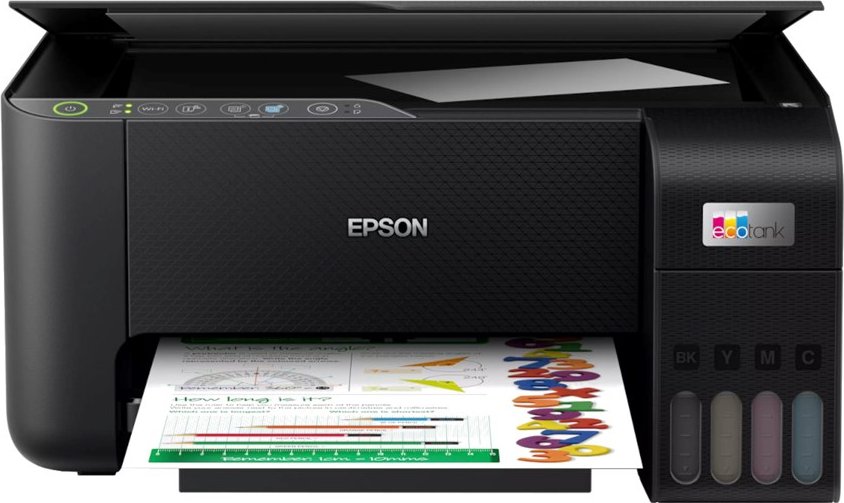
Epson EcoTank L3270 A4 Multifunction Wi-Fi Ink Tank Printer
Epson EcoTank
Skip — It uses four dye inks and limits borderless output to 10 × 15 cm, so sellable A4 prints require borders or trimming and receive less tonal control than a photo model.
This is a useful home all-in-one for drafts, scans and small photos, but it is the wrong upgrade for an artist selling borderless A4 work. Its large office-page yield does not represent full-coverage art-print yield.Available at Amazon(paid link) — opens Amazon in a new tab. Price and availability shown there.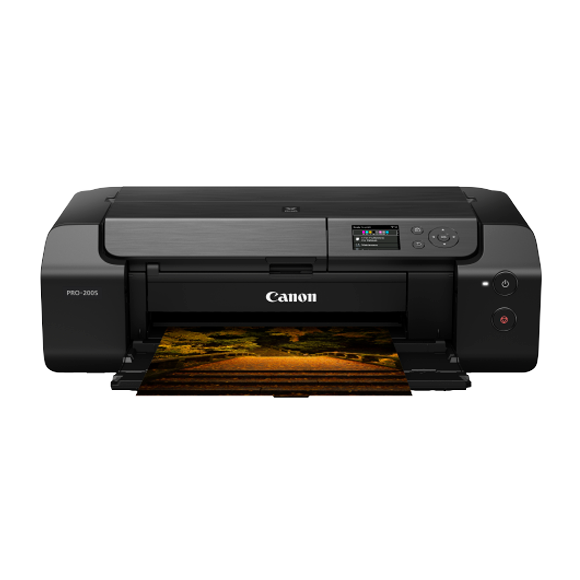
Canon PIXMA PRO-200S Wireless Professional Inkjet Photo Printer
Canon PIXMA
It depends — Its eight dye cartridges and borderless 13 × 19-inch support suit wider premium prints, but cartridge management and the lack of a scanner make it a narrower low-volume choice.
Consider this for A3+ products, glossy or lustre work, and stronger monochrome tonality. The tradeoff is managing eight cartridges, and it provides no scanning or copying.Available at Amazon(paid link) — opens Amazon in a new tab. Price and availability shown there.
Sources
Pages consulted while researching this article. None of these are affiliate links.
- Epson EcoTank L3270 specifications — epson.eu
- How Epson measures page yields — epson.eu
- Chip test of the Epson EcoTank L3270 — chip.cz
- Epson EcoTank L8050 specifications — epson.eu
- Chip test of the Epson EcoTank L8050 — chip.cz
- Canon PIXMA PRO-200S specifications — canon.ca
- Tom's Guide Canon PIXMA PRO-200S review — tomsguide.com
- RTINGS Canon PIXMA PRO-200S review — rtings.com