Brother MFC-L3770CDW: The Cardstock Limit That Matters
The questionWhere do these come from?
Big theater needs a color laser that can chew through 220gsm cardstock for badges
Hey r/printers, I'm a graphic designer helping set up the administrative/communications office for a medium/big theater that's about to have its inauguration and I need to pick a color laser printer for the team.
Skip the Brother MFC-L3770CDW for cardstock above 163 gsm; the Xerox VersaLink C400/DN supports up to 220 gsm for single-sided printing.
Skip the Brother MFC-L3770CDW for badge cardstock above 163 gsm: Brother specifies the same weight ceiling for its main tray and multipurpose tray. For single-sided badges on 164–220 gsm card, consider the Xerox VersaLink C400/DN, whose documented cardstock range reaches 220 gsm. Brother media specifications, Xerox C400 user guide
That recommendation has boundaries. The Xerox is a printer without the Brother’s scanning and copying functions, and its heavier single-sided media allowance does not establish suitability for unattended, double-sided badge production. Neither model is a documented answer for 250–300 gsm card.
For heavier badges, compare the paper paths first
These are the specifications that decide between the two machines. The minimum dimensions describe sheets entering the multipurpose or bypass tray, rather than the finished badges you cut from them.
| Deciding specification | Brother MFC-L3770CDW | Xerox VersaLink C400/DN |
|---|---|---|
| Maximum single-sided media weight | 163 gsm | 220 gsm |
| Automatic duplex weight ceiling in cited documentation | 163 gsm | 163 gsm |
| Minimum MP/bypass sheet dimensions | 76.2 × 116 mm | 76.2 × 127 mm |
| Scan and copy functions | Yes | No |
Sources: Brother specifications and Xerox user guide.
The Brother MFC-L3770CDW is the wrong purchase for recurring 200 gsm badge jobs because that stock exceeds its published limit, even when fed individually. The Xerox C400/DN clears that particular requirement: its guide lists Cardstock and Glossy Cardstock at 164–220 gsm. Select the corresponding media type instead of leaving a heavy sheet configured as plain paper.
However, the Xerox guide lists two-sided media at 60–163 gsm. Treat the heavier range as a single-sided capability unless Xerox confirms the exact stock and workflow otherwise. Manually turning sheets over is not evidence that automatic duplexing supports them.
For 250 or 300 gsm badges, neither printer qualifies on the documentation above. You need a machine whose supported media table explicitly covers the intended weight, finish, dimensions and printing mode. A successful demonstration with one sheet is insufficient evidence for a recurring office workload.
Lighter badge inserts can keep the Brother useful
If the printed insert goes inside a rigid badge holder, the holder can supply the stiffness. That gives you the option of lighter paper instead of requiring the printer to handle a thick freestanding card.
Start with the stock’s gsm, meaning grams per square metre. Brother’s US product specification labels its pound range as bond weight; a package marked “cover” or “index” uses a different basis. Compare the package’s gsm figure directly with the printer limit rather than comparing the pound numbers. Brother product specifications
Weight is only one requirement. Brother’s paper guidance also excludes inkjet paper and warns against unsuitable coatings, highly textured surfaces and curled sheets. A package being light enough does not make every finish acceptable. Use media intended for the printing process, and obtain samples before committing to a large batch. Brother recommended-paper guidance
Just want the recommendation?
Skip to the picksFor suitable stock within the supported range:
- Open the front multipurpose tray, extend its support and adjust the guides to the sheet width.
- Load the printable surface face up, keeping the stack below the maximum mark.
- Select the MP tray and match the paper size and media type in the print settings.
- Print a sample before sending the full badge job. Brother specifically instructs users to load glossy paper one sheet at a time. Brother MP-tray loading instructions
On the touchscreen, paper settings are under Settings → All Settings → General Setup → Tray Setting → Paper Type; set Paper Size there as well. Make the application and printer settings agree with the loaded sheet. Brother paper-setting instructions
Opening the rear cover does not increase the supported weight. Brother documents a straight path from the MP tray to the rear output specifically in its label-loading instructions, but that is a feed-path instruction, not permission to exceed the media specification. Brother rear-output instructions
Small badges and double-sided layouts need separate checks
A finished badge can be too small to feed even when its paper is light enough. For example, a 54 × 86 mm insert falls below both machines’ minimum MP/bypass dimensions. Print several badges on a supported larger sheet, then cut them apart.
Design the document around that full sheet. Keep names, photographs and codes away from trim lines, and check the printed dimensions before cutting the batch. If a barcode or QR code is involved, scan the actual printed sample using the reader that will be used at the event or workplace.
The Brother also has a regional duplex restriction that matters when choosing between A4 and Letter. Its recommended-paper documentation lists Letter, Legal, Folio, Mexico Legal and India Legal for automatic duplexing in the USA, Canada and Latin America; A4 applies to other regions. Do not assume that a machine accepting A4 for single-sided printing can automatically duplex A4. Check the documentation for the regional unit being purchased. Brother paper specifications and regional footnote
For double-sided badges, validate both feed compatibility and front-to-back placement before choosing a printer. A duplex checkbox establishes neither precise badge alignment nor support for every custom sheet size.
Reliability needs evidence beyond office print speed
RTINGS measured the Brother MFC-L3770CDW at up to 26 black pages per minute and 25 colour pages per minute in its review. Those results establish ordinary document throughput; they do not establish reliable feeding of heavy badge stock. RTINGS also describes visible printing patterns and muted photographs, which matters when badges depend on recognisable portraits. RTINGS MFC-L3770CDW review
The sources cited here do not establish long-run heavy-cardstock jam rates for either printer. The Xerox recommendation rests on documented media compatibility, not a proven claim that it will outlast the Brother in badge production.
Where replacement parts are difficult to obtain, ask a local service provider about the exact regional model before ordering. Confirm access to toner, imaging components, feed rollers and fuser service, along with warranty coverage and the unit’s electrical rating. An imported machine with a suitable paper specification can still be a poor operational choice if a routine repair leaves it unusable.
Before accepting either machine for recurring work, request a demonstration using the actual stock, artwork, sheet size and intended batch length. Check misfeeds, toner adhesion after cooling, curl, readable codes and alignment. If supported paper still jams or toner fails to adhere after the documented settings are applied, contact the manufacturer or service provider; the specification alone cannot diagnose that fault.
The bottom line
Two of these work — the difference is which situation you are in:
Top pick
Skip this
Brother MFC-L3770CDW
Brother
Brother specifies a maximum media weight of 163 gsm for both the main tray and multipurpose tray.
Skip it for badge cardstock above 163 gsm: neither input tray supports heavier stock. It remains usable for suitable lighter inserts, but the MP tray does not raise its weight ceiling.Available at Amazon(paid link) — opens Amazon in a new tab. Price and availability shown there.The alternative
It depends
Xerox VersaLink C400/DN Color Printer
Xerox VersaLink
The C400 user guide supports cardstock up to 220 gsm but lists two-sided media at 60–163 gsm.
Consider it for single-sided badges on compatible 164–220 gsm cardstock. It lacks scanning and copying, and its cited user guide limits automatic duplex media to 163 gsm.Available at Amazon(paid link) — opens Amazon in a new tab. Price and availability shown there.
Recommended products
Ordered by how well each one fits the situations above. Each link below is a paid link.
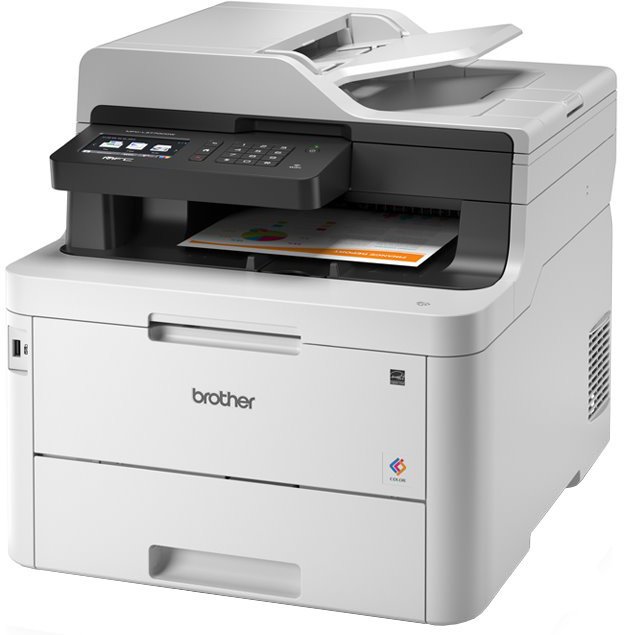
Brother MFC-L3770CDW
Brother
Skip — Brother specifies a maximum media weight of 163 gsm for both the main tray and multipurpose tray.
Skip it for badge cardstock above 163 gsm: neither input tray supports heavier stock. It remains usable for suitable lighter inserts, but the MP tray does not raise its weight ceiling.Available at Amazon(paid link) — opens Amazon in a new tab. Price and availability shown there.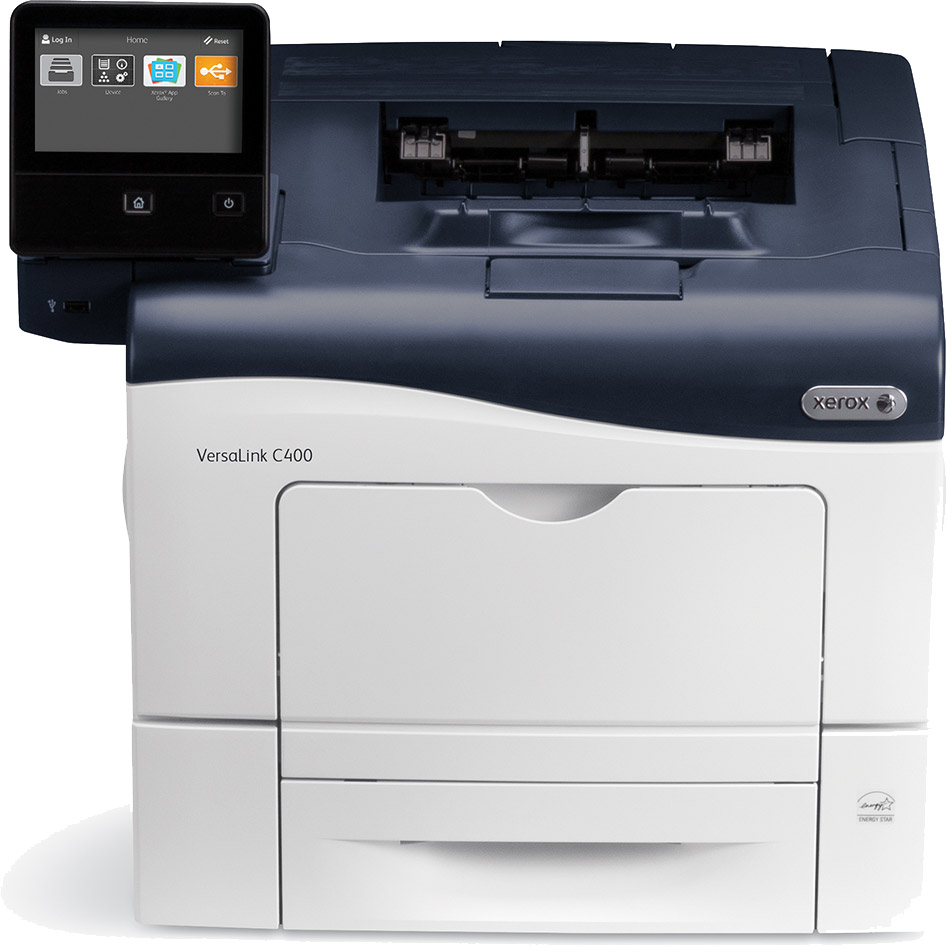
Xerox VersaLink C400/DN Color Printer
Xerox VersaLink
It depends — The C400 user guide supports cardstock up to 220 gsm but lists two-sided media at 60–163 gsm.
Consider it for single-sided badges on compatible 164–220 gsm cardstock. It lacks scanning and copying, and its cited user guide limits automatic duplex media to 163 gsm.Available at Amazon(paid link) — opens Amazon in a new tab. Price and availability shown there.
Sources
Pages consulted while researching this article. None of these are affiliate links.
- Brother MFC-L3770CDW specifications — support.brother.com
- Xerox VersaLink C400 Color Printer User Guide — download.support.xerox.com
- Brother MFC-L3770CDW product specifications — brother-usa.com
- Brother MFC-L3770CDW recommended paper — help.brother-usa.com
- Brother: Load Paper in the Multi-purpose Tray — support.brother.com
- Brother: Change the Paper Size and Paper Type — support.brother.com
- Brother: Load and Print Labels Using the MP Tray — support.brother.com
- Brother recommended media and regional duplex restrictions — support.brother.com