Epson EcoTank ET-2850 for Scrapbooking: Buy or Skip?
The questionWhere do these come from?
HELP‼️Printer for scrapbooking
Hi everyone, I just wanted to ask if anyone knows a good quality printer that can print in colour? I’ve looked at a couple of options on amazon but i want to know if anyone has recommendations.
The Epson EcoTank ET-2850 is the right ink-tank all-in-one for UK scrapbooking on this budget, with one real caveat on glossy photo prints.
For UK scrapbooking, the Epson EcoTank ET-2850 is the right pick inside this budget bracket. Its refillable ink-tank system removes the exact failure mode that gives cartridge printers a reputation for patchy output, and independent reviewers rate its general image quality as consistently good. The one place it doesn’t lead the class is glossy photo prints — worth knowing before you buy if a scrapbook leans heavily on full-bleed photos rather than journaling cards and matte layouts.
Why ink-tank printers solve the print-quality complaint cartridge printers create
The “poor print quality” people report from cartridge printers is rarely about the printer’s best-case output — it’s about what happens once the bundled starter cartridges run low. Which? has found that many cartridge printers ship with starter cartridges holding less ink than a full replacement set, and that for some models a single replacement set of ink costs more than the printer itself within a few months of ownership. That cost pressure pushes owners toward economy or draft print modes, thinner colour laydown, and stretched-out cartridges — which is where the streaking and dull colour that scrapbookers notice actually comes from, not from the printer being incapable of better.
An ink-tank system removes that incentive. The ET-2850 ships with enough bottled ink to print thousands of pages before a refill is needed, and replacement bottles are cheap enough per page that there’s no reason to economise on a print run. That’s the structural reason to prefer a tank printer for a hobby like scrapbooking, where you’re printing photos and cardstock in occasional bursts rather than a steady office workload.
What the ET-2850 does well on scrapbook pages
The ET-2850 uses a four-colour (CMYK) tank system with a maximum print resolution of 5,760 x 1,440 dpi, and reviewers at Tom’s Guide and Digital Trends both rate its general image quality as high and consistent, not just for text. Two features matter specifically for scrapbooking:
- Scanning keepsakes. Its flatbed scanner reaches up to 1,200 x 2,400 dpi optical resolution, which is enough to digitise old photographs, tickets, and other memorabilia at a quality worth reprinting or duplicating onto a page.
- Automatic double-sided printing. The ET-2850 has auto-duplex built in, unlike Epson’s own cheaper ET-2800/ET-2803 stablemates in the same lineup, according to RTINGS’ side-by-side comparison of the two — useful for printing journaling inserts or photo captions on the reverse of a page.
Paper handling has a ceiling worth knowing before you buy heavy cardstock: Epson’s own guidance for the model tops out around 165gsm for matte presentation-style stock and 297gsm for a single sheet of glossy photo paper, short of the 300gsm-plus cardstock some scrapbook kits use. Thicker stock than that risks jams rather than clean feeds.
If most of your pages are full-bleed glossy photos
This is the one place the ET-2850 doesn’t stand out. Consumer Reports rates its glossy photo output near the bottom among the inkjets it has tested, and TechRadar’s review found that test photos on glossy paper lacked the depth and fine detail of other inkjets in its price range, despite a bright initial impression. Text and matte or cardstock output aren’t affected by this — it’s specifically glossy, full-bleed photo printing where it trails.
Just want the recommendation?
Skip to the picksIf most of a scrapbook’s pages are large glossy photo prints rather than journaling cards, cardstock backgrounds, and text, it’s worth weighing a printer built more specifically around photo output against the ET-2850’s running-cost advantage — see how a pigment-ink Epson stacks up for that trade-off in Epson L3270 for Art Prints: Switch or Skip?. For most scrapbook layouts, which mix text, cardstock and photos rather than being all-glossy, the ET-2850’s weak point matters less than its running costs matter in its favour.
Ink-tank rivals worth weighing in this budget band
| Printer | Verdict | What decides it | The catch |
|---|---|---|---|
| Epson EcoTank ET-2850 | Buy | Auto-duplex, 1,200 x 2,400 dpi scan, consistently good general image quality | Glossy photo output trails dedicated photo inkjets |
| Canon PIXMA G3570 (MegaTank) | Consider | Which? Best Buy; stronger glossy and matte photo results | No automatic duplex; typically prices at the top of this bracket |
| HP Smart Tank 5105 | Consider | Sharpest plain-paper text of the three tank printers | Slowest colour print speed of the group |
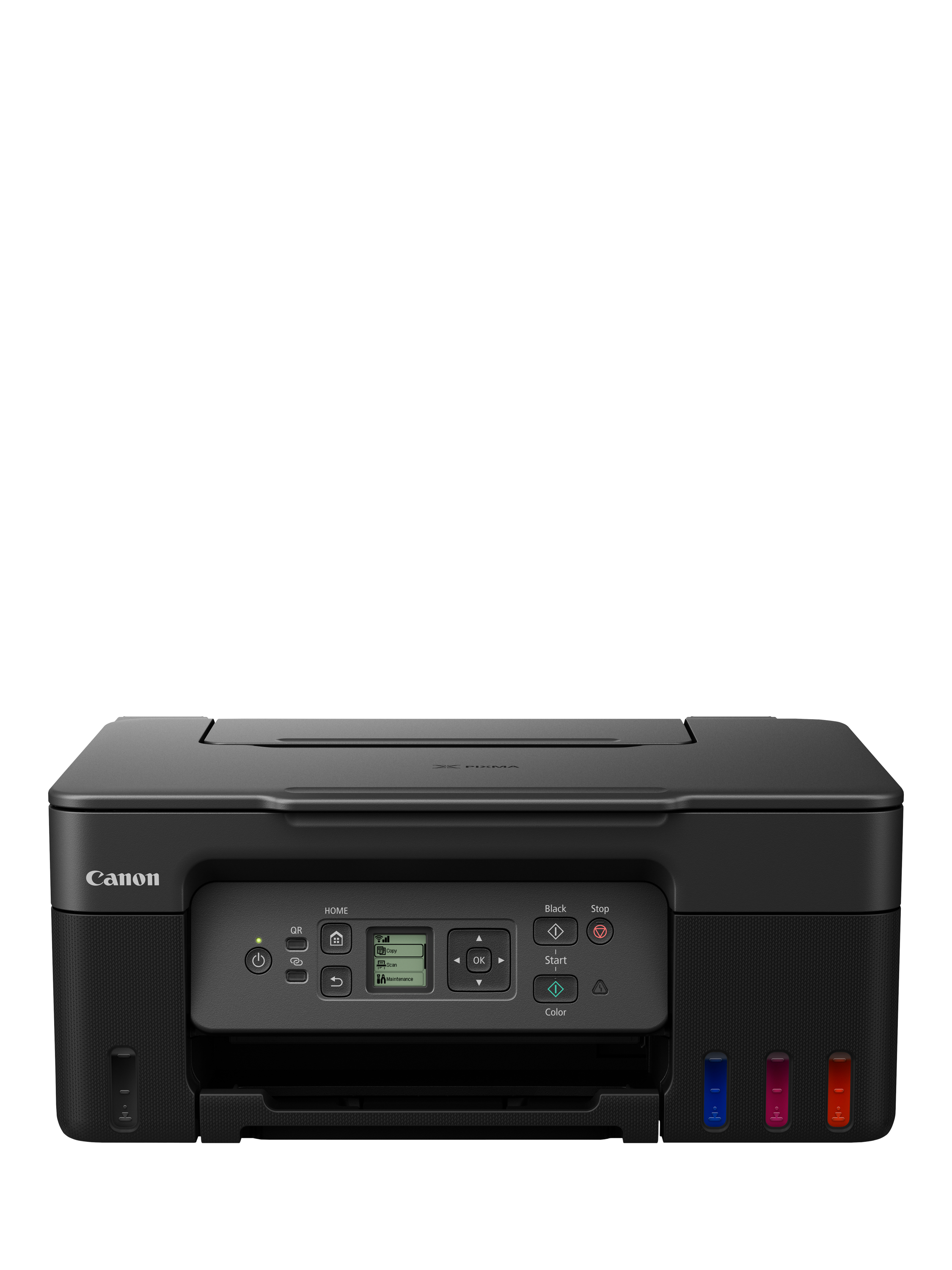
| Canon PIXMA TS6350a (cartridge) | Skip | Cheaper up front | Starter cartridges run low fast, pushing owners into the economy-mode printing that causes the quality complaint |
The Canon PIXMA G3570 — sold in the US as the G3270 — is the closest direct rival to the ET-2850 and a Which? Best Buy in its own right. Digital Trends’ review of the G3270 found photo prints on glossy paper looked great with no tinkering, which beats the ET-2850’s documented weak point, and Canon rates its bundled ink bottles for up to 6,000 mono or 7,700 colour pages. The trade-off is that it typically prices at or above the top of this budget bracket, it drops automatic duplex printing, and some reviewers flagged a fiddlier initial tank setup than Epson’s. If glossy photo quality is the priority a reader is weighing this decision around, it’s worth the extra outlay; if not, it’s paying for a strength the ET-2850’s photo pages don’t need.
The HP Smart Tank 5105 sits at the more affordable end of the tank category. Reviewers at Trusted Reviews and ITPro both praise its plain-paper text — dark, sharp, and legible down to small point sizes — and it ships with enough ink for around 6,000 pages before needing a refill. Its weak spot is colour print speed, which ITPro’s review calls leisurely. That’s a real drawback for scrapbooking sessions built around printing several colour photos or cardstock backgrounds in one sitting, though it’s a reasonable fit if a scrapbook is mostly text and journaling with only occasional colour pages.
What to skip: cartridge all-in-ones sold at this price
The Canon PIXMA TS6350a — Canon’s UK name for the US TS6420a — is a fair stand-in for the standard cartridge printer a reader in this budget is likely to have already compared against the ET-2850. Its initial print quality tests well in reviews, which is exactly why it’s easy to be misled by cartridge printers in general: the demo unit in a shop or a first print run looks fine. The problem shows up later. Which?'s research on cheap printers found that starter cartridges typically hold less ink than a full replacement set, and that on some models the running cost of replacement ink outpaces the price of the printer itself within months — which is when owners start rationing ink through economy print settings, and print quality visibly drops. That’s the poor quality readers are testing and trying to avoid, and it’s a running-cost problem specific to cartridge economics rather than something inherent to any one model.
It’s also worth being clear about what cartridges don’t fix: the idea that a cartridge printer copes better with occasional, bursty use — which is how scrapbooking sessions tend to happen — doesn’t hold up on cost. A cartridge printhead that clogs after weeks of sitting idle still needs a fresh, full-price cartridge to fix, while a tank printer’s occasional clog is cleared with a nozzle-check cycle using ink already paid for.
One thing tank ink doesn’t fix: colour permanence
EcoTank models in this price class use dye-based colour ink rather than pigment, which is the standard trade-off for tank printers at this budget — pigment ink costs more to build into a tank system. Dye-based colour is more prone to fading under prolonged direct light than pigment ink. For scrapbooking specifically, that means finished pages kept in a sunlit display or a window-facing shelf will fade faster than the same pages stored in an album or a drawer. It isn’t a reason to avoid a tank printer at this budget — pigment-ink alternatives with individual colour tanks cost meaningfully more — but it’s worth building into how finished pages get stored if the goal is a scrapbook that still looks right in a decade.
The bottom line
Two of these work — the difference is which situation you are in:
Top pick
Buy this
Epson EcoTank ET-2850 All-in-One Printer
Epson EcoTank
Its bottled ink replaces cartridges entirely and reviewers at Tom's Guide and Digital Trends rate its general image quality as consistently good, even though it isn't a specialist photo printer.
The subject of this question: a 4-colour ink-tank all-in-one that avoids the cartridge economics driving the poor print quality readers have already tested, strong on cardstock, journaling and general photos, weaker specifically on glossy full-bleed prints.Available at Amazon(paid link) — opens Amazon in a new tab. Price and availability shown there.The alternative
It depends
Canon PIXMA G3570 MegaTank All-in-One Printer
Canon PIXMA
Which? named it a Best Buy largely on photo and document quality, but it drops auto-duplex printing and typically prices at or above the top of this budget bracket.
A rival ink-tank all-in-one from Canon that reviewers rate higher than the ET-2850 for glossy and matte photo output, at the cost of automatic duplex printing and a fiddlier initial setup.Available at Amazon(paid link) — opens Amazon in a new tab. Price and availability shown there.
Recommended products
Ordered by how well each one fits the situations above. Each link below is a paid link.
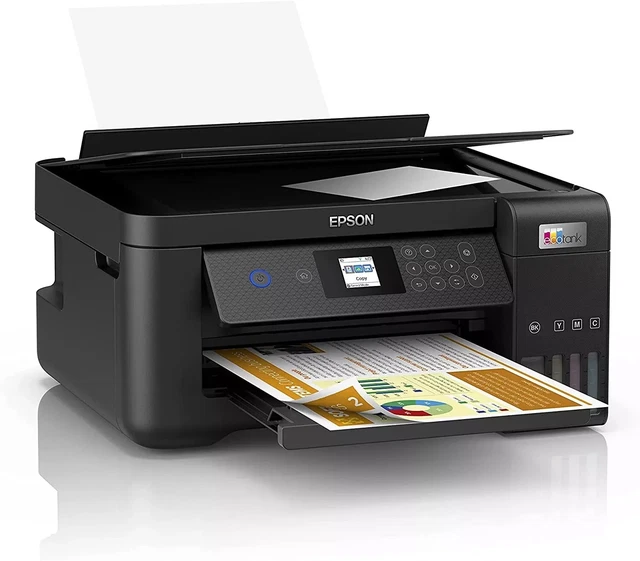
Epson EcoTank ET-2850 All-in-One Printer
Epson EcoTank
Buy — Its bottled ink replaces cartridges entirely and reviewers at Tom's Guide and Digital Trends rate its general image quality as consistently good, even though it isn't a specialist photo printer.
The subject of this question: a 4-colour ink-tank all-in-one that avoids the cartridge economics driving the poor print quality readers have already tested, strong on cardstock, journaling and general photos, weaker specifically on glossy full-bleed prints.Available at Amazon(paid link) — opens Amazon in a new tab. Price and availability shown there.Canon PIXMA G3570 MegaTank All-in-One Printer
Canon PIXMA
It depends — Which? named it a Best Buy largely on photo and document quality, but it drops auto-duplex printing and typically prices at or above the top of this budget bracket.
A rival ink-tank all-in-one from Canon that reviewers rate higher than the ET-2850 for glossy and matte photo output, at the cost of automatic duplex printing and a fiddlier initial setup.Available at Amazon(paid link) — opens Amazon in a new tab. Price and availability shown there.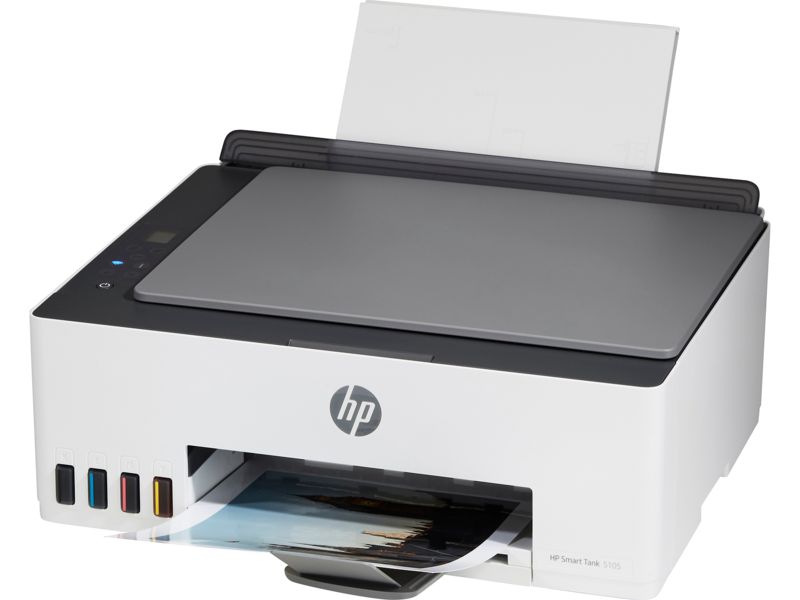
HP Smart Tank 5105 All-in-One Printer
Smart Tank
It depends — Reviewers found its plain-paper text sharper than the ET-2850's, but its colour print speed is the slowest of the tank-based options here, which works against photo-heavy print runs.
Another ink-tank rival, best suited to scrapbookers whose pages are mostly text and journaling with only occasional colour photos rather than photo-heavy layouts.Available at Amazon(paid link) — opens Amazon in a new tab. Price and availability shown there.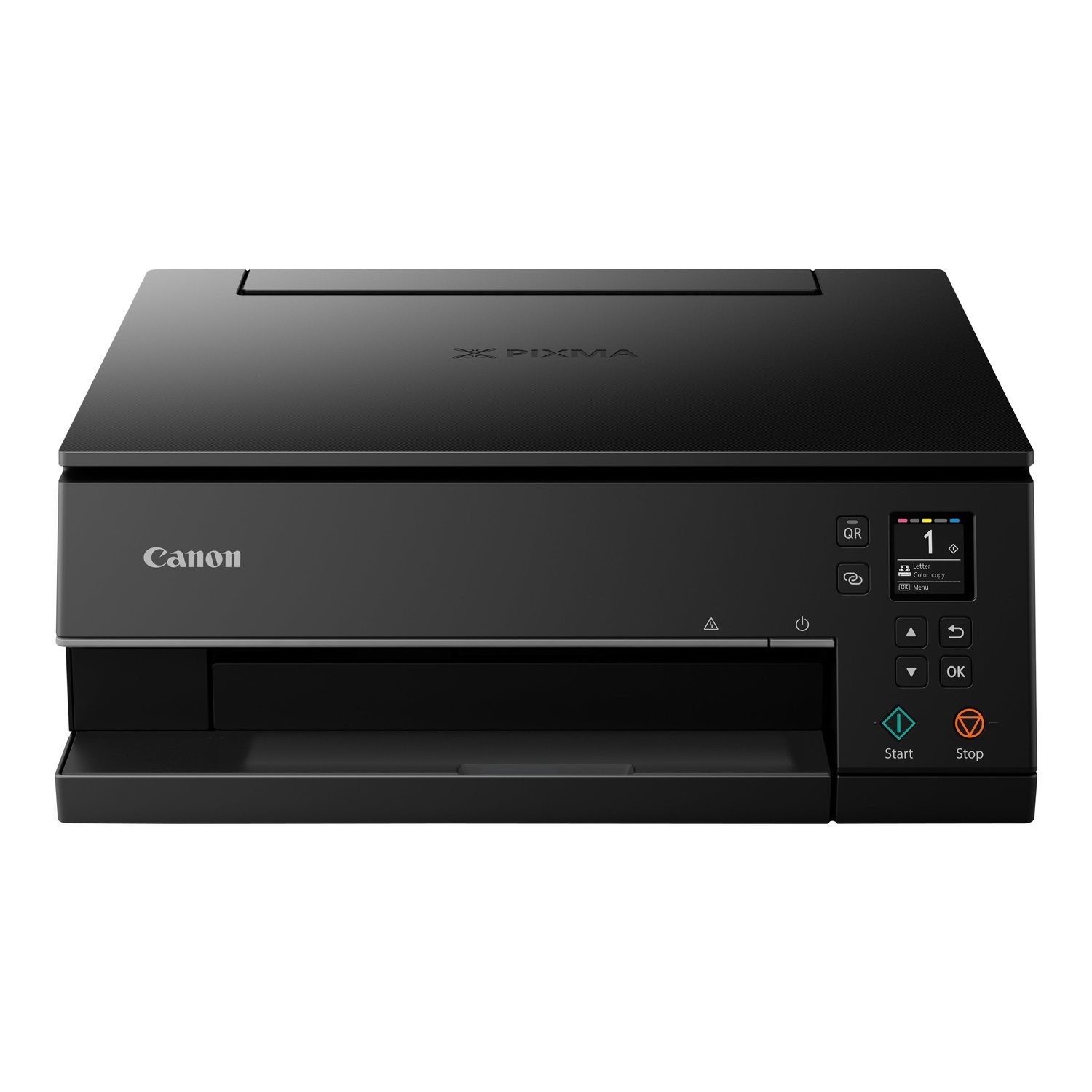
Canon PIXMA TS6350a All-in-One Printer
Canon PIXMA
Skip — Which? has documented that many cartridge printers in this class cost more in replacement ink within a few months than the printer itself, which is the exact pressure that pushes owners into the economy-mode printing behind the print quality they're trying to avoid.
A standard cartridge all-in-one and the kind of default a shopper in this budget is likely to have already compared against the ET-2850 — this is what to skip, not a fit.Available at Amazon(paid link) — opens Amazon in a new tab. Price and availability shown there.
Sources
Pages consulted while researching this article. None of these are affiliate links.
- Epson EcoTank ET-2850 review | TechRadar — techradar.com
- Epson EcoTank ET-2850 review | Tom's Guide — tomsguide.com
- Epson EcoTank ET-2850 Printer Review - Consumer Reports — consumerreports.org
- Epson EcoTank ET-2850 Review - RTINGS.com — rtings.com
- Canon PIXMA G3260/G3262 vs Epson EcoTank ET-2850 - RTINGS.com — rtings.com
- Epson EcoTank ET-2850 vs EcoTank ET-2800/ET-2803 - RTINGS.com — rtings.com
- Canon Pixma G3570 review - Which? — which.co.uk
- HP Smart Tank 5105 review - Which? — which.co.uk