CRP2 Pedal Angle Fixes for Ankle Pain
The question this answersWhere do these come from?
How do I adjust the Moza CRP2 pedal angle to fix ankle pain?
CRP2 ankle pain usually means the pedal face and rig angle do not match your seated leg; adjust the face first, then the deck and distance.
Set the CRP2 pedal face so your foot can rest against it without your toes being pulled toward your shin, then correct the pedal-deck angle or distance if discomfort remains. A MOZA Pit House dead zone can suppress an input, but it cannot change the physical ankle position causing the pain.
The important CRP2-specific detail is that MOZA lists 0–15° of pedal-angle adjustment, while its current manual documents that adjustment at the pedal face: loosen the screws on both sides of the face, rotate it, and retighten them. It does not document a 15-degree pivot for the entire pedal body. If the face reaches the end of its slot and the pedal still feels too vertical, the next adjustment belongs at the pedal deck or cockpit—not in software and not in an undocumented hole on the pedal arm. MOZA’s CRP2 support specifications and CRP2 user manual make that distinction clearer when read together.
Know which CRP2 adjustment changes what
These controls can look interchangeable, but each addresses a different part of the movement:
| CRP2 adjustment | Official range | What it physically changes | Use it when |
|---|---|---|---|
| Pedal-face angle | 0–15° | Angle between your sole and the contact plate | Your ankle is uncomfortable before pressing |
| Pedal-face height | Up to 30 mm | Where the plate contacts your foot | Your toes land too high or your heel loses support |
| Footrest adjustment | Up to 30 mm | Heel position relative to the face | Your foot has to hover instead of pivoting from the heel |
| Pedal travel | Brake 15–20°; throttle 15–23°; clutch 15–25° | How far the pedal moves | Pain occurs near the end of a press |
Those figures come from MOZA’s current CRP2 support page. Changing travel will not correct an uncomfortable starting angle, while changing a software curve will not shorten the mechanical movement.
Make the adjustments in this order
- Stop driving until the existing pain has settled. Continuing a long stint is a poor way to evaluate a setting because pain makes you compensate with the knee, hip or other foot.
- Mark the current positions. Photograph the face slots, footrest and pedal deck so every change is reversible.
- Set the seat and pedal distance. At maximum brake pressure, your knee should remain slightly bent and your back should stay against the seat. If the knee locks or your hips move forward, bring the pedals closer. If your knees are cramped before pressing, move them away. Asetek’s pedal-position checklist uses the same full-brake test rather than prescribing one universal measurement.
- Support the heel. The heel should carry the resting weight of the leg. Adjust the CRP2 footrest and pedal-face height until the ball of the foot meets the face without holding the whole foot in the air.
- Adjust the pedal face. Disconnect the pedals, loosen the two side screws identified in the manual, rotate the face in the direction that lets your toes relax farther away from your shin, then tighten both screws. Do not merely select the numerically largest angle; mounting orientation determines which end of the slot feels flatter to your ankle.
- Change the pedal-deck angle if necessary. Rotate the complete CRP2 assembly until your relaxed sole and the pedal face meet naturally. Make small changes and retain a rigid four-point or greater mounting arrangement.
- Adjust travel or resistance only for pain during the press. Recalibrate the pedals in MOZA Pit House after altering mechanical travel. MOZA also supports setting minimum and maximum stroke on the pedal-function page.
Change one item at a time. Test the resting position first, then several gentle presses, and only then a short driving session. That makes it possible to identify which adjustment helped without waiting for the ankle to hurt again.
If the top of your ankle hurts while hovering
Pain or fatigue across the front of the ankle while waiting to brake usually points to a resting-position problem: the toes are held toward the shin or the foot is suspended above the pedal.
Keep the heel planted and let the foot pivot from it. If the CRP2 face is still forcing the toes upward, alter the face angle and contact height first. If both adjustments are already at their useful limits, rotate the complete pedal deck rather than increasing the dead zone again.
A small brake dead zone can prevent light physical preload from registering in the game, but it does not make hovering comfortable. If you must actively hold the foot away from the brake to avoid an input, either the resting geometry or calibration is still wrong. MOZA’s support guidance allows pedal stroke to be set with Set Min and Set Max and recommends recalibration when the reported stroke is incorrect, but those controls should follow the mechanical setup rather than replace it.
An unused-looking hole in the CRP2 chassis is not automatically another supported angle position. The manual documents face angle, face height, spacing, travel and pedal feel; it does not instruct owners to relocate the pedal-arm pivot for whole-body angle adjustment. Do not move a structural pivot or omit a factory spacer unless MOZA support confirms the procedure for that hardware revision.
Just want the recommendation?
Skip to the picksIf pain appears at full throttle or clutch travel
If the ankle feels acceptable at rest but becomes uncomfortable only at full throttle, the pedal may be travelling beyond your comfortable range. Use the CRP2 limit-shaft adjustment to shorten throttle travel, then recalibrate so the new physical endpoint still produces 100% input. The manual specifies a 15–23° throttle-travel range and 15–25° clutch range.
Also check distance. Reaching with the toes at the end of travel means the pedals are probably too far away, even if the brake distance feels correct. Because each CRP2 pedal can be positioned on the base, the throttle can be mounted in a different fore-aft position on a compatible pedal deck rather than forcing both legs into identical geometry.
If return force is making the front of the lower leg work continuously, the CRP2 manual says turning the throttle adjustment nut counterclockwise softens its return feel. Make small changes, secure the mechanism as documented and recalibrate afterward.
If the ankle hurts only under hard braking
First confirm that the leg—not repeated ankle flexion—is producing the main braking force. Your back and hips should remain supported while the knee extends without locking. If the heel lifts, the knee straightens completely or the seat moves, correct the cockpit geometry before raising brake force.
The CRP2’s 0–200 kg load-cell range is sensor capacity, not a target force you are expected to produce. A force setting that exceeds what your seated position can support offers no ergonomic benefit. The manual allows the brake pressure shaft to be turned counterclockwise for a softer feel and identifies gray damping blocks as softer than the harder red blocks. Reduce the mechanical resistance, recalibrate the usable maximum and then increase it only if braking remains comfortable and controlled.
Software curves can change how quickly the reported signal rises, and the CRP2 combines a load cell with an angle sensor. That can help you reach full in-game braking with an appropriate physical effort, but it still cannot correct a heel that is unsupported or a face that meets the foot at the wrong angle.
If the CRP2 remains too vertical on your rig
Once the face, footrest, distance and travel are correct, the remaining variable is the mounting platform. Use a pedal plate with real angle adjustment and enough rigidity for a load-cell brake. The manual calls for four M8 fasteners when mounting directly to aluminum profile, or four to eight M6 fasteners through a pedal plate; a loose stack of washers under only part of the base is a poor substitute for a securely supported angled plate.
If a compact stand cannot provide that geometry, a foldable cockpit designed around CRP2 mounting may solve the underlying limitation. MOZA also lists an optional CRP2 inverted-mounting kit. Inversion is a last-stage option because it changes the pedal arc, requires additional structure and does not guarantee relief if seat distance remains wrong.
When adjustment is no longer the answer
Pedal geometry can explain pain that reliably starts in one driving position, but it cannot diagnose an ankle condition. Stop using the pedals and seek medical advice if pain is severe, worsening, recurrent, interferes with normal activity, or comes with swelling, tingling, numbness or difficulty walking. The NHS ankle-pain guidance specifically identifies severe pain, inability to walk and altered sensation as reasons to obtain medical help rather than continuing self-treatment.
The bottom line
The fix, in one part:
Top pick
It depends
MOZA CRP2 Inversion Kit
MOZA
The inversion kit is a last-stage option because it changes the pedal arc, requires additional structure, and does not guarantee relief if seat distance remains wrong.
Use this only when a rigid cockpit cannot give the floor-mounted CRP2 a relaxed ankle angle. It needs additional space and support, changes the pedal arc, and is therefore not the first adjustment to try.Available at Amazon(paid link) — opens Amazon in a new tab. Price and availability shown there.
Recommended products
Ordered by how well each one fits the situations above. Each link below is a paid link.
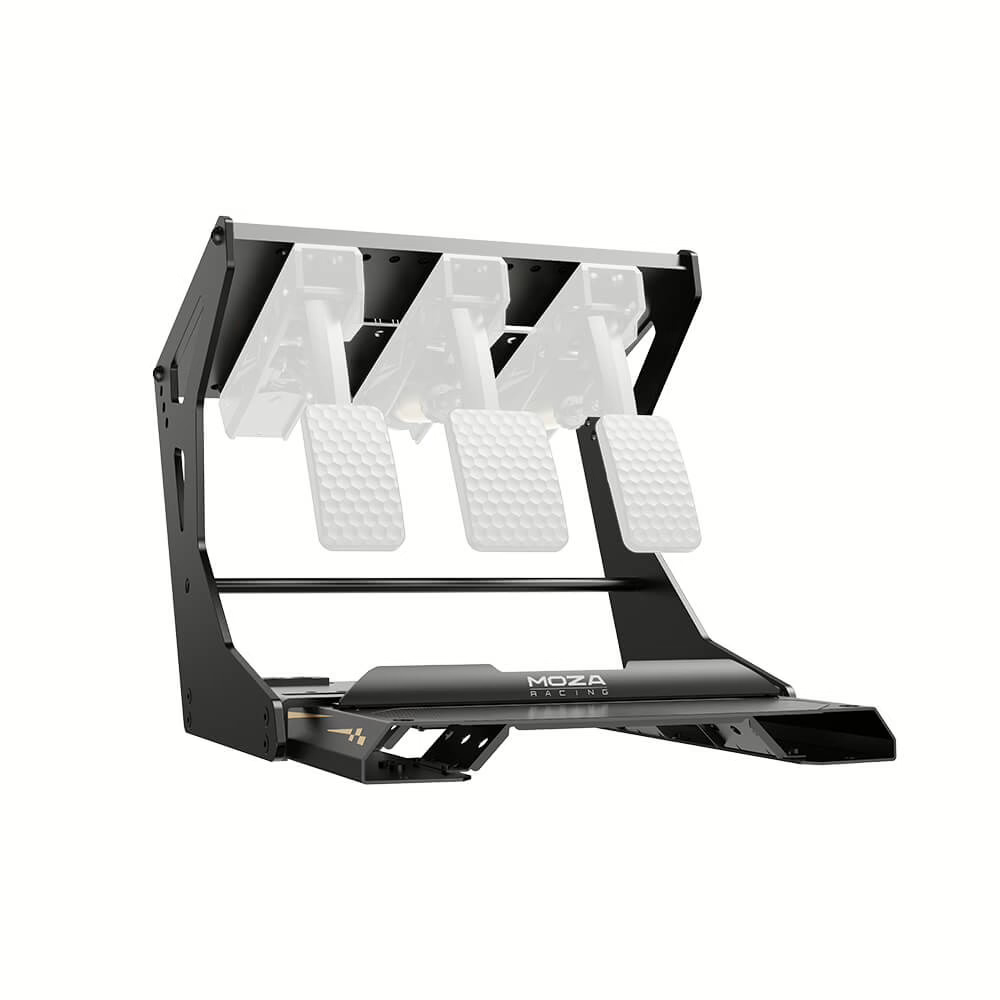
MOZA CRP2 Inversion Kit
MOZA
It depends — The inversion kit is a last-stage option because it changes the pedal arc, requires additional structure, and does not guarantee relief if seat distance remains wrong.
Use this only when a rigid cockpit cannot give the floor-mounted CRP2 a relaxed ankle angle. It needs additional space and support, changes the pedal arc, and is therefore not the first adjustment to try.Available at Amazon(paid link) — opens Amazon in a new tab. Price and availability shown there.
Sources
Pages consulted while researching this article. None of these are affiliate links.
- MOZA CRP2 Pedals Support — support.mozaracing.com
- MOZA CRP2 Load Cell Pedals User Manual — image.gudsen.com
- Sim Racing Pedal Position: Angle, Distance & Brake Control — asetek.com
- NHS Ankle Pain Guidance — nhs.uk