Can an Adapter Fix the Wrong Apple Pencil?
The questionWhere do these come from?
Can Apple Pencil usb c be paired with iPad with Lightning Port
I mistakenly bought usb c Apple Pencil and it is not possible to return it, are there any methods or adapters which I can use to make it compatible with the iPads I have
No adapter can make an incompatible Apple Pencil work with a Lightning iPad; exchange it for the exact Pencil model your iPad supports.
No. An adapter cannot make Apple Pencil (USB-C), Apple Pencil (2nd generation), or Apple Pencil Pro work with a Lightning iPad. If your iPad appears on Apple’s first-generation compatibility list, return or exchange the wrong Pencil for Apple Pencil (1st generation); if the iPad is absent from that list, no Apple Pencil model will work with it.
The easily misunderstood exception is Apple’s USB-C to Apple Pencil Adapter. It lets a first-generation Pencil pair and charge with the USB-C-equipped iPad (10th generation) and iPad (A16). It does not convert a newer Pencil for an older Lightning iPad.
| Item | Works on a supported Lightning iPad? | What its connector does | Verdict |
|---|---|---|---|
| Apple Pencil (1st generation) | Yes | Plugs directly into the iPad’s Lightning port to pair and charge | Buy |
| USB-C to Apple Pencil Adapter | No new compatibility | Connects a first-generation Pencil to iPad (10th generation) or iPad (A16) | Skip for Lightning iPads |
| Apple Pencil (USB-C) | No | Uses a USB-C cable for pairing and charging | Skip |
| Apple Pencil (2nd generation) | No | Pairs and charges on the compatible iPad’s magnetic connector | Skip |
| Apple Pencil Pro | No | Uses magnetic pairing on a small list of newer iPads | Skip |
Check the iPad model, not merely its port
A Lightning port does not automatically mean Apple Pencil (1st generation) support. Apple’s current compatibility list names these first-generation Pencil iPads:
- iPad mini (5th generation)
- iPad (6th, 7th, 8th, and 9th generation)
- iPad Air (3rd generation)
- iPad Pro 12.9-inch (1st and 2nd generation)
- iPad Pro 10.5-inch
- iPad Pro 9.7-inch
- iPad (10th generation) and iPad (A16), both requiring the USB-C adapter
That list is the compatibility boundary—not the physical shape of an available cable. Apple separately lists Apple Pencil (USB-C), Apple Pencil (2nd generation), and Apple Pencil Pro with different supported iPads. There is no Lightning iPad in any of those three lists. Apple’s compatibility document is therefore more reliable than advice based on whether two plugs can be joined.
If the generation is uncertain, open Settings > General > About. The iPad displays its model information there; tapping the part number beside Model Number reveals the A-number that can be checked against Apple’s model directory. Apple also explains where to find that number on the casing or inside the connector when it is not visible on the back. Apple documents the exact model-number procedure.
What the two first-generation adapters actually do
Apple Pencil (1st generation) has a removable cap covering a male Lightning connector. On a compatible Lightning iPad, remove the cap and plug the Pencil straight into the iPad. The Pair button should appear; the same connection charges the Pencil.
The small Lightning charging adapter supplied with some first-generation packages accepts the Pencil and a Lightning cable. Apple describes it as another way to charge the Pencil from a cable and power adapter. It is not a compatibility converter for Apple Pencil (USB-C), Apple Pencil (2nd generation), or Apple Pencil Pro. Apple’s first-generation technical specifications distinguish its Bluetooth and Lightning connections from the adapters included in the package.
The USB-C to Apple Pencil Adapter has an even narrower job. It places a first-generation Pencil at one end and a USB-C cable at the other so that iPad (10th generation) or iPad (A16) can pair with and charge that Pencil. Skip the Apple USB-C to Apple Pencil Adapter for a Lightning iPad: Apple requires it only for iPad (10th generation) and iPad (A16), and it does not accept or enable a different Pencil generation.
A third-party Lightning-to-USB-C coupler does not change this result. It may make the plugs fit, but Apple’s supported-device list still excludes the combination. Connector conversion and stylus compatibility are separate questions.
Just want the recommendation?
Skip to the picksThe wrong Pencil models cannot be adapted
Skip Apple Pencil (USB-C) for a Lightning iPad because Apple supports it only on specified USB-C iPads running iPadOS 17.1.1 or later. A USB-C-to-Lightning cable does not add a Lightning iPad to that support list. This model is a legitimate option for compatible USB-C iPads, but it is the wrong replacement for someone keeping an older Lightning model.
Skip Apple Pencil (2nd Generation) for a Lightning iPad because it pairs and charges through a magnetic connector found only on its supported iPad mini, Air, and Pro models. It has no exposed charging plug for an adapter to translate. Apple Pencil Pro is wrong for the same audience: Apple restricts it to particular newer iPad Pro, iPad Air, and iPad mini models.
This is also why Bluetooth appearing in the specifications does not make the Pencils interchangeable. Pairing begins through the connection method assigned to that Pencil generation, while the compatible iPad display hardware has to recognize its input. Apple’s own description says the USB-C model pairs through a USB-C cable, the first generation uses Lightning, and the second generation uses magnetic pairing and charging. Apple’s Pencil lineup explanation also confirms that first generation has pressure sensitivity, an important distinction when choosing between it and the USB-C model on iPads that support both.
An independent physical inspection reinforces why this is more than a plug problem. iFixit dismantled Apple Pencil (1st generation), measured its internal battery at 0.329 Wh and its logic board at 1.0 gram, and identified a dedicated Bluetooth chip, charging circuitry, sensors, and controllers. That teardown does not establish iPad compatibility—Apple’s list does—but it demonstrates that the Pencil is an active input device rather than a passive stylus whose identity can be changed by rewiring its connector. The complete iFixit teardown also shows that reaching the battery required destructive cutting.
The correct replacement for a Lightning iPad
Buy Apple Pencil (1st Generation) only when the exact iPad model is on Apple’s first-generation list. It is the correct Apple replacement for every supported Lightning iPad and pairs without an adapter by plugging its Lightning connector directly into the tablet.
If the iPad is an older Lightning model omitted from the list—such as iPad (5th generation), iPad mini 4, or iPad Air 2—do not buy Apple Pencil (1st generation). No adapter will add Apple Pencil support. A basic capacitive stylus can imitate a finger for tapping and simple writing, but it will not reproduce Apple Pencil pairing, pressure sensitivity, precision, or palm-rejection behavior.
For iPad (10th generation) or iPad (A16), the decision is different because these are USB-C iPads that support both Apple Pencil (1st generation) and Apple Pencil (USB-C). Choose first generation when pressure-sensitive drawing matters, and use the required USB-C to Apple Pencil Adapter. Choose the USB-C Pencil for compatible USB-C hardware when cable charging and note-taking matter more than pressure response. That exception does not apply to any Lightning iPad.
When the correct pair still will not connect
Once both model numbers are confirmed compatible, a missing Pair button becomes troubleshooting rather than an adapter search. Apple’s prescribed order is:
- Update the iPad to the latest software available for it and confirm Bluetooth is on under Settings > Bluetooth.
- Connect the first-generation Pencil directly to the compatible Lightning iPad and leave it attached.
- Restart the iPad while the Pencil remains connected.
- If Apple Pencil appears under My Devices, tap its information button and choose Forget This Device.
- Reconnect the Pencil and wait for the Pair button. If it does not appear, allow the Pencil to charge for at least one minute and try again.
If the Pair button still never appears, Apple says service may be required. Apple’s pairing troubleshooting guide does not offer another adapter as the next step. On an old first-generation Pencil that has spent a long time discharged, a failed internal battery is possible; given the destructive construction documented by iFixit, replacement or authorized service is the realistic path rather than another connector.
The bottom line
Two that fit, depending on the model you have:
Top pick
Buy this
Apple Pencil 1st Generation
Apple Pencil
Apple lists first-generation Pencil support for iPad 6th through 9th generation, iPad mini 5, iPad Air 3, and specified older iPad Pro models.
This is the correct replacement for every Lightning iPad on Apple’s first-generation compatibility list. The exposed Lightning plug and removable cap are awkward, and it will not work with Lightning iPads omitted from that list.Available at Amazon(paid link) — opens Amazon in a new tab. Price and availability shown there.The alternative
Skip this
Apple Pencil (USB-C)
Apple Pencil
Apple’s compatibility list contains only USB-C iPads for this Pencil and requires iPadOS 17.1.1 or later.
This is a valid note-taking Pencil for supported USB-C iPads, but it cannot be adapted to a Lightning iPad. It also omits pressure sensitivity, unlike Apple Pencil (1st generation).Available at Amazon(paid link) — opens Amazon in a new tab. Price and availability shown there.
Recommended products
Ordered by how well each one fits the situations above. Each link below is a paid link.
Apple Pencil 1st Generation
Apple Pencil
Buy — Apple lists first-generation Pencil support for iPad 6th through 9th generation, iPad mini 5, iPad Air 3, and specified older iPad Pro models.
This is the correct replacement for every Lightning iPad on Apple’s first-generation compatibility list. The exposed Lightning plug and removable cap are awkward, and it will not work with Lightning iPads omitted from that list.Available at Amazon(paid link) — opens Amazon in a new tab. Price and availability shown there.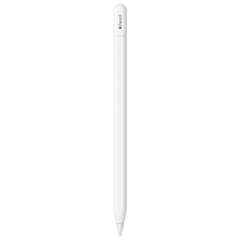
Apple Pencil (USB-C)
Apple Pencil
Skip — Apple’s compatibility list contains only USB-C iPads for this Pencil and requires iPadOS 17.1.1 or later.
This is a valid note-taking Pencil for supported USB-C iPads, but it cannot be adapted to a Lightning iPad. It also omits pressure sensitivity, unlike Apple Pencil (1st generation).Available at Amazon(paid link) — opens Amazon in a new tab. Price and availability shown there.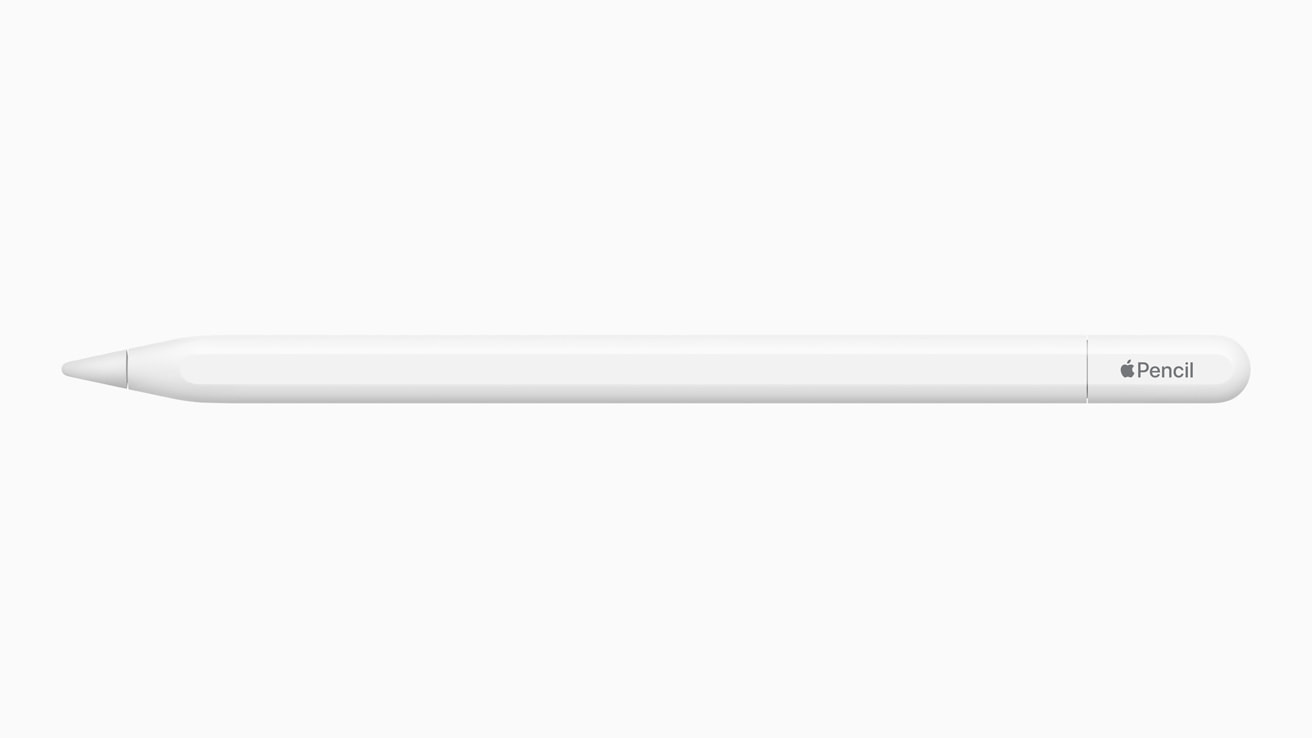
Apple Pencil (2nd Generation)
Apple Pencil
Skip — Apple limits second-generation support to iPad mini 6, iPad Air 4 or 5, and specified USB-C iPad Pro generations.
This model belongs with compatible iPads that provide magnetic pairing and charging. It has no exposed connector to adapt, and no Lightning iPad appears on Apple’s support list.Available at Amazon(paid link) — opens Amazon in a new tab. Price and availability shown there.

Sources
Pages consulted while researching this article. None of these are affiliate links.
- Apple Pencil compatibility — Apple Support — support.apple.com
- Apple Pencil (1st generation) — Tech Specs — Apple Support — support.apple.com
- If you can't pair Apple Pencil with your iPad — Apple Support — support.apple.com
- Find the model number of your iPhone, iPad, or iPod touch — Apple Support — support.apple.com
- Apple introduces new Apple Pencil, bringing more value and choice to the lineup — apple.com
- Apple Pencil Teardown — iFixit — ifixit.com