AULA S75 Pro Switches: Caramel Latte vs. Star Vector
The questionWhere do these come from?
Leobog Graywood V3 or Leobog Graywood V4?
I'm planning to get an AULA S75 Pro but can't decide between Leobog Graywood V3 and Leobog Graywood V4. For those who have tried both: - Which one sounds better?
For daily typing on the AULA S75 Pro, the quieter 45g Leobog Caramel Latte beats the faster, lighter 40g Star Vector unless gaming shares the desk.
For daily typing on the AULA S75 Pro, the Leobog Caramel Latte V2 is the better default: an independent teardown found it quiet, consistent, and specifically well suited to office and sound-sensitive environments, despite carrying a nominally heavier spring than its closest rival. The Leobog Star Vector (also sold as the Seiya) is the one to pick instead if the board splits its time between long typing sessions and gaming, because its shorter pre-travel and lighter spring register a fraction faster on repeated taps.
Both switches are the two Leobog-made linear options AULA sells as configurator choices for the S75 Pro, and both drop into the same 5-pin hot-swap sockets without any plate modification, so nothing about the board itself forces one pick over the other. The decision comes down to what the keyboard is mostly used for.
The two switches, side by side
| Actuation force | Bottom-out force | Pre-travel | Total travel | |
|---|---|---|---|---|
| Leobog Caramel Latte V2 | 45gf | 55gf | 2.0mm | 3.6mm |
| Leobog Star Vector (Seiya) | 40gf | 55gf | 1.8mm | 3.5mm |
Both ship factory-lubed and use a POM stem, and both are rated for roughly 60 million keystrokes by Leobog’s spec sheets — the same durability figure the brand quotes across its Reaper and Graywood V3 linears. Nothing about the numbers looks dramatic on paper. A 5 gram difference in actuation weight and a 0.2mm difference in pre-travel would be hard to feel switch-for-switch in a store demo. What separates them is how each one behaves in a full board over months of use, and that’s where the published testing pulls them apart.
Where the Caramel Latte earns the daily-use pick
ThereminGoat’s teardown of the Huano-made Caramel Latte — the same switch Leobog and AULA co-brand for the S75 Pro line — measured it bottoming out around 50 grams in practice, closer to the light-to-medium range than its 55gf rating suggests, and rated the stock lube job as generous enough that 85–90% of a tested batch came out consistently smooth with only minor unit-to-unit variance. The review specifically calls the sound “smooth, subtle, and very quiet,” and recommends it for “office or sound-sensitive environments” — the exact use case a practical daily-use pick needs to satisfy. Stem wobble was rated among the best in its price bracket in both the north-south and east-west directions, which matters more for long-term consistency than it does for any single keystroke.
That combination — a quiet stock lube job, low wobble, and a spring weight light enough not to fatigue fingers across a workday — is why the Caramel Latte is the switch to choose by default if the S75 Pro is mainly a work or writing keyboard.
Just want the recommendation?
Skip to the picksWhere the Star Vector is the right call instead
The Star Vector’s advantage is entirely mechanical: 1.8mm of pre-travel against the Caramel Latte’s 2.0mm means the actuation point is reached sooner in the keystroke, and the 40gf spring needs slightly less finger force to get there. Neither difference is large enough to change how a document feels to write, but both add up in games or fast, repeated inputs, where the switch resets and re-actuates many times per second. AULA’s own listing for the switch — sold jointly with Leobog as part of the same DIY switch line as the Caramel Latte — markets it specifically alongside gaming-oriented boards for this reason.
The condition to apply here is simple: if the keyboard genuinely gets used for both long writing sessions and gaming in the same day, the Star Vector’s faster reset is worth more than the Caramel Latte’s quieter, slightly heavier feel. If gaming is occasional rather than a daily habit, the trade doesn’t pay for itself, and the quieter switch remains the better all-day pick.
Whether the AULA S75 Pro needs a different switch at all
The S75 Pro’s hot-swap sockets accept both 3-pin and 5-pin switches without soldering, and its gasket-mounted plate with multiple foam layers is the same basic construction across AULA’s Leobog-equipped 75% boards, including the F75 Pro. That means neither switch requires any extra work to install, and swapping later — from whichever variant shipped stock to the other — is a five-minute job with a switch puller, not a reason to avoid ordering the “wrong” one at checkout.
It also means the board’s own sound-dampening foam will narrow the audible gap between the two switches somewhat. The force and pre-travel differences, by contrast, come entirely from the switch and won’t change no matter what plate or foam sits underneath it.
What to skip when buying replacements
Avoid generic unbranded “5-pin linear switch” bulk listings that don’t name Leobog, Huano, or another known manufacturer. They typically skip the factory lube that both the Caramel Latte and Star Vector ship with, meaning a from-scratch lubing job is needed just to match what either of these two already does out of the box — which defeats the point of choosing a pre-lubed switch in the first place.
If neither switch is available and a substitute is needed, Leobog’s own Reaper (45gf, 1.8mm pre-travel, 60 million keystroke rating) and Graywood V3 (40gf, 1.5mm pre-travel, 3-pin) cover similar ground and are documented on Leobog’s own spec pages, though they run in slightly heavier and lighter-weight territory respectively rather than sitting between the Caramel Latte and Star Vector.
The bottom line
Both are defensible — the split is what you do with it:
Top pick
It depends
AULA S75 Pro Wireless Mechanical Keyboard
AULA
A solid budget hot-swap 75% board, but the switch you install — not the board itself — is what decides how it feels for daily typing.
The board this comparison is for; its 5-pin hot-swap sockets and gasket-mounted plate accept either switch below without modification.Available at Amazon(paid link) — opens Amazon in a new tab. Price and availability shown there.The alternative
Buy this
Leobog Caramel Latte V2 Linear Switch
Leobog Caramel
ThereminGoat's teardown measured it running quiet and consistent with minimal stem wobble, calling it well suited for office and sound-sensitive environments.
The quieter, smoother of the two switch options AULA sells for the S75 Pro, and the one to install for all-day office or home typing.Available at Amazon(paid link) — opens Amazon in a new tab. Price and availability shown there.
Recommended products
Ordered by how well each one fits the situations above. Each link below is a paid link.
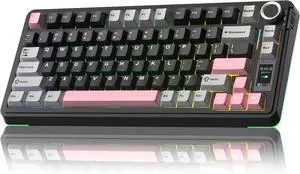
AULA S75 Pro Wireless Mechanical Keyboard
AULA
It depends — A solid budget hot-swap 75% board, but the switch you install — not the board itself — is what decides how it feels for daily typing.
The board this comparison is for; its 5-pin hot-swap sockets and gasket-mounted plate accept either switch below without modification.Available at Amazon(paid link) — opens Amazon in a new tab. Price and availability shown there.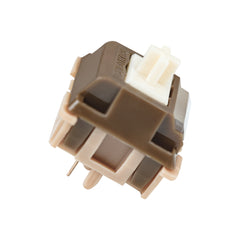
Leobog Caramel Latte V2 Linear Switch
Leobog Caramel
Buy — ThereminGoat's teardown measured it running quiet and consistent with minimal stem wobble, calling it well suited for office and sound-sensitive environments.
The quieter, smoother of the two switch options AULA sells for the S75 Pro, and the one to install for all-day office or home typing.Available at Amazon(paid link) — opens Amazon in a new tab. Price and availability shown there.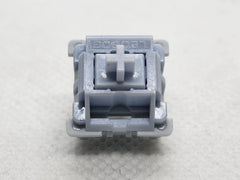
AULA LEOBOG Star Vector Seiya Linear Switch
AULA LEOBOG
It depends — Its 1.8mm pre-travel and lighter 40gf spring register a fraction faster, which only pays off if the board also sees regular gaming use.
The other configurator option for the S75 Pro; a rival to the Caramel Latte with a shorter pre-travel built for faster repeated inputs.Available at Amazon(paid link) — opens Amazon in a new tab. Price and availability shown there.
Sources
Pages consulted while researching this article. None of these are affiliate links.
- Huano Caramel Latte Switch Review — ThereminGoat's Switches — theremingoat.com
- AULA S75 PRO Mechanical Keyboard — official product page — aulastar.com
- AULA × LEOBOG DIY Linear Mechanical Switches — aulagaming.com
- LEOBOG Reaper Linear Switch — official specs — leobogtech.com
- LEOBOG Graywood V3 Switch Set — official specs — leobogtech.com
- LEOBOG Seiya (Star Vector) Linear Switch — keybumps.com
- LEOBOG Switches Compared — switch database — keybumps.com
- Aula F75 Switch Comparison Guide — vrkaa.com