285H Real Sustained Wattage — Is Liquid Metal Worth It?
The questionWhere do these come from?
Max power draw on 285h before throttling?
I’ve got the g16 with the 285h and throttle at about an 85w average while on Cinebench r23. I’m considering going back to Liquid Metal because of it being more conductive than PTM.
The Core Ultra 9 285H sustains about 80W before throttling in ASUS's own laptop, and factory liquid metal already covers what Conductonaut would add.
The Intel Core Ultra 9 285H realistically sustains about 80W before its cooler-and-firmware combination throttles it — not the 115W Intel’s own spec sheet allows, and not the 45W “base power” figure that undersells what the chip actually runs at. That 80W ceiling comes from the one laptop that currently ships this chip in a ROG chassis, the ASUS ROG Zephyrus G16 (2025), and on that laptop a Thermal Grizzly Conductonaut swap won’t raise it — because ASUS already applies genuine liquid metal at the factory.
The 285H isn’t in the Zephyrus G14
Worth clearing up first, because it changes which numbers below apply to you: the 2025 Zephyrus G14 (GA403) kept the AMD Ryzen AI 9 HX 370 it shipped with the year before. The Core Ultra 9 285H only shows up in the 2025 Zephyrus G16 (GU605) and in Strix-series ASUS laptops running Intel’s Arrow Lake-H platform, confirmed on Ultrabookreview’s rundown of the 2025 G14/G16 lineup and on ASUS’s own GU605 product page. If you’re chasing this chip in a 14-inch chassis, it doesn’t exist yet. Everything past this point is about the G16 pairing, and about non-ASUS 285H laptops (MSI, Lenovo, Gigabyte, HP) where the situation is genuinely different — flagged where it matters.
What Intel allows vs. what the laptop sets
Intel’s ARK listing for the 285H states a 45W Processor Base Power and a 115W Maximum Turbo Power. Neither number describes what happens in a real laptop. 45W is a conservative reference floor no gaming laptop actually runs at; 115W is a ceiling no thin chassis can sustain for more than a few seconds.
| Intel’s reference spec | ASUS ROG Zephyrus G16 (2025) firmware | |
|---|---|---|
| Base/sustained power | 45W | 80W (PL1) |
| Max turbo/burst power | 115W | 100W (PL2) |
| Who sets it | Silicon ceiling | OEM firmware table |
The 80W/100W figures come from ASUS’s own power-limit configuration on the GU605, as reported in coverage of the 285H trim of the Zephyrus G16 2025 review and in NotebookCheck’s stress-test data for the same chassis. That’s the realistic number: roughly 80W sustained, with a 100W window for the first 20-30 seconds of a demanding load before the CPU settles.
What 80W sustained actually looks like
In a 30-minute Cinebench R23 loop, NotebookCheck measured the G16’s Core Ultra 9 285H peaking at 96°C, with multi-core throughput dropping by roughly 9% from its initial score as the chip settled into its sustained power envelope. That’s a soft decline, not a cliff — the CPU isn’t dropping clocks dramatically, it’s trimming a modest amount to hold near 80W indefinitely. Under extended gaming load (Cyberpunk 2077), the same chip ran cooler, in the 78-82°C range, since games rarely pin all cores at once the way a synthetic loop does.
Intel raised the throttle ceiling for Arrow Lake and Panther Lake parts to as high as 105°C junction temperature, a change covered by WCCFtech when it was announced. A 96°C peak under a 30-minute synthetic loop means the G16’s cooler is already running close to that wall, not idling well below it. That’s the detail that matters for the liquid-metal question: this chip isn’t leaving obvious thermal headroom on the table.
Just want the recommendation?
Skip to the picksDoes Conductonaut raise the ceiling on this laptop?
No — and the reason is specific, not a general “liquid metal doesn’t help” claim. ASUS’s own spec page for the GU605 states its factory liquid metal reduces CPU temperatures by up to 13°C versus standard thermal paste, applied through automated dispensing equipment and a patented containment fence designed specifically to keep the compound off the aluminum sections of the chassis it would otherwise corrode. On the Strix G16 2025, ASUS names the compound directly as Thermal Grizzly Conductonaut Extreme.
Swapping in standard Conductonaut yourself means replacing a factory liquid-metal application with a hand-applied one — same base chemistry, worse containment, and a firmware power limit that has nothing to do with the interface material. The 80W PL1 figure is a number ASUS’s engineers chose in the power table, not a wall the stock paste is failing to clear. There’s no wattage to unlock by reapplying what’s already there.
If your 285H laptop didn’t ship with liquid metal
This is the real fork in the decision, and it’s a condition you can check yourself: open your OEM’s spec sheet or run HWInfo and look at the thermal interface note, or just check whether your laptop is an ASUS ROG model at all. Several other vendors — MSI, Lenovo, Gigabyte, HP — build 285H configurations that still ship with standard silicone-based paste. On those, a repaste can genuinely drop temperatures.
But the same firmware logic still applies: a cooler CPU doesn’t automatically mean a higher sustained wattage. Repasting only raises the effective power ceiling if the chip was thermally throttling below its firmware-set PL1 before you touched it. If it wasn’t — if it was already sitting comfortably under its power limit and temperature cap — a repaste buys you lower temperatures and quieter fans at the same wattage, not more performance. Raising the wattage itself requires a separate step: your OEM’s control-center Manual/Turbo mode, or Intel XTU where the vendor hasn’t locked it, to actually move the PL1 table.
Conductonaut, Conductonaut Extreme, or PTM7950
| Product | Verdict | Temp range / risk | Best fit |
|---|---|---|---|
| Thermal Grizzly Conductonaut | Skip | 10-140°C; corrodes aluminum; electrically conductive | Already factory-applied on ASUS 285H laptops — redundant |
| Thermal Grizzly Conductonaut Extreme | Consider | -50-200°C; bundled applicators and cleaning pads | Non-ASUS 285H laptops still on stock paste, if you’re set on liquid metal |
| Thermal Grizzly PTM7950 | Buy | No spill or short risk; resists pump-out | Any 285H laptop still on stock paste, without the liquid-metal risk |
Thermal Grizzly’s own datasheet for standard Conductonaut lists a 73 W/mK thermal conductivity and an explicit warning: it must not touch aluminum, which will pit and corrode on contact with the gallium in the alloy. The Conductonaut Extreme datasheet carries the same warning and recommends application on nickel-plated copper specifically for long-term stability — which is exactly what ASUS’s factory fence design is built to guarantee and a hand application on a cramped laptop board is not.
Skip standard Conductonaut on any ASUS ROG 285H laptop — it’s already there, applied better than a DIY job can replicate. Consider Conductonaut Extreme only if you own a non-ASUS 285H laptop, are confident in liquid-metal application on a laptop-scale board, and have already confirmed you can raise the firmware power limit afterward — otherwise you’re taking on aluminum-corrosion and short-circuit risk for a temperature drop with nowhere to spend it. For most stock-paste 285H laptops, PTM7950 is the better repaste: as cooling-hub comparisons of the material note, its phase-change design resists the pump-out that degrades both stock paste and liquid metal in a laptop cooler over several years, without the spill risk that makes liquid metal a one-mistake repair.
What to check before you do anything
Confirm the exact OEM and SKU, not just “285H” — the chip is identical across vendors, but the power table and the stock thermal interface are not. Log PL1/PL2 and package temperature with HWInfo during a 20-30 minute load to see whether your unit is temperature-throttling below its own firmware limit or holding steady at it; that single log tells you whether a repaste or a power-limit change is the actual fix. And check your warranty terms before opening the chassis — ASUS’s liquid-metal application on the 285H trims is a factory process built around a containment fence that a home repaste cannot fully replicate, which is the concrete reason this specific swap doesn’t pay off on that laptop.
The bottom line
Two answers, priced differently:
Top pick
Skip this
Thermal Grizzly Conductonaut Liquid Metal 1g
Thermal Grizzly
ASUS's own spec page claims up to 13°C lower CPU temperatures from its factory liquid metal versus standard paste, and the 285H's 80W PL1 ceiling on that chassis is a firmware setting, not a thermal wall the stock paste is failing to clear.
The liquid metal at the center of this question — but ASUS already factory-applies genuine Thermal Grizzly compound to the 285H’s IHS through a patented containment fence, and the 80W sustained limit on its ROG chassis is set in firmware, not by the paste. Redoing it yourself trades a professionally dispensed factory application for a riskier hand application with no wattage to gain.Available at Amazon(paid link) — opens Amazon in a new tab. Price and availability shown there.The alternative
It depends
Thermal Grizzly Conductonaut Extreme Liquid Metal 1g
Thermal Grizzly
It's the same chemistry ASUS ships from the factory, so it only closes a gap that exists on laptops that didn't get liquid metal built in, and it still carries the aluminum-corrosion and short-circuit risk Thermal Grizzly warns about in its own datasheet.
Thermal Grizzly’s step-up formulation, and the one ASUS actually uses at the factory on its higher trims, with a wider -50°C to 200°C range and bundled application tools. Worth considering only if your specific 285H laptop is an MSI, Lenovo, Gigabyte, or HP configuration that shipped with ordinary paste rather than an ASUS ROG model.Available at Amazon(paid link) — opens Amazon in a new tab. Price and availability shown there.
Recommended products
Ordered by how well each one fits the situations above. Each link below is a paid link.
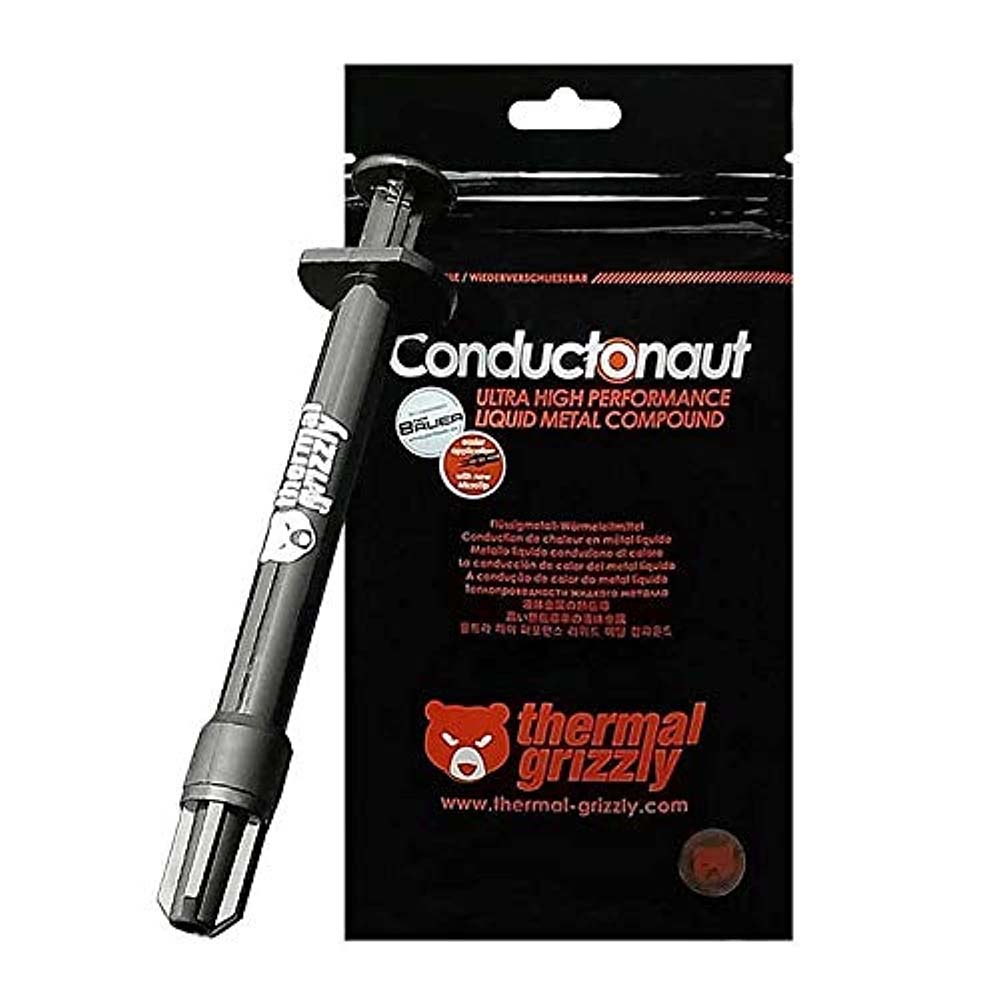
Thermal Grizzly Conductonaut Liquid Metal 1g
Thermal Grizzly
Skip — ASUS's own spec page claims up to 13°C lower CPU temperatures from its factory liquid metal versus standard paste, and the 285H's 80W PL1 ceiling on that chassis is a firmware setting, not a thermal wall the stock paste is failing to clear.
The liquid metal at the center of this question — but ASUS already factory-applies genuine Thermal Grizzly compound to the 285H’s IHS through a patented containment fence, and the 80W sustained limit on its ROG chassis is set in firmware, not by the paste. Redoing it yourself trades a professionally dispensed factory application for a riskier hand application with no wattage to gain.Available at Amazon(paid link) — opens Amazon in a new tab. Price and availability shown there.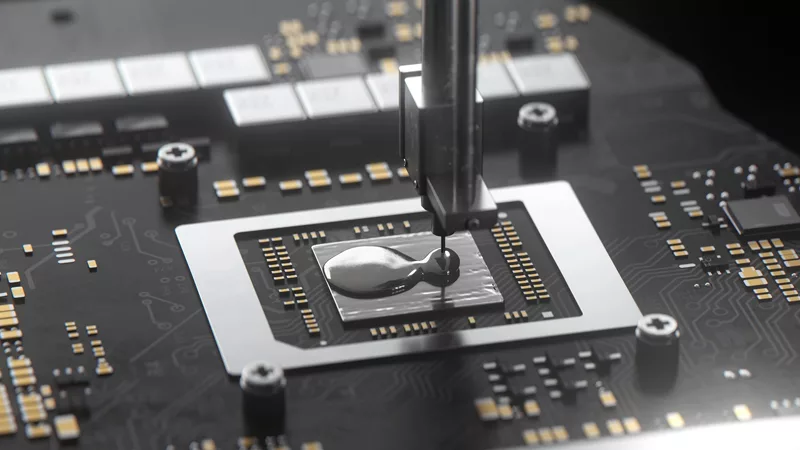
Thermal Grizzly Conductonaut Extreme Liquid Metal 1g
Thermal Grizzly
It depends — It's the same chemistry ASUS ships from the factory, so it only closes a gap that exists on laptops that didn't get liquid metal built in, and it still carries the aluminum-corrosion and short-circuit risk Thermal Grizzly warns about in its own datasheet.
Thermal Grizzly’s step-up formulation, and the one ASUS actually uses at the factory on its higher trims, with a wider -50°C to 200°C range and bundled application tools. Worth considering only if your specific 285H laptop is an MSI, Lenovo, Gigabyte, or HP configuration that shipped with ordinary paste rather than an ASUS ROG model.Available at Amazon(paid link) — opens Amazon in a new tab. Price and availability shown there.
Thermal Grizzly PTM7950 Phase Change Thermal Pad
Thermal Grizzly
Buy — Independent thermal-material comparisons consistently note PTM7950 resists the pump-out that degrades both stock paste and liquid metal in laptop coolers over three to five years, at a fraction of the application risk.
A phase-change pad rather than a liquid metal, so there’s no spill risk, no aluminum corrosion warning, and no risk of shorting a component. For any 285H laptop that still ships with stock silicone paste, it closes most of the gap to liquid metal without the mess or the years-later pump-out that liquid metal is prone to in laptop coolers.Available at Amazon(paid link) — opens Amazon in a new tab. Price and availability shown there.
Sources
Pages consulted while researching this article. None of these are affiliate links.
- Intel Core Ultra 9 Processor 285H — Specifications — intel.com
- Asus ROG Zephyrus G16 2025 review — Notebookcheck — notebookcheck.net
- Asus ROG Zephyrus G16 review (GU605CR — Ultra 9 285H, RTX 5070Ti) — ultrabookreview.com
- 2025 Asus ROG Zephyrus G14 and G16 updates — what to expect — ultrabookreview.com
- ASUS ROG Zephyrus G16 (2025) GU605 — official product page — rog.asus.com
- Celebrating years of liquid metal in ROG laptops — ASUS ROG — rog.asus.com
- ROG Strix G16 (2025) — official product page — rog.asus.com
- Intel Arrow Lake CPUs get increased TJMax and power ratings — WCCFtech — wccftech.com