18GB or 32GB for Local LLMs? Where 18GB Runs Out
The question this answersWhere do these come from?
Should I get 18GB or 32GB of memory for running local LLMs?
Choose 32GB for regular local LLM use; 18GB works for smaller quantized models, but larger models and long contexts expose its limits.
Choose 32GB for regular local LLM use, especially if you want to move beyond small quantized models or keep other applications open. 18GB is enough for smaller models and occasional experimentation, but it is the weaker purchase when running local AI is a main reason for buying the computer.
These recommendations concern inference—running an existing model. They do not establish memory requirements for training or fine-tuning.
First, check which kind of memory you are comparing
An 18GB configuration often means an Apple M3 Pro MacBook Pro. On Apple silicon, unified memory serves the CPU and GPU, while also accommodating macOS and your applications. You cannot budget all 18GB for model weights.
There is also a configuration trap: the M3 Pro offers 18GB or 36GB, not 32GB. A comparison with a 32GB M2 Pro or M2 Max therefore changes the processor as well as memory capacity. Apple documents these configurations in its M3 Pro specifications and M2 Pro/M2 Max specifications.
Two concrete laptop configurations illustrate the choice:
| Specification | MacBook Pro 14-inch M3 Pro | MacBook Pro 14-inch M2 Max |
|---|---|---|
| Unified memory selected | 18GB | 32GB |
| CPU/GPU configuration | 11-core CPU, 14-core GPU | 12-core CPU, 30-core GPU |
| Memory bandwidth | 150GB/s | 400GB/s |
| SSD configuration selected | 512GB | 1TB |
The hardware figures come from Apple’s specifications linked above. The SSD holds downloaded models; it does not provide equivalent working memory when those models run.
If you mean 32GB of system RAM in a Windows or Linux computer, check the graphics card separately. It does not become a 32GB GPU. Ollama distinguishes fully GPU-loaded models from CPU-loaded and partially offloaded models; its FAQ explains how to inspect that allocation. The Mac capacity recommendations below should not be transferred directly to a discrete graphics card’s VRAM.
What 18GB can reasonably run
Model names alone are poor memory guides. Parameter count, weight precision and context length all matter. Quantization reduces the storage needed for model weights, but a model download still excludes some memory required during execution.
For concrete reference points, Ollama lists these Qwen2.5 Instruct variants:
- 7B Q4_K_M: 4.7GB of model files.
- 14B Q4_K_M: 9.0GB of model files.
- 14B Q8_0: 16GB of model files.
- 32B Q4_K_M: 20GB of model files.
These are published package sizes, not measured total RAM consumption. They also show why “14B fits” is incomplete advice: the 14B package changes substantially with quantization. Ollama’s Qwen2.5 model catalogue identifies each variant and its size.
For an 18GB Mac, the 4.7GB example leaves considerably more space for the operating system, applications and conversation state. That makes small quantized models a sensible starting point for short chats, writing assistance and learning local inference tools.
The 9GB 14B example is a plausible next step with restrained context and few competing applications. Treat that as a capacity assessment, not a guarantee for every runtime or workload. The 16GB version leaves too little room to make it a comfortable buying target for an 18GB machine.
The 18GB M3 Pro is the wrong purchase for someone specifically targeting Qwen2.5-32B-Instruct Q4_K_M: its approximately 20GB model package already exceeds the machine’s total unified memory before runtime overhead. That limitation does not make the laptop unsuitable for smaller models, which is why its overall verdict here is “consider,” rather than a blanket rejection.
Why a 20GB model can still squeeze 32GB
32GB creates useful room for larger quantized models, but it does not guarantee comfortable operation at every advertised context length. The missing number is often the KV cache, which stores attention information for the conversation.
Qwen2.5-32B-Instruct provides a checkable example. Its published configuration specifies 64 layers, eight key/value heads and a head dimension of 128, obtained by dividing its 5,120 hidden size by 40 attention heads. Qwen’s model configuration supplies those inputs.
Just want the recommendation?
Skip to the picksFor one sequence with an unquantized 16-bit KV cache, the calculated cache requirement is:
2 × 64 layers × 8 KV heads × 128 dimensions × 2 bytes = 262,144 bytes per token
That is 1GiB at 4,096 tokens, 2GiB at 8,192 tokens and 8GiB at 32,768 tokens, for the cache alone. These are architecture-based calculations, not measurements of an application’s total memory allocation.
Ollama’s rounded 20GB model package is approximately 18.6GiB. Add an 8GiB cache, then account for runtime buffers, macOS and other applications, and a 32GB machine becomes constrained. GPU allocation limits can restrict the usable budget further.
This is the practical distinction: 32GB makes this 32B quantized model a reasonable short-context target; it does not promise unrestricted 32K-context operation. Cache quantization can help. Ollama documents q8_0 KV caching as using approximately half the memory of f16, with a precision tradeoff and Flash Attention requirements. Ollama’s cache documentation explains those settings.
More memory does not explain every speed difference
When a model already fits comfortably, moving from 18GB to 32GB does not by itself guarantee faster token generation. The processor, memory bandwidth, model format and runtime also matter.
The llama.cpp project’s community benchmark collection reports 30.65 tokens per second for the 14-GPU-core M3 Pro, versus 60.99 tokens per second for the 30-GPU-core M2 Max, in its LLaMA 7B Q4_0 token-generation results. These are contributor measurements collected in the llama.cpp Apple Silicon benchmark discussion, rather than Apple performance claims.
Those historical results demonstrate that the older Max chip can outperform the newer Pro chip in a particular inference workload. They are not a controlled 18GB-versus-32GB memory experiment, nor a prediction of current Qwen performance. The M2 Max also has substantially higher specified memory bandwidth, as the table shows.
For the broader laptop tradeoffs, the site’s M2 Max 32GB versus M3 Pro 18GB comparison covers that hardware decision separately.
Already own 18GB? Check the actual constraint
Do not replace a working 18GB machine just because 32GB is the stronger default for a new purchase. First establish whether your chosen model and normal workload exceed its usable memory.
In Ollama, start with a small quantized model and explicitly set a modest context using /set parameter num_ctx 4096. Run ollama ps while the model is loaded to inspect its allocation. Then repeat with the applications and conversation length you actually need. These commands are documented in the Ollama FAQ.
If your normal tasks work satisfactorily, more capacity has no demonstrated benefit for that workload. If you repeatedly shorten context, close applications or choose smaller models solely to make them fit, those are concrete reasons to move up.
Which configuration deserves the purchase
Buy the 14-inch MacBook Pro with M2 Max, 32GB unified memory and 1TB SSD when choosing between these two configurations primarily for local LLMs. Its additional capacity supports a broader model selection, and its 400GB/s memory bandwidth is useful for inference. With a renewed unit, battery condition and the specific seller’s warranty remain separate purchasing checks; model specifications cannot establish an individual unit’s condition.
Consider the 14-inch M3 Pro with 18GB and 512GB SSD for occasional local inference using smaller quantized models. Its drawback is the limited shared memory budget, particularly when moving to larger weights or longer contexts. It is a valid narrower choice, not a universally bad product.
Choose the capacity around the exact model file, required context and applications you need simultaneously. For small-model experimentation, 18GB can do the job. For buying room to explore local LLMs, 32GB is the better choice—but still a capacity to plan within.
The bottom line
Neither is wrong; the use case separates them:
Top pick
Buy this
Apple 2023 MacBook Pro M2 Max 12-core CPU 30-core GPU 14-inch 32GB RAM 1TB SSD Space Gray Renewed
Apple
Its 32GB unified memory provides capacity for the approximately 20GB Qwen2.5-32B Q4_K_M package plus a restrained context and runtime overhead.
The stronger choice for regular local LLM use, with 32GB unified memory and 400GB/s bandwidth. Long contexts can still exhaust its memory, and renewed-unit condition needs checking.Available at Amazon(paid link) — opens Amazon in a new tab. Price and availability shown there.The alternative
It depends
Apple 2023 MacBook Pro M3 Pro 11-core CPU 14-core GPU 14.2-inch 18GB unified memory 512GB SSD Space Black
Apple
The 4.7GB Qwen2.5-7B Q4_K_M package leaves useful headroom within 18GB, but the approximately 20GB 32B variant exceeds total memory before runtime overhead.
Suitable for occasional inference with smaller quantized models. Its 18GB shared memory is restrictive for larger models and long conversations.Available at Amazon(paid link) — opens Amazon in a new tab. Price and availability shown there.
Recommended products
Ordered by how well each one fits the situations above. Each link below is a paid link.
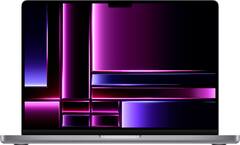
Apple 2023 MacBook Pro M2 Max 12-core CPU 30-core GPU 14-inch 32GB RAM 1TB SSD Space Gray Renewed
Apple
Buy — Its 32GB unified memory provides capacity for the approximately 20GB Qwen2.5-32B Q4_K_M package plus a restrained context and runtime overhead.
The stronger choice for regular local LLM use, with 32GB unified memory and 400GB/s bandwidth. Long contexts can still exhaust its memory, and renewed-unit condition needs checking.Available at Amazon(paid link) — opens Amazon in a new tab. Price and availability shown there.Apple 2023 MacBook Pro M3 Pro 11-core CPU 14-core GPU 14.2-inch 18GB unified memory 512GB SSD Space Black
Apple
It depends — The 4.7GB Qwen2.5-7B Q4_K_M package leaves useful headroom within 18GB, but the approximately 20GB 32B variant exceeds total memory before runtime overhead.
Suitable for occasional inference with smaller quantized models. Its 18GB shared memory is restrictive for larger models and long conversations.Available at Amazon(paid link) — opens Amazon in a new tab. Price and availability shown there.

Sources
Pages consulted while researching this article. None of these are affiliate links.
- Apple: MacBook Pro 14-inch, M3 Pro or M3 Max, November 2023 specifications — support.apple.com
- Apple: MacBook Pro 14-inch, 2023 technical specifications — support.apple.com
- Ollama: Qwen2.5 model variants and package sizes — ollama.com
- Qwen: Qwen2.5-32B-Instruct architecture configuration — huggingface.co
- Ollama FAQ: Context length, GPU allocation and KV cache quantization — docs.ollama.com
- llama.cpp: Measured performance on Apple Silicon M-series — github.com